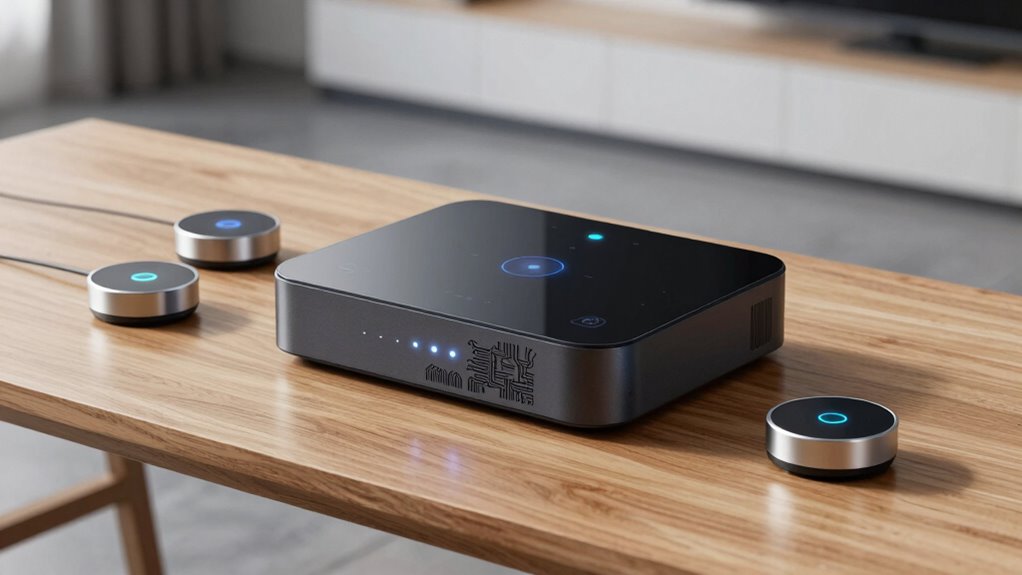

Premium Zigbee hubs range from polished, multi-protocol controllers to dedicated coordinators that give advanced users more control. I’d put the Aqara Smart Home Hub M3 first for its Matter bridge and infrared control, while the Homey Pro mini stands out for broad protocol support and the Hubitat Elevation C-8 Pro for automation flexibility. The main tradeoff is between straightforward setup and deeper control, with compatibility and reliance on cloud services shaping the choice. A Zigbee hub may also support Thread, Matter, or Z-Wave, but those labels do not guarantee that every device or feature will work together. Read on for the full comparison, selection criteria, and advice for matching a hub to your setup.

Get home appliances delivered free with Prime
- Fast, free delivery on millions of items
- Prime Video, Amazon Music and more included
- Member-only deals all year
Complete the kit


Key Takeaways
- Aqara M3 leads the roundup for buyers who want Zigbee devices alongside Matter bridging and an infrared blaster in one hub.
- Homey Pro mini and Hubitat C-8 Pro suit different advanced setups: Homey offers a compact multi-protocol approach, while Hubitat emphasizes flexible automation control.
- The SMLIGHT SLZB-06U is a coordinator, not a typical all-in-one hub. Its Ethernet, USB, and Wi-Fi connectivity makes it a fit for users building around compatible home automation software.
- Protocol overlap does not mean platform parity. The presence of Zigbee, Matter, Thread, or Z-Wave does not promise support for every device feature.
- Several picks target narrower ecosystems or needs. Yoolax, MOES, and the SONOFF bridges make most sense when their device compatibility and intended use match the buyer’s existing setup.
| Aqara Smart Home Hub M3 with Matter Bridge and IR Blaster |  | Best for Aqara-Centered Homes | Model: HM-G01E | Connectivity: Zigbee, Thread, Bluetooth, dual-band Wi-Fi, PoE, USB-C | Matter: Matter controller and bridge | VIEW ON AMAZON | See Our Full Breakdown |
| Homey Pro mini Smart Home Hub with Zigbee, Ethernet, Matter, and Thread |  | Best for Multi-Brand Local Automation | Connectivity: Zigbee, Matter, Thread, Ethernet | Brand compatibility: Over 1,000 brands | Voice assistants: Amazon Alexa, Google Assistant, Siri | VIEW ON AMAZON | See Our Full Breakdown |
| Yoolax Zigbee Matter Smart Hub |  | Best for Simple Voice-Controlled Zigbee | Connectivity protocols: Matter, Zigbee | Device capacity: Up to 128 devices | Voice assistants: Amazon Alexa, Google Assistant | VIEW ON AMAZON | See Our Full Breakdown |
| SMLIGHT SLZB-06U Zigbee 3.0 Ethernet, USB, and Wi-Fi Gateway Coordinator |  | Best for Home Assistant and Zigbee2MQTT Builds | Model: SLZB-06U | Zigbee SoC: CC2652P | Connectivity: Ethernet, USB, Wi-Fi | VIEW ON AMAZON | See Our Full Breakdown |
| SONOFF Bridge Max Smart Home Hub |  | Best for Matter Bridging with Local Web Control | Connectivity: Wi-Fi, Ethernet, Zigbee | Protocols: IEEE 802.11a/b/g/n/ac/ax, IEEE 802.15.4 | Supported device families: Zigbee, BTHome, eWeLink | VIEW ON AMAZON | See Our Full Breakdown |
| Samsung SmartThings Hub (3rd Generation), White |  | Best for Mixed Zigbee and Z-Wave Setups | Protocols: Zigbee, Z-Wave, cloud-to-cloud | Voice assistant compatibility: Alexa, Google Home | Model: GP-U999SJVLGDA | VIEW ON AMAZON | See Our Full Breakdown |
| SONOFF Zigbee Bridge Pro Smart Hub |  | Best for SONOFF Zigbee Device Capacity | Protocols: Zigbee 3.0 and Wi-Fi | Maximum sub-devices: 128 | Model: ZB Bridge-P | VIEW ON AMAZON | See Our Full Breakdown |
| Bloepum Smart Home Hub with Zigbee and Thread |  | Best for Home Assistant and Thread | Connectivity: Zigbee 3.0 and Thread | Matter: Matter-ready | Compatibility: Home Assistant ZHA and Thread systems | VIEW ON AMAZON | See Our Full Breakdown |
| Hubitat Elevation C-8 Pro Smart Home Hub |  | Best for Local Automation Control | Connectivity: Matter 1.5, Z-Wave 800 Series Long Range, Zigbee 3.0, Bluetooth | Voice assistant compatibility: Amazon Alexa, Google Home, Apple HomeKit | Device compatibility: 1,000+ devices across 100+ brands | VIEW ON AMAZON | See Our Full Breakdown |
| Aeotec Smart Home Hub with SmartThings, Z-Wave, Zigbee, and Matter |  | Best for SmartThings and Matter | Connectivity: Wi-Fi and Ethernet | Protocols: Matter, Zigbee, Z-Wave Plus (V3 model only) | App compatibility: SmartThings app for Android, iOS, and iPadOS | VIEW ON AMAZON | See Our Full Breakdown |
| MOES Zigbee and Bluetooth Mesh Smart Home Gateway |  | Best for Tuya Bluetooth Mesh Homes | Protocols: Zigbee 3.0 and Bluetooth Mesh (SIG) | Maximum supported devices: 128 | Network: 2.4 GHz | VIEW ON AMAZON | See Our Full Breakdown |
| premium zigbee hub | Connectivity |
|---|---|
| Aqara Smart Home Hub M3 with M | Zigbee, Thread, Bluetooth, dual-band Wi-Fi, PoE, USB-C |
| Homey Pro mini Smart Home Hub | Zigbee, Matter, Thread, Ethernet |
| Yoolax Zigbee Matter Smart Hub | — |
| SMLIGHT SLZB-06U Zigbee 3.0 Et | Ethernet, USB, Wi-Fi |
| SONOFF Bridge Max Smart Home H | Wi-Fi, Ethernet, Zigbee |
| Samsung SmartThings Hub | — |
| SONOFF Zigbee Bridge Pro Smart | — |
| Bloepum Smart Home Hub with Zi | Zigbee 3.0 and Thread |
| Hubitat Elevation C-8 Pro Smar | Matter 1.5, Z-Wave 800 Series Long Range, Zigbee 3.0, Bluetooth |
| Aeotec Smart Home Hub with Sma | Wi-Fi and Ethernet |
| MOES Zigbee and Bluetooth Mesh | — |
More Details on Our Top Picks
Aqara Smart Home Hub M3 with Matter Bridge and IR Blaster
The Aqara Hub M3 pairs Zigbee and Thread support with Matter bridging, local automations, and a 360° infrared blaster. That mix makes it a stronger fit for an Aqara-focused setup than the Yoolax Zigbee Matter Smart Hub, which emphasizes basic app and voice connections. The IR feature can bring compatible appliances such as air conditioners into automations, while status feedback helps track commands. PoE and encrypted local storage also suit buyers who want a hub with flexible wiring and local processing. The tradeoff is a closed Zigbee device ecosystem: the listed specs say it does not support third-party Zigbee devices. Thread devices may also need repeaters, cloud notifications depend on internet access, and a USB power adapter is not included.
Pros:- Combines Zigbee, Thread, and Matter controller and bridge support
- Supports local automations and 8GB of encrypted local storage
- 360° IR blaster includes status feedback and learning
- Offers PoE and dual-band Wi-Fi connectivity
Cons:- Does not support third-party Zigbee devices
- Thread devices may need Thread repeaters to extend coverage
- USB power adapter is not included, and some cloud notifications require internet
Best for: Aqara users who want local automations, Matter bridging, Thread support, and infrared control in one hub
Not ideal for: Buyers building a mixed-brand Zigbee network, or anyone who needs a USB power adapter included
- Model:HM-G01E
- Connectivity:Zigbee, Thread, Bluetooth, dual-band Wi-Fi, PoE, USB-C
- Matter:Matter controller and bridge
- Device capacity:Up to 127 Aqara Zigbee devices and 127 Thread devices
- Infrared:360° IR blaster with status feedback and learning
- Local storage:8GB end-to-end encrypted
- Power adapter:2A USB adapter not included
- Warranty:12 months
Our verdict“Choose the M3 for an Aqara-centered home that benefits from local control, Thread, and IR, but skip it if broad third-party Zigbee compatibility is a priority.”
Homey Pro mini Smart Home Hub with Zigbee, Ethernet, Matter, and Thread
The Homey Pro mini is the broadest fit here for households mixing devices across brands: it supports Zigbee, Matter, Thread, Ethernet, and products from over 1,000 brands. Local processing and Homey Flow routines make it a more flexible automation hub than the Aqara Hub M3, whose Zigbee support is limited to Aqara devices. It also includes backup options without a subscription, which helps buyers keep routine management under their control. Its tradeoff is that some protocol breadth is conditional: Z-Wave, Bluetooth, and infrared require a separate Homey Bridge. Buyers seeking a simple plug-in gateway may find this ecosystem more involved than the Yoolax hub, and the listed details do not specify device capacity.
Pros:- Supports Zigbee, Matter, Thread, and Ethernet
- Works with products from over 1,000 brands
- Local processing can keep control available when internet is down
- Local or cloud backups are available without a required subscription
Cons:- Z-Wave, Bluetooth, and infrared require a separately sold Homey Bridge
- Device capacity is not specified in the provided product data
Best for: Smart home owners combining devices from many brands who want local routines, voice assistant links, and backups without a subscription
Not ideal for: Buyers who need built-in Z-Wave, Bluetooth, or infrared support, or who want a basic plug-in hub
- Connectivity:Zigbee, Matter, Thread, Ethernet
- Brand compatibility:Over 1,000 brands
- Voice assistants:Amazon Alexa, Google Assistant, Siri
- Additional protocols:Z-Wave, Bluetooth, and infrared with Homey Bridge, sold separately
- Processing:Local processing
- Backup options:Local or cloud
- Subscription:Not required
Our verdict“Pick Homey Pro mini for a multi-brand home centered on local automations, provided its optional Bridge requirement fits your protocol needs.”
Yoolax Zigbee Matter Smart Hub
The Yoolax Zigbee Matter Smart Hub keeps its proposition straightforward: connect compatible Zigbee devices to the Yoolax Home app, Alexa, and Google Assistant, with stated capacity for up to 128 devices. Its Sub-GHz transmission is designed to reduce Wi-Fi interference, a useful distinction from the Aqara Hub M3, which offers more protocols and local automation features but is limited to Aqara Zigbee devices. Yoolax makes more sense for buyers who want a basic voice-connected gateway than for people building a broad premium automation system. The listed compatibility is constrained to Zigbee devices, and a hub per floor is advised in multi-level homes. Compared with the Homey Pro mini, it has fewer documented platform and protocol options, so buyers should check device compatibility before building around it.
Pros:- Supports up to 128 connected devices
- Works with Amazon Alexa and Google Assistant
- Provides app, remote, and voice control
- Sub-GHz transmission is designed to reduce Wi-Fi interference
Cons:- Compatible devices must use Zigbee
- One hub per floor is advised for multi-level homes
- Provides fewer documented protocol and automation options than Homey Pro mini
Best for: Buyers with compatible Zigbee devices who want app and Alexa or Google Assistant control through a plug-in hub
Not ideal for: Multi-level home owners seeking one central hub, or households needing broad protocol and platform flexibility
- Connectivity protocols:Matter, Zigbee
- Device capacity:Up to 128 devices
- Voice assistants:Amazon Alexa, Google Assistant
- Connector type:Plug-in
- Transmission:Sub-GHz
- Signal range:590 inches stated
Our verdict“Choose Yoolax for a straightforward Zigbee setup with voice control, but look elsewhere for extensive protocols or multi-floor coverage from one hub.”
SMLIGHT SLZB-06U Zigbee 3.0 Ethernet, USB, and Wi-Fi Gateway Coordinator
The SMLIGHT SLZB-06U is a coordinator for buyers who want to build their own Zigbee system around Home Assistant, Zigbee2MQTT, or ZHA. Ethernet, USB, and Wi-Fi connections, plus PoE or USB-C power, give it placement choices that a consumer hub such as the Yoolax Zigbee Matter Smart Hub does not emphasize. Its CC2652P coordinator and remote firmware update support suit technically confident owners who prefer to manage integrations themselves. The tradeoff is that this is a platform component rather than a clearly documented all-in-one smart home hub: the supplied data lists no voice assistant support, device capacity, or built-in consumer automation app. Compared with the Homey Pro mini, it is the more hands-on Zigbee choice and offers less stated multi-protocol coverage.
Pros:- Compatible with Zigbee2MQTT, Home Assistant, and ZHA
- Supports Ethernet, USB, and Wi-Fi connectivity
- Can be powered through PoE or USB-C
- Remote firmware updates are supported
Cons:- Requires a compatible platform and more setup than a consumer hub
- The provided data does not specify voice assistant support or device capacity
Best for: Home Assistant, Zigbee2MQTT, or ZHA users who want a flexible network coordinator and can manage their own integrations
Not ideal for: Beginners seeking a ready-made app-led hub, broad protocol support, or stated voice assistant compatibility
- Model:SLZB-06U
- Zigbee SoC:CC2652P
- Connectivity:Ethernet, USB, Wi-Fi
- Power options:PoE or USB-C
- Compatible platforms:Zigbee2MQTT, Home Assistant, ZHA
- Antenna gain:+5 dB
- Zigbee SoC gain:+20 dB
Our verdict“Choose the SLZB-06U as a flexible Zigbee coordinator for a self-managed smart home, not as a plug-and-play hub.”
SONOFF Bridge Max Smart Home Hub
The SONOFF Bridge Max is aimed at buyers who want to bring Zigbee, BTHome, and eWeLink devices into Matter platforms such as Alexa, Google Home, and Apple Home. Its local web console and Home Assistant MQTT integration offer more direct control than the app-and-voice focus of the Yoolax Zigbee Matter Smart Hub. A built-in 90 dB alarm and mobile intrusion notifications also give it a security role that the Aqara Hub M3 does not list as a core feature. The tradeoff is that product data specifies Wi-Fi and Ethernet alongside Zigbee, but no Thread support or device capacity. It also needs a separate power source. This is a focused bridge for a compatible device mix, rather than the broad local automation platform offered by Homey Pro mini.
Pros:- Bridges Zigbee, BTHome, and eWeLink devices to Matter platforms
- Local web console works without cloud services
- Supports Home Assistant integration through MQTT
- Includes a 90 dB alarm and mobile intrusion notifications
Cons:- Requires a separate power source
- Thread support and device capacity are not specified in the provided product data
Best for: Smart home owners who want to expose compatible Zigbee, BTHome, or eWeLink devices to Matter and use local web or MQTT control
Not ideal for: Buyers who need Thread support, a documented device capacity, or a hub with a power source included
- Connectivity:Wi-Fi, Ethernet, Zigbee
- Protocols:IEEE 802.11a/b/g/n/ac/ax, IEEE 802.15.4
- Supported device families:Zigbee, BTHome, eWeLink
- Matter platforms:Alexa, Google Home, Apple Home
- Voltage:5 volts
- Alarm volume:90 dB
- Weight:2.88 ounces
- Color:White
Our verdict“Choose the Bridge Max for Matter bridging with local web and MQTT control, provided its protocol coverage matches your devices.”
Samsung SmartThings Hub (3rd Generation), White
The SmartThings Hub (3rd Generation) earns its place for buyers who want Zigbee and Z-Wave devices working together through one app. That mix gives it broader reach than the SONOFF Zigbee Bridge Pro, which is geared toward SONOFF devices and Zigbee. SmartThings also supports routines triggered by household events, such as a door opening, and works with Alexa and Google Home.
The tradeoff is that this model is an older hub, and its cloud-to-cloud features depend on connected services. That makes it a less compelling fit for someone who prioritizes local control; the Hubitat Elevation C-8 Pro explicitly runs automations locally. I’d choose Samsung for a familiar app-based setup across compatible protocols, while buyers who want extensive local automation have a stronger match elsewhere.
Pros:- Brings compatible Zigbee and Z-Wave devices into one system
- Supports event-triggered household automations
- Works with Alexa and Google Home
Cons:- Some cloud-to-cloud features depend on connected services
- Automation requires compatible devices and services
Best for: Smart home owners with compatible Zigbee and Z-Wave devices who want app-based control and Alexa or Google Home support
Not ideal for: Buyers who want automations to stay independent of cloud services or need a hub centered on local processing
- Protocols:Zigbee, Z-Wave, cloud-to-cloud
- Voice assistant compatibility:Alexa, Google Home
- Model:GP-U999SJVLGDA
- Dimensions:5 x 5 x 1.2 inches
- Weight:8 ounces
- Mounting:Wall mount
- Warranty:1 year limited
Our verdict“Choose this hub to connect a mixed Zigbee and Z-Wave household through SmartThings, provided cloud-connected features suit your setup.”
SONOFF Zigbee Bridge Pro Smart Hub
For a SONOFF-centered home, the Zigbee Bridge Pro offers a clear advantage: it can connect up to 128 Zigbee sub-devices and link them with Wi-Fi devices. That capacity makes it a more natural fit for a growing SONOFF setup than the Samsung SmartThings Hub (3rd Generation), whose appeal is its mix of Zigbee and Z-Wave rather than a stated device ceiling. SONOFF also includes home, away, and sleep security modes.
Its local scene automation can keep working during an internet outage, which suits routines that should stay within the home. The tradeoff is a narrower ecosystem: it is designed around SONOFF Zigbee devices, while the Hubitat Elevation C-8 Pro supports a wider range of protocols. The Bridge Pro also needs a separate power source, so it suits focused setups better than buyers seeking one broadly compatible hub.
Pros:- Supports up to 128 Zigbee sub-devices
- Local scenes can operate without an internet connection
- Includes home, away, and sleep security modes
- Connects compatible Zigbee and Wi-Fi devices
Cons:- Designed around SONOFF Zigbee devices
- Requires a separate power source
Best for: SONOFF users building a larger Zigbee setup who want local scenes and simple home security modes
Not ideal for: Households mixing many brands and protocols that need a hub with broader device compatibility
- Protocols:Zigbee 3.0 and Wi-Fi
- Maximum sub-devices:128
- Model:ZB Bridge-P
- Dimensions:2.44 x 0.79 x 2.44 inches
- Weight:1.2 ounces
- Voltage:5 volts
- Warranty:1 year
Our verdict“Pick the Bridge Pro for a high-capacity SONOFF Zigbee system with local scenes, but look to a broader hub for mixed protocols.”
Bloepum Smart Home Hub with Zigbee and Thread
The ZBT-2 is a strong fit for buyers building around Home Assistant who want one gateway for Zigbee 3.0 and Thread. Its Thread support and Matter readiness give it a different role from the SONOFF Zigbee Bridge Pro, which focuses on SONOFF Zigbee and Wi-Fi devices. A 4.16 dBi omnidirectional antenna is intended to help the signal reach devices across rooms, while local communication keeps device traffic on the home network.
That local approach can suit people who value responsiveness and privacy, but the hub’s compatibility is centered on Home Assistant ZHA and Thread systems. Buyers seeking a more app-led setup with voice assistant support may find the Aeotec Smart Home Hub a closer fit. The ZBT-2 also depends on an existing Home Assistant environment, so it is a specialized gateway rather than a convenient standalone choice for every household.
Pros:- Supports both Zigbee 3.0 and Thread
- Matter-ready for compatible devices
- Designed for Home Assistant ZHA and Thread systems
- Omnidirectional antenna is intended to extend room-to-room coverage
Cons:- Compatibility centers on Home Assistant systems
- Requires an existing compatible host setup
Best for: Home Assistant users who want a single gateway for Zigbee and Thread devices with local network communication
Not ideal for: Beginners who want a standalone hub with broad app and voice assistant support outside Home Assistant
- Connectivity:Zigbee 3.0 and Thread
- Matter:Matter-ready
- Compatibility:Home Assistant ZHA and Thread systems
- Antenna:4.16 dBi omnidirectional
- Connection:USB Type-C
- Color:White
- Item weight:11.9 ounces
Our verdict“Choose the ZBT-2 if Home Assistant is your platform and Thread support matters alongside Zigbee.”
Hubitat Elevation C-8 Pro Smart Home Hub
The Hubitat Elevation C-8 Pro stands out for buyers who want automations to run locally, even when internet access drops. Its support for Matter, Zigbee, Z-Wave 800 Series Long Range, and Bluetooth gives it wider protocol coverage than the SONOFF Zigbee Bridge Pro, which is more focused on SONOFF Zigbee devices. The stated compatibility with Alexa, Google Home, and Apple HomeKit also gives households several voice-control options.
Two dedicated external antennas are designed to extend wireless range, and the platform does not require a subscription. That flexibility comes with a learning curve: advanced routines through Rule Machine may take time to configure, and the setup can call for documentation or community guidance. Compared with the Aeotec Smart Home Hub, Hubitat makes local processing a more explicit part of its pitch, but is less suited to someone who wants the simplest app-first experience.
Pros:- Local processing keeps compatible automations working without internet access
- Supports Matter, Zigbee, Z-Wave, and Bluetooth
- Works with Alexa, Google Home, and Apple HomeKit
- No subscription is required for platform features
Cons:- Setup may require documentation or community guidance
- Advanced automations can take time to configure
Best for: Experienced smart home owners who want multi-protocol support and routines that keep running locally
Not ideal for: Beginners who prefer a guided setup and simple automations over configurable rules
- Connectivity:Matter 1.5, Z-Wave 800 Series Long Range, Zigbee 3.0, Bluetooth
- Voice assistant compatibility:Amazon Alexa, Google Home, Apple HomeKit
- Device compatibility:1,000+ devices across 100+ brands
- Antennas:2 dedicated external antennas
- Dimensions:3.23 x 2.95 x 0.67 inches
- Weight:0.16 lb
- Subscription:None required
Our verdict“Pick Hubitat if local, flexible automations matter more to you than a low-effort setup.”
Aeotec Smart Home Hub with SmartThings, Z-Wave, Zigbee, and Matter
The Aeotec Smart Home Hub suits buyers who want SmartThings app control with Zigbee, Matter, and model-dependent Z-Wave support. Many automations can run locally, giving it a practical reliability advantage over cloud-dependent features on the Samsung SmartThings Hub (3rd Generation). Buyers can connect through Wi-Fi or Ethernet, so it can fit homes where a wired network connection is preferred.
It also works with Alexa and Google Home, though it does not list Apple HomeKit support like the Hubitat Elevation C-8 Pro. The main caveat is regional and model specificity: this hub is designed for North America, and Z-Wave Plus support applies only to the V3 model. I’d shortlist it for an existing SmartThings household that wants Matter support, while buyers outside North America should choose a region-appropriate hub.
Pros:- Supports Matter and Zigbee
- Offers both Wi-Fi and Ethernet connectivity
- Many automations can run locally
- Works with Alexa and Google Home
Cons:- Designed for use in North America
- Z-Wave Plus support is limited to the V3 model
Best for: North American SmartThings users who want Matter support, flexible network setup, and compatible local automations
Not ideal for: Buyers outside North America or anyone who needs Z-Wave support without confirming the hub version
- Connectivity:Wi-Fi and Ethernet
- Protocols:Matter, Zigbee, Z-Wave Plus (V3 model only)
- App compatibility:SmartThings app for Android, iOS, and iPadOS
- Voice assistant compatibility:Amazon Alexa, Google Home
- Region:North America
- Local automation:Many automations can run locally
Our verdict“Choose Aeotec for SmartThings and Matter in a North American setup, after confirming which version provides the Z-Wave support you need.”
MOES Zigbee and Bluetooth Mesh Smart Home Gateway
The MOES gateway earns its place for households combining Tuya Zigbee 3.0 and Bluetooth Mesh devices. That dual-protocol support can reduce the need for separate gateways, while app and voice control make everyday commands accessible through MOES or Smart Life, Alexa, and Google Assistant. Its stated capacity of up to 128 devices also gives a growing compatible setup room to expand.
Compared with the Homey Pro mini, this is a narrower choice: it is built around Tuya-compatible devices rather than a broader smart-home platform. The plug-in design avoids wiring, but it still needs a 2.4 GHz network and a Type C outlet. This pick makes sense when Tuya compatibility is already central to the home; buyers seeking wider device flexibility should look at the Homey or Aeotec hubs instead.
Pros:- Supports compatible Tuya Zigbee 3.0 and Bluetooth Mesh devices
- Stated capacity of up to 128 compatible devices
- Works with MOES and Smart Life apps, Alexa, and Google Assistant
- Plug-in setup requires no wiring
Cons:- Limited to Tuya smart devices
- Requires a 2.4 GHz network
- Type C plug may not suit every outlet or region
Best for: Households with Tuya Zigbee devices and Bluetooth Mesh accessories that want one plug-in gateway with app and voice control
Not ideal for: Buyers building a mixed-brand smart home who need broad device compatibility beyond Tuya, or households without a 2.4 GHz network
- Protocols:Zigbee 3.0 and Bluetooth Mesh (SIG)
- Maximum supported devices:128
- Network:2.4 GHz
- Connector:Plug-in
- Plug type:Type C
- Compatible apps:MOES and Smart Life
- Voice assistants:Alexa and Google Assistant
- Color and material:White plastic
Our verdict“Choose the MOES gateway if your setup is built around Tuya and needs Zigbee plus Bluetooth Mesh support in a simple plug-in unit.”

How We Picked
I compared these hubs on the factors that shape day-to-day ownership: supported protocols, connection options, compatibility expectations, setup demands, and the range of automation approaches each product appears to support. I gave more weight to a clear role in a premium setup than to a long list of protocol names, since buyers need to know what the hub can add to their home and what they may need to configure themselves.
The order favors versatile choices with a clear path for expanding a smart home, then options that serve particular priorities such as local automation, coordinator flexibility, or a focused device ecosystem. The Aqara M3 ranks first for combining several useful capabilities, while Homey Pro mini and Hubitat C-8 Pro appeal to buyers who prioritize different kinds of platform flexibility. More specialized bridges and gateways rank lower for general use because their fit depends more heavily on a buyer’s existing devices, software, and appetite for setup.
Factors to Consider When Choosing Premium Zigbee Hubs
Before choosing a premium Zigbee hub, I’d map the decision to the home you already have and the one you want to build. A hub’s protocol list is only a starting point; device support, internet dependence, software, and the way you plan to manage automations all affect the ownership experience.
Check device compatibility beyond the protocol label
Zigbee is a shared standard, but device discovery does not promise that every button, sensor, or configuration option will work. Manufacturers may use different device profiles, and hub software can vary in how quickly it supports newer products. Before buying, check compatibility for the specific devices you own or plan to add, including the features you rely on. A sensor that pairs but cannot expose its configuration or battery reporting may be a poor fit. This matters most when replacing an established hub, since migrating devices can take more effort than starting fresh. Favor a platform with a clear compatibility record for your planned devices over one with the longest protocol list.
Decide how much control you want over automation
Some buyers want scenes and routines managed through a polished app, while others want to shape detailed rules and keep more control over where they run. That difference affects both setup time and the kind of troubleshooting you may need to do. A configurable system can reward careful setup, but it can ask you to learn more about integrations and device behavior. A simpler experience can reduce routine maintenance, though it may limit how far you can customize. Think through a real task, such as turning on lights when a motion sensor triggers only after sunset. If the hub cannot express that rule in a way you understand, its flexibility may not help you.
Understand local control and internet dependence
Local automation can keep some routines running when an internet connection is down, but the phrase does not mean every feature works offline. Remote access, voice assistants, account services, and device integrations may still depend on outside services. Look for clear documentation on which automations run on the hub and which need an internet connection or another platform. Buyers with unreliable broadband should test this question before they move a large device network. Buyers who mainly want remote access may care more about account setup and app support. A hub’s offline behavior is a practical ownership detail, not just a technical distinction.
Treat Matter, Thread, and Zigbee as separate compatibility questions
These names describe related parts of the smart home landscape, but they do not mean the same thing. Zigbee connects many sensors and controls to a hub, Thread is a separate low-power network protocol, and Matter is a standard for device communication across supported platforms. A Matter bridge can expose compatible devices to other systems, but it may not carry every original device feature with it. Before paying for multi-protocol support, confirm which roles the hub performs and which devices benefit from each one. If your existing network already covers your needs, another radio may add setup without adding useful control. Buy for the devices and integrations you expect to use.
Plan the hub’s connection and placement
Ethernet, USB, and Wi-Fi offer different installation choices, but their value depends on where the hub can live and how your network is arranged. A wired connection can make placement near networking equipment convenient, while a USB-based coordinator may suit a server or home automation host. Wi-Fi can simplify installation but may add another device to manage on a busy wireless network. Zigbee coverage also depends on placement, walls, and the shape of the home; a premium hub cannot guarantee strong signal everywhere. Consider whether you can place the hub centrally and away from sources of interference. For a larger home, plan for compatible powered Zigbee devices that can extend the network.
Count maintenance and migration effort as part of the cost
The purchase decision includes more than installing the hub: firmware updates, account management, backups, and device re-pairing can shape long-term satisfaction. A hub tied closely to one ecosystem may be easy to manage while you stay within that system, but switching later could take work. A coordinator built for use with external software may offer a different kind of flexibility while asking you to maintain more of the surrounding setup. Before replacing a working hub, check whether devices can be transferred or must be paired again. Keep a record of automations and device names if a move is likely. Paying more makes sense when it buys a capability you will use, such as broader platform support or a better fit for local automation, rather than unused protocol labels.
Frequently Asked Questions
Will a premium Zigbee hub work with every Zigbee device I own?
No. Zigbee compatibility varies by hub software, device profile, and the features the hub exposes, even when devices share the same protocol. Check your exact devices against the hub’s compatibility information before switching. Pay special attention to controls and configuration options you rely on, not just whether a device can pair. If your devices are spread across several brands, favor a hub with documented support for those models and a path for adding new ones.
Should I replace my existing hub with a Matter-capable model?
That depends on whether Matter solves a real compatibility problem in your home. A Matter bridge can make supported devices available to another platform, but it may not expose every feature that the original hub provides. Check which devices and functions are bridged before replacing a setup that already works. If you only want to add a few devices, using the existing hub alongside a new system may involve less re-pairing. Plan the migration around specific devices and automations rather than the Matter label alone.
Do I need a hub with Thread as well as Zigbee?
Only if Thread devices or a particular multi-protocol setup are part of your plans. Zigbee and Thread use different networks, so support for one does not make a hub a controller for the other. Check whether the product supports the role your planned devices require, since protocol support can mean different things across products. If your home is built around Zigbee devices, Thread may add little immediate value. If you expect to mix device types, confirm platform support before buying.
Is a dedicated Zigbee coordinator a good choice for a typical home?
A dedicated coordinator can make sense if you already use, or are ready to maintain, compatible home automation software. It can offer connection options and configuration choices that suit a custom setup, but it may not provide the app-led experience buyers expect from an all-in-one hub. Check what host software, network connection, and ongoing maintenance the coordinator needs. For a household seeking a straightforward starting point, a hub with its own supported app and clear device setup may be easier. Choose the coordinator route when its added control solves a specific need.
What should I prioritize if I want automations to work during an internet outage?
Look for documentation that states which routines run locally and which features need an internet connection, account service, or cloud integration. Test the specific automation types you care about, since local control may cover device-to-device routines but not voice assistants or remote access. Also check how the hub behaves after a router restart or power interruption. A stable local setup still depends on a functioning home network and powered devices. If outage behavior is a priority, make it a selection criterion before choosing based on extra protocols.
Conclusion
For the broadest balance in this roundup, I recommend the Aqara Smart Home Hub M3 as the best overall, especially for buyers who value its Matter bridge and infrared control. The SMLIGHT SLZB-06U is the best value for technically confident buyers who want coordinator connectivity and already have compatible automation software. For a best premium fit, choose Homey Pro mini if you want a compact, multi-protocol system, or Hubitat Elevation C-8 Pro if flexible automation control matters more. Beginners should start with the hub whose app and device support match their existing products; the Aqara M3 is the clearest starting point among the broad picks. For focused needs, consider Aeotec Smart Home Hub for SmartThings and Z-Wave alongside Zigbee, or a SONOFF, Yoolax, Bloepum, or MOES option when its ecosystem aligns with your devices. Verify model-specific compatibility before committing, especially if you are migrating an existing network.
Halloween Picks
halloween
As an affiliate, we earn on qualifying purchases.