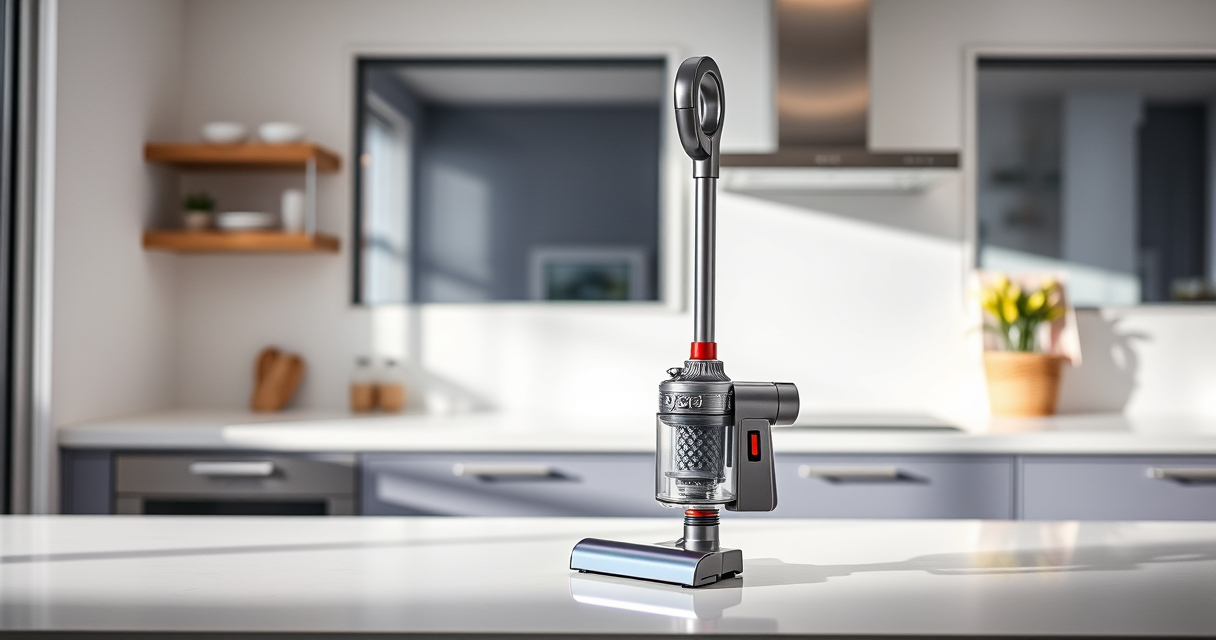
If your Dyson V15 Detect™ Origin Cordless Vacuum isn’t providing strong suction, it can be frustrating. Often, the issue is related to blockages, dirty filters, or worn parts. This guide walks you through practical, safe steps to diagnose and fix common causes of suction loss, helping you restore your vacuum’s power efficiently.

Get home appliances delivered free with Prime
- Fast, free delivery on millions of items
- Prime Video, Amazon Music and more included
- Member-only deals all year
Follow these step-by-step instructions to troubleshoot your Dyson vacuum, ensuring safe handling and optimal performance.
Key Takeaways
| Check for blockages | Blockages in wand, hose, or cleaner head can reduce suction. |
| Inspect filters | Dirty or clogged filters diminish vacuum performance. |
| Examine the brush bar | Tangled hair or debris can hinder cleaning power. |
| Ensure proper assembly | Incorrectly assembled parts can cause loss of suction. |
| Replace worn parts | Old filters or damaged seals need replacement for optimal suction. |
Step 1: Power Off and Unplug
Always turn off your Dyson vacuum and unplug it from the charging base before starting any troubleshooting. This ensures safety and prevents accidental activation while inspecting parts.
Step 2: Check for Blockages
- Detach the wand and cleaner head from the main body.
- Inspect the wand, hose, and cleaner head for any visible debris or blockages.
- Clear any obstructions using a long, flexible brush or cloth.
Step 3: Clean or Replace Filters
Dirty filters can significantly reduce suction. Remove the pre-filter and filters from the vacuum. Rinse the filters with cold water, gently squeezing out excess water, and let them air dry completely (at least 24 hours) before reinstalling. Replace filters if they are worn or damaged.
Step 4: Examine the Brush Bar
Check the Digital Motorbar cleaner head for tangled hair or debris. Remove any obstructions carefully. If the brush bar is damaged or excessively worn, consider replacing it or the entire cleaner head.
Step 5: Verify Proper Assembly and Seal Integrity
Ensure all parts are securely attached and properly clicked into place. Check for broken seals or cracks in the wand, hose, or cleaner head, which can cause suction leaks.
The Products in This Guide

Dyson V15 Detect™ Origin Cordless Vacuum
- ✔ Battery Life: 60 mins
- ✔ Filter Type: Pre-filter and HEPA
- ✔ Cleaning Modes: Multiple adjustable modes

LANMU Crevice Tool Vacuum Attachments Compatible
- ✔ Nozzle Width: 1.2 inches
- ✔ Material: Plastic
- ✔ Weight: 0.3 lbs
Dyson V15 Detect™ Origin Cordless Vacuum
The Dyson V15 Detect™ Origin offers powerful suction, intelligent debris detection, and a range of attachments to handle various surfaces and messes. Its LCD screen keeps you informed on performance and maintenance needs.
Pros:
- Powerful suction with 100% more power
- Smart debris detection and display
- Long 60-minute run time
- Multiple attachments for versatility
Cons:
- Higher price point
- Heavy for some users
- Requires filter maintenance
Best for: Deep cleaning large areas and homes with pets
Not ideal for: Light or quick cleanups, or for users seeking a lightweight model
Bottom line: Powerful, intelligent, and versatile for comprehensive home cleaning.
LANMU Crevice Tool Vacuum Attachments Compatible
The LANMU Crevice Tool Vacuum Attachments are compatible with Dyson models and feature a slim, flexible design to reach tight spots, corners, and crevices effectively, enhancing your cleaning routine.
Pros:
- Narrow nozzle for tight spaces
- Compatible with multiple Dyson models
- Flexible and easy to maneuver
- Great for car interiors and upholstery
Cons:
- Additional attachment needed for full cleaning
- May not fit older Dyson models
- Requires storage space
Best for: Cleaning edges, corners, and narrow gaps
Not ideal for: Bulk cleaning tasks or for large surface areas
Bottom line: A versatile tool for deep cleaning narrow and tricky spots.
Frequently Asked Questions
Why is my Dyson vacuum losing suction?
Common causes include clogged filters, blockages in the wand or hose, tangled debris in the brush bar, or loose parts. Regular cleaning and maintenance usually resolve these issues.
How often should I clean or replace filters?
It’s recommended to rinse and air dry filters every 1-3 months, and replace them if they show signs of wear or damage. Check your model’s manual for specific guidance.
Can I fix suction issues myself?
Yes, most issues related to blockages or dirty filters are manageable with simple cleaning. If you suspect a broken seal or damaged motor, consider professional repair or contacting Dyson support.
What safety precautions should I take during troubleshooting?
Always unplug your vacuum before inspecting or cleaning parts. Avoid using water on electrical components and handle filters and brushes carefully to prevent injury.
Get Your Dyson Suction Back in Action
Most Dyson cordless vacuum suction issues are straightforward to troubleshoot with basic steps like clearing blockages and cleaning filters. Regular maintenance ensures your vacuum performs optimally and prolongs its lifespan. If problems persist after these fixes, consult Dyson support for professional assistance.
Affiliate disclosure: As an Amazon Associate we earn from qualifying purchases. Prices and availability are accurate as of the time of publishing.
Fall yard work Picks
leaf blowers
As an affiliate, we earn on qualifying purchases.