
TL;DR

Get home appliances delivered free with Prime
- Fast, free delivery on millions of items
- Prime Video, Amazon Music and more included
- Member-only deals all year
Smart home security cameras provide real-time monitoring, smart alerts, and flexible storage options. Understanding their types, features, and limitations helps you pick the right system to protect your home effectively.
Imagine catching a package thief in the act or seeing your dog happily snoozing while you’re at work. That’s the power of a good smart home security camera. These devices are no longer just simple eyes; they’re smart, connected, and capable of protecting what matters most.
In this guide, you’ll learn what makes a camera truly effective, how to avoid common pitfalls, and what features are worth your investment. Whether you’re a tech enthusiast or just want peace of mind, understanding these tools will help you pick the right system for your home.
Prioritize camera placement—position outdoor cameras to maximize face capture and avoid glare or reflections.
Local storage options like SD cards can save money and improve privacy, but ensure proper encryption and backup strategies.
AI-driven detection reduces false alarms by up to 80%, making alerts more reliable and less annoying.
Night vision quality varies—test real footage in darkness before buying, especially if you need clear nighttime images.
Compatibility with your smart home ecosystem is crucial—verify support for your preferred platform and automation features.
What Types of Cameras Do You Really Need? (Indoor, Outdoor, and Special Features)
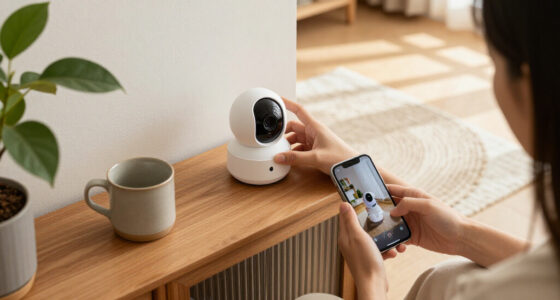
Choosing the right camera starts with understanding the options. Indoor cameras monitor your living spaces, keeping an eye on children, pets, or caregivers. They’re often small, discreet, and plug into your Wi-Fi easily.
Outdoor cameras, on the other hand, are built tough with weather-resistant housings. They usually have stronger night vision and are designed to withstand rain, snow, and heat. Imagine a camera mounted above your front porch, alerting you if someone lurks around after dark.
Then there are special models like video doorbells, floodlight cameras, and pan-and-tilt units. Video doorbells—like Ring or Nest Hello—offer a clear view of visitors, with two-way talk. Floodlight cameras combine surveillance with bright lighting and a siren to scare off intruders. Pan-and-tilt models expand coverage but add mechanical complexity, so consider your property’s layout.
For example, if you want to cover your backyard and driveway, a pan-and-tilt outdoor camera might be best. If monitoring inside your home for pets or delivery packages, a compact indoor model suffices.
outdoor smart security camera with night vision
As an affiliate, we earn on qualifying purchases.
As an affiliate, we earn on qualifying purchases.
How Image Quality Really Affects What You Can See
1080p resolution is the baseline for most home cameras—enough to identify faces and license plates in good light. But higher resolutions like 2K or 4K can capture finer details—think reading small text or distinguishing faces at a distance. This matters because the clarity of footage directly influences how effectively you can identify potential threats or verify events after the fact.
However, resolution isn’t the only factor. Lens quality, sensor size, and lighting conditions matter just as much. For instance, a 4K camera with a poor lens might produce more blurry images than a well-made 1080p model, which could hinder your ability to recognize faces or read license plates clearly. This means that investing in higher resolution without considering optics and sensor quality may not yield better results.
HDR processing helps in tricky lighting—like when someone stands in front of a bright window. Wide-angle lenses cover more area but make distant objects appear smaller, which can affect detail recognition. So, if you want a crisp, detailed look, prioritize lens quality and sensor size over megapixels alone. Balancing resolution with optics ensures the footage you get is both detailed and usable, which is crucial for effective identification and evidence gathering.
Imagine trying to read a license plate at night—resolution helps, but good lighting and HDR make the difference between a blurry mess and a readable number. Quality footage can be the difference between catching an intruder and missing critical details, so understanding these tradeoffs helps you select a camera that truly meets your needs.
indoor Wi-Fi security camera with AI detection
As an affiliate, we earn on qualifying purchases.
As an affiliate, we earn on qualifying purchases.
Night Vision: How Cameras See When the Lights Go Out
Night vision is what turns a dark, silent yard into a detectable scene. Most cameras use infrared LEDs to create monochrome images—think of it as seeing in black-and-white in complete darkness. But newer models now offer color night vision, giving you more detail at night—like the color of a person’s jacket or a car’s paint. This advancement matters because color night vision can help distinguish between different objects or people more easily, especially in complex scenarios.
For example, a camera with color night vision might help you distinguish between a delivery person in a red hoodie versus a thief in dark clothing. However, the effectiveness depends on factors like reflections, rain, or insects, which can distort images. Understanding these limitations is vital because relying solely on color night vision in adverse conditions might give a false sense of security. Recognizing when infrared monochrome is sufficient versus when color adds value can help you choose the right camera for your environment.
When choosing night vision, look at real nighttime footage rather than just specs. Some cameras claim long detection ranges but produce blurry or washed-out images. The key is a good sensor, proper lighting, and smart processing to get usable images after sunset. This ensures you’re not just buying a camera with flashy specs but one that performs reliably when it matters most.
As an affiliate, we earn on qualifying purchases.
Making Alerts Smarter: Motion Detection and Custom Notifications
Modern cameras don’t just record—they tell you what’s happening. They can distinguish between a person, a car, or a falling leaf. Features like custom activity zones let you focus alerts on high-value areas, like your front door or backyard. This targeted approach reduces false alarms and ensures you’re notified only of truly relevant events, saving you time and frustration.
Imagine your camera detecting a person approaching but ignoring passing cars or a branch swaying in the wind. That’s where adjustable sensitivity and AI-based classification shine. Some models even recognize familiar faces or packages, reducing false alarms. This level of intelligence allows your system to adapt to your specific environment, minimizing unnecessary alerts and helping you respond more effectively.
For example, you might set your camera to alert only when a person appears in the driveway during business hours. If a squirrel triggers a false alert, you can turn down sensitivity or adjust detection zones. These tradeoffs—between sensitivity and accuracy—are crucial because overly sensitive systems may generate too many false alarms, while under-sensitive ones might miss real threats.
However, no system is perfect. Shadows, headlights, and weather can still cause false alarms. Paid subscriptions often unlock advanced features like face recognition and more precise alerts, which can further improve reliability. Understanding these tradeoffs helps you choose a system that balances responsiveness with accuracy, ultimately providing peace of mind without constant false alerts.
weatherproof floodlight security camera
As an affiliate, we earn on qualifying purchases.
As an affiliate, we earn on qualifying purchases.
Storage Options: Cloud, Local, or Both? What’s Best for You?
Storing footage is a big deal. Cloud storage uploads videos to a remote server—your footage is safe if the camera is stolen. But it often comes with monthly fees, sometimes adding up to $10-$30 per month for multiple cameras. The main advantage is off-site backup, which protects against theft or damage to your hardware, but ongoing costs can add up over time.
Local storage involves microSD cards, network recorders, or NAS devices. You keep your footage on your own hardware, so no ongoing fees. For example, a camera with a 128GB SD card can record weeks of footage, depending on activity levels. However, local storage requires you to manage hardware and ensure proper encryption to prevent hacking, which adds complexity but offers greater control over your data privacy.
Hybrid setups combine both—local storage for privacy and security, plus cloud backup for peace of mind. When choosing, consider your internet speed, data privacy preferences, and whether you want to pay monthly for cloud access. Hybrid systems aim to balance cost, security, and convenience, but they may involve higher initial investment and setup complexity.
Important: Make sure your storage solution encrypts footage to prevent hacking. And check the retention period—how long your footage stays available before overwriting or deleting. Selecting the right storage option depends on your risk tolerance, budget, and desire for control versus convenience.
Protect Your Privacy and Keep Your Data Safe
Security cameras handle highly sensitive info—your routines, possessions, and access points. To keep this data safe, always use strong, unique passwords and enable multi-factor authentication. Regular firmware updates patch vulnerabilities, just like your phone. These updates often include critical security fixes that prevent hackers from exploiting known flaws, making it essential to keep your devices current.
Encryption during data transfer and storage adds an extra layer of security. For example, choose cameras that support end-to-end encryption if privacy is a priority. This ensures that even if data is intercepted, it remains unreadable to outsiders.
Be cautious about where you place cameras. Avoid private spaces like bedrooms or bathrooms, and review who has access—shared accounts, family members, or service providers—and remove access when no longer needed. This minimizes the risk of unauthorized viewing or accidental exposure of private moments.
For instance, if you sell or give away a camera, perform a factory reset to erase all your data. Some cameras offer privacy shutters or recording indicators—use them to prevent accidental recording of private moments. Implementing these security practices ensures your data remains protected without sacrificing the functionality of your security system.
Smart Home Compatibility: Making Your Cameras Play Nice
Compatibility isn’t just about logos. You want your cameras to work seamlessly with your existing smart home setup—whether that’s Alexa, Google, Apple HomeKit, or SmartThings. Some cameras support voice commands, others trigger automations like turning on lights when motion is detected. Compatibility enhances convenience and allows you to integrate your security system into broader home routines, creating a more cohesive experience.
For example, a camera that integrates with Alexa can turn on your smart porch light when it detects someone. Check if your camera supports live viewing, recording, and alerts on your preferred platform. Compatibility also influences future expandability—choosing a system that supports standards like Matter can future-proof your setup, although support is still emerging. Ensuring your devices support your preferred ecosystem prevents frustration and maximizes the value of your investment.
Placement Tips: Where and How to Mount Cameras for Maximum Effectiveness
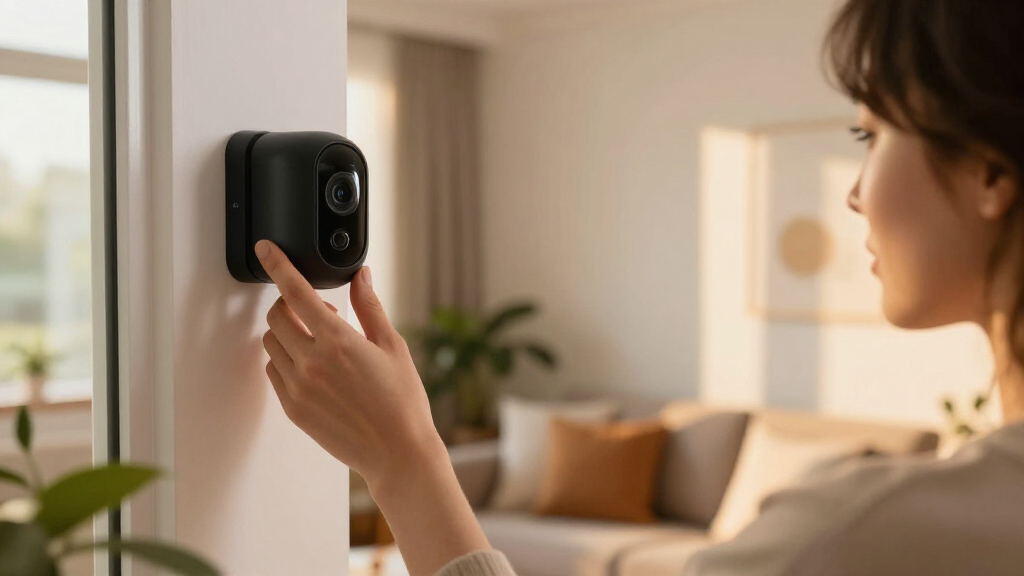
Placement is everything. Mount outdoor cameras high enough to prevent tampering but low enough to catch faces—around 7-8 feet usually works well. Avoid pointing directly at the sun, bright lights, or reflective surfaces that can wash out footage. Proper positioning ensures clear images and reduces the likelihood of false triggers caused by glare or reflections.
Cover entry points—front door, back gate, garage—rather than trying to surveil your entire yard with one camera. For indoor cameras, place them in common areas with good lighting, avoiding private spaces. Strategic placement minimizes blind spots and helps you respond quickly to incidents.
Video doorbells should face visitors’ faces and package drop zones. Use weatherproof mounting hardware, and route cables carefully to avoid accidental disconnections or damage. Position outdoor cameras within reliable Wi-Fi range for stable streaming. Thoughtful placement maximizes both image quality and system reliability, making your security setup more effective and easier to maintain.
Connectivity and Reliability: Keeping Your Cameras Online and Recording
Most cameras rely on Wi-Fi—either 2.4 GHz or 5 GHz. Some support Ethernet or Power over Ethernet (PoE), offering more stability and consistent power. For example, a PoE outdoor camera can stream smoothly even during network congestion. Ethernet connections reduce interference and latency, which is essential for real-time monitoring and recording.
Ask yourself: does the camera keep recording during internet outages? Many cloud-based models pause recordings or store footage locally until the connection restores. Battery-powered models depend on charge cycles—recharging can take hours, so plan accordingly. Having backup power options like batteries or UPS units can ensure continuous operation during outages.
Look for cameras with backup batteries or support for continuous power. Also, check how quickly the live view loads—seconds matter when you need immediate info. Remember, weak Wi-Fi signals can cause lag or dropped feeds, so placement near your router is key. Ensuring reliable connectivity minimizes blind spots and keeps your security coverage consistent and trustworthy.
Audio Features: Two-Way Talk, Sirens, and Sound Detection
Many cameras include microphones and speakers, enabling two-way communication. Imagine telling a delivery person to leave the package or scaring off intruders with a loud siren—these features add layers of security. Effective audio communication can deter intruders or provide quick instructions to visitors, making your system more interactive and responsive.
Sound detection can alert you to breaking glass, loud noises, or even smoke alarms. However, audio quality varies. Wind, distance, or echoes can weaken clarity, so testing and choosing a model with clear audio output is essential. Good audio allows you to assess situations quickly and communicate effectively, enhancing your overall security response.
Be aware of legal rules—some regions require consent for audio recording. If privacy laws are strict, disable audio or limit use to private spaces. Clear, crisp sound makes a huge difference in communicating or warning visitors, and understanding legal considerations ensures you stay compliant while maintaining effective security.
Buying a camera is just the start. Many models come with optional subscriptions—covering cloud storage, AI detection, and advanced alerts—that can add up. Monthly fees range from $3 to $15 per camera. These ongoing costs can significantly increase the total expense over time, especially if you have multiple cameras or want access to advanced features.
Local storage options like SD cards or network recorders can save money and improve privacy, but require initial setup and maintenance. Be aware of hidden costs: replacement batteries, solar panels, or professional installation. These additional expenses can impact your overall budget and should be considered when planning your security system.
Also, consider the total cost over several years. A cheap camera might seem appealing, but ongoing subscription fees and accessories could make it pricier than a higher-end model with free local storage. Calculating long-term costs helps you make a more informed decision aligned with your budget and security priorities.
For example, a $150 camera with a $10/month subscription will cost you $370 over three years—more than the initial price. Weigh these ongoing expenses carefully to ensure your investment remains affordable and effective.
Frequently Asked Questions
Do I need a subscription to use a security camera?
Not always. Many cameras offer basic recording and alerts without a subscription. However, advanced features like AI detection, cloud storage, and longer footage retention typically require a monthly fee.
Is local storage safer or more private than cloud storage?
Local storage keeps footage on your own hardware, reducing risks of hacking and data breaches. But it requires proper security measures—encryption, backups, and secure access—to protect your data effectively.
What happens if my internet or power goes out?
Many cameras pause recording during outages unless they have a backup battery or local storage. Some models support Ethernet or PoE for more stable connections, and others include batteries for short-term operation. Planning for backup power ensures continuous security coverage during outages.
Is 1080p enough, or should I buy a 2K or 4K camera?
1080p is usually sufficient for most home security needs. Higher resolutions offer more detail but also require more bandwidth and storage, and may not significantly improve real-world identification unless paired with good lighting and lenses. Consider your specific needs and environment when choosing resolution.
How much internet bandwidth do multiple cameras use?
It depends on resolution, compression, and activity level. A 1080p camera might use 1-4 Mbps during live streaming, so multiple cameras can add up quickly. Check your internet plan to ensure sufficient upload speed for smooth operation, especially if you plan to monitor several cameras simultaneously.
Conclusion
Your home’s safety depends on more than just a camera—it’s about thoughtful placement, smart features, and reliable storage. A well-chosen system acts like an extra set of vigilant eyes, quietly watching over your space 24/7.
Remember, no single device is a silver bullet. Pair your cameras with good locks, lighting, and habits. That vivid image of your front porch at night—bright, clear, and secure—can become your new reality. Make your home smarter, safer, and more peaceful today.
NFL season / tailgating Picks
team gear
As an affiliate, we earn on qualifying purchases.