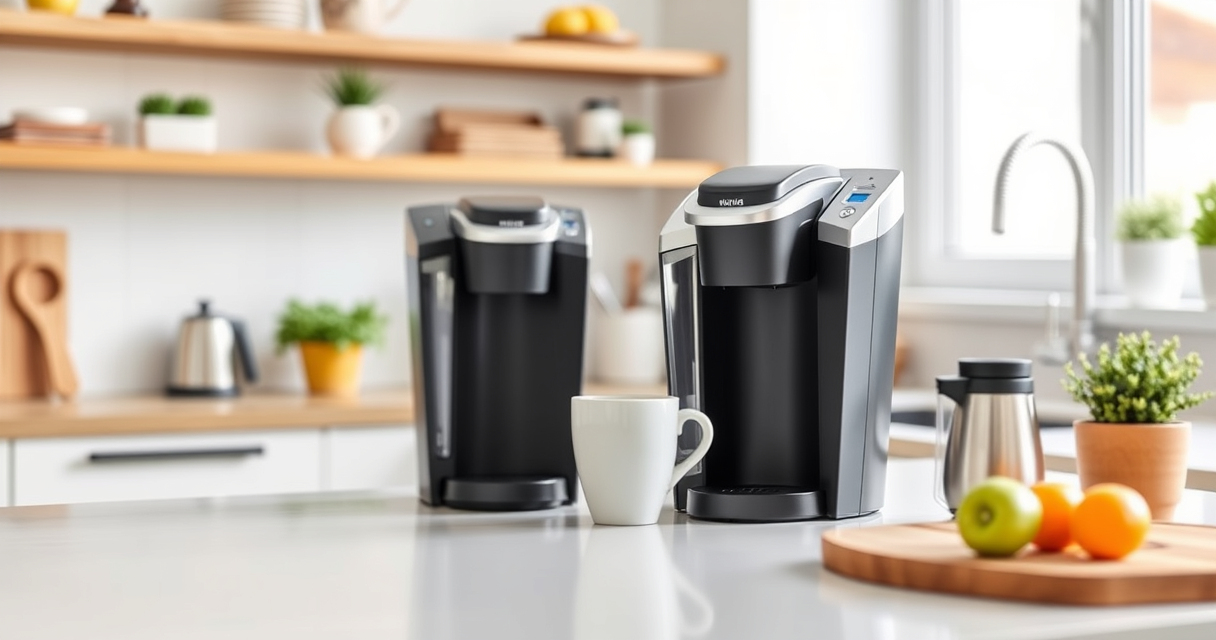

If your Keurig K-Mini is not brewing a full cup or stops prematurely, it can be frustrating. Common issues often stem from mineral buildup, clogs, or water reservoir problems. This guide provides practical, safe steps to troubleshoot and fix your Keurig for optimal performance.

Get home appliances delivered free with Prime
- Fast, free delivery on millions of items
- Prime Video, Amazon Music and more included
- Member-only deals all year
Follow these detailed instructions to restore your coffee maker’s full brewing capability, ensuring delicious coffee every time.
Key Takeaways
| Regular cleaning is essential | Clean your brewer to prevent clogs and flavor transfer. |
| Descaling extends lifespan | Remove mineral buildup with descaling solutions. |
| Check water reservoir | Ensure the water reservoir is filled and properly seated. |
| Use appropriate filters | Consider reusable filters to avoid blockages. |
Step 1: Check the Water Reservoir
- Ensure the water reservoir is filled with fresh, clean water.
- Remove and re-seat the reservoir to ensure proper connection.
- Make sure no debris or mineral deposits are blocking the water intake.
Step 2: Clean the Needle and Brew Path
- Turn off and unplug the Keurig for safety.
- Lift the brew head to access the needle.
- Use a paperclip or the included tool to gently clear any clogs or debris from the needle.
- Wipe the brew area with a damp cloth to remove residue.
Step 3: Descale Your Keurig
Mineral deposits can cause partial brewing issues. Use a descaling kit like the Keurig 3-Month Brewer Maintenance Kit or Keurig Brewer Cleanse Kit, following their instructions. Run a descaling cycle to remove buildup.
Step 4: Run a Hot Water Cycle
After cleaning and descaling, run several hot water brews without a K-Cup to flush out remaining residues. This helps ensure unobstructed water flow and full cups.
Additional Tips and Warnings
- Always use fresh water for each brew.
- Do not force the brew head or needle if blocked—use gentle tools to clear clogs.
- Regularly clean and descale your Keurig every 3-6 months.
- Avoid using hard water without descaling, as it leads to buildup.
The Products in This Guide

Keurig K-Mini Single Serve K-Cup Pod Coffee Maker
- ✔ Capacity: 6-12oz
- ✔ Width: Less than 5 inches
- ✔ Mugs: Travel mug friendly

My K-Cup® Reusable Coffee Filter
- ✔ Capacity: Single cup
- ✔ Material: Plastic
- ✔ Compatibility: Keurig brewers
Keurig K-Mini Single Serve K-Cup Pod Coffee Maker
The Keurig K-Mini is a sleek, space-saving single serve coffee maker that brews 6-12oz cups quickly. Its simple design makes maintenance straightforward, but regular cleaning is key to avoiding brewing issues.
Pros:
- Fits in tight spaces
- Brews quickly
- Removable drip tray
- Compatible with reusable filters
Cons:
- Limited water reservoir capacity
- No advanced features
- Requires frequent descaling
Best for: Small kitchens, dorms, offices needing quick coffee
Not ideal for: Users wanting larger capacity or advanced brewing options
Bottom line: A compact, efficient coffee maker ideal for small spaces needing quick brews.
My K-Cup® Reusable Coffee Filter
The My K-Cup® Reusable Coffee Filter allows you to brew your favorite ground coffee directly in your Keurig. It’s easy to clean and helps reduce waste while giving you control over your coffee flavor.
Pros:
- Brew with ground coffee
- Reusable and eco-friendly
- Easy to clean
- Compatible with Keurig models
Cons:
- Requires ground coffee
- Need to measure coffee manually
- May require more cleaning
Best for: Coffee enthusiasts wanting to customize brews
Not ideal for: Those preferring convenience of pre-packaged K-Cups
Bottom line: A practical addition for eco-conscious coffee lovers seeking flavor control.
Frequently Asked Questions
Why does my Keurig stop brewing mid-cycle?
This often results from mineral buildup, clogged needles, or a low water level. Regular cleaning and descaling can help resolve this issue.
How often should I descale my Keurig?
It’s recommended to descale your Keurig every 3-6 months, especially if you notice slower brewing or inconsistent cup sizes.
Can I use my own ground coffee in the Keurig?
Yes, using a reusable filter like My K-Cup allows you to brew your own ground coffee instead of K-Cup pods.
What safety precautions should I take when cleaning?
Always unplug your Keurig before cleaning or descaling. Avoid using abrasive cleaners or sharp objects on the brewer.
Keep Your Keurig Brewing Perfect Cups
Regular maintenance, including cleaning and descaling, is essential to keep your Keurig K-Mini functioning optimally. By following these troubleshooting steps, you’ll enjoy full, flavorful brews every time. Remember, proper care extends the lifespan of your coffee maker and enhances your coffee experience.
Affiliate disclosure: As an Amazon Associate we earn from qualifying purchases. Prices and availability are accurate as of the time of publishing.
NFL season / tailgating Picks
team gear
As an affiliate, we earn on qualifying purchases.