
TL;DR
Building a DIY AI workstation used to be cheaper, but rising component costs and shortages have closed that gap. Now, your choice depends on your need for control, speed, and support—cost alone no longer decides.
Choosing between building your own AI workstation or buying a prebuilt can feel like a game of chess. The landscape has shifted so much that the old rule — DIY is cheaper, prebuilt is faster — no longer applies universally.
Now, with hardware prices climbing and supply chains strained, you need to weigh more than just cost. It’s about how fast you want to get started, how much control you need over the machine, and what kind of support you prefer. This guide will lay out the real tradeoffs for 2026, so you can pick the right move for your AI projects.
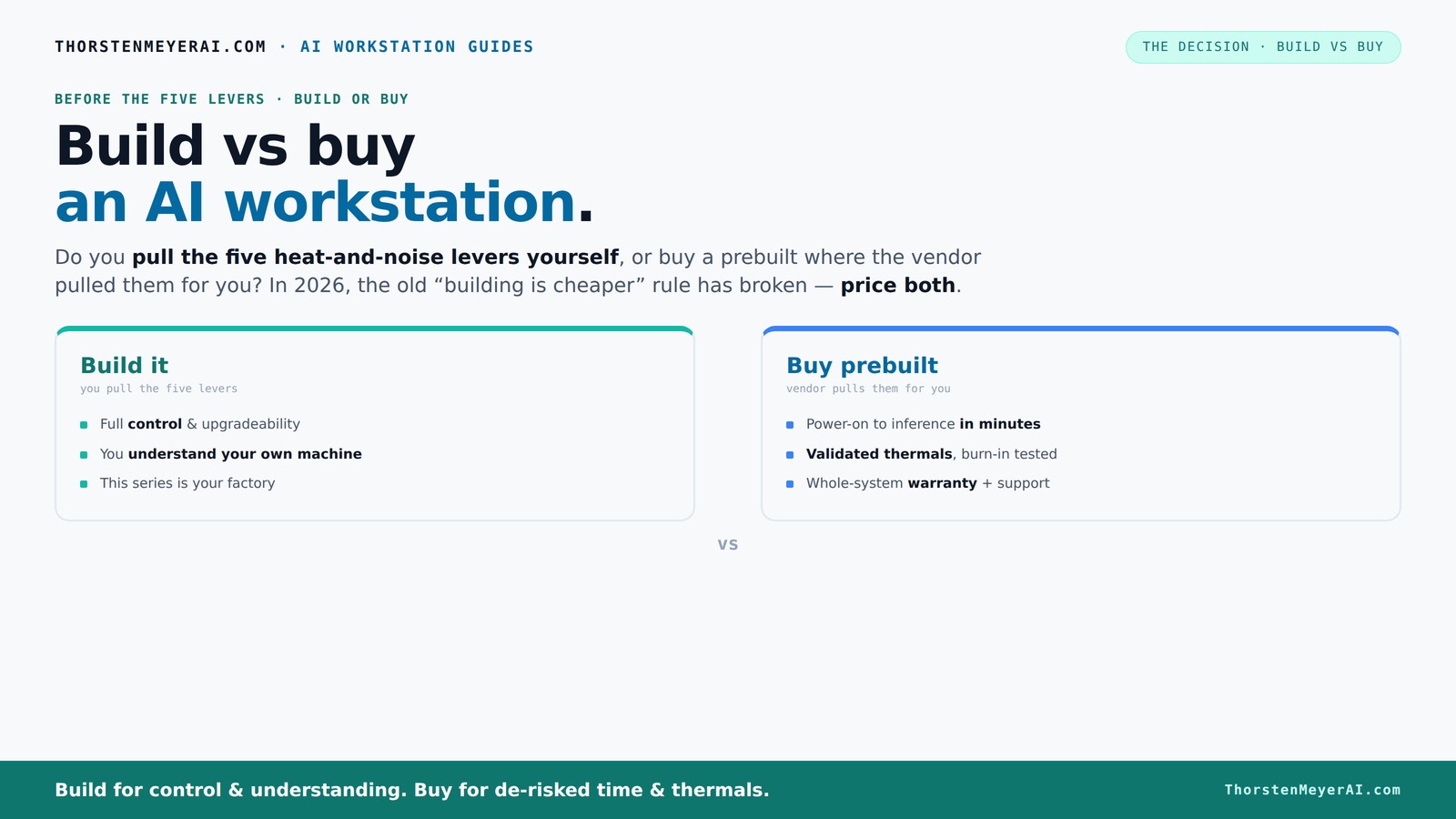
Build vs buy
an AI workstation.
The real question behind this whole series: do you pull the five heat-and-noise levers yourself, or buy a prebuilt where the vendor pulled them for you? And in 2026, the old “building is cheaper” rule has broken. Match your situation in Part 3.
Key Takeaways
- Component shortages in 2026 have narrowed the price gap between building and buying, making cost less of a deciding factor.
- Prebuilt systems offer validated thermals and support, reducing setup time and risk — ideal for quick deployment and peace of mind.
- DIY builds provide maximum control and upgrade options, but require thermal tuning skills and time investment.
- For multi-GPU setups or high-end workloads, prebuilts often include factory-tested cooling, preventing thermal throttling.
- Always compare total costs, including warranty, support, and future expansion, before choosing build or buy.
high performance AI workstation prebuilt
As an affiliate, we earn on qualifying purchases.
As an affiliate, we earn on qualifying purchases.
Why the Cost of Building Your Own AI Workstation Isn’t Always Cheaper Anymore
Building your own AI rig used to be the clear winner on price. You sourced parts, assembled, and saved hundreds. But in 2026, the story has flipped. Component shortages and high demand have pushed prices sky-high.
For example, a high-end GPU like the NVIDIA RTX 4090 used to cost around $1,200; now, it's often over $1,800 due to scarcity. Similarly, DDR5 RAM and SSDs have climbed 20-30% since 2024, making DIY builds more expensive than prebuilt options from bulk-buying OEMs.
This shift is significant because it forces you to reconsider the traditional calculus: is it worth the time and effort to build when the price gap has closed or even reversed? The implication is that the cost advantage of DIY, which once justified the effort, is diminishing. As a result, many are finding that prebuilt systems, leveraging OEM discounts and supply chain efficiencies, can offer comparable or better value. This means that for most users, the decision now hinges more on other factors—like customization, support, and speed—rather than just initial cost.
customizable AI workstation build kit
As an affiliate, we earn on qualifying purchases.
As an affiliate, we earn on qualifying purchases.
The Five Levers of Thermal and Noise Control — Who Pulls Them?
Running a high-powered AI workstation cool and quiet takes five key adjustments: undervolting GPUs, matching the right cooling, optimizing airflow, tuning fans, and placement. The question is: do you pull these levers yourself, or does the vendor?
Prebuilt systems often come with these levers already pulled — tested, tuned, and validated. Vendors like Lambda and Puget run extensive burn-in tests, fine-tune fan curves, and sometimes even include water-cooling for quieter operation. This upfront investment in thermal engineering means your system is less likely to overheat or become noisy under load, especially during prolonged AI training sessions. The benefit is stability and reduced maintenance, allowing you to focus on your work rather than troubleshooting thermal issues. The tradeoff is the premium cost for this optimization, but for many, the time saved and reliability gained outweighs the expense.
DIY builders get to decide every detail — choosing a quiet GPU, undervolting, installing custom coolers, and tweaking fans. It’s empowering, but it takes skill, time, and patience. Proper thermal tuning can significantly improve performance longevity and noise levels, but incorrect tuning can lead to overheating, thermal throttling, or hardware failure. If you enjoy the process of tuning and troubleshooting, DIY offers the ultimate control and potential for a finely optimized system. Conversely, if you're short on time or lack the expertise, relying on prebuilt systems with factory-tuned thermals can save you from costly mistakes and downtime.

AI Systems Performance Engineering: Optimizing Model Training and Inference Workloads with GPUs, CUDA, and PyTorch
As an affiliate, we earn on qualifying purchases.
As an affiliate, we earn on qualifying purchases.
When Buying a Prebuilt Makes Your Life Much Easier
If speed and reliability matter, prebuilt AI workstations are hard to beat. They arrive ready to run, with the OS, drivers, and AI frameworks preinstalled. Just power on, and you’re in business — perfect for teams that need quick deployment.
Additionally, vendors validate thermals and stress-test the entire system, reducing the risk of thermal throttling or hardware failures during intense AI workloads [2]. This validation process ensures that the system maintains peak performance under load, which is critical for demanding AI tasks that can push hardware to its limits. The warranty support is another big plus — if something breaks, the vendor fixes it promptly, minimizing downtime. For busy professionals or small teams, this peace of mind can save hours of troubleshooting and prevent costly delays. Especially in high-stakes environments, prebuilt systems that are tested and supported can be the safer choice, ensuring consistent performance and reducing the risk of unexpected failures.
High-end multi-GPU systems, which are notoriously tricky to tune for heat and noise, are especially suited for prebuilt options. Vendors like Lambda specialize in these, ensuring your system won’t throttle or overheat from day one. This proactive approach to thermal management can be a critical advantage in maintaining system longevity and performance stability.
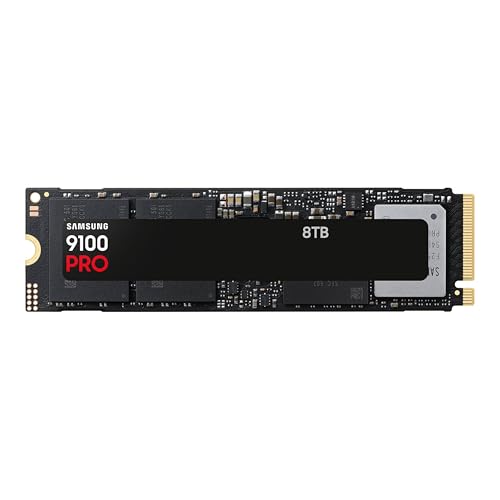
Samsung SSD 9100 PRO 8TB, PCIe 5.0x4 M.2 2280, Seq. Read Speeds Up to 14,800MB/s, Best for AI Computing, Gaming, and Heavy Duty Workstations (MZ VAP8T0B/AM)
- PCIe 5.0 Performance: Up to 14,800MB/s read speeds
- High-Speed Data Transfer: Sequential read/write up to 14,800/13,400MB/s
- Enhanced Random IOPS: Up to 2,200K/2,600K IOPS
As an affiliate, we earn on qualifying purchases.
As an affiliate, we earn on qualifying purchases.
When Building Yourself Is Still Worth It
Are you a hobbyist, student, or someone who enjoys tinkering? Building your own AI workstation still makes sense if you want maximum control and customization. For ideas and tips, see woodworking and workshop organization. Plus, if you already know how to optimize airflow, undervolt, and pick quiet parts, you can often get a better deal.
For example, sourcing a quiet GPU like the RTX 4080 and pairing it with a custom liquid cooler can result in a machine that’s both silent and powerful. You also learn how each component impacts performance and thermals, building skills that pay off long-term.
However, beware of proprietary parts or limited upgrade options in some OEM prebuilts, which can restrict future expandability. For more insights on building flexible systems, visit Build vs Buy a Prebuilt AI Workstation. This flexibility can be a major advantage if your workload evolves or if hardware prices decrease in the future. But be mindful that the process requires time, patience, and a good understanding of thermal and power management. If you’re not confident or pressed for time, the frustration and potential for mistakes might outweigh the benefits.
Cost, Performance, and Futureproofing — What Really Matters?
In 2026, the most critical question isn’t just price but how well your system fits your workload. To learn more about optimizing AI hardware, check out home decor and lifestyle tips. Both prebuilt and DIY systems can deliver similar performance if configured correctly. The key is ensuring that the thermal design supports sustained workloads without throttling, which often means choosing well-validated prebuilts or investing in proper cooling for DIY builds.
Performance-wise, the difference often comes down to thermals and cooling — a well-tuned system runs faster longer. That’s why prebuilts that validate thermals often outperform DIY builds with makeshift cooling setups. The implication is that investing in thermal management directly translates into better sustained performance and longer hardware lifespan, which are vital for intensive AI training and inference tasks.
Futureproofing is also essential. Proprietary connectors or limited upgrade paths in OEM prebuilts may lock you into specific components or configurations, which can be restrictive as your needs grow. Conversely, building your own system allows you to select modular, standards-compliant parts, making future upgrades easier and more cost-effective. The tradeoff is that DIY systems may require more planning upfront but can offer better long-term flexibility and cost savings as technology advances.
Support, Warranty, and Long-Term Peace of Mind
When something goes wrong — and it will — support and warranty coverage matter. Prebuilt vendors usually offer comprehensive warranties (up to 5 years), with onsite repairs or quick replacement options. They also handle BIOS, driver, and thermal issues, saving you time and stress. This support can be a lifeline during critical projects, minimizing downtime and ensuring your system stays operational when it matters most. The peace of mind that comes with reliable support is often worth the premium, especially for professional environments where productivity is paramount.
DIY builds leave you on your own. You troubleshoot, replace parts, and learn as you go. If you’re comfortable with that, it saves money. If not, support costs can add up fast, especially if a GPU or motherboard fails during a critical project. For AI workloads that demand high uptime, a solid warranty and support plan can be the difference between a smooth operation and costly delays. The long-term reliability and reduced stress make support and warranty considerations central to the decision-making process.
Frequently Asked Questions
Is it cheaper to build or buy a prebuilt AI workstation in 2026?
Due to component shortages and bulk purchasing by OEMs, prebuilt systems often match or beat DIY prices today. The true value depends on your need for speed, support, and customization, not just the sticker price.Which option offers better performance for local AI workloads?
Performance depends more on thermals and cooling than on whether you build or buy. Prebuilts validated for thermal efficiency often outperform DIY setups with makeshift cooling, especially in multi-GPU configurations.Can I upgrade a prebuilt system later?
It depends. Some OEM prebuilts use proprietary connectors or limited upgrade paths, which can restrict future expansion. Building your own offers the most flexibility for upgrades over time.How important is warranty support for AI workstations?
Support and warranty are vital for minimizing downtime during critical AI projects. Prebuilts usually include comprehensive coverage, while DIY requires you to troubleshoot and repair on your own.Should I choose a prebuilt if I lack technical skills?
Yes. Prebuilts save time and reduce setup headaches, making them ideal for those who want reliable, ready-to-use systems without the hassle of assembly and tuning.Conclusion
In 2026, the choice between build and buy isn’t just about money — it’s about what you value most: control, speed, or support. If speed and reliability are your priorities, a prebuilt can save you hours and headaches.
But if you enjoy tuning, customizing, and learning, building your own can still be a rewarding experience — especially if it fits your budget and workload. The real secret is matching your decision to your specific needs, not just the latest trends.
So, what’s your next move? Think about your workload, your skills, and your timeline. Your ideal AI workstation is out there — just make sure it’s the one that fits your game plan.