Premium gaming monitors feel smoother and sharper because they have high refresh rates, like 144Hz or higher, which make motion look more fluid. Low response times reduce ghosting and blur, keeping visuals crisp during fast gameplay. Features like HDR improve contrast and colors for more vibrant, detailed images. Advanced technologies such as adaptive sync synchronize the monitor’s refresh rate with your graphics card, minimizing tearing. Keep exploring to discover how these features come together for an exceptional gaming experience.

Get home appliances delivered free with Prime
- Fast, free delivery on millions of items
- Prime Video, Amazon Music and more included
- Member-only deals all year
Key Takeaways
- Higher refresh rates like 144Hz or 165Hz provide smoother motion during fast-paced gameplay.
- Low response times minimize ghosting and trailing, ensuring sharper visuals during quick movements.
- HDR support enhances contrast and color accuracy, making images more vibrant and detailed.
- Adaptive sync technology reduces tearing by synchronizing the monitor’s refresh rate with the graphics card.
- Combining advanced features results in superior image quality, responsiveness, and an immersive gaming experience.
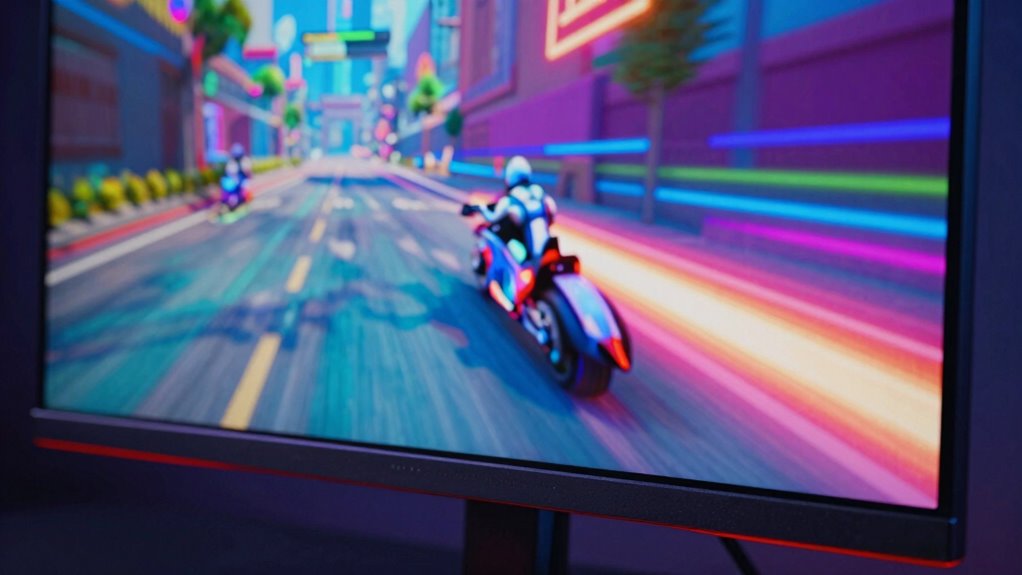
If you’re serious about gaming, upgrading to a premium monitor can make a significant difference in your experience. These monitors deliver smoother visuals and sharper details that can elevate your gameplay. One key reason behind this is their advanced refresh rates, often reaching 144Hz, 165Hz, or even higher, which allow for more fluid motion. When you’re chasing fast-paced action or aiming for precision, this higher refresh rate reduces motion blur and tearing, giving you a competitive edge and making every movement feel more natural and responsive.
Premium monitors with high refresh rates deliver smoother, more responsive gameplay for a competitive edge.
Another important factor is low response times, often measured in milliseconds. Premium gaming monitors are designed with fast response times to eliminate ghosting and trailing effects. This means that every quick move, shot, or explosion appears crisp and clear, without smear or delay. You’ll notice a tangible improvement in how sharp and immediate the visuals are, especially during hectic moments in-game. These features work together to create a smoother, more immersive experience that feels almost seamless.
High dynamic range (HDR) support is another aspect that contributes to the sharper look of premium monitors. With better contrast and color accuracy, HDR enhances visual depth, making details stand out more vividly. This not only heightens realism but also helps you spot enemies or objects more quickly, giving you an advantage. The combination of vibrant colors and improved contrast makes the images on your screen appear more life-like, sharpening the overall visual quality. Additionally, advancements in refresh rate technology contribute significantly to the perception of smoothness and responsiveness in gameplay.
Incorporating adaptive sync technology further enhances the fluidity of visuals by synchronizing the monitor’s refresh rate with your graphics card, reducing artifacts like tearing even further. In essence, the smoother and sharper visuals you experience on a premium gaming monitor stem from a combination of technological advancements—higher refresh rates, faster response times, HDR support, and VR compatibility—paired with ergonomic design. When you invest in one, you’re not just improving image quality but also ensuring your comfort and responsiveness, making every gaming session more immersive and competitive.
As an affiliate, we earn on qualifying purchases.
Frequently Asked Questions
How Do Premium Gaming Monitors Affect Competitive Gaming Performance?
Premium gaming monitors enhance your competitive gaming performance by offering superior hardware optimization and user ergonomics. They deliver faster response times and higher refresh rates, reducing lag and motion blur, so your reactions stay sharp. Comfortable ergonomics prevent fatigue during long sessions, maintaining focus. Overall, these features give you a tangible edge, helping you react quicker, aim better, and stay comfortable, ultimately boosting your gameplay and competitive edge.
Are Higher Refresh Rates Always Better for Gaming?
Higher refresh rates aren’t always better, but they sure feel like it. You might think that cranking up the refresh rate improves visual clarity and smoothness, but beyond a certain point, your eyes might not notice the difference. Still, if you’re chasing every edge in gameplay, a higher refresh rate can give you a slight advantage, making visuals feel more responsive and fluid—though, let’s be honest, it’s not magic.
What Is the Impact of Response Time on Image Clarity?
Response time directly impacts image clarity by reducing motion blur, making fast-moving scenes sharper and more detailed. When your monitor has a low response time, it quickly updates pixels, keeping colors accurate and minimizing ghosting effects. This results in crisper visuals, especially during rapid movements in games. So, a monitor with a fast response time enhances color accuracy and prevents blurriness, giving you a clearer, more immersive gaming experience.
Do Premium Monitors Require Special Graphics Cards?
Premium gaming monitors generally don’t require special graphics cards, but compatibility matters. You need a graphics card capable of supporting the monitor’s high refresh rates and resolution to get the best experience. Also, monitor calibration helps you optimize image quality, ensuring sharper visuals. So, check your graphics card’s compatibility and fine-tune your monitor settings for smooth, crisp gameplay without needing a separate or specialized GPU.
How Does Screen Size Influence Gaming Experience Quality?
Screen size greatly impacts your gaming experience by offering more immersive visuals and better detail, especially with higher resolutions. Larger screens often enhance depth and realism, but resolution considerations are vital to avoid pixelation. Ergonomic features like adjustable stands and blue light filters improve comfort during long gaming sessions. Ultimately, choosing the right size balances visual immersion with comfort, ensuring you enjoy smoother, sharper gameplay without strain.
low response time gaming monitor
As an affiliate, we earn on qualifying purchases.
As an affiliate, we earn on qualifying purchases.
Conclusion
Now that you know what makes premium gaming monitors so smooth and sharp, imagine yourself gaming with a screen that refreshes 240 times per second—twice as fast as standard monitors. That increased refresh rate can reduce motion blur by up to 50%, making fast-paced scenes crystal clear. Upgrading to a premium monitor isn’t just about better visuals; it’s about immersing yourself fully in the game, giving you the edge to react faster and play sharper than ever before.
As an affiliate, we earn on qualifying purchases.
As an affiliate, we earn on qualifying purchases.
NFL season / tailgating Picks
team gear
As an affiliate, we earn on qualifying purchases.