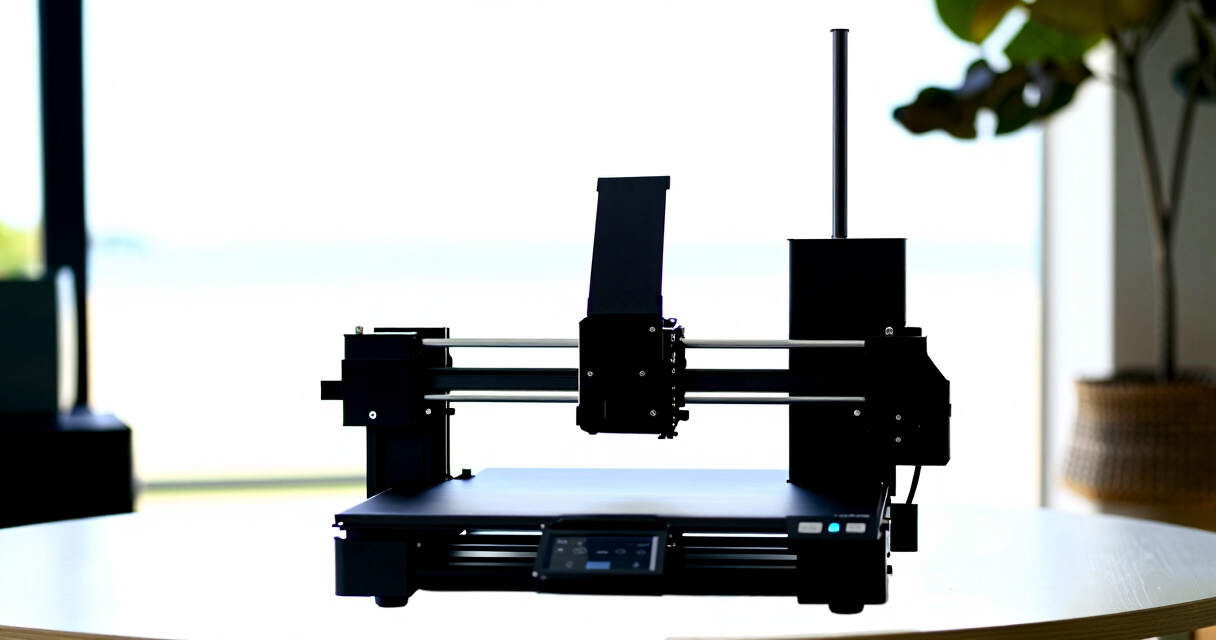

Choosing the best high-end 3D printer means balancing speed, precision, build volume, and versatility. The Creality K2 Plus Combo stands out as the overall top pick thanks to its large build capacity and multi-color capabilities. For high-speed printing, the FlashForge Adventurer 5M Pro offers impressive performance, while the Reflex RS Large Resin Printer excels in detail and resin precision. Each of these options targets different professional needs, but all come with tradeoffs like cost or complexity. Keep reading for a detailed breakdown to find the best fit for your advanced 3D printing projects.
Key Takeaways
- Large build volume models like the Creality K2 Plus provide flexibility for complex projects but come at a higher price point.
- High-speed printers such as the FlashForge Adventurer 5M Pro excel for rapid prototyping, though they may compromise some detail or precision.
- Resin printers like the Reflex RS series deliver exceptional detail but require more maintenance and safety precautions.
- Multi-color and multi-material capabilities significantly expand creative possibilities but often increase complexity and cost.
- The best high-end 3D printers balance performance, ease of use, and durability, with top models offering advanced features for professional use.
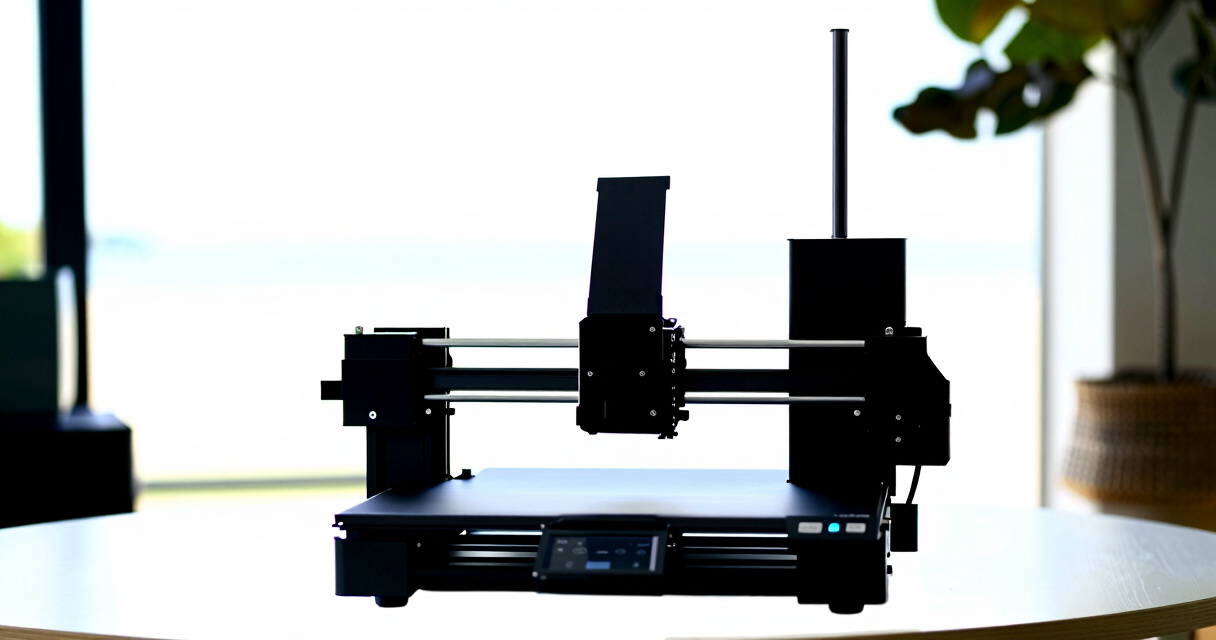





More Details on Our Top Picks
Creality K2 Pro Combo 3D Printer, Multicolor, 600mm/s Max Speed, Dual AI Cameras, Auto Leveling, 300x300x300mm
The Creality K2 Pro Combo stands out for its combination of speed, large build volume, and advanced AI monitoring, making it ideal for professionals needing high throughput. Compared with the Creality K2 Plus Combo, it offers faster speeds of up to 600mm/s and multi-material support, but its setup complexity and weight may challenge hobbyists. Its big 300x300x300mm workspace and dual AI cameras support large, detailed builds with real-time oversight. While the system’s advanced features justify its higher price, the heavy weight and complex operation are tradeoffs for those new to high-end machines. This printer suits experienced users seeking top-tier performance, but less so for newcomers or those prioritizing portability.
Pros:- Supports up to 16 colors and multi-material printing for complex projects
- Large build volume accommodates big or multiple models
- Fast speeds up to 600mm/s with quiet operation
Cons:- Heavy at 84.9 pounds, making it difficult to move or reposition
- Complex setup and operation can be intimidating for newcomers
- Additional CFS units are sold separately, increasing overall cost
Best for: Experienced pros and tech-savvy hobbyists who need large, multi-material, high-speed printing with monitoring.
Not ideal for: Beginners or users with limited space, due to its weight and complexity.
- Build Volume:300x300x300 mm
- Max Speed:600 mm/s
- Weight:84.9 pounds
- Item Dimensions:17.51 x 19.88 x 33.46 inches
- Filament System:Creality Filament System (CFS)
- Hotend Temperature:300°C
Bottom line: This model is perfect for experienced users who need large-scale, multi-material printing with advanced monitoring, but it demands space and technical know-how.
FlashForge Adventurer 5M Pro 3D Printer with Auto Printing System, 600mm/s High-Speed, Detachable Nozzle, Core XY Structure, 220x220x220mm
The FlashForge Adventurer 5M Pro makes a compelling case for users who prioritize speed and convenience, particularly with its automatic bed leveling and easy-to-use features. While the Creality K2 Pro offers larger volume, the Adventurer 5M Pro’s smaller 220x220x220mm space promotes a more manageable footprint for home or classroom environments. Its auto-leveling and multiple nozzle options support consistent quality, but its moderate customer ratings suggest some users encounter setup or reliability issues. The quiet operation and support for diverse materials make it well-suited for educational settings or creative projects where ease of use matters more than sheer size. It’s best for those seeking high-speed, precise prints without the complexity of larger systems.
Pros:- High-speed printing up to 600mm/s for quick turnaround
- Automatic bed leveling simplifies setup and improves layer consistency
- Supports multiple filament types and nozzle sizes for versatile projects
Cons:- Moderate customer ratings indicate potential reliability or usability issues
- Relatively heavy and somewhat bulky for small spaces
- Learning curve for beginners unfamiliar with high-speed 3D printing
Best for: Educators, hobbyists, and small studios needing reliable, fast, and easy-to-operate 3D printing.
Not ideal for: Users requiring large build volumes or professional-scale production workflows.
- Maximum Travel Speed:600mm/s
- Build Volume:220x220x220mm
- Nozzle Temperatures:280°C
- Dimensions:15.75 x 14.96 x 17.83 inches
- Item Weight:32.1 pounds
- Auto Bed Leveling:Yes
Bottom line: Ideal for educational or creative environments where speed and ease of use outweigh large build capacity.
Creality K2 Plus Combo 3D Printer, Multicolor Printing with 16 Colors, 600mm/s High-Speed, Dual AI Cameras, Auto Leveling, Large 350×350×350mm Build Volume
The Creality K2 Plus Combo offers a significant upgrade over smaller machines, with its 350×350×350mm build volume and support for up to 16 colors, making it a favorite for complex, multicolor, and large-format prints. Compared to the Creality K2 Pro, it has a larger workspace and enhanced color capabilities, but its heavier weight (over 100 pounds) and complex setup may deter hobbyists or those with limited space. The dual AI cameras enhance monitoring, but the extensive features come with a steeper learning curve and higher initial investment. This printer is best for experienced users or institutions that need large, vibrant multi-material models and can accommodate its size.
Pros:- Supports up to 16 colors and multi-material printing for vibrant, detailed models
- Generous 350×350×350mm build volume for large or multiple projects
- Fast printing speeds of 600mm/s with high accuracy
Cons:- Heavy and bulky, requiring dedicated space and sturdy setup
- Setup can be complex and time-consuming, especially for novices
- Filaments are sold separately, increasing overall cost
Best for: Large studios, educational institutions, or professional users focused on multicolor and big-format printing.
Not ideal for: Casual hobbyists or small workspace users who need something more compact and straightforward.
- Build Volume:350×350×350mm
- Print Speed:600mm/s
- Precision:0.05mm
- Weight:103.4 pounds
- Dimensions:16.1 x 18.7 x 15.4 inches
- Filament System:Color Filament System (CFS) with 4 slots
Bottom line: Best suited for experienced professionals demanding large, multicolor, high-speed production with monitoring capabilities.
FlashForge AD5M Pro 3D Printer – High Speed & Precision, Auto Calibration, CoreXY Structure, Quiet Operation
The FlashForge AD5M Pro shines in environments where noise level and versatility are key, thanks to its enclosed design, quiet mode, and support for multiple filament types. While it doesn’t match the largest models like the Creality K2 Plus, its 600mm/s speed rivals high-end systems, with automatic calibration enhancing ease of use. Its integrated air filtration system makes it suitable for indoor use, but its size and price could be obstacles for some users. The learning curve for advanced features may be steep for absolute beginners, but experienced users will appreciate its combination of speed, accuracy, and quiet operation. It’s best for educational or professional setups where indoor safety and low noise are priorities.
Pros:- High-speed printing up to 600mm/s with high precision
- Automatic auto-leveling for consistent first layers
- Quiet operation mode and integrated air filtration for indoor safety
Cons:- Relatively large and heavy, demanding ample space
- Complex features may require technical familiarity
- Price may be prohibitive for casual users
Best for: Educational institutions, creative studios, or home users needing quiet, high-speed, multi-material capabilities.
Not ideal for: Small workshops or hobbyists with limited space seeking a budget-friendly or simple printer.
- Dimensions:15.75 x 17.83 x 14.96 inches
- Weight:33 pounds
- Max Nozzle Diameter:0.8mm
- Max Extruder Temperature:280°C
- Filament Compatibility:TPU, ASA, PLA, ABS, PETG, PLA-CF, PETG-CF
- Noise Level:≤50 dB
Bottom line: Designed for those who need high-speed, precise, and quiet printing in enclosed environments, with a focus on versatility and safety.
Creality K2 Plus Combo 3D Printer with Multi-Color Printing and Auto Leveling
The Creality K2 Plus Combo is engineered for users who want vibrant, multi-color prints on a large scale, thanks to its support for 16 colors via multiple CFS units. Compared with the K2 Pro, it offers an even larger build volume and faster printing speeds, but its size—over 27 pounds—may limit portability. The dual AI cameras promote better monitoring, yet the complex multi-color setup might be daunting for beginners. Its high-speed capabilities and auto-leveling make it suitable for serious hobbyists or small-scale production environments. However, it requires a dedicated space and some technical skill for optimal operation. This printer is ideal for those who prioritize color richness and large-format capacity over simplicity.
Pros:- Supports up to 16 colors with multiple CFS units for vibrant, multicolor output
- Large build volume of 350x350x350mm allows big or multiple models
- High-speed printing at 600mm/s with rapid acceleration and auto-leveling
Cons:- Large size demands substantial dedicated space
- Complex multi-color setup may challenge beginners
- Filaments are not included, increasing overall costs
Best for: Experienced hobbyists, small studios, or educational users focused on multicolor, large-format, high-speed projects.
Not ideal for: Casual users or those with space constraints who prefer straightforward, smaller 3D printers.
- Build Volume:350 x 350 x 350 mm
- Max Printing Speed:600 mm/s
- Filament Compatibility:PLA, ABS, PETG, PAE-CF, PLA-CF, PET, ASA, PPA-CF
- Frame Material:Die-cast metal
- Dimensions:19.49 x 36.06 x 20.28 inches
- Weight:27.5 pounds
Bottom line: Perfect for advanced users needing large, multicolor, high-speed production with monitoring features, but not suited for small or novice setups.
FLASHFORGE AD5X Multi-Color 3D Printer, CoreXY, 600mm/s High-Speed, 220x220x220mm Build Volume
This model distinguishes itself with impressive multi-color support—up to four colors simultaneously—making it ideal for detailed, vibrant prototypes. Its remarkable speed of 600mm/s allows rapid iteration, surpassing many competitors like the Creality K2 Combo, which trades some speed for larger build volumes. The auto bed leveling and remote monitoring enhance ease of use, but high-speed printing demands meticulous calibration to prevent quality issues. Its compact size limits the overall build volume, making it less suitable for large models. Compared to the K2 Plus, the AD5X excels in speed but sacrifices some of the large-scale capacity. This pick makes the most sense for users prioritizing speed and multi-color fidelity over size and complexity.
Pros:- Supports multi-color printing with up to 4 colors simultaneously
- Fast printing speeds up to 600mm/s for rapid prototyping
- Auto bed leveling and remote monitoring via mobile app
- Versatile nozzle options for detailed or large prints
Cons:- High-speed printing may require careful calibration to maintain quality
- Complex features could have a learning curve for beginners
- Limited build volume for very large models
Best for: Professionals and designers needing fast, multi-color prototypes with precise detail.
Not ideal for: Users requiring large-scale prints or simpler single-color jobs, as the build volume and complexity may be overkill.
- Build Volume:220x220x220mm
- Maximum Speed:600mm/s
- Extruder Temperature:300°C
- Nozzle Sizes:0.25mm to 0.8mm
- Auto Leveling:Yes
- Filament Compatibility:Multi-color support
Bottom line: This is an excellent choice for users who need quick, vibrant multi-color prints and are comfortable with some setup complexity.
Creality K2 Combo 3D Printer with Multicolor Printing and Auto Leveling
Compared with the FlashForge AD5X, the Creality K2 Combo offers a substantially larger build volume of 260 x 260 x 260 mm, making it more suitable for bigger projects. Its support for up to 16 colors with four CFS units adds versatility, especially for complex multi-material designs. The AI-assisted auto leveling simplifies setup, but its heavier weight of nearly 66 pounds makes mobility a challenge. The silent operation mode is a plus, yet the multicolor setup can involve complex calibration routines, potentially intimidating beginners. While the AD5X excels in speed and multi-color capabilities, the K2 Combo balances those features with a much larger build size. This machine is ideal for users needing extensive volume and multi-material finishes, such as professional model makers or small-scale manufacturers.
Pros:- Large build volume suitable for complex models
- Supports up to 16 colors with 4 CFS units
- Silent operation with AI auto leveling
- Pre-assembled for quick setup
Cons:- Heavy weight complicates relocation
- Multicolor calibration can be time-consuming
- Higher price point for extensive features
Best for: Professional creators and small production facilities requiring large, multicolor prints.
Not ideal for: Hobbyists who prioritize compactness or easy setup over large build capacity and advanced multicolor features.
- Build Volume:260 x 260 x 260 mm
- Max Printing Speed:600 mm/s
- Color Capabilities:Up to 16 colors with 4 CFS units
- Auto Leveling:Yes, AI-assisted
- Weight:65.9 pounds
- Dimensions:16.93 x 16.54 x 21.06 inches
Bottom line: This printer is best suited for professionals needing large, multicolor prints with efficient auto calibration.
Reflex RS Turbo Resin 3D Printer with Amber Screen
This resin printer stands out for its exceptional detail and high speed, thanks to an amber LCD screen that offers sharp contrast and rapid layer curing—just 4.5 seconds per layer. Its ±2μm precision makes it ideal for intricate miniatures, jewelry, or dental models. The automated setup and auto-leveling streamline the process, decreasing the learning curve compared to manual resin printers. However, with no specified build volume, it’s less suitable for large projects, and the price may be a hurdle for some buyers. While the Reflex RS Turbo prioritizes high detail and speed, it sacrifices the larger build sizes seen in resin models like the Reflex RS. It’s perfect for users demanding precision and speed in small to medium-sized prints.
Pros:- High contrast amber LCD for sharp details
- Fast layer curing time of 4.5 seconds
- Automated setup and auto-leveling for ease of use
- High precision with ±2μm accuracy
Cons:- Build volume not specified, limiting large projects
- Price and availability details are unclear
- Limited info on material compatibility
Best for: Prototypers or artists focusing on high-detail, small-scale resin parts.
Not ideal for: Those needing large-volume resin printing or working on bulky projects, due to unspecified build capacity.
- Screen Type:Amber LCD
- Contrast Ratio:566:1
- Layer Speed:4.5 seconds/layer
- Precision:±2μm
- Z-Axis:C5 industrial ball-screw
- Build Volume:Not specified
Bottom line: Ideal for users prioritizing speed and high detail in small resin prints, where size is less of a concern.
Reflex RS Resin 3D Printer with Large Build Volume and High Precision
Compared to the Reflex RS Turbo, this model offers a significantly larger build volume of 8.74×4.8×8.98 inches, making it better suited for complex or multiple parts in a single print. Its ±15μm accuracy remains highly precise, suitable for detailed prototypes, with the added benefit of a fast 4.5 seconds per layer curing. While it shares the same automated leveling and defect detection features, its size demands ample space and a more substantial setup effort. The Turbo excels in speed and detail but is limited in size, whereas this version balances both larger capacity and high precision. It’s best for professionals or labs that need larger resin prints without sacrificing detail and speed.
Pros:- Large build volume for complex or multiple models
- High precision of ±15μm for detailed work
- Fast layer curing at 4.5 seconds
- Automated leveling and defect detection
Cons:- Bulky and heavy, requiring dedicated space
- Steep learning curve for beginners
- Higher investment for larger capacity
Best for: Designers and small firms requiring high-precision resin printing at larger scales.
Not ideal for: Hobbyists with limited space or those only needing small, rapid prototypes.
- Build Volume:8.74×4.8×8.98 inches
- Layer Speed:4.5 seconds per layer
- Precision:±15μm
- Z-Axis:C5 industrial ball-screw
- Auto Leveling:Yes
- Weight:44 pounds
Bottom line: This resin printer is designed for professionals demanding large, high-precision prints with rapid turnaround times.
FLASHFORGE AD5X Multi-Material 3D Printer with 4-Color Printing and Auto Calibration
This version of the FLASHFORGE AD5X enhances multi-material capabilities with vibrant 4-color printing and a compact, modular design, making it suitable for creative workflows. Its full auto-leveling and vibration compensation deliver consistent layers, comparable to the Creality K2 Combo’s auto features but with a more streamlined setup. The ability to handle multiple filaments simultaneously adds versatility, though managing four filament spools can be complex and potentially costly. The high speeds of 600mm/s match the original AD5X, but the multi-material system introduces additional calibration steps, which could pose a challenge for less experienced users. This pick is ideal for professionals seeking multi-material, multi-color printing with automated setup in a smaller footprint.
Pros:- High-speed printing up to 600mm/s
- Supports multi-material and multi-color printing
- Full auto-leveling with vibration compensation
- Compact, modular design for versatile placement
Cons:- Managing multiple filament spools can be complex
- Advanced features may be intimidating for beginners
- Potentially higher cost due to multi-material system
Best for: Creative professionals and small studios needing multi-color, multi-material rapid prototyping.
Not ideal for: Beginners or hobbyists who prefer straightforward, single-material setups due to system complexity.
- Build Speed:600mm/s
- Acceleration:20000mm/s²
- Color Capabilities:4-color
- Materials Compatible:PLA, TPU, PETG, SILK, PLA-CF, PETG-CF
- Motion Structure:CoreXY
- Filament Spools:4 side-by-side
Bottom line: This printer suits users who need fast, multi-material, multi-color output in a compact form, despite the added complexity.
Shining 3D Einstar Handheld 3D Scanner with Detail Enhancement Technology, Supports Hair and Body Scanning, Up to 14 FPS
The Shining 3D Einstar stands out among high-end 3D scanners for its exceptional speed and ability to capture detailed, full-color scans of hair and entire human bodies. Compared with the static scanners like the Reflex RS models, the Einstar offers >greater versatility in capturing complex shapes in real-time, making it ideal for digital archiving, character modeling, or medical applications. Its up to 14 FPS speed and 0.1mm point distance translate into quick, highly detailed scans, though the weight and setup complexity may pose challenges for handheld use over extended sessions. Unlike stationary scanners, this unit supports outdoor scanning thanks to infrared projectors, broadening its usability. However, its weight of over 3 pounds can cause fatigue during prolonged operation, and its price is likely high, making it less accessible for casual users. Overall, this pick is perfect for professionals needing mobility and detailed full-body data, but less so for those prioritizing ease of use or budget.Pros:- Exceptional speed and color-rich detail capture
- Supports full-body and hair scanning for comprehensive data
- Stable outdoor performance with infrared projectors
- Supports multiple data formats for versatile workflows
Cons:- Relatively heavy for handheld operation, risking fatigue
- Complex setup requiring technical expertise
- Likely high price point limiting accessibility
Best for: Professionals in digital archiving, character design, or medical fields who need high-speed, detailed, full-body scans.
Not ideal for: Hobbyists or small studios seeking a more affordable, lightweight, and straightforward scanner for occasional use.
- Scanning Speed:Up to 14 FPS
- Point Distance:0.1mm
- Color Camera:Built-in RGB
- Data Formats:OBJ, STL, PLY, ASC, 3MF, P3
- Weight:3.08 pounds
- Dimensions:15.07 x 12.64 x 6.26 inches
- Infrared VCSEL Projectors:3
- Stereo Depth Cameras:2
- RGB Camera:1
Bottom line: This scanner excels for professionals requiring fast, detailed, full-body scans and outdoor capability, though it involves tradeoffs in weight and cost.
How We Picked
I evaluated these 3D printers based on a combination of performance, build quality, usability, and feature set. Price was secondary but factored into value considerations. I prioritized models that demonstrate cutting-edge speed, precision, and versatility, as these are key for high-end users. Additional considerations included ease of calibration, noise levels, and maintenance requirements. The ranking reflects a balance between professional-grade capabilities and practical usability, ensuring each option serves a distinct user need or project type.Factors to Consider When Choosing Best High End 3d Printer
When selecting a high-end 3D printer, understanding your specific needs is essential. Beyond just speed and resolution, consider factors like build volume, material compatibility, and ease of operation. High-end models often include advanced features that improve print quality but can also add complexity or cost. Making the right choice involves weighing these factors against your project scope and experience level.Performance and Speed
Fast printing speeds are appealing for rapid prototyping, but they can sometimes lead to reduced print quality if not balanced properly. Look for models with adjustable speed settings, so you can prioritize quality or speed depending on the task. Keep in mind that high speeds often require more robust hardware and can increase wear and maintenance costs over time.
Build Volume and Size
Consider the maximum size of objects you plan to print. Larger build volumes offer more flexibility but also result in bulkier, more expensive machines. Conversely, smaller models are more manageable and fit into tighter spaces, but might limit your project scope. Think about your typical project size and future needs before choosing a machine with the right capacity.
Material Compatibility
High-end printers often support multiple materials, from standard filaments to advanced resins or multi-material setups. Ensure the model you choose is compatible with the materials you plan to use, as this impacts both cost and complexity. Resin printers, for example, offer incredible detail but require handling chemicals safely and maintaining cleanliness.
Ease of Use and Maintenance
Advanced features like auto calibration, touchscreen controls, and remote monitoring simplify operation and reduce setup time. However, more complex machines demand regular maintenance, calibration, and troubleshooting. Assess your comfort level with technical upkeep and consider models that balance automation with accessibility to avoid frustration or costly downtime.
Cost and Value
High-end 3D printers often come with a hefty price tag, but features like multi-color printing, large build volume, and resin capabilities justify the investment for professional users. Focus on what features will genuinely enhance your workflow and avoid paying for bells and whistles you won’t use. Remember, sometimes a slightly less advanced model may fulfill your needs more efficiently if it offers better reliability or lower operational costs.
Frequently Asked Questions
How do I choose between filament and resin 3D printers for high-end needs?
Filament printers tend to be more user-friendly, offering larger build volumes and easier post-processing, making them suitable for larger, functional prototypes. Resin printers excel in producing high-resolution, detailed models, ideal for jewelry, dental, or miniature work. Your choice depends on your primary application: opt for filament if speed and size matter most, or resin if detail is your priority and you’re comfortable with handling chemicals and maintenance.
Are multi-material or multi-color capabilities worth the extra cost?
Multi-material and multi-color features open creative possibilities and allow for complex, multi-component prototypes, but they also increase complexity and maintenance. If your projects require intricate multi-color details or combining different materials, investing in these features makes sense. For simpler or occasional use, a single-material or single-color model may provide better value and easier operation.
What maintenance should I expect with high-end 3D printers?
Expect regular calibration, cleaning of print heads or resin tanks, and occasional replacement of nozzles or filters. Resin printers require handling chemicals safely, cleaning build plates, and replacing resin tanks over time. Failing to maintain your machine can lead to print failures and higher long-term costs, so choose a model with accessible parts and automated calibration features to streamline upkeep.
How important is build volume for a high-end 3D printer?
Build volume directly impacts what you can produce, especially for larger prototypes or multiple parts at once. Larger volumes provide flexibility but come at a higher cost and increased machine size. Consider your typical project dimensions and future needs; choosing a machine with a slightly larger capacity than your current projects can offer room for growth without frequent upgrades.
Is faster always better when choosing a high-end 3D printer?
While speed can reduce production times, it often involves tradeoffs with print quality and precision. For detailed, high-resolution prints, slower speeds with finer layer resolutions are usually preferable. Prioritize a model that offers adjustable speeds, so you can optimize for quality or efficiency depending on each project’s requirements.
Conclusion
For most users seeking an all-around high-end machine, the Creality K2 Plus Combo offers a compelling balance of large build volume, multi-color capabilities, and advanced features, making it the best overall choice. If speed is your top priority, the FlashForge Adventurer 5M Pro excels for rapid prototyping. For those focused on detailed, high-resolution models, the Reflex RS Resin Printer stands out. Beginners should consider simpler models with automatic calibration, while professionals requiring multi-material systems will benefit from the more advanced, multi-color options. Ultimately, your specific project needs and budget will guide the best choice.