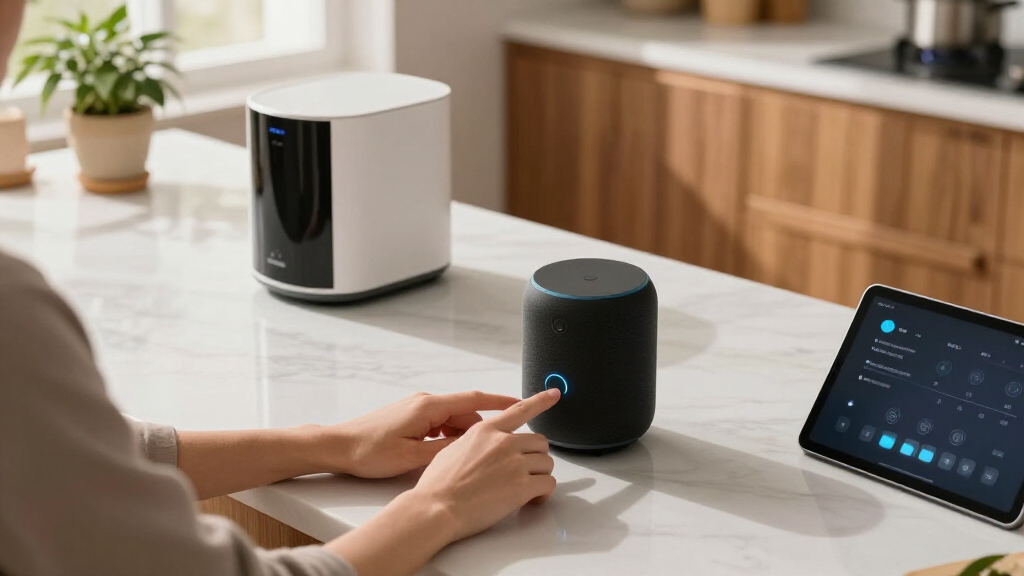

Smart home voice assistants have quietly become the control layer of the modern connected home, and in 2026 the choice comes down to two ecosystems and one question: do you want a screen or not? Amazon’s Echo Show 5 (newest model) takes my best overall spot because it pairs the upgraded Alexa+ experience with a camera, display, and surprisingly punchy bass at a mid-range price. If you live in Google’s world, the Nest Hub (1st Gen) remains the most natural voice assistant for search, calendars, and ambient sleep features, while the Echo Dot (5th Gen) is the cheapest way to add a capable voice assistant — plus it doubles as an Eero Wi-Fi extender. The main tradeoff you’ll face is ecosystem lock-in (Alexa vs. Google Assistant) and whether a screen justifies the extra cost. Read on for the full breakdown, including who each option suits and who should skip it.

Get home appliances delivered free with Prime
- Fast, free delivery on millions of items
- Prime Video, Amazon Music and more included
- Member-only deals all year
Complete the kit


Key Takeaways
- Ecosystem choice (Alexa vs. amazon.com/dp/B0BFCBKXWL?tag=opulencefinder-20&ascsubtag=dc-993139″ target=”_blank” rel=”nofollow sponsored noopener”>amazon.com/dp/B09B2SRGXH?tag=opulencefinder-20&ascsubtag=dc-993139″ target=”_blank” rel=”nofollow sponsored noopener”>amazon.com/dp/B09B94RL1R?tag=opulencefinder-20&ascsubtag=dc-993139″ target=”_blank” rel=”nofollow sponsored noopener”>amazon.com/dp/B0FDD9R644?tag=opulencefinder-20&ascsubtag=dc-993139″ target=”_blank” rel=”nofollow sponsored noopener”>Google Assistant) mattered more than hardware differences — your existing devices, calendar, and streaming services should drive the decision more than any spec sheet.
- The Echo Show 5 won best overall because Alexa+ finally closes the conversational gap with Google Assistant, while adding a screen and camera the Nest Hub can’t match at a similar price.
- The two Nest Hub (1st Gen) listings in this roundup are functionally identical — only the color differs — so buyers should simply pick the cheaper listing rather than shopping between them.
- Screens earn their price premium only if you’ll actually use visual features (security camera feeds, recipes, timers at a glance); otherwise the Nest Audio and Echo Dot deliver the same voice fundamentals for far less.
- Multi-room audio favors Google‘s lineup — the Nest Audio 3-Pack undercuts buying three Echo speakers and offers richer sound per unit, making it the value play for whole-home voice coverage.
| Google Nest Hub (1st Gen) 7″ Smart Display with Google Assistant |  | Best Smart Display for Google Households | Display: 7-inch touchscreen, 1024×600 resolution | Voice Assistant: Google Assistant | Connectivity: Wi-Fi & Bluetooth | VIEW LATEST PRICE | See Our Full Breakdown |
| Amazon Echo Dot (5th Gen) – Smart Speaker with Alexa, Glacier White |  | Best Value and Best for First-Time Buyers | Dimensions: 3.9″ x 3.9″ x 3.5″ (100 x 100 x 89 mm) | Weight: 10.7 oz (304 g) | Driver: 1.6″ full-range | VIEW LATEST PRICE | See Our Full Breakdown |
| Google Nest Hub 7″ Smart Display with Google Assistant (1st Gen) – Chalk |  | Worth It Only at a Deep Discount | Model: H1A | Display: 7 inches | Color: Chalk | VIEW LATEST PRICE | See Our Full Breakdown |
| Google Nest Audio 3-Pack Smart Speakers |  | Best for Whole-Home Audio and Music-First Buyers | Number of Speakers: 3 | Woofer: 75mm | Tweeter: 19mm | VIEW LATEST PRICE | See Our Full Breakdown |
| Amazon Echo Show 5 (newest model), Smart Display, Cloud Blue |  | Best Compact Smart Display for Alexa Homes | Display: 5.5 inches | Dimensions: 5.8″W x 3.6″D x 3.2″H (147 x 91 x 82 mm) | Weight: 16.1 oz (456 g) | VIEW LATEST PRICE | See Our Full Breakdown |
| Amazon Echo Spot (newest model), Smart Alarm Clock with Alexa, Glacier White |  | Best Bedside Companion | Display: Customizable clock face and colors | Sound: Rich sound with clear vocals and deep bass | Wi-Fi: Built-in eero mesh extender covering up to 1,000 sq. ft. | VIEW LATEST PRICE | See Our Full Breakdown |
| Amazon Echo Hub (newest model), 8″ Smart Home Control Panel with Alexa+ |  | Best Dedicated Control Panel | Display: 8-inch touchscreen, 1280 x 800 resolution | Connectivity: Dual-band WiFi 802.11a/b/g/n/ac, Bluetooth A2DP/AVRCP | Smart Home Protocols: WiFi, Bluetooth Low Energy, Zigbee, Thread, Matter, Sidewalk | VIEW LATEST PRICE | See Our Full Breakdown |
| smart home voice assistant | Display |
|---|---|
| Google Nest Hub | 7-inch touchscreen, 1024×600 resolution |
| Amazon Echo Dot | — |
| Google Nest Hub 7" Smart Displ | 7 inches |
| Google Nest Audio 3-Pack Smart | — |
| Amazon Echo Show 5 | 5.5 inches |
| Amazon Echo Spot | Customizable clock face and colors |
| Amazon Echo Hub | 8-inch touchscreen, 1280 x 800 resolution |
More Details on Our Top Picks
Google Nest Hub (1st Gen) 7″ Smart Display with Google Assistant
This option stands out as the most versatile screen-first assistant in this lineup for anyone already living in the Google ecosystem. The 7-inch touchscreen turns abstract voice commands into something visible — weather radar, calendar blocks, camera feeds, step-by-step recipes — which the Amazon Echo Dot (5th Gen) simply cannot offer with its speaker-only design. Compared with the Echo Show 5, the Nest Hub trades away video calling (there is no camera) but gains a slightly larger screen and tighter integration with Google Photos, Calendar, and YouTube. That tradeoff matters: buyers who want a digital photo frame and daily dashboard will prefer this, while frequent video callers should lean Amazon. The catch is age — this is a first-generation model, so processing and speaker output lag behind newer hardware.
Pros:- Touchscreen adds visual context for weather, calendars, photos, and recipes
- Voice Match supports up to six personalized household profiles
- Works with over 200 smart home devices from 50+ brands
- No camera means one less privacy concern by design
Cons:- First-generation hardware lacks the speed and features of newer Nest Hub models
- Speaker quality is modest for music compared with the Nest Audio
- 7-inch screen feels cramped for watching video at any distance
Best for: Google-centric households who want a bedside or kitchen hub for photos, calendars, and visual smart home control
Not ideal for: Buyers who video call regularly — there is no camera, so the Echo Show 5 is the better fit
- Display:7-inch touchscreen, 1024×600 resolution
- Voice Assistant:Google Assistant
- Connectivity:Wi-Fi & Bluetooth
- Smart Home Compatibility:Over 200 devices from 50+ brands
- Camera:None
- Voice Match:Supports personalized routines for multiple users
Our verdict“The right pick if you want Google Assistant you can see and touch, as long as you don’t need a camera or room-filling sound.”
Amazon Echo Dot (5th Gen) – Smart Speaker with Alexa, Glacier White
For pure value, nothing else in this roundup comes close. The Echo Dot (5th Gen) delivers capable Alexa voice control and surprisingly full sound from a 1.6-inch driver at a fraction of the price of any display-based option here. Its secret weapon is eero Built-in: paired with a compatible eero router, each Dot extends mesh Wi-Fi coverage by up to 1,000 sq. ft., solving the dead-zone problem that usually requires separate hardware. Compared with the Nest Audio 3-Pack, a single Dot obviously loses on music fidelity, but it wins on price-per-room and doubles as network infrastructure. The tradeoffs are real — the tiny speaker struggles at high volumes, and the Wi-Fi extender feature is useless without an eero router, so check your existing network before buying for that reason.
Pros:- Excellent price-to-capability ratio for entry-level smart homes
- Built-in eero mesh extension adds up to 1,000 sq. ft. of Wi-Fi coverage
- Physical mic-off button and layered privacy controls
- Compact enough for nightstands, shelves, and desks
Cons:- Small driver limits bass and clarity at higher volumes
- Wi-Fi extension only works with a compatible eero router
- Bluetooth support is limited for PIN-protected speakers
Best for: Budget-minded buyers and Alexa newcomers who want reliable voice control in multiple rooms without spending much
Not ideal for: Audiophiles or anyone without an eero router hoping to use the extender feature
- Dimensions:3.9″ x 3.9″ x 3.5″ (100 x 100 x 89 mm)
- Weight:10.7 oz (304 g)
- Driver:1.6″ full-range
- Audio Bandwidth:62 Hz – 19 kHz
- Wi-Fi:Dual-band 802.11a/b/g/n/ac (2.4 and 5 GHz)
- Eero Built-in:Up to 1,000 sq. ft. coverage, speeds up to 100 Mbps
- Privacy:Mic off button, multiple privacy layers
Our verdict“The cheapest credible way to put a competent voice assistant in every room — just don’t expect it to be your main speaker.”
Google Nest Hub 7″ Smart Display with Google Assistant (1st Gen) – Chalk
This Chalk-colored variant is functionally the same first-generation Nest Hub as our higher-ranked pick, which is exactly why it sits lower: the hardware is identical, but this listing ships as a Korean-language version that must be switched to English after setup. That extra friction makes it a reasonable purchase only when the discount is meaningful. Functionally, it still offers the same touchscreen dashboard, Google Assistant routines, and multi-room grouping as the standard model, and it undercuts the Echo Show 5 on screen size at 7 inches versus 5.5. But mixed customer feedback on this specific listing suggests quality control and setup headaches are more common here. If the price gap versus the standard Nest Hub is small, pay the difference and skip the language workaround.
Pros:- Same 7-inch touchscreen and Google Assistant features as the standard model
- Often listed at a lower price than the domestic version
- Compact footprint works on nightstands and kitchen counters
Cons:- Ships in Korean; English requires a post-setup language change
- Mixed customer reviews suggest inconsistent satisfaction
- First-generation hardware trails newer Nest Hub models
Best for: Deal hunters comfortable with a quick settings change who find this listed well below the standard model
Not ideal for: Less tech-savvy buyers or gift-givers — the Korean-to-English setup step and mixed reviews add avoidable risk
- Model:H1A
- Display:7 inches
- Color:Chalk
- Weight:1.8 pounds
- Dimensions:7 x 2.65 x 4.65 inches
- Voice Assistant:Google Assistant
- Language:Korean (changeable to English after setup)
Our verdict“Only worth buying if the savings over the standard Nest Hub are substantial and you don’t mind a quick language switch.”
Google Nest Audio 3-Pack Smart Speakers
This three-pack exists for buyers whose priority is sound quality per room, not screens. Each Nest Audio pairs a 75mm woofer and 19mm tweeter that comfortably outclass the Echo Dot’s single 1.6-inch driver, and grouping all three delivers synchronized multi-room playback or stereo pairing in a main listening space. Think of it as the Google counterpart to a multi-speaker Alexa setup, with the same caveat: it’s an ecosystem commitment. Compared with the Nest Hub, you lose the touchscreen entirely but gain noticeably better music reproduction — a worthwhile trade if your assistant mostly plays Spotify and answers questions. The drawbacks are predictable: no display means no camera feeds or visual routines, and in large open-plan rooms a single unit can sound thin, so placement planning matters.
Pros:- Dedicated woofer and tweeter produce fuller sound than any compact option here
- True multi-room sync and stereo pairing across the three units
- Spreading three speakers gives whole-home assistant coverage
- Built with sustainable materials
Cons:- Locked into the Google ecosystem with limited third-party support
- Sound can fall flat in large or open-plan rooms without pairing
- Requires reliable Wi-Fi throughout the home for synchronized playback
Best for: Music-focused Google households that want rich, synchronized audio across multiple rooms
Not ideal for: Buyers who want visual features like weather dashboards, photo displays, or video calls — there’s no screen here
- Number of Speakers:3
- Woofer:75mm
- Tweeter:19mm
- Connectivity:Wi-Fi, Bluetooth 5.0
- Voice Assistant:Google Assistant
- Multi-room:Synchronized playback and stereo pairing supported
- Materials:Sustainable materials
Our verdict“The strongest pick in this lineup if audio quality outranks screens on your priority list — but only for committed Google households.”
Amazon Echo Show 5 (newest model), Smart Display, Cloud Blue
The Echo Show 5 is the most balanced small-screen option in this lineup for Alexa households. Its 5.5-inch display is smaller than the Nest Hub’s 7 inches, but it adds something Google’s hub lacks entirely: a 2 MP camera with a physical shutter for video calls and drop-ins. Improved bass and clearer audio also narrow the music gap with the Nest Audio, though they don’t close it. Privacy is handled thoughtfully — a mic/camera off button, the shutter, and encrypted Ring video support — which makes it a defensible choice for a nightstand, where its footprint barely exceeds a clock radio. The tradeoffs: the screen is genuinely tight for watching shows or reading dense dashboards, some features push subscriptions, and buyers wanting a serious smart home control panel should step up to the Echo Hub instead.
Pros:- Built-in camera with physical shutter enables video calling the Nest Hub can’t do
- Doubled bass and clearer sound versus the previous generation
- Strong privacy controls including mic/camera off and encrypted Ring video
- Compact footprint suits nightstands and small desks
Cons:- 5.5-inch screen limits video watching and dense information display
- No support for ad-hoc Wi-Fi networks
- Some features and content effectively require subscriptions
Best for: Alexa users who want a camera-equipped bedside or desk display for video calls, alarms, and device control
Not ideal for: Anyone wanting a primary media screen or full home-control dashboard — the 5.5-inch display is too small for that
- Display:5.5 inches
- Dimensions:5.8″W x 3.6″D x 3.2″H (147 x 91 x 82 mm)
- Weight:16.1 oz (456 g)
- Camera:2 MP with built-in shutter
- Speaker:1.75-inch full range
- Wi-Fi:Dual-band 802.11a/b/g/n/ac
- Bluetooth:A2DP and AVRCP support
- Privacy:Mic/camera off button, camera shutter, encrypted Ring video
Our verdict“The best small Alexa display for private spaces like bedrooms and offices, provided you accept the compact screen size.”
Amazon Echo Spot (newest model), Smart Alarm Clock with Alexa, Glacier White
The Echo Spot earns its spot as the bedside pick because it solves a narrower problem better than the bigger screens do: it replaces an alarm clock while quietly adding Alexa to your nighttime routine. Compared with the Echo Dot (5th Gen), the half-moon display gives you at-a-glance info — time, timers, weather — without pulling out your phone, and the sound is noticeably fuller than a puck speaker. The built-in eero Wi-Fi extender is a genuine bonus for bedrooms at the far end of your router’s reach. Against the Echo Show 5, though, the tradeoff is clear: the small screen handles clock faces and brief glanceable cards well, but it’s frustrating for recipes or camera feeds. Think of it as an alarm clock with superpowers, not a small smart display.
Pros:- Rich sound with clear vocals and deep bass that outclasses typical alarm clocks
- Customizable clock faces let the display match your room’s style
- Doubles as an eero mesh Wi-Fi extender covering up to 1,000 sq. ft.
- Physical mic-off button and in-app privacy controls
Cons:- Requires a Wi-Fi connection for nearly all functionality beyond a basic clock
- Small screen limits it to glanceable info rather than rich visual content
Best for: Sleepers who want a stylish alarm clock that also controls lights, plays music, and extends mesh Wi-Fi to a far-flung bedroom
Not ideal for: Anyone wanting a screen for video, recipes, or detailed camera views — the compact display is built for glances, not browsing
- Display:Customizable clock face and colors
- Sound:Rich sound with clear vocals and deep bass
- Wi-Fi:Built-in eero mesh extender covering up to 1,000 sq. ft.
- Smart Home:Voice control of compatible devices via Alexa
- Privacy:Mic off button, in-app privacy controls
- Materials:36% recycled materials
- Design:Compact form factor for bedside, desk, or kitchen counter
Our verdict“Buy this if you want a premium bedside clock that quietly runs your smart home; skip it if you actually want a usable smart display.”
Amazon Echo Hub (newest model), 8″ Smart Home Control Panel with Alexa+
Where the Echo Hub earns its keep is focus. Unlike the Nest Hub or Echo Show 5, which split their personality between entertainment and control, this 8-inch panel is built to be the wall-mounted command center for a serious smart home. That shows in the radio stack: Zigbee, Thread, Matter, and Sidewalk support means it can talk directly to devices that would otherwise need separate hubs scattered around your house. The customizable dashboard becomes a one-tap launchpad for lights, locks, routines, and camera feeds — something voice commands alone can’t match when guests or kids need to use the system. The tradeoffs are real: it needs wiring (Power over Ethernet support helps, but the PoE accessory is sold separately), it isn’t portable, and it’s overkill if you only own a few bulbs.
Pros:- Broad protocol support (Zigbee, Thread, Matter, Sidewalk) replaces multiple standalone hubs
- Customizable dashboard puts routines, cameras, and scenes one tap away
- 8-inch 1280×800 touchscreen is large enough for multi-camera viewing
- Flexible power options including Power over Ethernet for clean wall installs
Cons:- Requires an internet connection for setup and ongoing operation
- PoE adapter and some mounting accessories are sold separately
- Fixed installation — not something you can move room to room like a smart speaker
Best for: Smart home enthusiasts with 15+ devices across multiple protocols who want a central, always-available wall panel
Not ideal for: Casual users or renters — setup requires mounting and power planning, and a smart speaker covers a handful of devices just fine
- Display:8-inch touchscreen, 1280 x 800 resolution
- Connectivity:Dual-band WiFi 802.11a/b/g/n/ac, Bluetooth A2DP/AVRCP
- Smart Home Protocols:WiFi, Bluetooth Low Energy, Zigbee, Thread, Matter, Sidewalk
- Audio:Full-range stereo speakers, top-ported
- Sensors:Passive infrared (PIR) motion sensor, ambient light sensor
- Power:USB-C PD compatible; supports Power over Ethernet (adapter sold separately)
- Materials:27% recycled materials
- In the Box:Echo Hub, power adapter, 6 ft. cord, wall mount, screws, template, quick start guide
Our verdict“This is the pick for a whole-home command center on the wall; anyone with fewer than a dozen devices should stick with a smart speaker or small display.”
How We Picked
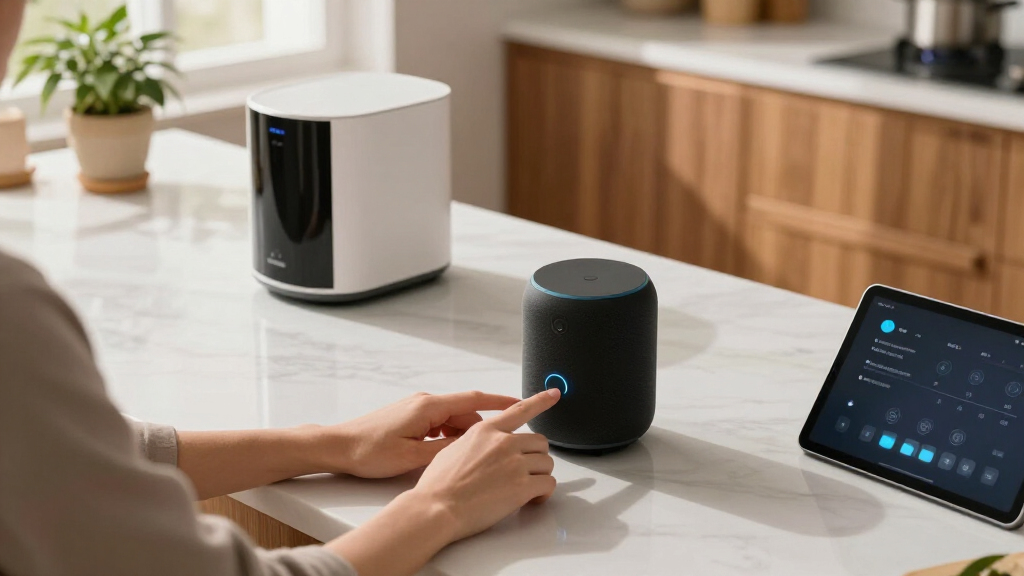
I ranked these smart home voice assistants on four factors that directly affect daily use: voice assistant intelligence (how well Alexa+ or Google Assistant understands natural requests and follows up), smart home control (device compatibility, routines, and how easily you can manage lights, locks, and thermostats), hardware value (speaker quality, screen utility, and build relative to price), and fit within a broader ecosystem (whether the product scales as you add more devices to your home).
The ranking logic is straightforward: products that combine a strong assistant with useful hardware at a fair price rose to the top, while single-purpose devices like the Echo Spot and Echo Hub were placed according to how narrow their audience is. The Echo Hub, for example, is a genuinely excellent wall-mounted control panel, but most buyers don’t need a dedicated panel when a cheaper smart display does the same job. Where two products were near-identical — the two Nest Hub listings — I treated them as one option and focused the comparison on price and availability.
Factors to Consider When Choosing Smart Home Voice Assistants
Before clicking buy on any of these devices, it helps to understand the bigger picture — the mistakes that lock buyers into the wrong ecosystem, and the moments where spending more (or less) actually changes the experience.Ecosystem Lock-In Is the Real Decision
The single biggest choice isn’t which speaker — it’s Alexa vs. Google Assistant, because everything you buy afterward follows from it. If your household runs on Gmail, Google Calendar, and YouTube, a Nest device integrates without friction; if you’re deep into Prime Video, Ring cameras, or Kindle, Alexa connects to that world more naturally. Mixing both assistants works, but you lose the seamless routines and single-app control that make a smart home feel smart. A common mistake is buying whichever device is on sale, then discovering six months later that half your accessories don’t integrate cleanly. My advice: pick the ecosystem that matches your phone and subscriptions first, then choose hardware within it.
Do You Actually Need a Screen?
Smart displays cost meaningfully more than their speaker-only counterparts, and many buyers overestimate how much they’ll use the screen. It genuinely earns its keep for security camera feeds, step-by-step recipes, video calls, and at-a-glance timers — families with kids or camera doorbells tend to use screens daily. But if you mainly want music, weather, and voice control of lights, a speaker like the Nest Audio or Echo Dot delivers the identical voice experience for roughly half the price. A useful test: think about the three things you’d ask the device most often. If none of them benefit from being visual, save your money.
Multi-Room Coverage Changes the Math
One voice assistant covers one or two rooms — but voice pickup degrades badly through walls and around corners, so whole-home coverage means multiple devices. This is where bundle pricing matters more than single-unit reviews: the Nest Audio 3-Pack exists precisely because multi-room buyers are the norm, and buying speakers individually at full price is the most common money-waster in this category. Multi-room audio also lets you move music between rooms by voice, which is one of the genuinely delightful parts of a smart home. Plan your room placement before buying: hallways, kitchens, and bedrooms get the most voice traffic, while a single living-room device rarely satisfies a household.
Privacy Settings Deserve Ten Minutes Upfront
Every device in this lineup has an always-listening microphone, and every one of them lets you review and delete voice history, mute the mic physically, and opt out of human-reviewed recordings — but almost nobody does this on day one. Setting these preferences when the device is new takes minutes; doing it later means digging through settings you’ve forgotten exist. If a camera-equipped display like the Echo Show 5 is going in a bedroom, check whether it has a physical camera shutter and use it. Families with kids should also enable voice-purchase controls immediately, unless you enjoy surprise deliveries ordered by a six-year-old.
Older Generations and False Bargains
This roundup includes a first-generation Nest Hub, which raises a fair question: are older models a bargain or a trap? For voice control basics, older hardware holds up well — the microphone arrays and assistant software updates are shared across generations. Where age shows up is in speaker quality, processing speed for screen responses, and long-term software support. A first-gen display will likely stop receiving feature updates before a current-gen one, and screen animations feel noticeably slower. My rule: buy previous-generation hardware at a real discount (30% or more) for secondary rooms, but put current-generation devices in the rooms you use most.
Specialized Devices Have Narrow Audiences
Products like the Echo Hub (a wall-mounted control panel) and the Echo Spot (an alarm clock form factor) solve specific problems extremely well, but they’re poor first devices. The Echo Hub assumes you already have a substantial device fleet to manage — as a standalone assistant it’s expensive overkill. The Echo Spot is a fantastic bedside companion, yet nobody should build a smart home around an alarm clock. The right sequence is: start with a general-purpose speaker or display, grow your smart devices, and only then add specialized hardware where a genuine need appears. Buyers who skip this sequence often end up with expensive gear duplicating functions their main device already handles.
Frequently Asked Questions
Should I choose Alexa or Google Assistant if I’m starting from scratch?
If you have no existing devices or subscriptions, lean toward Alexa for breadth of smart home compatibility — more third-party gadgets work with Alexa than anything else, and Alexa+ has closed much of the conversational gap that used to favor Google. Lean toward Google Assistant if you already use Android, Gmail, or YouTube heavily, because the integration is effortless and the answers to general questions tend to be more natural. Also consider which family members will use it: Google handles multi-user voice recognition a bit more gracefully, while Alexa’s routines and skills ecosystem is deeper for automation tinkerers. Neither choice is wrong, but committing to one across all your devices will save real frustration.
Is the Amazon Echo Hub worth it over a regular Echo Show?
Only if you’re a serious smart home enthusiast planning to wall-mount a dedicated control panel. The Echo Hub is designed to be a permanent dashboard for cameras, thermostats, and lights — it’s not really a speaker, and it’s not meant to be a bedside or kitchen device. A regular Echo Show 5 or Show 8 handles most of the same controls at a lower price while also being a good music speaker and video-calling device. Where the Hub justifies itself is in larger homes with a dozen or more smart devices, where a always-visible wall panel genuinely replaces opening an app. If you’re hesitating, that hesitation is your answer: get the Show.
Can I mix Google and Amazon devices in the same home?
Yes, and many households do — I’d suggest it only with clear territorial boundaries. Put Google devices in some rooms and Alexa in others, and let each control the smart home devices it supports, since most mainstream gadgets (lights, plugs, thermostats) work with both platforms. The problems start when you want unified routines, cross-ecosystem music groups, or one app to rule everything — that’s where mixing gets frustrating, because neither platform plays nicely with the other’s native features. A workable pattern is Google for displays and search-heavy tasks, Alexa for speakers and device control. But if you’re building from zero, staying in one ecosystem is simpler and cheaper over time.
Do I need a smart display, or is a voice-only speaker enough?
A voice-only speaker covers the core functions — questions, music, timers, and controlling lights — at roughly half the price of a comparable display. A display adds real value in three situations: you want security camera feeds visible at a glance, you make video calls, or you cook and want recipe steps on screen. Families with doorbell cameras and kids doing homework near a kitchen hub use the screen constantly; solo buyers in small apartments frequently find the screen goes dark and unused after the first month. If you’re unsure, start with a cheap speaker like the Echo Dot and see what you actually ask it — your usage pattern will tell you whether a display is worth upgrading to.
Is the Echo Dot’s built-in Eero Wi-Fi extender a reason to buy it?
It’s a nice bonus, not a purchase driver — unless you already run an Eero mesh network, in which case it’s a genuinely clever two-in-one. The extender adds coverage for one dead zone (a hallway or far bedroom), which could otherwise cost $50–$100 for a dedicated Eero beacon. But if you use a different router brand, the feature does nothing, and the Dot’s small speaker is fine for voice but not for filling a room with music. Treat it this way: the Dot 5 is a great budget voice assistant on its own merits, and the Eero capability tips the scales only for existing Eero households with a coverage gap.
Conclusion
After comparing all seven options, my recommendations break down cleanly by buyer type. For best overall, the Amazon Echo Show 5 (newest model) wins — Alexa+, a camera, and real bass in one affordable package make it the most complete smart home voice assistant here. The best value pick is the Google Nest Audio 3-Pack, which covers an entire home in capable voice assistants for what a single premium display costs. Budget-conscious single-room buyers should grab the Echo Dot (5th Gen), especially Eero households who get a free Wi-Fi boost. For beginners, the Nest Hub (1st Gen) is the friendliest entry point — its sleep features, simple interface, and forgiving assistant make the first week with a smart home painless (and since the two listings are identical, just buy whichever color and price you prefer). For premium buyers with an established smart home, the Echo Hub is the serious choice — a dedicated control panel that earns its price once you’re managing a dozen or more devices. And for one specific need — a better bedside alarm clock — the Echo Spot is unbeatable, though it shouldn’t be anyone’s only assistant. Whatever you pick, choose the ecosystem first and the hardware second; that single decision shapes everything that follows.