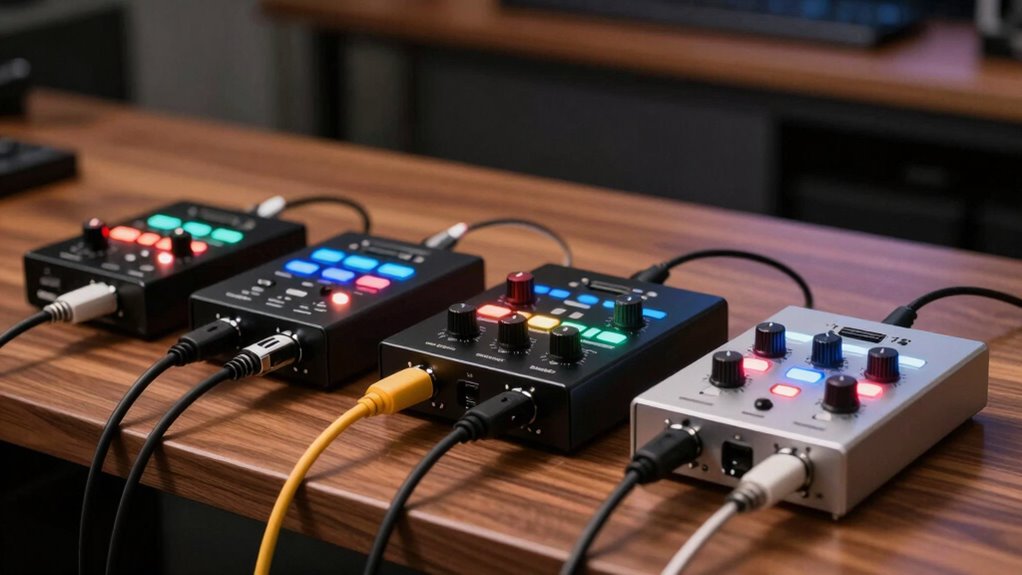

For an affordable two-input setup, the Behringer UMC202HD is my best overall pick for its pair of combo inputs and direct monitoring, while the Arturia MiniFuse 1 suits a simpler, single-microphone recording workflow. The Focusrite Scarlett Solo 3rd Gen is another standout for solo recording, though it has fewer simultaneous inputs than the two-channel options. The main choice is whether you need to record two sources at once, prefer a compact one-input interface, or want extra connections for streaming. I compare those tradeoffs across all 14 models below so you can match an interface to your actual setup.

Get home appliances delivered free with Prime
- Fast, free delivery on millions of items
- Prime Video, Amazon Music and more included
- Member-only deals all year
Complete the kit


Key Takeaways
- The UMC202HD leads for two-source recording: its two combo inputs give it a clearer case for recording vocals and an instrument together than single-input picks such as the MiniFuse 1 or Scarlett Solo.
- Single-input models suit focused setups: the MiniFuse 1, M-Track Solo, and Scarlett Solo make more sense when you record one microphone or instrument at a time.
- Connection variety changes the use case: the XTUGA Q-12’s 3.5 mm input points toward streaming or mixed audio sources, while conventional combo inputs better suit microphones and instruments.
- Feature claims need to match the workflow: 24-bit/192 kHz labels on the Jolgoo and PIYONE Q28 do not answer questions about input count, monitoring controls, or compatibility.
- Budget models involve more uncertainty: products with less established brand support may offer appealing connections, but buyers should check driver support, return terms, and documentation before choosing.
| M-Audio M-Track Duo USB Audio Interface |  | Best for Simple Two-Mic Setups | Inputs: 2 combo XLR/line/instrument | Audio resolution: 48 kHz | Preamps: Crystal Preamps | VIEW ON AMAZON | See Our Full Breakdown |
| Kmise USB Audio Interface with 48V Phantom Power |  | Best All-in-One Connectivity | Model: MI8423-KUS | Channels: 2 | Connectivity: USB 3.0 Type-A | VIEW ON AMAZON | See Our Full Breakdown |
| Behringer UMC202HD 2×2 USB Audio Interface with Midas Preamps |  | Best for High-Resolution Recording | Inputs: 2 | Maximum sample rate: 192 kHz | Bit depth: 24-bit | VIEW ON AMAZON | See Our Full Breakdown |
| MAONO PS22 Lite USB Audio Interface for Guitar, Vocals, and Streaming |  | Best for Streaming and Routing | Channels: 2 | Maximum sample rate: 192 kHz | Recording resolution: 24-bit | VIEW ON AMAZON | See Our Full Breakdown |
| Behringer UMC22 2×2 USB Audio Interface with Midas Mic Preamp |  | Best Compact Starter Pick | Channels: 2 | Inputs: Combination XLR/TRS input; 1/4-inch instrument input | Outputs: Two 1/4-inch TRS outputs | VIEW ON AMAZON | See Our Full Breakdown |
| Arturia MiniFuse 1 USB Audio and MIDI Interface |  | Best for Mobile Creators | Connectivity: USB | Inputs: 1 combo XLR mic/instrument/line input; 2 instrument/line TRS inputs | Outputs: 2 balanced 1/4-inch TRS line outputs; headphone output | VIEW ON AMAZON | See Our Full Breakdown |
| M-Audio M-Track Solo USB Audio Interface |  | Best for Basic Recording | Audio resolution: 48 kHz | Inputs: 1 combo XLR/line input with phantom power; 1 switchable line/instrument input | Outputs: 1/8-inch headphone output; stereo RCA outputs | VIEW ON AMAZON | See Our Full Breakdown |
| XTUGA Q-12 USB Audio Interface with XLR and 3.5 mm Inputs |  | Best for Simple Microphone Setups | Channels: 2 | Resolution: 16-bit/48 kHz | Inputs: XLR and 3.5 mm microphone jack | VIEW ON AMAZON | See Our Full Breakdown |
| Focusrite Scarlett Solo 3rd Gen USB-C Audio Interface |  | Best for Higher-Resolution Solo Recording | Connectivity: USB | Channels: 2 | Bit depth: 24-bit | VIEW ON AMAZON | See Our Full Breakdown |
| Jolgoo 2×2 USB Audio Interface with 24-Bit/192 kHz Recording and 48V Phantom Power |  | Best for Two-Microphone Setups | Inputs: 2 XLR/line combo inputs | Channels: 4 | Audio resolution: 24-bit | VIEW ON AMAZON | See Our Full Breakdown |
| Synido 2-Channel USB-C Audio Interface for Recording and Streaming |  | Best for Flexible Monitoring | Channels: 2 | Bit depth: 24-bit | Maximum sample rate: 48 kHz | VIEW ON AMAZON | See Our Full Breakdown |
| USB Audio Interface with 48V Phantom Power and Direct Monitoring |  | Best for Hands-On Streaming Controls | Channels: 4 | Inputs: 2 XLR/TRS combo inputs and 1 instrument input | Phantom power: 48V | VIEW ON AMAZON | See Our Full Breakdown |
| PIYONE Q28 2-Input USB-C Audio Interface, 24-bit/192 kHz |  | Best for High-Resolution Recording | Model: Q28 | Channels: 2 | Inputs: 2 XLR/TRS combo inputs | VIEW ON AMAZON | See Our Full Breakdown |
| CIXUN 2×2 USB-C Audio Interface for PC and Mac |  | Best for Broad Device Compatibility | Channels: 2 inputs / 2 outputs | Inputs: 2 XLR/TS combo jacks | Resolution: 24-bit | VIEW ON AMAZON | See Our Full Breakdown |
| audio interfaces under 200 | Inputs | Phantom power | Channels | Maximum sample rate |
|---|---|---|---|---|
| M-Audio M-Track Duo USB Audio | 2 combo XLR/line/instrument | Yes | — | — |
| Kmise USB Audio Interface with | — | 48V | 2 | — |
| Behringer UMC202HD 2×2 USB Aud | 2 | +48 V | — | 192 kHz |
| MAONO PS22 Lite USB Audio Inte | — | 48V | 2 | 192 kHz |
| Behringer UMC22 2×2 USB Audio | Combination XLR/TRS input; 1/4-inch instrument input | +48V | 2 | — |
| Arturia MiniFuse 1 USB Audio a | 1 combo XLR mic/instrument/line input; 2 instrument/line TRS inputs | — | — | 192 kHz |
| M-Audio M-Track Solo USB Audio | 1 combo XLR/line input with phantom power; 1 switchable line/instrument input | — | — | — |
| XTUGA Q-12 USB Audio Interface | XLR and 3.5 mm microphone jack | Switchable 48 V | 2 | — |
| Focusrite Scarlett Solo 3rd Ge | — | — | 2 | 192 kHz |
| Jolgoo 2×2 USB Audio Interface | 2 XLR/line combo inputs | 48 V | 4 | 192 kHz |
| Synido 2-Channel USB-C Audio I | XLR and 6.35 mm | 48V | 2 | 48 kHz |
| USB Audio Interface with 48V P | 2 XLR/TRS combo inputs and 1 instrument input | 48V | 4 | 48 kHz |
| PIYONE Q28 2-Input USB-C Audio | 2 XLR/TRS combo inputs | 48V | 2 | 192 kHz |
| CIXUN 2×2 USB-C Audio Interfac | 2 XLR/TS combo jacks | +48V | 2 inputs / 2 outputs | 192 kHz |
More Details on Our Top Picks
M-Audio M-Track Duo USB Audio Interface
The M-Track Duo is a straightforward pick for recording two microphones or pairing a mic with an instrument. Its two combo inputs and phantom power give it more flexibility for small interviews or shared vocal sessions than a single-input option such as the Arturia MiniFuse 1. The zero-latency direct monitoring switch lets performers hear their input without the distracting delay that can disrupt a take. Compared with the Behringer UMC202HD, though, its stated resolution tops out at 48 kHz, so it offers fewer high-resolution recording options. USB power and bundled MPC Beats keep a basic setup portable and approachable. The tradeoffs are a headphone output that may need a 1/4-inch adapter and extra hardware for iOS use.
Pros:- Two combo inputs support microphones, instruments, or a mix of both
- Phantom power accommodates condenser microphones
- Direct monitoring avoids software monitoring delay
- MPC Beats is included for getting started with recording
Cons:- 48 kHz maximum is lower than the Behringer UMC202HD’s listed 192 kHz support
- The headphone output may require a 1/4-inch adapter
- iOS use requires an Apple Lightning to USB 3 Camera Adapter
Best for: New podcasters or home musicians who need two simultaneous inputs and a simple USB-powered setup.
Not ideal for: Buyers who want recording above 48 kHz or a direct iOS connection without an adapter.
- Inputs:2 combo XLR/line/instrument
- Audio resolution:48 kHz
- Preamps:Crystal Preamps
- Phantom power:Yes
- Outputs:Stereo 1/4-inch outputs; 1/4-inch headphone output
- Monitoring:Zero-latency USB/Direct switch
- Power:USB-powered
- Included software:MPC Beats
Our verdict“Choose the M-Track Duo for uncomplicated two-source recording; pick the UMC202HD if higher stated sample-rate support matters more.”
Kmise USB Audio Interface with 48V Phantom Power
The Kmise MI8423-KUS suits a desk or mobile setup where connecting a microphone, instrument, headphones, and speakers through one small unit is the main draw. Its advertised 24-bit/192 kHz capability looks competitive with the Behringer UMC202HD, but the listed specifications also give a 48 kHz sample rate; that mismatch makes it hard to judge its recording ceiling from the supplied data. The plug-and-play design and 48V phantom power make basic setup appealing for a condenser mic, while the M-Track Duo has clearer monitoring details and bundled recording software. The Kmise’s six-month warranty is another limitation for buyers who want longer stated coverage. I’d choose it for its integrated connections only if the sample-rate ambiguity is acceptable.
Pros:- Integrated connections can reduce cable clutter in a compact setup
- 48V phantom power supports condenser microphones
- Plug-and-play design is intended to avoid complex driver setup
- Listed 24-bit recording depth
Cons:- Advertised 192 kHz rate conflicts with the listed 48 kHz maximum
- Six-month warranty is limited
- The supplied details do not specify individual output formats or monitoring controls
Best for: Mobile or desktop creators who want a compact interface with microphone, instrument, headphone, and speaker connections in one unit.
Not ideal for: Recordists who need a clearly specified high sample rate or buyers who prioritize a longer warranty.
- Model:MI8423-KUS
- Channels:2
- Connectivity:USB 3.0 Type-A
- Bit depth:24-bit
- Sample rate:192 kHz advertised; 48 kHz listed
- Phantom power:48V
- Dimensions:3.5 × 6.5 × 1.5 inches
- Weight:1.5 lbs
- Warranty:6 months
Our verdict“Pick the Kmise when its all-in-one connections matter most, but choose the UMC202HD for a more clearly stated recording specification.”
Behringer UMC202HD 2×2 USB Audio Interface with Midas Preamps
The UMC202HD is the strongest fit here for buyers who want two inputs and a stated 24-bit/192 kHz recording ceiling. Its two Midas-designed preamps, +48 V phantom power, and direct monitoring cover the core needs of recording a pair of microphones or a mic and instrument. Against the M-Audio M-Track Duo, it offers a higher listed maximum sample rate and a metal chassis, while the M-Track Duo includes MPC Beats and specifies a zero-latency monitoring switch. The UMC202HD’s durable construction and level-controlled headphone output make it a more studio-oriented choice, but the supplied product data does not list a bundled software package or detailed output connections. Its wider, heavier body is less convenient to carry than the more compact M-Track Duo.
Pros:- Two Midas-designed mic preamps
- Supports up to 24-bit/192 kHz recording
- +48 V phantom power and direct monitoring are included
- Metal chassis is suited to regular studio handling
Cons:- Larger and heavier than the M-Track Duo
- Bundled recording software is not specified in the supplied data
- Detailed output connection types are not provided
Best for: Home-recording musicians who need two simultaneous inputs, phantom power, and a stated high-resolution recording mode.
Not ideal for: Creators who prioritize bundled software, a compact travel footprint, or clearly documented mobile compatibility.
- Inputs:2
- Maximum sample rate:192 kHz
- Bit depth:24-bit
- Preamps:2 Midas-designed mic preamps
- Phantom power:+48 V
- Monitoring:Direct monitoring; level-controlled headphone output
- Connectivity:USB
- Dimensions:6.3 × 10.1 × 3.6 inches
- Weight:1.2 lbs
Our verdict“Choose the UMC202HD for its stated high-resolution recording and sturdy two-input layout, especially if portability is secondary.”
MAONO PS22 Lite USB Audio Interface for Guitar, Vocals, and Streaming
The MAONO PS22 Lite stands out for creators who want to route a compact recording setup across a computer or mobile device. Its two channels, instrument input, ProStudio routing software, and direct monitoring make it more streaming-oriented than the Behringer UMC202HD, whose supplied details focus on recording hardware. The listed 56 dB of preamp gain and 48V phantom power give it room for dynamic and condenser microphones, while its 24-bit/192 kHz ceiling matches the Behringer’s stated resolution. That flexibility comes with a setup wrinkle: compatible software needs the MAONO ASIO driver selected for proper connection. Buyers who want a plain plug-and-play workflow may find the M-Track Duo simpler, though it has a lower listed sample rate and less routing detail.
Pros:- ProStudio routing software supports streaming workflows
- Up to 56 dB preamp gain and 48V phantom power
- Instrument input and direct monitoring are included
- Compatibility spans Android, ChromeOS, Windows, iOS, and macOS
Cons:- Compatible software requires selecting the MAONO ASIO driver
- The supplied frequency-response figure is listed as 20 kHz without further range detail
- At 0.43 kg, it is heavier than a very small pocket interface
Best for: Streamers and solo creators who want to combine vocals or guitar with software routing across compatible computer and mobile platforms.
Not ideal for: Users who want the simplest possible computer setup or do not want to configure a dedicated ASIO driver.
- Channels:2
- Maximum sample rate:192 kHz
- Recording resolution:24-bit
- Microphone preamp gain:Up to 56 dB
- Phantom power:48V
- Frequency response:20 kHz
- Weight:0.43 kg
- Compatible operating systems:Android, ChromeOS, Windows, iOS, macOS
- Included accessories:USB-A/USB-C to USB-C cable; user manual
Our verdict“Choose the PS22 Lite if routing and broad device compatibility matter more than a driver-free setup.”
Behringer UMC22 2×2 USB Audio Interface with Midas Mic Preamp
The UMC22 is a compact entry point for recording one microphone and one instrument on a computer. Its Midas-designed mic preamp, +48V phantom power, and direct monitoring cover the essentials without the higher stated sample-rate ceiling of the UMC202HD. That makes this a simpler fit for basic demos or voice recording, while the UMC202HD is better suited to buyers who want two mic preamps and 24-bit/192 kHz support. The UMC22’s listed inputs pair a combination XLR/TRS connection with a separate 1/4-inch instrument input, which helps separate a vocal mic from a guitar. The product data does not specify recording resolution, however, and the two-channel layout limits simultaneous sources compared with more flexible setups.
Pros:- Midas-designed microphone preamp
- Separate combination mic/line input and 1/4-inch instrument input
- +48V phantom power and direct monitoring
- USB-powered compact design
Cons:- Only one combination microphone input is specified
- Recording sample rate and bit depth are not provided
- Supplied compatibility details focus on laptops and personal computers
Best for: Beginning home recordists who need a compact computer interface for a microphone and a guitar or other instrument.
Not ideal for: Users who need two microphone preamps, a documented high-resolution recording rate, or broader mobile compatibility.
- Channels:2
- Inputs:Combination XLR/TRS input; 1/4-inch instrument input
- Outputs:Two 1/4-inch TRS outputs
- Microphone preamp:Midas-designed
- Phantom power:+48V
- Monitoring:Direct monitoring and headphone output
- Power:USB-supplied
- Weight:16 ounces
Our verdict“Choose the UMC22 for basic mic-and-instrument recording, while the UMC202HD is the clearer fit for two-mic sessions and higher stated resolution.”
Arturia MiniFuse 1 USB Audio and MIDI Interface
The MiniFuse 1 suits a compact setup that needs more than basic recording: its loopback can capture computer audio alongside a voiceover, and its five-pin MIDI ports connect hardware instruments. Compared with the Focusrite Scarlett Solo 3rd Gen, it offers a USB-A hub and MIDI connections, while both support recording up to 192 kHz. Its single combo input is the tradeoff: recording two microphones or instruments at once calls for another interface, such as the Jolgoo 2×2. The hub is also limited to 250 mA, so it is best for low-power accessories. A small footprint, included creative software, and five-year warranty make it a flexible choice for a traveling solo musician or streamer.
Pros:- Loopback captures computer audio alongside a microphone or instrument
- Five-pin MIDI input and output connect hardware instruments
- USB-A hub adds a connection for a low-power accessory
- Five-year warranty and included creative software
Cons:- Only one combo input, limiting simultaneous recording
- USB hub supplies just 250 mA
Best for: Solo musicians and streamers who record in different locations and want loopback, MIDI, and a compact USB hub.
Not ideal for: Duos or podcasters recording multiple microphones at once; it has only one combo input.
- Connectivity:USB
- Inputs:1 combo XLR mic/instrument/line input; 2 instrument/line TRS inputs
- Outputs:2 balanced 1/4-inch TRS line outputs; headphone output
- MIDI:5-pin input and output
- Maximum sample rate:192 kHz
- USB hub:Type A, 250 mA
- Dimensions:3.9 × 5.9 × 1.65 inches
- Warranty:5 years
Our verdict“Choose the MiniFuse 1 if a compact solo setup benefits from loopback and MIDI; choose the Jolgoo 2×2 for two combo inputs.”
M-Audio M-Track Solo USB Audio Interface
The M-Track Solo keeps a simple recording setup easy to power and monitor: it runs from USB and has a USB/Direct switch for listening without the delay of software monitoring. One input accepts an XLR mic or line source, while the other switches between line and instrument, giving it more flexibility than the XTUGA Q-12 for connecting a guitar. Its ceiling of 48 kHz is lower than the MiniFuse 1 and Scarlett Solo, both of which reach 192 kHz, so it is aimed at everyday recording rather than higher-resolution sessions. RCA stereo outputs and a 1/8-inch headphone jack also suit a simple desktop setup, though the headphone connection may require an adapter for larger plugs.
Pros:- USB-powered with no separate power supply
- Direct monitoring avoids software monitoring delay
- Switchable second input accepts line or instrument sources
- Includes MPC Beats software
Cons:- Recording is limited to 48 kHz
- Headphone output uses a 1/8-inch connection
- Only one input accepts an XLR microphone
Best for: First-time home recordists who need one microphone input, a guitar or line input, and straightforward direct monitoring.
Not ideal for: Musicians seeking higher-resolution recording or a standard 1/4-inch headphone output.
- Audio resolution:48 kHz
- Inputs:1 combo XLR/line input with phantom power; 1 switchable line/instrument input
- Outputs:1/8-inch headphone output; stereo RCA outputs
- Monitoring:USB/Direct switch
- Power:USB-powered
- Compatible platforms:Mac and PC
- Included software:Ableton Live Lite and MPC Beats
Our verdict“Pick the M-Track Solo for a simple USB-powered mic-and-instrument setup, but choose the Scarlett Solo for higher-resolution recording.”
XTUGA Q-12 USB Audio Interface with XLR and 3.5 mm Inputs
The XTUGA Q-12 is geared toward a beginner setup built around microphones: its XLR and 3.5 mm inputs cover two common mic connections, and switchable phantom power supports condenser microphones. That makes it a different fit from the M-Audio M-Track Solo, whose second input can handle an instrument or line source instead. The Q-12’s stated 16-bit/48 kHz resolution is modest beside the Scarlett Solo 3rd Gen at 24-bit/192 kHz, and its two channels leave little room to grow. USB power and compatibility with common recording software keep the setup straightforward, but buyers should choose it for basic microphone recording or streaming rather than a more expandable music studio.
Pros:- XLR and 3.5 mm microphone inputs accommodate different mic connections
- Switchable 48 V phantom power supports condenser microphones
- USB-powered setup needs no separate adapter
- Works with several common recording applications
Cons:- Limited to 16-bit/48 kHz audio
- Two channels offer limited room for additional sources
- One-year warranty
Best for: Beginners recording or streaming with a microphone and a 3.5 mm mic source who want a compact, computer-powered setup.
Not ideal for: Musicians who need instrument inputs, higher-resolution recording, or more than two channels.
- Channels:2
- Resolution:16-bit/48 kHz
- Inputs:XLR and 3.5 mm microphone jack
- Phantom power:Switchable 48 V
- Connectivity:USB
- Compatible devices:Personal computers
- Dimensions:5.98 × 4.92 × 1.97 inches
- Warranty:1 year
Our verdict“Choose the Q-12 for a basic two-microphone setup; the M-Track Solo is a better match when an instrument input matters.”
Focusrite Scarlett Solo 3rd Gen USB-C Audio Interface
The Scarlett Solo 3rd Gen is a strong fit for one vocalist or instrument player who wants 24-bit/192 kHz recording and a guided way to set input levels: its Gain Halo metering shows when a signal is running too hot. Switchable Air mode changes the mic preamp’s character for a brighter vocal or acoustic sound. Compared with the Arturia MiniFuse 1, the Scarlett also reaches 192 kHz, but it lacks the MiniFuse’s MIDI ports, USB hub, and loopback feature. Its single microphone preamp also makes it a poor match for two-mic sessions; the Jolgoo 2×2 supplies two combo inputs for that use. The bundled software adds setup options, though access requires registration and downloads.
Pros:- Records up to 24-bit/192 kHz
- Air mode offers an alternate mic-preamp sound
- Gain Halo metering helps identify clipping
- Balanced outputs and headphone monitoring support a desktop studio setup
Cons:- Only one microphone preamp
- Software bundle requires registration and downloads
- No MIDI ports or loopback feature
Best for: Solo singers, guitarists, and bassists who want high-resolution recording and clear input-level feedback.
Not ideal for: Two-microphone recording or setups that need MIDI connections and loopback.
- Connectivity:USB
- Channels:2
- Bit depth:24-bit
- Maximum sample rate:192 kHz
- Audio inputs:XLR microphone and instrument
- Operating systems:Mac OS, Windows OS, iOS
- Weight:12.32 oz
- Warranty:3 years
Our verdict“Choose the Scarlett Solo for high-resolution solo recording and clear level feedback; the Jolgoo 2×2 is better for two microphones.”
Jolgoo 2×2 USB Audio Interface with 24-Bit/192 kHz Recording and 48V Phantom Power
With two combo inputs and independent gain controls, the Jolgoo 2×2 is the clearest fit here for recording two microphones or a mic and instrument together. Its direct monitoring helps performers hear inputs without depending on a software monitoring path, while 24-bit/192 kHz recording puts it on paper alongside the Scarlett Solo and MiniFuse 1 for supported recording formats. The distinction is input capacity: the Scarlett Solo and MiniFuse 1 each provide one combo mic input, while the Jolgoo has two. The tradeoff is less certainty around device compatibility, which the product data says can vary by system configuration. Its listed weight of 0.81 kg also makes it less appealing for a light travel kit than the compact MiniFuse.
Pros:- Two XLR/line combo inputs support simultaneous sources
- Independent gain controls for each input
- Direct monitoring for listening while recording
- Includes USB-C and USB-A cables
Cons:- Compatibility may vary by device and system configuration
- At 0.81 kg, it is heavier than the MiniFuse 1
- Warranty is limited to 12 months
Best for: Two-person podcasters or home-studio musicians who need two combo inputs with independent gain control.
Not ideal for: Traveling creators prioritizing a light interface or buyers who need clearly specified device compatibility.
- Inputs:2 XLR/line combo inputs
- Channels:4
- Audio resolution:24-bit
- Maximum sample rate:192 kHz
- Phantom power:48 V
- Operating systems:Windows and macOS
- Included cables:USB-C and USB-A
- Weight:0.81 kg
- Warranty:12 months
Our verdict“Pick the Jolgoo 2×2 when recording two sources matters more than portability or broad, clearly documented compatibility.”
Synido 2-Channel USB-C Audio Interface for Recording and Streaming
The Synido suits creators who switch between recording, streaming, and listening back: its Stereo, Mix, and USB monitoring modes give it more monitoring flexibility than the simpler direct-monitoring setup described for the Behringer UMC22. Its XLR and 6.35 mm inputs, switchable line and instrument input, and 48V phantom power cover a basic microphone-and-instrument setup, while color-coded level indicators make input activity easier to read at a glance. The compact body and included cables also help when moving between a computer and compatible mobile devices. The tradeoff is its 48 kHz ceiling, which is lower than the 192 kHz options from PIYONE and CIXUN. Buyers should also check driver needs on their computer, since the listing says best compatibility may require a third-party ASIO driver.
Pros:- Three monitoring modes accommodate different recording and streaming workflows.
- XLR and 6.35 mm inputs with switchable line and instrument input support common sources.
- 48V phantom power supports condenser microphones.
- Compact design includes USB-C to USB-A and audio adapter cables.
Cons:- Maximum sample rate is limited to 48 kHz.
- Best compatibility may require a third-party ASIO driver.
Best for: Home streamers and beginner recording musicians who want multiple monitoring modes and a portable two-channel setup.
Not ideal for: Producers seeking higher sample-rate recording or buyers who want clearly documented, driver-free setup on Windows.
- Channels:2
- Bit depth:24-bit
- Maximum sample rate:48 kHz
- Inputs:XLR and 6.35 mm
- Phantom power:48V
- Monitoring modes:Stereo, Mix, USB
- Connectivity:AUX, USB
- Dimensions:4.53 x 5.51 x 1.77 in
Our verdict“Choose the Synido if monitoring flexibility matters more to you than recording above 48 kHz.”
USB Audio Interface with 48V Phantom Power and Direct Monitoring
This interface emphasizes quick adjustments during a session: gain, echo, and monitor-volume controls sit alongside direct monitoring, giving streamers and vocalists practical ways to shape and hear a live signal. Its two XLR/TRS combo inputs and separate instrument input make it more accommodating for a microphone-and-guitar arrangement than the Synido’s listed input set. The listing calls it a four-channel interface, though the described connections do not clarify how those channels are routed, so buyers should verify that detail against their intended setup. Like the Synido, it tops out at 48 kHz; the PIYONE Q28 and CIXUN offer higher listed sample rates for recording-focused buyers. The stated three-month warranty is also shorter than the two-year coverage listed for those models.
Pros:- Two XLR/TRS combo inputs accept microphone or line-level connections.
- Separate instrument input supports guitar-oriented setups.
- Direct monitoring allows real-time listening.
- Gain, echo, and monitor-volume controls provide on-device adjustments.
Cons:- Maximum sample rate is limited to 48 kHz.
- The three-month warranty is shorter than the coverage listed for PIYONE and CIXUN.
- The description does not explain how the stated four channels are routed.
Best for: Vocal streamers and guitarists who want physical echo, gain, and monitor-volume controls for live sessions.
Not ideal for: Buyers needing a clearly documented four-channel routing layout, higher sample-rate recording, or longer stated warranty coverage.
- Channels:4
- Inputs:2 XLR/TRS combo inputs and 1 instrument input
- Phantom power:48V
- Connectivity:USB-C
- Maximum sample rate:48 kHz
- Monitoring:Direct monitoring
- Compatible devices:Guitar, headphones, laptop, microphone, personal computer
- Warranty:3 months
Our verdict“Pick this model for its hands-on streaming controls if its channel routing fits your setup.”
PIYONE Q28 2-Input USB-C Audio Interface, 24-bit/192 kHz
The Q28 stands out on paper for creators who want 24-bit/192 kHz recording in a portable, bus-powered two-input interface. Its two XLR/TRS combo inputs, 48V phantom power, and Hi-Z input let a home musician connect microphones or an instrument, while zero-latency direct monitoring and loopback add options for live recording and streaming. Against the Synido and the four-channel USB-C model in this batch, the PIYONE offers a much higher stated sample-rate ceiling; that matters most to buyers who specifically need those recording settings, rather than anyone expecting them to automatically improve every session. Its main uncertainty is compatibility: the product data names Windows but does not confirm Mac or mobile support. The CIXUN also lists 192 kHz recording and broader device compatibility, making it the safer fit for mixed-device households.
Pros:- 24-bit/192 kHz recording supports higher sample-rate workflows.
- Two XLR/TRS combo inputs accommodate microphones and line-level sources.
- Hi-Z input supports direct instrument connection.
- Zero-latency monitoring and loopback serve recording and streaming use.
Cons:- Listed operating-system compatibility specifies Windows without confirming Mac or mobile support.
- The 3.5 mm headphone jack may be less convenient for buyers using larger headphone connectors.
Best for: Windows-based musicians and streamers who want two combo inputs, loopback, and a 192 kHz recording option in a bus-powered unit.
Not ideal for: Mac or mobile users who need confirmed operating-system support before buying.
- Model:Q28
- Channels:2
- Inputs:2 XLR/TRS combo inputs
- Bit depth:24-bit
- Maximum sample rate:192 kHz
- Phantom power:48V
- Monitoring:Zero-latency direct monitoring
- Warranty:2-year limited
Our verdict“Choose the Q28 for its recording features if Windows compatibility is sufficient for your setup.”
CIXUN 2×2 USB-C Audio Interface for PC and Mac
CIXUN is the most straightforward fit here for buyers who want a two-in, two-out interface that is listed for PC, Mac, and mobile devices. It pairs two XLR/TS combo inputs with stereo outputs, direct monitoring, a headphone jack, and switchable 48V phantom power, covering a typical home recording setup. Its 24-bit/192 kHz specification matches the PIYONE Q28’s stated resolution and sample rate, while the broader compatibility listing makes CIXUN easier to shortlist for a mixed-device setup. The tradeoff is a fixed two-input layout, so it will not suit a growing multi-microphone rig. The listed frequency response is simply “20,” with no unit or range, which leaves that spec unclear. Compared with Synido, CIXUN offers a higher sample-rate ceiling but fewer stated monitoring modes.
Pros:- Listed compatibility includes PC, Mac, and mobile devices.
- Two XLR/TS combo inputs and switchable 48V phantom power support common recording sources.
- 24-bit/192 kHz recording matches the PIYONE’s listed maximum resolution and sample rate.
- Bus-powered, plug-and-play design includes stereo outputs and direct monitoring.
Cons:- Two input channels limit simultaneous recording capacity.
- Frequency response is listed as “20” without a unit or range.
Best for: Home musicians using Mac, PC, or mobile devices who need two combo inputs, stereo outputs, and direct monitoring.
Not ideal for: Bands and podcasters who need more than two simultaneous input channels or buyers relying on fully specified frequency-response data.
- Channels:2 inputs / 2 outputs
- Inputs:2 XLR/TS combo jacks
- Resolution:24-bit
- Maximum sample rate:192 kHz
- Phantom power:+48V
- Monitoring:Stereo outputs; direct monitoring
- Compatible devices:Personal computer, Mac, mobile device
- Warranty:2 years
Our verdict“Pick the CIXUN if broad device compatibility and two-in, two-out recording matter more than extra inputs.”

How We Picked
I compared these interfaces around the jobs buyers are most likely to do: record a microphone, plug in an instrument, capture two sources at once, or route audio for streaming. I gave more weight to useful input combinations, direct monitoring, clear controls, and practical computer connections than to sample-rate figures alone. Build and setup matter too: an interface is only useful if its controls are understandable and its operating system support fits the buyer’s equipment.
The ranking favors models with a clearer fit and more useful recording workflow. The UMC202HD ranks first for its two combo inputs and straightforward two-channel role. Single-input models such as the MiniFuse 1 and Scarlett Solo rank as focused alternatives rather than full substitutes for a two-input interface. Less familiar models remain options for specific connection needs, but buyers should verify support and documentation before relying on them for a regular recording setup.
Factors to Consider When Choosing Audio Interfaces Under 200
I would start with the recording job, then check the connections and monitoring details that shape day-to-day use. These choices can matter more than headline recording specifications.
Count Sources You Need to Record at the Same Time
Count simultaneous sources, not just the total number of sockets listed on a product page. A singer who records one vocal take at a time may be fine with a single-input interface, while a guitarist who wants a microphone and guitar on separate tracks needs two usable inputs. Stereo instruments can also consume two channels, even when they use one keyboard or playback device. Decide whether you need separate tracks for editing or just a combined feed for streaming. Buying fewer inputs can limit future sessions, but paying for channels you will never use adds complexity without improving a solo workflow. Check that the inputs accept the connector and signal type you plan to use.
Check What Each Input Accepts
Combo XLR and quarter-inch inputs are flexible because they can handle common microphones and instruments, but the interface still needs the right input mode and gain range for the source. A passive microphone generally needs a preamp, while a guitar may need an instrument input to avoid a weak or dull signal. Phantom power is used by many condenser microphones, but it is not a substitute for checking microphone compatibility and safe connection practice. Streaming setups can bring in sources with 3.5 mm plugs, which may call for a separate input type or adapter. Avoid assuming an interface can record every connected source independently just because multiple ports are visible. Match each planned source to a documented input.
Decide How You Want to Monitor
Direct monitoring routes the incoming signal to your headphones before it travels through recording software, which can make live performance feel more immediate. Software monitoring can be useful for hearing effects while recording, though the computer and software settings can introduce delay. The right choice depends on whether you need a dry, low-latency cue or want to hear processing as you perform. Look for a clearly described direct-monitor control and a headphone output that suits your headphones. A monitoring feature does not by itself tell you whether separate inputs can be balanced independently in the headphone mix. Confirm the routing details if you record with someone else or need a custom cue mix.
Treat Sample Rate as One Part of the Decision
High sample-rate and bit-depth figures describe possible recording formats; they do not tell you how easy an interface is to use or how well it fits your session. For common home recording, compatibility, stable operation, and clean gain control often matter more than chasing the largest number on a listing. Check whether your recording software supports the format you plan to use and whether the computer can handle the resulting workload. Session settings should stay consistent across the interface and project to avoid unnecessary conversion or playback problems. A prominent 192 kHz claim should not outweigh missing information about inputs, monitoring, or driver support. Choose a format your full setup can use reliably.
Check Compatibility and Support Before You Buy
Confirm that the interface works with your computer’s operating system and available USB ports, especially if the product description is vague about drivers. USB connector shape alone does not prove compatibility; cables, power, and software support can all affect setup. Search for a current manual and clear instructions for installing drivers or configuring the device with your recording app. This check matters most for less familiar brands, where support details may be harder to find. Also consider whether you need a bundled software package or can supply your own recording tools. A model with fewer features can be the easier choice when its setup path is clear.
Plan for Growth Without Buying Features You Won’t Use
Think about the next likely change to your setup: another microphone, a second performer, stereo recording, or a more involved streaming chain. If that change is likely soon, buying an extra input now may prevent replacing the interface later. If your work is consistently solo, a compact one-input model can keep your desk and controls simpler. MIDI connections are useful for hardware instruments that send MIDI data, but they do not carry audio from those instruments. Other inputs or routing features can help streamers, though only if they match the sources you actually use. Spend attention on the capability that removes your current bottleneck rather than a feature that merely sounds future-proof.
Frequently Asked Questions
Should I choose a one-input interface or a two-input model?
Choose one input if you record a single microphone or instrument at a time and do not need stereo capture. A two-input model gives you room to record vocals and guitar simultaneously on separate tracks, or to capture a stereo source. More inputs do not automatically mean more flexible monitoring, so check the routing details if you need separate headphone mixes. For a setup that may grow to include another performer, two inputs can save a later replacement. If your sessions are always solo, a one-input model may be easier to manage.
Do I need phantom power for my microphone?
Many condenser microphones require 48V phantom power, while many dynamic microphones do not. Check the microphone’s own specifications before choosing an interface. Phantom power availability alone does not indicate preamp quality or whether the interface has enough gain for a particular microphone. If you use a ribbon microphone or unusual signal chain, follow its manufacturer’s guidance before enabling phantom power. Buyers choosing an interface for a specific mic should confirm both the power requirement and the connector type.
Will direct monitoring eliminate recording delay?
Direct monitoring can let you hear the live input without waiting for the signal to pass through recording software, reducing the delay in your headphone cue. It may not include software effects, since it can send a dry signal straight to the output. Software monitoring is useful when you need to hear plugins, but its delay depends on the computer, interface settings, and project workload. Check how the interface handles monitoring and whether the control is easy to use. If you rely on effects while performing, confirm the routing before buying.
Is 24-bit/192 kHz recording a reason to choose one model?
It can be relevant if your recording workflow specifically calls for those formats, but it should not be the only deciding factor. Input count, compatible connections, monitoring, and computer support affect whether the interface works for your sessions. Higher sample-rate settings can also increase file size and system workload. Check that your recording software and computer support the intended format before relying on the specification. For many buyers, practical setup and signal routing answer more important questions.
Can I use a USB audio interface for both recording and streaming?
Often, yes, but the fit depends on how many sources you need and how you want to route them. A conventional interface with microphone and instrument inputs can work for voice and a guitar, while a 3.5 mm input may suit a source with that connector. Check whether the computer sees the interface as an input and output device and whether your streaming software supports the routing you need. Some interfaces mix inputs together in ways that limit separate control in software. Confirm those details if you need independent levels for a microphone, instrument, and other audio source.
Conclusion
For most home recordists who need to capture two sources, I recommend the Behringer UMC202HD as the best overall fit in this group. The M-Audio M-Track Duo is my best value direction for buyers seeking a straightforward two-input setup, while the Arturia MiniFuse 1 is a strong beginner choice for one source at a time. For a solo recording workflow, the Focusrite Scarlett Solo 3rd Gen is the focused alternative; streamers who need a 3.5 mm connection should compare the XTUGA Q-12 against their exact routing needs. I would treat the interface as a premium pick only when its specific workflow or connection advantages justify it, and check support details carefully on lesser-known models before settling on one.