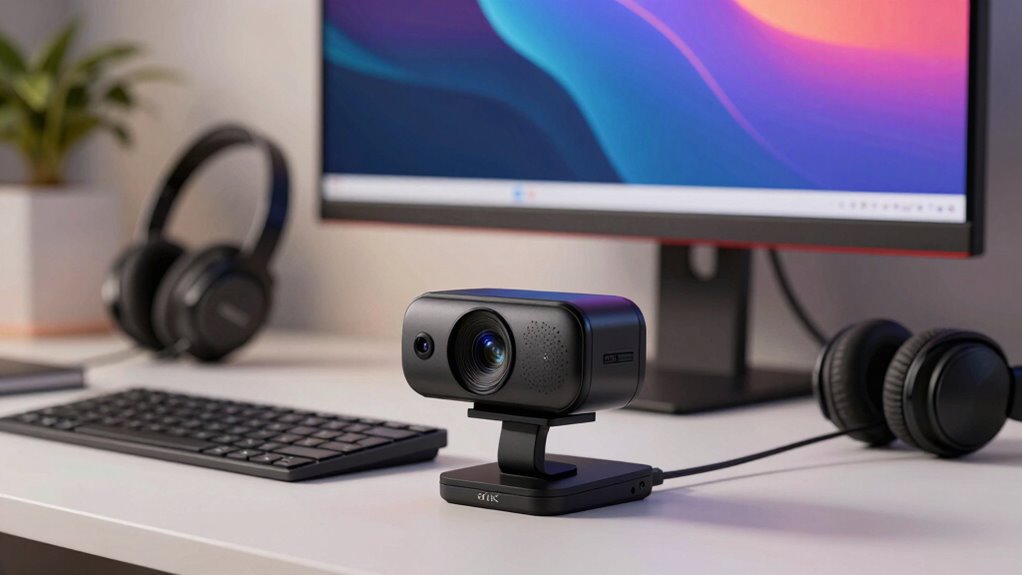

When choosing high end 4k webcams, quality, reliability, and advanced features are essential. The Razer Kiyo Pro Ultra 4K stands out as the best overall with its large sensor and versatile controls, perfect for professional streamers and content creators. The Logitech Brio Ultra HD 4K offers excellent image quality and AI-enhanced features, making it ideal for business use. Meanwhile, the Insta360 Link 2 Pro excels with AI tracking and HDR for dynamic, high-quality video. These options reveal key tradeoffs: higher resolution often means higher cost, and premium features can sometimes complicate usability. Continue reading for a full breakdown of these top contenders and what suits your specific needs.

Get home appliances delivered free with Prime
- Fast, free delivery on millions of items
- Prime Video, Amazon Music and more included
- Member-only deals all year
Complete the kit


Key Takeaways
- Top-tier 4K webcams balance resolution with sensor size and image processing for professional-quality video.
- Features like AI tracking, HDR, and noise reduction significantly enhance video clarity and usability but often come at a higher price.
- Build quality and ease of use vary widely; premium models tend to offer better durability and more intuitive controls.
- Connectivity options, especially USB-C, are increasingly standard in high-end webcams, affecting compatibility and setup.
- Price differences reflect not just resolution but also specialized features—know what matters most for your use case.
| Razer Kiyo Pro Ultra 4K Webcam, Large Sensor, Built-in Mic and Shutter |  | Best Overall for Professional Content Creators | Sensor: 1/1.2″ Sony STARVIS 2 | Resolution: 4K at 30 FPS | Pixel Size: 2.9 μm | VIEW ON AMAZON | See Our Full Breakdown |
| Acer 4K Webcam for PC/Mac with All-Metal Unibody, Sony 1/2″ Sensor, PDAF, Noise Reduction Mics, Privacy Cover |  | Best for Durable, All-Metal Design and Versatile Compatibility | Resolution: UHD 4K | Sensor: Sony 1/2″ CMOS | Autofocus: PDAF | VIEW ON AMAZON | See Our Full Breakdown |
| EMEET C960 4K Webcam for PC, PDAF Auto Focus, Dual Omni Mics, 73° FOV |  | Best for Versatile Conference and Streaming Use | Resolution: 4K at 30 FPS | Field of View: 73° | Autofocus: PDAF | VIEW ON AMAZON | See Our Full Breakdown |
| Insta360 Link 2 Pro 4K PTZ Webcam for PC/Mac |  | Best for Content Creators and Streamers Needing AI Tracking | Sensor Type: CMOS | Sensor Size: 1/1.3″ | Resolution: 4K at 30 FPS | VIEW ON AMAZON | See Our Full Breakdown |
| Logitech Brio Ultra 4K HD Webcam for Streaming and Meetings |  | Best for Versatile, Business-Ready 4K Video | Resolution: 4K at 30 fps | Field of View: 65°, 78°, 90° | Zoom: 5x digital | VIEW ON AMAZON | See Our Full Breakdown |
| EMEET NOVA 4K Webcam for PC, Ultra HD, PDAF Autofocus, Dual Omni Microphones |  | Best Overall High-End 4K Webcam | Resolution: 4K (default 1080P, switchable via software) | Frame Rate: 30FPS | Sensor: CMOS | VIEW ON AMAZON | See Our Full Breakdown |
| Elgato Facecam 4K, 4K60 Studio Webcam with DSLR-Like Control |  | Best for Creators Needing DSLR-Like Control | Resolution: 4K at 60 FPS | Sensor: Sony STARVIS 2 CMOS | Lens: Elgato Prime Lens | VIEW ON AMAZON | See Our Full Breakdown |
| Logitech MX Brio Ultra HD 4K Webcam with Noise Reducing Microphones, AI-Enhanced Image Quality, Privacy Protector, and USB-C Connection – Graphite |  | Best for Versatile, AI-Enhanced Business Use | Resolution: 4K Ultra HD at 30fps, 1080p at 60fps | Microphones: Dual noise-reducing microphones | Connection: USB-C | VIEW ON AMAZON | See Our Full Breakdown |
| Acer A640 4K Webcam with AI Noise Canceling Microphone for Streaming and Meetings |  | Best for Professional Streaming and Remote Work | Sensor Type: CMOS | Connectivity Technology: USB | Video Resolution: 4K | VIEW ON AMAZON | See Our Full Breakdown |
| Insta360 Link 2 4K Webcam for PC/Mac with AI Tracking and HDR |  | Best for Dynamic, Hands-Free Presentations and Streaming | Sensor: 1/2″ | Resolution: 4K | Features: AI Tracking, HDR, Gesture Control, Noise-Canceling Mic | VIEW ON AMAZON | See Our Full Breakdown |
| Logitech MX Brio Ultra HD 4K Webcam – Graphite | | Best Overall for Professional-Grade Video | Resolution: 4K at 30fps, 1080p at 60fps | Sensor Size: 70% larger pixels | Microphones: Dual beamforming noise-reducing microphones | VIEW ON AMAZON | See Our Full Breakdown |
| EMEET C60E Dual-Camera 4K Webcam for Streaming, Wide-Angle & Telephoto |  | Best for Versatile Streaming with Dual Perspectives | Resolution: 4K Dual-Camera | Zoom: Max 11X Hybrid Zoom | Autofocus: PDAF Autofocus | VIEW ON AMAZON | See Our Full Breakdown |
| Logitech 4K Webcam |  | Best for Versatile Professional Use | Resolution: 4K Ultra HD | Frame Rate: Up to 90 fps | Field of View: 90°, 78°, 65° | VIEW ON AMAZON | See Our Full Breakdown |
| high end 4k webcam | Resolution | Compatibility | Microphones |
|---|---|---|---|
| Razer Kiyo Pro Ultra 4K Webcam | 4K at 30 FPS | Windows, MacOS | — |
| Acer 4K Webcam for PC/Mac with | UHD 4K | — | Dual digital, noise reduction |
| EMEET C960 4K Webcam for PC | 4K at 30 FPS | Windows, macOS, Linux, Android | Dual omnidirectional |
| Insta360 Link 2 Pro 4K PTZ Web | 4K at 30 FPS | Windows, Mac | — |
| Logitech Brio Ultra 4K HD Webc | 4K at 30 fps | Windows, Mac, ChromeOS | Dual noise-canceling |
| EMEET NOVA 4K Webcam for PC | 4K (default 1080P, switchable via software) | — | Dual omni-directional |
| Elgato Facecam 4K | 4K at 60 FPS | — | — |
| Logitech MX Brio Ultra HD 4K W | 4K Ultra HD at 30fps, 1080p at 60fps | — | Dual noise-reducing microphones |
| Acer A640 4K Webcam with AI No | — | — | — |
| Insta360 Link 2 4K Webcam for | 4K | Windows, Mac | — |
| Logitech MX Brio Ultra HD 4K W | 4K at 30fps, 1080p at 60fps | Windows, macOS, Chrome OS, Linux | Dual beamforming noise-reducing microphones |
| EMEET C60E Dual-Camera 4K Webc | 4K Dual-Camera | Windows 10/11, macOS 10.14+ | — |
| Logitech 4K Webcam | 4K Ultra HD | Windows, Mac, ChromeOS | Dual omni-directional |
More Details on Our Top Picks
Razer Kiyo Pro Ultra 4K Webcam, Large Sensor, Built-in Mic and Shutter
The Razer Kiyo Pro Ultra stands out for delivering DSLR-like 4K quality thanks to its large 1/1.2″ Sony STARVIS 2 sensor, making it ideal for serious streamers and videographers. Compared to the Logitech Brio, it offers a larger sensor and more advanced AI features like face tracking and background blur, resulting in sharper and more customizable visuals. However, its premium price and sizable form factor might deter casual users or those with limited desk space. The built-in shutter enhances privacy, and its auto exposure and HDR capabilities ensure consistent quality even in challenging lighting. The software, while powerful, may feel limited on MacOS, which could impact workflow for some users.
Pros:- Exceptional 4K video quality with large sensor for detailed images
- Advanced AI features like face tracking and background blur
- Customizable settings and onboard memory for personal profiles
- Built-in privacy shutter for peace of mind
Cons:- Premium price may be prohibitive for casual users
- Large size can be less portable and space-consuming
Best for: Professional content creators who prioritize top-tier image quality and customizable features.
Not ideal for: Casual users or those on a tight budget who don’t need DSLR-level detail or advanced AI tools.
- Sensor:1/1.2″ Sony STARVIS 2
- Resolution:4K at 30 FPS
- Pixel Size:2.9 μm
- Lens Aperture:F/1.7
- HDR:Yes
- Compatibility:Windows, MacOS
Our verdict“This webcam is perfect for professionals seeking high-end, customizable 4K streaming with advanced features, despite its higher cost and size.”
Acer 4K Webcam for PC/Mac with All-Metal Unibody, Sony 1/2″ Sensor, PDAF, Noise Reduction Mics, Privacy Cover
The Acer 4K Webcam combines a robust aerospace-grade aluminum body with a high-quality Sony 1/2″ sensor to produce detailed 4K images with impressive low-light performance. Unlike the EMEET C960, which offers similar resolution but fewer premium materials, the Acer emphasizes durability and sleek aesthetics, making it ideal for professionals who need a reliable, long-lasting device. Its phase detection autofocus ensures crisp images, and the dual digital microphones deliver clear audio. The main tradeoff is the exclusive use of USB-C, which may require adapters for some setups, and it lacks built-in lighting, unlike webcams with ring lights. Its compact, all-metal design offers a premium feel without sacrificing portability.
Pros:- High-quality 4K video with excellent low-light capability
- All-metal, durable, and sleek construction
- Responsive PDAF autofocus for sharp images
- Effective noise-canceling dual microphones
Cons:- Requires USB-C connection, possibly needing adapters
- No built-in lighting or ring light for illumination
Best for: Professionals needing a durable, high-quality webcam compatible with multiple operating systems and platforms.
Not ideal for: Users who require built-in lighting or are limited to USB-A connections without adapters.
- Resolution:UHD 4K
- Sensor:Sony 1/2″ CMOS
- Autofocus:PDAF
- Material:All-metal aerospace-grade aluminum
- Microphones:Dual digital, noise reduction
- Connectivity:USB-C (adapter included)
Our verdict“This webcam suits users seeking a tough, professional-grade device with versatile compatibility and premium materials, though it lacks built-in lighting.”
EMEET C960 4K Webcam for PC, PDAF Auto Focus, Dual Omni Mics, 73° FOV
The EMEET C960 is designed for seamless video conferencing with true 4K resolution and a broad 73° field of view, making it ideal for collaborative meetings. Unlike the Insta360 Link 2 Pro, which emphasizes AI tracking and content creation, the C960 focuses on straightforward, high-quality video with auto light correction and dual omnidirectional microphones. Its compatibility across Windows, macOS, Linux, and Android enhances its versatility, but it defaults to 1080P, requiring software adjustments for full 4K use. The absence of image stabilization and limited water resistance make it less suited for outdoor or mobile use. Its compact design and auto light correction help maintain consistent quality in various environments, though it may lack some advanced features for content creators.
Pros:- True 4K resolution with auto light correction
- Wide 73° field of view for group meetings
- Plug-and-play compatibility across multiple OS
- Dual omnidirectional microphones for clear audio
Cons:- Defaults to 1080P, requiring software to enable full 4K
- Limited water resistance and no image stabilization
- No built-in lighting or physical adjustment for framing
Best for: Business users and educators needing reliable, versatile 4K video conferencing on multiple platforms.
Not ideal for: Content creators or streamers who prioritize AI tracking or image stabilization for dynamic content.
- Resolution:4K at 30 FPS
- Field of View:73°
- Autofocus:PDAF
- Microphones:Dual omnidirectional
- Connectivity:USB (software needed to switch to 4K)
- Compatibility:Windows, macOS, Linux, Android
Our verdict“This webcam is a strong choice for professional video calls across diverse platforms, sacrificing some advanced content creation features.”
Insta360 Link 2 Pro 4K PTZ Webcam for PC/Mac
The Insta360 Link 2 Pro offers a large 1/1.3″ sensor that excels in low-light conditions, combined with AI-powered tracking and a versatile PTZ design, making it ideal for dynamic streaming and professional content creation. Unlike the Logitech MX Brio, which emphasizes adjustable FOV and Windows Hello, the Link 2 Pro’s AI tracking and gesture controls enable smooth, hands-free operation. Its 4x digital zoom and natural bokeh effects enhance production quality, but some features require additional software or hardware, and it’s not water-resistant, limiting outdoor usability. The device’s versatility for live tracking and multi-mode content makes it suitable for those who need agility and high-resolution detail in their videos.
Pros:- Excellent 4K video with superb low-light handling
- AI tracking and gesture controls for dynamic framing
- Professional-grade audio with directional microphones
- Natural bokeh and versatile modes for content variety
Cons:- Some features require additional setup or hardware
- Limited water resistance restricts outdoor use
- Not compatible with ARM-based Windows systems
Best for: Content creators and streamers needing AI tracking and flexible framing in a compact form.
Not ideal for: Users seeking a simple plug-and-play webcam without AI features or those needing water resistance.
- Sensor Type:CMOS
- Sensor Size:1/1.3″
- Resolution:4K at 30 FPS
- Special Features:AI Tracking, Natural Bokeh
- Zoom:Digital 4x
- Compatibility:Windows, Mac
Our verdict“This webcam is perfect for creators who want AI-driven tracking and high-quality 4K in a portable, feature-rich package, with some setup complexity.”
Logitech Brio Ultra 4K HD Webcam for Streaming and Meetings
The Logitech Brio Ultra 4K delivers crisp, detailed video with adjustable FOV options and a 5x digital zoom, making it an excellent all-around choice for professional meetings and streaming. Unlike the Razer Kiyo Pro Ultra, which emphasizes cinematic quality, the Brio balances high-resolution clarity with practical features like Windows Hello facial recognition and a physical privacy shutter. Its dual noise-canceling microphones ensure clear communication, but it relies heavily on good lighting for the best image quality and can be costly compared to lower-resolution webcams. The user-friendly software and broad compatibility make it a practical pick for business environments, though it doesn’t match the premium sensor size of the Kiyo Pro Ultra.
Pros:- Sharp 4K video with adjustable FOV
- Built-in noise-canceling microphones
- Supports Windows Hello for secure login
- Physical privacy shutter for security
Cons:- Requires good lighting for optimal quality
- Higher price point for similar resolutions
Best for: Business professionals and streamers seeking reliable 4K quality with integrated security features.
Not ideal for: Casual users or content creators who want advanced AI features or cinematic effects.
- Resolution:4K at 30 fps
- Field of View:65°, 78°, 90°
- Zoom:5x digital
- Microphones:Dual noise-canceling
- Compatibility:Windows, Mac, ChromeOS
- Warranty:1 year
Our verdict“This webcam provides solid 4K performance with added security features, suited for professional use, but demands good lighting conditions.”
EMEET NOVA 4K Webcam for PC, Ultra HD, PDAF Autofocus, Dual Omni Microphones
This webcam stands out for offering high-resolution 4K video at 30FPS combined with precise PDAF autofocus, making it a strong contender for professional settings. Compared to the Elgato Facecam 4K, it provides broader compatibility and flexible positioning but defaults to 1080P and requires software to switch to 4K, which can add complexity. Its dual microphones ensure clear stereo audio, ideal for meetings and streaming, though it lacks facial tracking or adjustable FOV, limiting dynamic framing. The physical connection and adjustable stand make it reliable but less convenient for wireless setups. Tradeoffs include lower native resolution ease versus the need for software adjustments.
Pros:- High-quality 4K video at 30FPS for sharp, detailed images
- Precise PDAF autofocus ensures consistent clarity
- Dual omni-directional microphones deliver clear stereo sound
- Adjustable stand and tripod compatibility for versatile positioning
Cons:- Video defaults to 1080P, requiring software to switch to 4K
- Lacks facial tracking and adjustable FOV
- No wireless or Bluetooth connectivity options
Best for: Professionals who need reliable, high-quality video with flexible mounting options and clear audio for business or education.
Not ideal for: Users seeking wireless or plug-and-play solutions without software configuration or those prioritizing facial tracking features.
- Resolution:4K (default 1080P, switchable via software)
- Frame Rate:30FPS
- Sensor:CMOS
- Autofocus:PDAF
- Field of View:73°
- Microphones:Dual omni-directional
Our verdict“This webcam suits professionals needing dependable 4K quality with flexible mounting and clear audio, accepting some setup complexity.”
Elgato Facecam 4K, 4K60 Studio Webcam with DSLR-Like Control
The Elgato Facecam 4K excels with 4K resolution at 60FPS, offering ultra-smooth video that surpasses many competitors like the Logitech MX Brio in frame rate and detail. Its Sony STARVIS 2 CMOS sensor provides excellent low-light performance and color accuracy, appealing to content creators and streamers who want creative control. The inclusion of a Prime Lens and support for 49mm lens filters allows for professional customization, unlike many webcams that rely solely on software adjustments. However, this high level of control and quality comes at a higher price and requires users to provide compatible lens filters, making it less suitable for casual users. This makes it ideal for creators demanding DSLR-like video quality and flexibility.
Pros:- High-resolution 4K at 60FPS for ultra-smooth, detailed footage
- DSLR-like control with customizable settings and lens filter support
- Reliable low-light performance with HDR support
- Supports uncompressed video for maximum quality
Cons:- Higher cost due to advanced features
- Requires users to supply and install lens filters for full customization
- Limited to users comfortable with manual adjustments
Best for: Professional content creators and streamers seeking studio-quality video with extensive manual control and customization.
Not ideal for: Beginners or casual users who prefer plug-and-play solutions without the need for additional accessories or setup complexity.
- Resolution:4K at 60 FPS
- Sensor:Sony STARVIS 2 CMOS
- Lens:Elgato Prime Lens
- Lens Filter Support:Yes, 49mm
- Features:HDR, uncompressed video, built-in flash memory
- Build:Eco-friendly materials
Our verdict“This webcam makes the most sense for creators who prioritize professional-grade video quality and are willing to manage additional accessories and setup.”
Logitech MX Brio Ultra HD 4K Webcam with Noise Reducing Microphones, AI-Enhanced Image Quality, Privacy Protector, and USB-C Connection – Graphite
The Logitech MX Brio offers a versatile 4K experience with AI-enhanced features that improve image quality in varied lighting, making it suitable for professional settings. Its dual noise-reducing microphones ensure audio clarity, outperforming basic webcams like the EMEET NOVA for sound quality. The adjustable controls for lighting and white balance help refine image clarity, while the privacy shutter adds security for sensitive environments. However, its premium price might deter casual users, and the reliance on USB-C limits compatibility with older hardware without adapters. This model is ideal for those who need high-quality video and audio with flexible controls in a professional workspace.
Pros:- Sharp 4K video with detailed image quality
- AI-enhanced features improve clarity across lighting conditions
- Dual noise-reducing microphones for clear communication
- Adjustable lighting and white balance for fine-tuning
Cons:- Premium price point may be prohibitive
- Requires USB-C connection, limiting compatibility with some devices
- Higher cost for additional AI features
Best for: Business professionals and remote workers who need flexible, high-quality 4K video with AI enhancements and reliable audio.
Not ideal for: Users with older computers lacking USB-C ports or those on a tight budget who don’t need AI-driven features.
- Resolution:4K Ultra HD at 30fps, 1080p at 60fps
- Microphones:Dual noise-reducing microphones
- Connection:USB-C
- Features:AI-Enhanced image, Privacy Protector, Show Mode
- Color:Graphite
Our verdict“This webcam is well-suited for professionals who prioritize flexible, AI-enhanced image quality and clear audio in a modern workspace.”
Acer A640 4K Webcam with AI Noise Canceling Microphone for Streaming and Meetings
The Acer A640 provides 4K clarity combined with AI noise cancellation, offering a strong option for remote workers and streamers who need crisp visuals and clear audio. Its Sony sensor ensures vibrant, detailed images, while instant autofocus and low-light correction enhance usability in various environments. Compared with the Insta360 Link 2, it excels in simplicity and direct platform compatibility but lacks advanced AI tracking or gesture controls. The built-in privacy shutter adds security, though it doesn’t include speakers and requires users to select it as the default microphone, which can be a minor setup step. This webcam suits those needing reliable, high-quality video and noise-free audio in a straightforward package.
Pros:- Sharp 4K video with professional clarity
- AI noise cancellation for clear audio
- Instant autofocus and low-light correction
- Includes a privacy shutter for security
Cons:- No built-in speakers, requiring external audio gear
- Requires setting it as default microphone in system settings
- Limited connectivity options (USB-A to C adapters may be needed)
Best for: Remote workers and streamers who prioritize high-quality video with AI noise cancellation and straightforward operation.
Not ideal for: Users wanting advanced AI tracking or gesture control features, or those seeking a multi-purpose camera for complex presentations.
- Sensor Type:CMOS
- Connectivity Technology:USB
- Video Resolution:4K
- Special Features:AI Noise Canceling Microphone, Privacy Shutter
- Color:Grey
Our verdict“This webcam is ideal for remote professionals who need dependable 4K visuals and noise-free audio with simple setup.”
Insta360 Link 2 4K Webcam for PC/Mac with AI Tracking and HDR
The Insta360 Link 2 pushes beyond basic webcam functions with AI tracking, gesture control, and HDR, making it ideal for professionals who need hands-free operation. Its 4K sensor delivers sharp images, while AI tracking and tilt-down privacy mode help maintain focus and security during broadcasts. Features like DeskView and Whiteboard modes offer versatile presentation options, surpassing standard webcams like the Logitech MX Brio in interactivity. However, some features require dedicated software and are incompatible with ARM-based Windows systems, and it doesn’t support Windows Hello Face Recognition. This makes it a strong choice for interactive presentations and content creation, though it demands some setup effort.
Pros:- High-quality 4K video with HDR and excellent low-light performance
- AI tracking and gesture control for hands-free operation
- Versatile modes including DeskView and Whiteboard
- Professional-grade noise-canceling microphone
Cons:- Some features require software setup and are system-dependent
- Not compatible with ARM-based Windows devices
- Limited to Windows and Mac, no Linux support
Best for: Content creators, educators, and professionals who want advanced AI tracking and interactive modes for engaging presentations.
Not ideal for: Users needing plug-and-play solutions or those with incompatible Windows systems seeking basic 4K streaming.
- Sensor:1/2″
- Resolution:4K
- Features:AI Tracking, HDR, Gesture Control, Noise-Canceling Mic
- Compatibility:Windows, Mac
- Privacy Mode:Automatic tilt down
Our verdict“This camera excels for interactive and professional presentations but involves a more involved setup process and system compatibility considerations.”
Logitech MX Brio Ultra HD 4K Webcam – Graphite
The Logitech MX Brio stands out for its exceptional 4K resolution combined with AI-enhanced features that improve face visibility in challenging lighting, making it ideal for high-stakes meetings or streaming. Its larger sensor pixels and adjustable white balance deliver sharp, clear images, surpassing the standard 4K webcam like the Logitech 4K Webcam, which lacks AI features and extensive lighting controls. However, the MX Brio’s premium price and complex feature set may overwhelm casual users who just need simple video quality. Its dual microphones and privacy shutter add to its professional appeal, though it requires a USB-C port for optimal performance, which could be limiting for some setups.
Pros:- Ultra HD 4K resolution with exceptional clarity
- AI-enhanced face visibility in poor lighting
- Adjustable white balance and lighting controls
- Effective noise-canceling dual microphones
Cons:- Premium price may be prohibitive for some
- Requires USB-C port for full functionality
- Complex feature set could be overwhelming for casual users
Best for: Business professionals and streamers who prioritize top-tier image quality and advanced features.
Not ideal for: Casual users or those on a tight budget, since its high price and feature complexity may be unnecessary.
- Resolution:4K at 30fps, 1080p at 60fps
- Sensor Size:70% larger pixels
- Microphones:Dual beamforming noise-reducing microphones
- Compatibility:Windows, macOS, Chrome OS, Linux
- Features:Auto white balance, auto-exposure, noise reduction, autofocus, Show Mode
- Connectivity:USB-C
Our verdict“This webcam is perfect for professionals seeking unmatched clarity and advanced controls, despite its higher cost and complexity.”
EMEET C60E Dual-Camera 4K Webcam for Streaming, Wide-Angle & Telephoto
The EMEET C60E offers a unique dual-camera setup that combines wide-angle and telephoto views, making it ideal for creators or educators who want a dynamic presentation. Its 4K resolution ensures sharp images across both sensors, but the lack of zoom support in 4K or 60FPS modes limits its flexibility during live adjustments. Compared to the Logitech MX Brio, which focuses on image clarity and AI enhancements, the C60E emphasizes multi-angle coverage and aesthetic appeal through RGB lighting, yet it relies on a USB 2.0 connection, potentially throttling bandwidth. Its smart remote and software controls add convenience, though some features depend on additional software or remote control, adding complexity.
Pros:- Dual-camera system offers wide-angle and telephoto perspectives
- Up to 11X hybrid zoom for close-up shots
- Smart remote and software controls simplify live adjustments
- RGB lighting adds visual flair
Cons:- Zoom not supported in 4K or 60FPS modes
- Requires USB 2.0, limiting bandwidth on older ports
- Some features need extra software or remote control
Best for: Streamers, online educators, or content creators seeking multi-angle shots and aesthetic customization.
Not ideal for: Users needing high-speed zoom or simple plug-and-play setups, as some features require extra software and the USB 2.0 interface may limit bandwidth.
- Resolution:4K Dual-Camera
- Zoom:Max 11X Hybrid Zoom
- Autofocus:PDAF Autofocus
- Lighting:RGB Lighting
- Compatibility:Windows 10/11, macOS 10.14+
- Connection:USB 2.0 Type-A
Our verdict“This webcam excels for creators who need multi-angle views and aesthetic customization, though it sacrifices some zoom flexibility in 4K mode.”
Logitech 4K Webcam
The Logitech 4K Webcam offers high-quality 4K resolution with support up to 90 fps, making it a flexible choice for professional streaming and video calls. Its multiple field of view options—90°, 78°, and 65°—provide adaptable framing, and auto light adjustment with HDR technology helps maintain clarity across various lighting scenarios. Compared to the MX Brio, which emphasizes AI image enhancements, the Logitech 4K Webcam provides a more straightforward, versatile setup with Windows Hello support, though its high-resolution capability demands more powerful hardware for smooth streaming. The premium price may be off-putting for casual users, and setup can be more involved due to advanced configuration options.
Pros:- High-resolution 4K video with up to 90 fps
- Multiple field of view presets for flexible framing
- Auto light adjustment and HDR for clear images
- Supports Windows Hello for biometric login
Cons:- May need high-end hardware for smooth 4K streaming
- Premium price point may be high for casual users
- Setup and configuration can be complex
Best for: Remote professionals and streamers who need flexible framing, high frame rates, and secure login features.
Not ideal for: Casual users or those with limited hardware, as 4K streaming at high fps requires powerful systems and complex setup.
- Resolution:4K Ultra HD
- Frame Rate:Up to 90 fps
- Field of View:90°, 78°, 65°
- Auto Light Adjustment:Yes
- Microphones:Dual omni-directional
- Compatibility:Windows, Mac, ChromeOS
Our verdict“This webcam offers impressive flexibility and image quality for professionals willing to invest in advanced hardware and setup.”

How We Picked
These webcams were evaluated based on a combination of image quality, sensor size, autofocus technology, build quality, and feature set. Performance in various lighting conditions, ease of use, and connectivity options also played a role. We prioritized models with proven reliability and user-friendly controls, especially for professional or streaming environments. The ranking reflects a balance between premium features and overall value, ensuring each product offers a distinct advantage for different types of high-end users.| high end 4k webcam | Compatibility | Microphones |
|---|---|---|
| Razer Kiyo Pro Ultra 4K Webcam | Windows, MacOS | — |
| Acer 4K Webcam for PC/Mac with | — | Dual digital, noise reduction |
| EMEET C960 4K Webcam for PC | Windows, macOS, Linux, Android | Dual omnidirectional |
| Insta360 Link 2 Pro 4K PTZ Web | Windows, Mac | — |
| Logitech Brio Ultra 4K HD Webc | Windows, Mac, ChromeOS | Dual noise-canceling |
| EMEET NOVA 4K Webcam for PC | — | Dual omni-directional |
| Elgato Facecam 4K | — | — |
| Logitech MX Brio Ultra HD 4K W | — | Dual noise-reducing microphones |
| Acer A640 4K Webcam with AI No | — | — |
| Insta360 Link 2 4K Webcam for | Windows, Mac | — |
| Logitech MX Brio Ultra HD 4K W | Windows, macOS, Chrome OS, Linux | Dual beamforming noise-reducing microphones |
| EMEET C60E Dual-Camera 4K Webc | Windows 10/11, macOS 10.14+ | — |
| Logitech 4K Webcam | Windows, Mac, ChromeOS | Dual omni-directional |
Factors to Consider When Choosing High End 4k Webcams
Selecting the right high end 4K webcam involves understanding key factors that impact video quality, usability, and compatibility. Beyond resolution, sensor size and image processing hardware determine clarity and color accuracy. Features like AI tracking or HDR can elevate your video but are often linked to higher costs. Consider your primary use—whether streaming, professional meetings, or content creation—to find a model that offers the right mix of features without unnecessary complexity. Additionally, pay attention to connectivity ports and mounting options to ensure seamless integration into your setup.Sensor Quality and Image Processing
The size of the sensor directly affects image clarity and low-light performance. Large sensors, like those in the Razer Kiyo Pro Ultra, capture more detail and offer better color accuracy. Advanced image processing, including noise reduction and AI enhancement, can significantly improve video quality but may add to the cost. When selecting a webcam, prioritize models with sensor sizes and processing features aligned with your professional needs or streaming standards.
Features and Usability
High-end webcams often include features like AI tracking, HDR, and multiple microphones. These can streamline your workflow or enhance your streaming presence but beware of over-complicated controls or settings that require extensive configuration. User-friendly interfaces and reliable autofocus are vital for hassle-free operation. Think about whether you need these extras regularly or if a simpler model might suffice, especially if you prefer plug-and-play setup.
Connectivity and Mounting Options
Most premium webcams now support USB-C for faster, more reliable connections, but check compatibility with your device. Mounting flexibility, including tripod compatibility and adjustable clips, can impact ease of use in different environments. For professional setups, consider models that support multiple mounting options to ensure a clean, unobtrusive appearance. Connectivity quality and ease of setup often determine how smoothly your high-end investment performs over time.
Price and Value
While higher price generally correlates with better image quality and feature sets, it’s important to evaluate whether those features are necessary for your use. Premium models with AI and HDR tend to cost more but can deliver noticeably better results in challenging lighting. Balance your budget against your performance needs: investing in a slightly more expensive model can be worthwhile if it offers features that significantly improve your workflow or content quality.
Durability and Future-Proofing
High-end webcams should withstand regular use and adapt to evolving technology standards. Look for models with solid build quality, reliable firmware updates, and compatibility with future devices. Features like USB-C ensure faster data transfer and broader compatibility, while durable construction means longer lifespan. Investing in a model with these attributes can prevent frequent upgrades and ensure your setup remains current for years to come.
Frequently Asked Questions
Is 4K resolution necessary for professional streaming?
While 4K resolution offers sharper, more detailed images, it isn’t always necessary for professional streaming, especially if your audience primarily views on smaller screens. However, 4K can provide more flexibility in post-production and cropping without losing quality. It also future-proofs your setup as more viewers adopt 4K displays. Consider your bandwidth, hardware capabilities, and content goals before opting for 4K as a standard.
How important is sensor size in a high-end 4K webcam?
Sensor size significantly impacts image quality, especially in low-light conditions, and the overall sharpness of video. Larger sensors capture more detail and produce better depth and color accuracy. In high-end webcams, a larger sensor like the 1/2″ Sony sensor in some models ensures richer, clearer images, making it a key factor for professional use. Smaller sensors may save costs but often compromise on image richness and performance in challenging lighting.
Should I prioritize AI features or raw image quality?
AI features such as auto framing, tracking, and background enhancement can make your video more dynamic and engaging, especially during long sessions or presentations. However, they often come with a tradeoff in processing power and sometimes introduce artifacts or slight delays. For pure image quality, look for models with advanced sensors and image processing, but if adaptability and automation matter more, AI features might be worth the investment.
What connectivity options should I look for in a high-end webcam?
Most high-end webcams now support USB-C, which offers faster data transfer and more stable connections. Some models also include multiple ports or adapters for flexible setups. Ensure your device supports the connection type and check for compatibility with your operating system. Reliable, fast connections are vital to prevent lag or dropped frames, especially in professional or streaming environments where quality is paramount.
Are premium webcams worth the extra cost over mid-range options?
Premium webcams often deliver superior image quality, advanced features, and better build quality, which can justify the higher price for professional use or serious content creators. They can handle challenging lighting and offer more customization, making your video production more polished. However, if your needs are basic or your environment is well-lit, mid-range models may suffice, saving money without sacrificing essential quality.