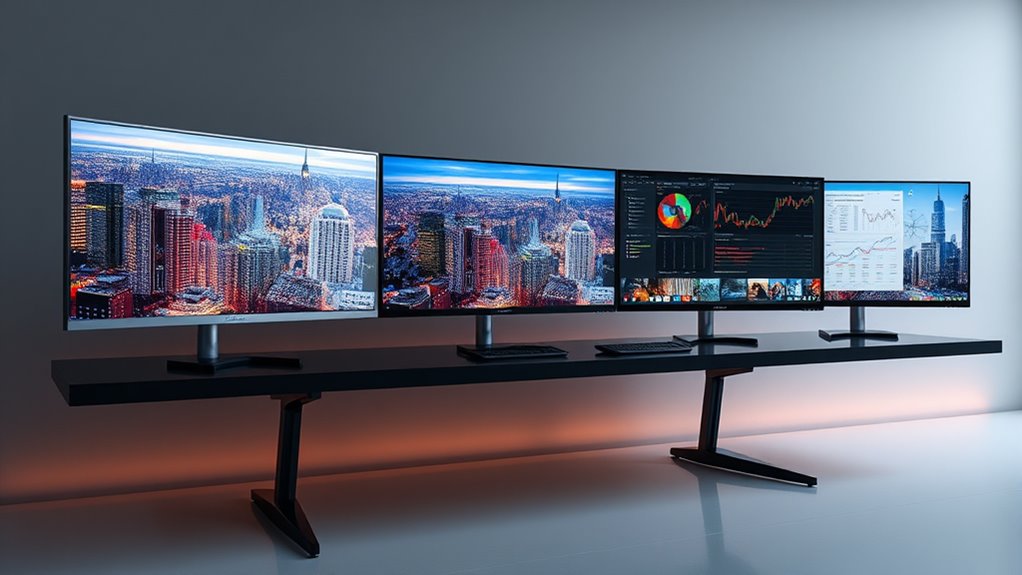

Premium ultrawide monitors continue to push the boundaries of display technology, offering expansive screens with exceptional image quality, fast refresh rates, and versatile connectivity. The LG 34WR55QK-B stands out as the best overall for its balanced mix of performance and affordability. For gamers, the Alienware 34 Curved Gaming Monitor provides a smooth, fast experience, while the Samsung Odyssey G9 offers an ultra-immersive 32:9 curved screen ideal for multitasking and gaming. These options highlight the main tradeoffs in this category: higher prices often mean better color accuracy, faster refresh rates, or larger screens, but not all features are necessary for every user. Continue reading to explore each model’s strengths and weaknesses in detail.

Get home appliances delivered free — and shop member deals
- Fast, free delivery on millions of items
- Access to Prime Big Deal Days deals on October 6–7
- Prime Video, Amazon Music and more included
Complete the kit



Key Takeaways
- High refresh rates (120Hz and above) greatly benefit gaming and fast-paced workflows, though they come at a premium price.
- Curved screens, especially 1000R and 1500R radii, enhance immersion but may not suit all desk setups or preferences.
- Connectivity options like USB-C and Thunderbolt add convenience but vary across models, influencing compatibility with modern devices.
- Color accuracy and HDR support are key for professional work, with some monitors offering near 100% sRGB or DCI-P3 coverage.
- Larger screens (49-inch and above) excel for multitasking and immersive experiences but require more space and often come at a higher cost.


| premium ultrawide monitor | Resolution | Refresh Rate | Response Time | HDR |
|---|---|---|---|---|
| LG 34WR55QK-B 34-inch UltraWid | 3440 x 1440 | 100Hz | — | HDR10 |
| Samsung 34′ Odyssey G5 Ultra-W | WQHD | 165Hz | 1ms (MPRT) | HDR10 |
| Alienware 34 Curved Gaming Mon | 3440 x 1440 | 180Hz | 1ms | — |
| INNOCN 49-Inch Curved Ultrawid | 5120 x 1440 | 120Hz | — | HDR 400 |
| LG 34 Inch UltraWide Curved Mo | 3440 x 1440 | 144Hz | 5ms | — |
| SAMSUNG 34-Inch ViewFinity S50 | Ultra-WQHD (3440×1440) | 100Hz | 5ms | HDR10 |
| LG 45GX950A-B 45-inch Ultragea | 5120 x 2160 (5K2K WUHD) | 165Hz / 330Hz (dual mode) | 0.03ms | — |
| Lenovo Legion R45w-30 Gaming M | 5120 x 1440 (DualQHD) | 170Hz | 1ms MPRT | — |
| Samsung 49-inch Odyssey G9 | 5120 x 1440 | 144Hz | 1ms | DisplayHDR 600 |
| Samsung 49” Business Curved Ul | Dual QHD | 120Hz | — | VESA DisplayHDR 400 |
| LG 52G930B-B 52-inch Ultragear | 5120×2160 (5K2K) | 240Hz | 1ms (GtG) | VESA DisplayHDR 600 |
| Alienware 34 240Hz QD-OLED Cur | WQHD (3440 x 1440) | 240Hz | 0.03ms | DisplayHDR TrueBlack 400 |
| Dell 34 Monitor S3425DW | 3440×1440 (WQHD) | 120Hz | 0.03ms | — |
| Dell UltraSharp U4025QW 40-Inc | 5120×2160 pixels | — | — | — |
| Samsung 49" Odyssey OLED G9 | 5120 x 1440 (Dual QHD) | 144Hz | 0.03ms (GtG) | — |
More Details on Our Top Picks
LG 34WR55QK-B 34-inch UltraWide WQHD Curved Monitor, 100Hz, HDR10, HDMI, DisplayPort, USB-C, Adjustable Stand
The LG 34WR55QK-B stands out for its balanced combination of immersive visuals and flexible ergonomics, making it ideal for those who need a wide workspace without sacrificing comfort. Compared to the LG 45GX950A-B OLED, it offers a more affordable price point with excellent color accuracy but lacks the deep blacks and high contrast of OLED technology. Its curved design and adjustable stand enhance long-term comfort, while the multiple ports, including USB-C with power delivery, support a variety of devices. The main tradeoff involves the curved screen, which may not appeal to users preferring flat displays or those who work in structured office setups. Nonetheless, this monitor is perfect for professionals who multitask across multiple applications or content creators seeking vibrant, crisp visuals.
Pros:- Wide 21:9 aspect ratio maximizes workspace for multitasking
- High-resolution WQHD display delivers sharp, vibrant images
- Multiple connectivity options including USB-C with power delivery
Cons:- Curved design may not suit all professional workflows
- Requires software installation for full feature customization
Best for: Creative professionals and multitaskers who prioritize comfort and connectivity in a versatile workspace
Not ideal for: Users who prefer flat screens for precise CAD work or who need 4K resolution for detailed editing tasks
- Screen Size:34 inches
- Resolution:3440 x 1440
- Refresh Rate:100Hz
- HDR:HDR10
- Ports:2 HDMI, 1 DisplayPort, 1 USB Type-C, 2 USB, Headphone jack
- Stand Adjustments:Tilt, Height
Our verdict“This monitor offers a well-rounded mix of immersion, adjustability, and connectivity for productivity-focused users.”
Samsung 34′ Odyssey G5 Ultra-Wide Gaming Monitor with 1000R Curved Screen
The Samsung Odyssey G5 excels at delivering an enveloping gaming experience thanks to its 1000R curvature, which closely matches the human eye’s natural field of view. In comparison to the Alienware AW3425DWM, it offers a more aggressive curve and a slightly lower price point, though it sacrifices some color vibrancy and HDR capabilities. Its 165Hz refresh rate and 1ms response time ensure ultra-smooth gameplay, while the HDR10 support adds vibrancy for compatible titles. This monitor’s size and curve are ideal for immersive gaming but may overwhelm smaller desks or not be suitable for professional work requiring flat, precise displays. It is best suited for gamers who prioritize maximum immersion over productivity features.
Pros:- Deep 1000R curvature enhances immersion in games
- High 165Hz refresh rate with 1ms response delivers smooth gameplay
- Vivid HDR10 support boosts visual vibrancy
Cons:- Large size and curvature may not fit smaller desks or workspaces
- Limited ports for extensive device connections
Best for: Dedicated gamers seeking an ultra-wide, deeply curved display for intense, immersive sessions
Not ideal for: Professionals needing flat, color-accurate displays for detailed editing or multitasking
- Screen Size:34 inches
- Curvature:1000R
- Resolution:WQHD
- Refresh Rate:165Hz
- Response Time:1ms (MPRT)
- HDR:HDR10
Our verdict“This monitor is perfect for gamers craving a deeply immersive experience, though less suited for professional workflows.”
Alienware 34 Curved Gaming Monitor – AW3425DWM – 34-inch WQHD 180Hz 1ms Display, 1500R, AMD FreeSync Premium, VESA AdaptiveSync
The Alienware AW3425DWM offers a compelling balance of speed, color, and immersion, thanks to its 180Hz refresh rate and 95% DCI-P3 coverage. Its 1500R curvature strikes a middle ground, providing an immersive experience without the extreme curve of the Samsung G5. Compared to the LG 34WR55QK-B, it emphasizes gaming performance with faster response times and superior color fidelity, although it comes at a higher price and with fewer connectivity options. The VESA DisplayHDR 400 certification adds contrast and vibrancy, appealing to gamers and content creators alike. Its size and aggressive specs are less suited for office productivity or detailed professional editing on a budget. This monitor is a top pick for high-end gaming and multimedia use.
Pros:- High 180Hz refresh rate with 1ms response time for smooth, responsive gaming
- Vibrant 95% DCI-P3 color coverage and HDR support for vivid visuals
- Balanced 1500R curvature for immersive gaming without overdoing it
Cons:- Limited connectivity options for multiple devices
- Higher price point may be prohibitive for some users
Best for: Premium gamers and content creators prioritizing speed, color, and immersive display features
Not ideal for: Users seeking a more budget-friendly option or requiring extensive ports for peripherals
- Display Size:34 inches
- Resolution:3440 x 1440
- Refresh Rate:180Hz
- Response Time:1ms
- Color Coverage:95% DCI-P3
- DisplayHDR:VESA DisplayHDR 400
Our verdict“This monitor excels in delivering premium gaming visuals with vibrant colors and fast response, ideal for enthusiasts willing to invest more.”
INNOCN 49-Inch Curved Ultrawide Gaming Monitor 5K2K 120Hz 32:9 QHD
The INNOCN 49-inch provides an expansive workspace with its 5120×1440 resolution and 32:9 aspect ratio, making it a standout for users who require extensive multitasking or immersive content creation. Compared to the LG 34WR55QK-B, it offers nearly double the horizontal space but at the cost of requiring stronger graphics hardware and more desk space. Its HDR400 support and wide viewing angles enhance visual quality, while the adjustable stand improves ergonomic comfort. However, its size can be overwhelming for smaller desks, and the high resolution demands powerful hardware for smooth operation. This monitor is best suited for professionals and enthusiasts who need a massive, detailed display for productivity and entertainment.
Pros:- Massive 49-inch curved display for multitasking and immersion
- High resolution with 5120×1440 delivers detailed, vibrant images
- Multiple connectivity options including USB-C, HDMI, and DisplayPort
Cons:- Very large footprint may not fit all desks
- High hardware requirements for smooth operation
Best for: Content creators, data analysts, and multitaskers with ample space and powerful hardware
Not ideal for: Users with limited desk space or lower-end PCs that can’t handle ultra-high resolutions smoothly
- Screen Size:49 inches
- Resolution:5120 x 1440
- Aspect Ratio:32:9
- Refresh Rate:120Hz
- HDR:HDR 400
- Adjustments:Height, Tilt, Swivel
Our verdict“This monitor offers an enormous, detailed view ideal for professionals who need maximum workspace and have the hardware to support it.”
LG 34 Inch UltraWide Curved Monitor, WQHD (3440 x 1440), 144Hz, AMD FreeSync Premium, HDR10, 99% sRGB, Dual Controller (KVM Switch), USB Type-C, HDMI, DisplayPort, Height/Tilt Adjustable Stand, Black
The LG 34 Inch UltraWide combines high refresh rates with professional-grade color accuracy, making it a versatile option for work and play. Its 144Hz refresh rate and AMD FreeSync Premium support provide smooth visuals during gaming or fast-paced video editing, while the 99% sRGB coverage ensures vibrant, accurate colors for creative tasks. Compared to the Samsung Odyssey G5, it offers a slightly higher refresh rate and better color control, though it doesn’t feature the extreme curvature of Samsung’s model. The dual controller (KVM switch) adds convenience for managing multiple devices. Its curved design and ergonomic stand support long hours of use, but it may be costly for users on a tight budget and is less suitable for those who prefer flat or 4K displays.
Pros:- High 144Hz refresh rate for smooth gaming and editing
- Excellent color accuracy with 99% sRGB coverage
- KVM switch and versatile connectivity for multitasking
Cons:- Higher price compared to some competitors
- Curved design may not suit all workspace preferences
Best for: Creative professionals and serious gamers seeking a balanced combination of speed, color, and versatility
Not ideal for: Users requiring flat displays for precise CAD work or those with limited budgets
- Size:34 inches
- Resolution:3440 x 1440
- Refresh Rate:144Hz
- Response Time:5ms
- Color Coverage:99% sRGB
- Features:Dual Controller (KVM), HDR10
Our verdict“This monitor provides an excellent blend of speed, color, and connectivity for users balancing gaming and professional work.”
SAMSUNG 34-Inch ViewFinity S50GC Series Ultra-WQHD Monitor, 100Hz, 5ms, HDR10, AMD FreeSync, Eye Care, Borderless Design, PIP, PBP, LS34C502GANXZA, 2023, Black
This Samsung 34-inch ViewFinity S50GC stands out for its wide 21:9 aspect ratio and Ultra-WQHD resolution, delivering detailed visuals ideal for multitasking and content creation. Compared with the LG 34WR55QK-B, it offers a broader feature set with PIP and PBP, but at a slightly higher price and without the high refresh rates of gaming-focused models. Its eye care technologies and high contrast ratio make it suitable for long work sessions, though it’s limited to 100Hz, making it less appealing for gamers seeking fast-paced action. Lacking built-in speakers and a USB hub might be a drawback for some users. This monitor makes the most sense for professionals who need expansive screen real estate with color accuracy and multitasking features.Pros:- Wide 21:9 aspect ratio enhances multitasking and immersive viewing
- Ultra-WQHD resolution with over a billion colors offers sharp, vibrant visuals
- Eye care features reduce eye strain during extended use
- Supports PIP and PBP for seamless multitasking with multiple inputs
Cons:- Limited to 100Hz refresh rate, not suited for competitive gaming
- No built-in speakers or USB hub reduces all-in-one convenience
- Requires compatible graphics hardware to fully utilize PIP/PBP features
Best for: Creative professionals and multitaskers who prioritize detailed visuals and screen real estate for productivity.
Not ideal for: Gamers seeking high refresh rates and ultra-fast response times, as this monitor is optimized for accuracy and multitasking, not competitive gaming.
- Screen Size:34 inches
- Resolution:Ultra-WQHD (3440×1440)
- Refresh Rate:100Hz
- Response Time:5ms
- HDR:HDR10
- Inputs:2 x HDMI 2.2, 1 x DisplayPort 1.2
- Features:PIP, PBP, Borderless Design, Eye Care, Flicker Free
- Contrast Ratio:3000:1
- Brightness:300 cd/㎡
Our verdict“This monitor is an excellent choice for professionals and power users who need a large, color-accurate display for productivity, but not for high-speed gaming.”
LG 45GX950A-B 45-inch Ultragear 5K2K WUHD OLED Curved Gaming Monitor, Dual-Mode, 165Hz, 0.03ms, NVIDIA G-Sync, AMD FreeSync Premium Pro, HDR True Black 400, USB Type-C 90W, DP2.1
The LG 45GX950A-B excels with its stunning OLED panel, offering vibrant colors, exceptional contrast, and deep blacks that outperform the LCD-based Samsung ViewFinity in visual quality. Its dual-mode functionality allows switching between high refresh rates suited for gaming and professional tasks, making it highly versatile. While its size and premium price are significant considerations, the 1300-nit brightness and 0.03ms response time deliver responsiveness and clarity unmatched by most ultrawides, including the Samsung S50GC. However, the large footprint demands ample desk space, and its high cost may deter casual users. This monitor is ideal for gamers and multimedia creators who want immersive visuals without compromise.Pros:- Vibrant OLED display with deep blacks and high contrast
- Dual-mode functionality for gaming and professional use
- Fast 0.03ms response time and 165Hz refresh rate for smooth gameplay
- Supports G-SYNC and FreeSync Premium Pro for tear-free visuals
Cons:- Premium price point limits accessibility for some users
- Large size requires significant desk space and setup considerations
- Potential for burn-in with prolonged static images on OLED
Best for: High-end gamers and multimedia creators seeking top-tier visual performance and responsiveness.
Not ideal for: Budget-conscious users or those with limited desk space, as this monitor’s size and price are substantial investments.
- Display Size:45 inches
- Resolution:5120 x 2160 (5K2K WUHD)
- Refresh Rate:165Hz / 330Hz (dual mode)
- Response Time:0.03ms
- Brightness:1300 nits
- Panel Type:OLED
- Connectivity:DisplayPort 2.1, HDMI 2.1, USB Type-C (90W)
- Contrast Ratio:1.5 million:1
- Curvature:800R
Our verdict“This OLED-based monitor is a top choice for gamers and creators demanding unmatched visual quality and responsiveness, despite its high cost and size.”
Lenovo Legion R45w-30 Gaming Monitor, 44.5” Curved Ultra-Wide, DualQHD, 170Hz, 1ms, FreeSync Premium Pro, HDR400, KVM, USB-C, RJ45, Adjustable Stand, Black
This Lenovo Legion R45w-30 offers a large, curved 44.5-inch display with a DualQHD resolution that creates an immersive gaming environment. Its 170Hz refresh rate and 1ms response time make it stand out among ultrawides for fast-paced gameplay, surpassing the 144Hz of the Samsung Odyssey G9. The adjustable stand and multiple connectivity options, including USB-C and RJ45, cater to gamers who value comfort and connectivity. However, its size can be challenging on smaller desks, and its high power consumption may be a concern. While it lacks the color accuracy or HDR performance of professional monitors, it provides a compelling package for serious gamers who prioritize speed and ergonomics.Pros:- High 170Hz refresh rate with 1ms response time for fast-paced gaming
- Large curved ultra-wide display immerses players in the action
- Adjustable stand for ergonomic comfort during long sessions
- Multiple connectivity options including USB-C and RJ45
Cons:- Large size demands ample desk space and may be unwieldy
- Limited color accuracy and HDR performance compared to professional monitors
- Potential high power consumption due to size and brightness
Best for: Competitive gamers who need fast response times, high refresh rates, and ergonomic customization.
Not ideal for: Users with limited space or those seeking color-accurate professional-grade displays, as this monitor is optimized primarily for gaming performance.
- Size:44.5 inches
- Resolution:5120 x 1440 (DualQHD)
- Refresh Rate:170Hz
- Response Time:1ms MPRT
- Brightness:450 nits
- Panel Type:Curved ultra-wide
- Connectivity:USB-C, HDMI, DisplayPort, RJ45
- Features:HDR400, FreeSync Premium Pro, KVM
Our verdict“This monitor is highly suited for competitive gamers seeking ultra-fast response times and immersive size, with some compromises on professional-grade color accuracy.”
- The Samsung Odyssey G9 offers a massive 49-inch curved display with a 32:9 aspect ratio, delivering a panoramic view that surpasses even the LG 45GX for immersive gaming. Its 144Hz refresh rate and 1ms response time make it suitable for high-speed titles, while the DisplayHDR 600 enhances contrast and color vibrancy. Compared to the smaller LG OLED, the G9’s size can be overwhelming on some desks, but it provides a more expansive experience for simulation and racing games. Its ergonomic stand allows flexible positioning, though the high-end features come with a premium price tag. This monitor is tailored for gamers who want an ultra-wide, panoramic view that maximizes immersion in competitive or simulation scenarios.Pros:
- Massive 49-inch curved display with panoramic 32:9 aspect ratio
- DisplayHDR 600 for vivid contrast and color vibrancy
- Fast 144Hz refresh rate and 1ms response time for smooth gameplay
- Adjustable ergonomic stand for flexible positioning
Cons:- Requires significant desk space due to size
- Premium price limits accessibility for casual users
- Design focus on gaming may lack professional color accuracy
Best for: Enthusiast gamers seeking an ultra-wide, panoramic experience with high contrast and fast response times.
Not ideal for: Users with limited space or those requiring a display primarily for color-critical professional work, as the focus is on gaming immersion.
- Screen Size:49 inches
- Aspect Ratio:32:9
- Resolution:5120 x 1440
- Refresh Rate:144Hz
- Response Time:1ms
- HDR:DisplayHDR 600
- Connectivity:HDMI, DisplayPort
- Features:Ergonomic stand, FreeSync Premium Pro
Our verdict“This ultra-wide monitor excels for immersive gaming experiences where screen real estate and high contrast are priorities, though its size and cost are significant considerations.”
Samsung 49” Business Curved Ultrawide Dual QHD Computer Monitor, USB-C, DisplayPort, HDMI, 120Hz, VESA DisplayHDR 400, Built-in Speakers, Height Adjustable Stand, Eye Care, LS49C954UANXZA, 2024
This Samsung 49-inch curved ultrawide is designed with productivity in mind, combining a 32:9 Dual QHD resolution with features like VESA DisplayHDR 400 and a height-adjustable stand. Its 120Hz refresh rate balances smooth visuals with energy efficiency, suitable for multitasking and extended work sessions. The inclusion of USB-C with 90W charging and built-in speakers adds convenience, while its size provides a panoramic workspace that can replace multiple monitors. Compared to the gaming-focused Odyssey G9, this model emphasizes ergonomic comfort and connectivity for professional environments. However, its professional focus means it lacks the ultra-high contrast and gaming responsiveness of OLED or high-end gaming monitors. It’s ideal for enterprise and productivity users who want a large, versatile display.Pros:- Large 49-inch curved display enhances multitasking and workflows
- VESA DisplayHDR 400 provides vibrant colors for general use
- Height-adjustable stand and eye care features improve ergonomics
- Includes USB-C with 90W charging and built-in speakers for convenience
Cons:- Size may be unwieldy for small desks or offices
- HDR performance not as high as premium gaming monitors
- Limited color accuracy for professional color grading
Best for: Business professionals and enterprise users needing a large, flexible multitasking monitor with good connectivity.
Not ideal for: Gamers or creatives requiring high contrast, color accuracy, or ultra-fast response times, as this monitor emphasizes productivity features.
- Screen Size:49 inches
- Aspect Ratio:32:9
- Resolution:Dual QHD
- Refresh Rate:120Hz
- HDR:VESA DisplayHDR 400
- Connectivity:USB-C, HDMI, DisplayPort
- Features:Height adjustable, Eye Care, Built-in Speakers
Our verdict“This monitor is well-suited for enterprise environments where productivity and multitasking are prioritized over high-end gaming or color-critical tasks.”
LG 52G930B-B 52-inch Ultragear evo G9 5K2K 240Hz 1ms Curved Gaming Monitor
The LG 52G930B-B stands out for its massive 52-inch curved display, making it ideal for gamers seeking an ultra-immersive experience. Its 5K2K resolution combined with a 240Hz refresh rate and 1ms response time ensures incredibly smooth gameplay, surpassing smaller, less detailed monitors like the Alienware AW3425DW. The 1000R curvature enhances immersion, but this size demands a large desk space and may be challenging to fit into tighter setups. Its high-end HDR (600) and 95% DCI-P3 coverage deliver vibrant visuals, perfect for content creators as well. However, the large footprint and premium cost could deter casual users or those with limited workspace. This monitor is best suited for dedicated gaming rooms or professional multitasking environments where size and performance are prioritized.
Pros:- Massive 52-inch curved display for immersive gaming and multitasking
- High 5K2K resolution with vibrant color and HDR support
- Fast 240Hz refresh rate and 1ms response for responsiveness
- Multiple connectivity options including DisplayPort 2.1 and HDMI 2.1
Cons:- Very large size requires significant desk space
- High cost due to size and advanced features
- Limited portability and fixed setup
Best for: High-end gamers and creative professionals who want a giant, detailed display for multitasking and immersive visuals
Not ideal for: Users with limited desk space or those who prefer portability and smaller setups
- Display Size:52 inches
- Resolution:5120×2160 (5K2K)
- Refresh Rate:240Hz
- Response Time:1ms (GtG)
- Curvature:1000R
- HDR:VESA DisplayHDR 600
Our verdict“This monitor makes the most sense for gamers and professionals who prioritize size, resolution, and immersive experience over portability.”
Alienware 34 240Hz QD-OLED Curved Gaming Monitor – AW3425DW
The Alienware AW3425DW offers a compelling balance of vibrant visuals and speed in a 34-inch curved form factor. Its WQHD resolution and 1800R curvature make it more manageable for typical gaming desks, yet it still provides an immersive experience rivaling larger monitors like the LG 52G930B-B. Its standout feature is the QD-OLED panel, delivering deep blacks and an expansive color gamut (99.3% DCI-P3), ideal for both gaming and creative work. The 240Hz refresh rate and 0.03ms response time make gameplay exceptionally smooth, and compatibility with G-Sync and FreeSync ensures tear-free performance. However, the premium price and limited stand adjustability may be drawbacks for budget-conscious buyers or those needing extensive ergonomic customization. This model is best for gamers who want premium visuals without sacrificing desk space or budget.
Pros:- Vivid, color-rich QD-OLED display with deep blacks
- Ultra-fast 0.03ms response and 240Hz refresh rate for smooth gameplay
- Supports both G-Sync and FreeSync with adaptive sync compatibility
- Compact 34-inch size fits well on most gaming desks
Cons:- Premium price point limits accessibility
- Limited stand adjustability may affect ergonomics
- Size may still be large for some setups
Best for: Dedicated gamers seeking outstanding color and speed in a more compact ultrawide format
Not ideal for: Users with limited budgets or those needing extensive ergonomic adjustments
- Size:34.2 inches
- Resolution:WQHD (3440 x 1440)
- Refresh Rate:240Hz
- Response Time:0.03ms
- Curve Radius:1800R
- HDR:DisplayHDR TrueBlack 400
Our verdict“This monitor is ideal for gamers who prioritize vivid visuals and speed in a manageable ultrawide size.”
Dell 34 Monitor S3425DW, WQHD VA, 120Hz, FreeSync Premium, Eye Comfort
The Dell S3425DW offers a balanced package of color accuracy, smooth performance, and comfort. Its 34-inch VA panel with WQHD resolution provides vibrant visuals, comparable to the Alienware but with a focus on extended use. The 120Hz refresh rate and FreeSync Premium support deliver tear-free gaming, though not as fast as the 240Hz options. Its inclusion of eye comfort features makes it suitable for long work or entertainment sessions, unlike the more gaming-centric LG 52G930B-B. While it has fewer HDMI ports and a slightly lower refresh rate, its ergonomic design and lower weight make it more flexible for varied setups. This monitor makes the most sense for users who want a high-quality ultrawide for both work and casual gaming, emphasizing comfort and versatility.
Pros:- Vivid, accurate colors with 99% sRGB and 95% DCI-P3 coverage
- Good balance of performance and comfort for all-day use
- Blue light reduction and flicker-free technology
- USB-C port simplifies connectivity
Cons:- Limited to 120Hz refresh rate, lower than high-end gaming monitors
- Fewer HDMI ports may restrict device connections
- Lacks the ultra-high-end HDR of more premium models
Best for: Multitaskers and professionals who want a versatile ultrawide with eye comfort features
Not ideal for: Hardcore gamers seeking the fastest response times and highest refresh rates
- Display Size:34 inches
- Resolution:3440×1440 (WQHD)
- Refresh Rate:120Hz
- Response Time:0.03ms
- Contrast Ratio:3000:1
- Panel Type:VA
Our verdict“This monitor suits users seeking a colorful, comfortable ultrawide for productivity and casual gaming.”
Dell UltraSharp U4025QW 40-Inch Curved 5K2K WUHD LED Monitor – 21:9
The Dell UltraSharp U4025QW excels at delivering a vast, detailed workspace with its 40-inch curved display and 5K2K WUHD resolution. Its significant size surpasses most ultrawides like the Alienware AW3425DW, providing a true desktop replacement for professionals who need expansive real estate. The high brightness (2055.6 Nit) enhances visibility in bright rooms, and USB Type-C connectivity simplifies workspace setup. However, its weight (over 41 pounds) and limited ergonomic adjustments could restrict flexible placement. The 5K2K resolution ensures sharp, crisp visuals for multitasking, but the significant size and weight demand sturdy mounting options. This monitor is best suited for creative professionals and productivity-focused users who value screen real estate over desk space constraints.
Pros:- Extremely large 40-inch curved display for multitasking
- High 5K2K WUHD resolution offers exceptional clarity
- USB-C connectivity streamlines device management
- Exceptional brightness for well-lit environments
Cons:- Heavy and bulky, requiring sturdy mounting
- Limited ergonomic features may affect comfort
- High price and demanding space requirements
Best for: Creative professionals and multitaskers who need a large, detailed display for productivity
Not ideal for: Casual users or gamers who prefer smaller or more adaptable setups
- Display Size:39.7 inches
- Resolution:5120×2160 pixels
- Native Resolution:5120×2880
- Aspect Ratio:21:9
- Brightness:2055.6 Nit
- Ports:1 HDMI, 8 USB, 1 component output
Our verdict“This monitor is ideal for professionals needing extensive screen space and high resolution for demanding workflows.”
Samsung 49″ Odyssey OLED G9 (G91SD) Dual QHD Curved Gaming Monitor
The Samsung Odyssey OLED G9 provides a sweeping 49-inch dual QHD display with deep blacks and vibrant colors thanks to its OLED panel. Its 32:9 aspect ratio offers an expansive view for gaming or multitasking, akin to combining two ultrawide screens into one. With a 144Hz refresh rate and 0.03ms response time, it handles fast-paced gaming smoothly, and its support for G-Sync and FreeSync ensures tear-free gameplay. The stand offers ergonomic adjustments, but due to its size, it might not fit all desks comfortably, and its premium price limits accessibility. The high contrast and OLED technology make it a standout for immersive gaming, but it might be overkill for casual users or those with space constraints. This monitor is best for gamers who want a wide, vivid, and flexible display with excellent responsiveness.
Pros:- Vivid, deep blacks with wide color spectrum thanks to OLED
- Ultra-fast 0.03ms response time and 144Hz refresh rate
- Supports G-Sync and FreeSync for tear-free gaming
- Adjustable stand for ergonomic comfort
Cons:- Large size may not fit all gaming setups
- Premium price limits accessibility
- Some features like logo detection are not available in PC mode
Best for: Enthusiast gamers seeking an ultra-wide, high-contrast OLED experience with ergonomic flexibility
Not ideal for: Budget-conscious buyers or those with limited desk space
- Screen Size:49 inches
- Resolution:5120 x 1440 (Dual QHD)
- Refresh Rate:144Hz
- Response Time:0.03ms (GtG)
- Panel Technology:QD-OLED
- Stand Adjustments:Tilt, height, and swivel
Our verdict“This monitor is perfect for gamers who prioritize vivid visuals and wide, immersive gameplay in a large, flexible format.”

How We Picked
The monitors in this roundup were selected based on a combination of performance, build quality, feature set, and value. Priority was given to models that offer high-resolution displays, fast refresh rates, and strong color reproduction, as these are vital for both gaming and professional use. We also considered connectivity options, ergonomic features, and overall design to ensure versatility across different setups. The ranking reflects a balance of these factors, with the top picks delivering the best mix of quality and usability for a premium ultrawide experience while considering tradeoffs like price and size. Monitors with specialized features, such as OLED or high refresh rate panels, were favored for their impact on immersive and high-performance applications.| premium ultrawide monitor | HDR |
|---|---|
| LG 34WR55QK-B 34-inch UltraWid | HDR10 |
| Samsung 34′ Odyssey G5 Ultra-W | HDR10 |
| Alienware 34 Curved Gaming Mon | — |
| INNOCN 49-Inch Curved Ultrawid | HDR 400 |
| LG 34 Inch UltraWide Curved Mo | — |
| SAMSUNG 34-Inch ViewFinity S50 | HDR10 |
| LG 45GX950A-B 45-inch Ultragea | — |
| Lenovo Legion R45w-30 Gaming M | — |
| Samsung 49-inch Odyssey G9 | DisplayHDR 600 |
| Samsung 49” Business Curved Ul | VESA DisplayHDR 400 |
| LG 52G930B-B 52-inch Ultragear | VESA DisplayHDR 600 |
| Alienware 34 240Hz QD-OLED Cur | DisplayHDR TrueBlack 400 |
| Dell 34 Monitor S3425DW | — |
| Dell UltraSharp U4025QW 40-Inc | — |
| Samsung 49" Odyssey OLED G9 | — |
Factors to Consider When Choosing Premium Ultrawide Monitors
Choosing the right premium ultrawide monitor involves more than just screen size and resolution. It’s essential to consider how display technology, connectivity options, and ergonomic features align with your specific needs. Making informed decisions helps avoid common pitfalls like underspecifying refresh rates or neglecting color accuracy, which can impact your experience over time. Here are key factors to evaluate when selecting a premium ultrawide monitor.Display Technology and Resolution
High-quality display technology, such as IPS, OLED, or VA panels, directly influences color accuracy, contrast, and viewing angles. For professional work, look for monitors with near 100% sRGB or DCI-P3 coverage; gamers should prioritize models with fast response times and high refresh rates. Resolution matters too: WQHD (3440×1440) offers sharp images without excessive hardware demands, while 5K or 8K options provide even greater detail but come at a premium. Balance your needs with your hardware capabilities to avoid bottlenecks or underperformance.
Refresh Rate and Response Time
Refresh rate and response time are critical for smooth motion, especially in gaming or fast-paced video editing. Premium ultrawide monitors typically feature 120Hz or higher, with some reaching 165Hz or 240Hz for ultra-smooth gameplay. Response times under 1ms reduce motion blur, which is ideal for competitive gaming. Keep in mind that higher refresh rates usually require more powerful graphics hardware, so assess your setup to match these specifications for the best experience.
Connectivity and Ergonomics
Modern ultrawide monitors should support versatile connectivity options like USB-C, Thunderbolt, HDMI, and DisplayPort to simplify your setup and reduce cable clutter. Adjustable stands, height, tilt, and swivel features are equally important for comfort during long sessions. Monitors with KVM switches or multiple USB ports add extra convenience by allowing you to control multiple devices seamlessly. Consider your workspace layout and device ecosystem to choose a model that complements your workflow.
Size and Form Factor
Ultrawide monitors range from 34 inches to over 52 inches in size. Larger screens improve multitasking and immersion but require substantial desk space and may introduce scaling challenges for UI elements. Curved screens, especially with a 1000R or 1500R radius, help maintain a consistent viewing distance, reducing eye strain. Think about your desk dimensions and viewing distance to select a size that enhances productivity without overwhelming your space.
Price and Value
Premium ultrawide monitors encompass a broad price range, reflecting differences in size, technology, and features. Investing more generally yields better color accuracy, higher refresh rates, and advanced features like OLED panels or HDR support. However, not every user needs top-tier specs; assess your primary use—professional editing, gaming, or multitasking—and choose a model that offers the best value for your specific needs. Avoid paying for features you won’t utilize regularly.
Frequently Asked Questions
Is a higher refresh rate worth it on an ultrawide monitor?
Absolutely, a higher refresh rate enhances motion clarity, which benefits gaming, video editing, and fast-paced workflows. Monitors with 120Hz or higher provide smoother visuals and reduce motion blur, making interactions feel more responsive. However, achieving these refresh rates often requires powerful graphics hardware, and for non-gaming tasks, the visual improvements may be less noticeable. Weigh your use case and hardware capability before investing in higher refresh rate models.
Should I choose an OLED ultrawide monitor over LCD?
OLED panels deliver superior contrast ratios, deeper blacks, and vibrant colors, making them ideal for professional color work and immersive viewing. The main tradeoff is cost, as OLED ultrawide monitors tend to be more expensive and may have issues with burn-in over time. LCD-based models, especially those with IPS panels, offer excellent color accuracy at a lower price point, along with longer lifespan. Your choice depends on your budget and the importance of contrast and color for your tasks.
How important is HDR support in premium ultrawide monitors?
HDR enhances visual richness by providing brighter highlights and better contrast, which is beneficial for content creation, media consumption, and gaming. Monitors supporting HDR10 or higher standards can significantly improve image quality, but the actual experience depends on the panel’s brightness and local dimming capabilities. Not all HDR implementations are equal—look for models with high peak brightness and good contrast ratios to truly benefit from HDR features.
Can I use a 49-inch ultrawide monitor for multitasking?
Yes, 49-inch ultrawide monitors, especially models with a 32:9 aspect ratio, excel at multitasking by replacing multiple screens. They enable seamless window management and reduce clutter on your desk. However, they require ample space and can be more expensive, and some applications may not fully support the ultra-wide format, leading to compatibility issues. Consider your workspace and software requirements before opting for such large displays.
What should I prioritize if I want a monitor for professional photo editing?
For photo editing, color accuracy and uniformity are paramount. Look for monitors with high color gamut coverage (near 100% sRGB or DCI-P3), hardware calibration support, and consistent brightness. IPS panels are preferable for their wide viewing angles and accurate color reproduction. Also, consider HDR support if you work with high dynamic range content. Avoid models with overly glossy screens or poor uniformity, as these can distort color perception.
Conclusion
For general users seeking excellent all-around performance, the LG 34WR55QK-B offers a balanced mix of quality and affordability. Gamers will appreciate the Alienware 34 Curved Gaming Monitor for its rapid response times, while those prioritizing immersive visuals should consider the Samsung Odyssey G9 or LG 45GX950A-B OLED. Professionals involved in color-sensitive work will find the Samsung ViewFinity S50GC or Dell UltraSharp U4025QW compelling due to their superior color and resolution. Budget-conscious buyers can opt for models with solid features without the premium price tag, while enthusiasts aiming for cutting-edge tech should look at OLED and 4K options for the ultimate experience.
Fall yard work Picks
leaf blowers
As an affiliate, we earn on qualifying purchases.