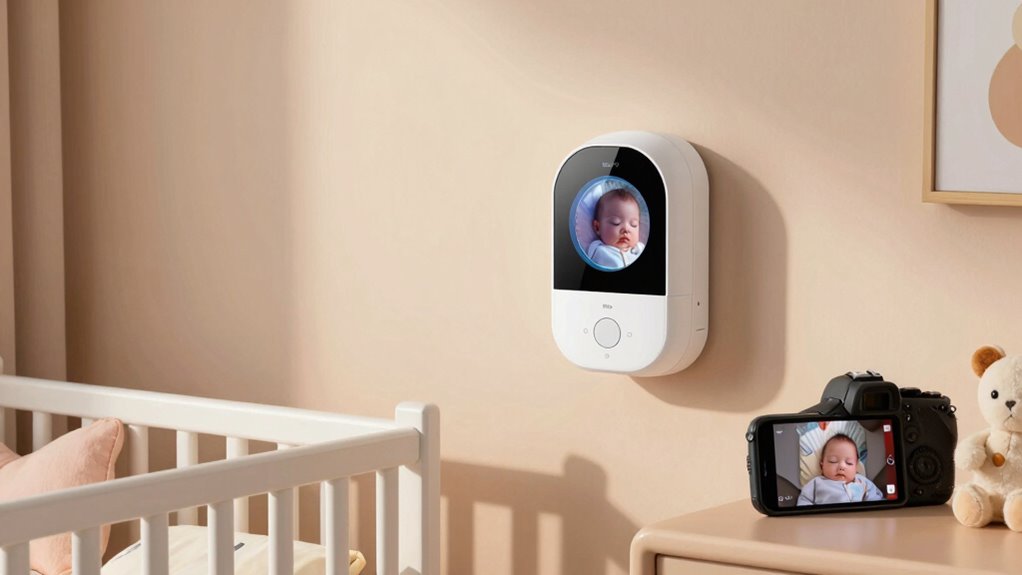

The Babysense Touch is my best overall pick among these smart baby monitors with WiFi because its large touchscreen, dual-lens camera, tracking, and split-screen features cover more viewing needs in one system. For a simpler two-camera setup, VTech VM901-2HD stands out, while Nanit is a better fit for parents who want a camera and floor stand built around app viewing. The main tradeoff is between a dedicated parent screen and phone-based access, with camera coverage and setup adding further differences. Some models include two cameras or a clip mount, while others focus on a single camera with pan and tilt. Read on for the full breakdown and help matching a monitor to your home and routine.

Get home appliances delivered free with Prime
- Fast, free delivery on millions of items
- Prime Video, Amazon Music and more included
- Member-only deals all year
Complete the kit



Key Takeaways
- Babysense Touch offers the broadest feature set in this lineup, pairing a 7-inch touchscreen with a dual-lens camera, auto tracking, split-screen, and no subscription.
- Two-camera bundles make sibling or multi-room viewing easier; the Dr.Care VistaView, VTech VM901-2HD, and Momcozy BM04 include two cameras.
- Screen size changes how the monitor fits into a routine: the 6.5-inch touchscreen model and 7-inch Babysense suit parents who prefer a larger dedicated display, while the 4-inch PTZ option is more compact.
- WiFi access does not mean every monitor works the same way: check whether the model combines an app with a parent display or relies more heavily on phone viewing.
- Camera placement is a real differentiator: the Dr.Care VistaView clip mount and Momcozy wall-mount option address setup needs that camera resolution alone cannot solve.
| WiFi Baby Monitor with 6.5″ Touchscreen, 4MP Camera, 5X Zoom |  | Best for a Large, Simple Parent Display | Parent unit display: 6.5-inch IPS touchscreen | Camera resolution: 4MP | Camera movement: 340° pan, 70° tilt | VIEW ON AMAZON | See Our Full Breakdown |
| Dr.Care VistaView 5″ 1080P Smart WiFi Baby Monitor with Camera & Clip Mount |  | Best for Flexible Mounting and Family Sharing | Parent unit display: 5 inches | Video: 1080p | Camera movement: 300° rotation, 65° tilt | VIEW ON AMAZON | See Our Full Breakdown |
| 1080p Wi-Fi Baby Monitor with Camera, Audio, 4″ Screen, PTZ 360°, 2.4 GHz |  | Best Compact Dual-View Pick | Parent unit display: 4-inch IPS | Video resolution: 720p video supports up to 1080p display | Camera movement: 360° pan and tilt | VIEW ON AMAZON | See Our Full Breakdown |
| Dr.Care VistaView 5″ Smart WiFi Baby Monitor with 2 Cameras, 1080P Display |  | Best for Monitoring Two Rooms | Cameras included: 2 | Parent unit display: 5-inch, 1080p split-screen | Camera capture: 2K | VIEW ON AMAZON | See Our Full Breakdown |
| VTech VM901-2HD Smart Wi-Fi Baby Monitor with Two Cameras |  | Best for Split-Screen Zoom Control | Model: VM901-2HD | Cameras: 2 | Parent unit screen: 5 inches | VIEW ON AMAZON | See Our Full Breakdown |
| Momcozy Smart WiFi Baby Monitor with Camera and Audio, 5″ 1080p Wall Mount |  | Best for Flexible Monitoring | Screen size: 5 inches | Resolution: 1080p | Connectivity: 2.4 GHz WiFi and non-WiFi | VIEW ON AMAZON | See Our Full Breakdown |
| ARENTI C3 Baby Monitor Kit with 3MP PTZ Camera and 5-Inch Wireless Display |  | Best for Camera Movement and Local Storage | Camera resolution: 3 MP | Display: 5 inches | Pan range: 355° | VIEW ON AMAZON | See Our Full Breakdown |
| VTech Smart WiFi Baby Monitor with 1080p Camera, 5″ Screen, Pan-Tilt-Zoom, Night Vision, Two-Way Talk (VM901) |  | Best for Straightforward App and Screen Control | Camera resolution: 1080p | Screen size: 5 inches | Range: Up to 1,000 feet | VIEW ON AMAZON | See Our Full Breakdown |
| Momcozy BM04 Smart WiFi Baby Monitor with 2 Cameras, 5-Inch 1080p Split Screen |  | Best for Monitoring Two Rooms | Model: BM04 | Cameras included: 2 | Maximum camera connections: 4 | VIEW ON AMAZON | See Our Full Breakdown |
| Babysense Touch 7″ Touchscreen Smart WiFi Baby Monitor with App, Camera and Audio, Night Light, 4MP Dual-Lens with 6X Zoom, AI Auto Tracking, Focus Area, Split-Screen, VOX/ECO Mode, No Subscription |  | Best for a Large Touchscreen and Smart Viewing | Screen: 7-inch IPS touchscreen | Camera: 4MP dual-lens, wide-angle and telephoto | Zoom: 6× lossless hybrid | VIEW ON AMAZON | See Our Full Breakdown |
| Nanit Smart Baby Video Monitor with Camera and Floor Stand, 1080p Wi-Fi |  | Best for Subscription-Free Core Monitoring | Camera resolution: 1080p HD | Connectivity: Wi-Fi; local network viewing supported | Night vision: Infrared | VIEW ON AMAZON | See Our Full Breakdown |
| GNCC 2K Wi-Fi Baby Monitor with Night Vision and Cry Detection |  | Best for Wide-Area App Coverage | Model: GP6 | Resolution: 2K Ultra HD | Night vision range: Up to 10 meters | VIEW ON AMAZON | See Our Full Breakdown |
| smart baby monitors with wifi | Connectivity | Zoom |
|---|---|---|
| WiFi Baby Monitor with 6.5" To | — | Up to 5x |
| Dr.Care VistaView 5" 1080P Sma | 2.4GHz FHSS and 2.4GHz Wi-Fi | 2x and 4x |
| 1080p Wi-Fi Baby Monitor with | 2.4GHz Wi-Fi and FHSS | — |
| Dr.Care VistaView 5" Smart WiF | 2.4GHz FHSS and 2.4GHz Wi-Fi | 2x and 4x |
| VTech VM901-2HD Smart Wi-Fi Ba | 2.4G FHSS and 2.4G Wi-Fi | Up to 10x via app; up to 8x via parent unit |
| Momcozy Smart WiFi Baby Monito | 2.4 GHz WiFi and non-WiFi | — |
| ARENTI C3 Baby Monitor Kit wit | 2.4 GHz FHSS and WiFi | 6× digital |
| VTech Smart WiFi Baby Monitor | — | — |
| Momcozy BM04 Smart WiFi Baby M | Parent unit and 2.4 GHz WiFi | — |
| Babysense Touch 7" Touchscreen | 2.4 GHz WiFi | 6× lossless hybrid |
| Nanit Smart Baby Video Monitor | Wi-Fi; local network viewing supported | — |
| GNCC 2K Wi-Fi Baby Monitor wit | 2.4 GHz and 5 GHz Wi-Fi; Bluetooth pairing | — |
More Details on Our Top Picks
WiFi Baby Monitor with 6.5″ Touchscreen, 4MP Camera, 5X Zoom
The 6.5-inch touchscreen makes this Jeeber a strong fit for caregivers who prefer checking a dedicated screen over reaching for a phone. Its 4MP camera, 340° pan, 70° tilt, and 5x zoom offer more detail and framing control than the 4-inch 1080p Wi-Fi Baby Monitor, while app access adds a way to check in away from home. VOX mode can extend the claimed screen use to 25 hours by waking it when sound is detected, though continuous viewing is listed at up to 11 hours. Cry and motion detection, temperature monitoring, feeding reminders, and lullabies broaden its alert and soothing tools. The tradeoff is 2.4GHz Wi-Fi only, and the supplied details do not specify recording or family sharing. Choose it for an easy-to-see display, not a documented multi-camera setup.
Pros:- Large 6.5-inch touchscreen is easy to view and operate
- 4MP camera with 340° pan, 70° tilt, and 5x zoom
- VOX mode is listed for up to 25 hours of use
- Includes cry and motion detection, temperature monitoring, and feeding reminders
Cons:- Wi-Fi app connection supports 2.4GHz only
- Continuous screen use is listed at up to 11 hours
- No storage or multi-user sharing details are provided
Best for: Caregivers and grandparents who want a large touchscreen parent unit plus app viewing on a 2.4GHz network
Not ideal for: Families using a 5GHz-only network or looking for documented shared access and recording options
- Parent unit display:6.5-inch IPS touchscreen
- Camera resolution:4MP
- Camera movement:340° pan, 70° tilt
- Zoom:Up to 5x
- Wi-Fi:2.4GHz only
- Battery life:Up to 11 hours continuous; up to 25 hours in VOX mode
- Alerts and tools:Cry detection, motion detection, temperature monitoring, feeding reminders, 8 lullabies
- Night vision:10 invisible IR LEDs
Our verdict“Pick this Jeeber if a large, touch-operated parent screen matters more to you than documented recording or multi-camera support.”
Dr.Care VistaView 5″ 1080P Smart WiFi Baby Monitor with Camera & Clip Mount
The clip mount gives this single-camera VistaView an unusual advantage when a flat surface or permanent wall position is inconvenient. Its 5-inch parent unit and app both support viewing, while 300° rotation, 65° tilt, and 2x/4x zoom help frame a changing nursery. Compared with the two-camera VTech VM901-2HD, this Dr.Care kit has only one camera, but its listed support for sharing live access and playback with up to five family members may suit households coordinating care. Motion, temperature, and humidity alerts add useful context, and local SD recording supports cards up to 128GB, though the card is not included. A Wi-Fi off mode and AES encryption are privacy features; the main compromises are a smaller screen than Jeeber’s and a single-band connection.
Pros:- Clip mount offers flexible placement without relying on a flat surface
- Supports app sharing with up to five family members
- Optional local recording supports microSD cards up to 128GB
- Removable 5000mAh battery and VOX mode support longer use between checks
Cons:- Includes one camera, unlike the two-camera VTech VM901-2HD
- Requires a separate SD card for local recording
- Wi-Fi connection is single-band 2.4GHz
Best for: Caregivers who need a portable clip-mounted camera and want to share app access with relatives
Not ideal for: Families monitoring multiple rooms at once or relying on a 5GHz Wi-Fi network
- Parent unit display:5 inches
- Video:1080p
- Camera movement:300° rotation, 65° tilt
- Zoom:2x and 4x
- Connectivity:2.4GHz FHSS and 2.4GHz Wi-Fi
- Battery:5000mAh removable; up to 11 hours continuous or 15 hours in VOX mode
- Storage:Optional SD card up to 128GB or cloud storage
- App sharing:Live access and event playback for up to 5 family members
- Security:Optional Wi-Fi off mode, 256-bit AES encryption, exclusive user pairing
Our verdict“Choose this VistaView if flexible camera placement and shared app access matter more than monitoring two rooms.”
1080p Wi-Fi Baby Monitor with Camera, Audio, 4″ Screen, PTZ 360°, 2.4 GHz
This monitor pairs a 4-inch IPS parent screen with app viewing, making it a compact choice for caregivers who want both a dedicated display at home and Wi-Fi access on a phone. Its 360° pan and tilt give it broad room coverage, and the listed 8-meter night vision range is useful for checking a nursery after dark. Compared with the larger-screen Jeeber, this model takes less space at the viewing end and lists up to 14 hours of battery life, but its screen is smaller and the camera resolution is described with a caveat: 720p video supports up to a 1080p display. Cry detection, two-way audio, temperature monitoring, and AES-encrypted FHSS add practical monitoring and connection features. It only supports 2.4GHz Wi-Fi, and the supplied details say it has no included stand, so placement takes planning.
Pros:- Combines a 4-inch IPS display with smartphone app viewing
- 360° pan and tilt with night vision listed up to 8 meters
- Battery life listed at up to 14 hours
- Includes cry detection, two-way audio, and temperature monitoring
Cons:- Wi-Fi supports 2.4GHz only
- Video is described as 720p supporting a 1080p display
- No stand is included, and the camera must sit on a flat surface
Best for: Caregivers with limited space who want a compact parent display, app access, and a separate FHSS connection
Not ideal for: Buyers who prioritize a larger screen, a supplied camera stand, or Wi-Fi beyond 2.4GHz
- Parent unit display:4-inch IPS
- Video resolution:720p video supports up to 1080p display
- Camera movement:360° pan and tilt
- Night vision range:Up to 8 meters
- Battery life:Up to 14 hours
- Connectivity:2.4GHz Wi-Fi and FHSS
- Monitoring features:Cry detection, two-way audio, temperature monitoring
- Security:AES encryption
Our verdict“This is a sensible compact dual-view option if you can work with a 4-inch screen and 2.4GHz Wi-Fi.”
Dr.Care VistaView 5″ Smart WiFi Baby Monitor with 2 Cameras, 1080P Display
Two included cameras make this VistaView the clearest choice here for checking separate rooms or keeping a second view available without buying another camera. The 5-inch parent unit offers split-screen viewing, while the app adds remote access and sharing with up to five family members. Each camera is described with 2K capture, 300° pan, 65° tilt, and 2x/4x zoom; the parent display is listed as 1080p. Compared with the single-camera Dr.Care VistaView, this package adds the second viewpoint and smart tracking, but its continuous streaming is listed at up to 10 hours versus 11 hours for that model. Motion, cry, temperature, and humidity alerts, plus optional SD or cloud storage, widen its monitoring toolkit. The SD card is separate, and both cameras remain indoor-only and not water resistant.
Pros:- Includes two cameras with split-screen viewing
- 2K camera capture with pan, tilt, zoom, and smart tracking
- App access can be shared with up to five family members
- Supports optional local SD recording and cloud storage
Cons:- Continuous streaming is listed at up to 10 hours
- SD card is not included for local recording
- Cameras are indoor use only and not water resistant
Best for: Families who want to monitor a nursery and another indoor space, or keep two camera views available
Not ideal for: Caregivers who need outdoor cameras, longer listed continuous runtime, or included recording media
- Cameras included:2
- Parent unit display:5-inch, 1080p split-screen
- Camera capture:2K
- Camera movement:300° pan, 65° tilt
- Zoom:2x and 4x
- Battery life:5000mAh; up to 10 hours continuous or 15 hours in VOX mode
- Connectivity:2.4GHz FHSS and 2.4GHz Wi-Fi
- Storage and sharing:Optional SD card up to 128GB or cloud storage; sharing with up to 5 family members
- Alerts:Motion, crying, temperature, and humidity
Our verdict“Choose this two-camera VistaView if simultaneous coverage of two indoor spaces matters more than longer continuous battery runtime.”
VTech VM901-2HD Smart Wi-Fi Baby Monitor with Two Cameras
The two-camera setup and split-screen view make the VTech VM901-2HD a practical match for families watching two rooms from one parent unit or app. Both cameras offer pan, tilt, and zoom, so caregivers can adjust each view remotely instead of settling for fixed framing. Its 5-inch screen is smaller than Jeeber’s 6.5-inch touchscreen, but VTech gives the lineup a clear multi-room role; the other two-camera Dr.Care VistaView adds smart alerts and storage details that are not listed here. The VM901-2HD instead keeps its feature set focused on automatic night vision, two-way audio, motion and temperature alerts, and app sharing. It supports 2.4G FHSS and 2.4G Wi-Fi. The supplied specs do not state battery life or recording support, and the indoor cameras are not water resistant.
Pros:- Includes two cameras with split-screen viewing
- Pan, tilt, and zoom are available for each camera
- Provides app remote viewing and shared access
- Automatic night vision, two-way audio, and motion and temperature alerts
Cons:- Parent unit zoom is limited to 8x
- Cameras are for indoor use and are not water resistant
- Battery life and recording options are not specified in the supplied product data
Best for: Families who want two remotely adjustable indoor camera views on a parent unit and smartphone app
Not ideal for: Buyers seeking specified recording options, outdoor placement, or a larger parent screen
- Model:VM901-2HD
- Cameras:2
- Parent unit screen:5 inches
- Camera movement:Pan, tilt, and zoom
- Zoom:Up to 10x via app; up to 8x via parent unit
- Connectivity:2.4G FHSS and 2.4G Wi-Fi
- Night vision:Automatic
- Audio:Two-way audio
- Mounting and use:Table or wall mount; indoor use; not water resistant
Our verdict“Pick the VM901-2HD if two-room viewing with remote camera adjustment is your main priority.”
Momcozy Smart WiFi Baby Monitor with Camera and Audio, 5″ 1080p Wall Mount
The BM04 suits caregivers who want a dedicated screen at home and app access when away. Its parent unit and 2.4 GHz WiFi give it more viewing flexibility than the app-dependent VTech VM901, while face-down, motion, and danger-zone alerts add ways to notice activity without watching the screen constantly. Sharing access with up to 20 family members and automatic recording may also help households where several caregivers want updates. The tradeoffs are practical: WiFi pairing is limited to 2.4 GHz, and infrared night vision reaches about 5 meters, so camera placement matters in a larger nursery. I’d choose it for mixed local and remote use, but families focused on monitoring two rooms at once should look at the Momcozy BM04 two-camera kit.
Pros:- Offers parent-unit viewing and app access
- Provides motion, danger-zone, and face-down alerts
- Supports video sharing with up to 20 users
- Can record continuously or when motion is detected
Cons:- WiFi pairing supports 2.4 GHz networks only
- Night vision is specified for distances up to about 5 meters
Best for: Caregivers who want both a dedicated parent screen and remote app access, plus alerts and shared viewing for family.
Not ideal for: Households with only 5 GHz WiFi or a large nursery where the camera must sit farther than the stated night-vision range.
- Screen size:5 inches
- Resolution:1080p
- Connectivity:2.4 GHz WiFi and non-WiFi
- Mounting:Wall or crib mount
- Night vision range:Up to 5 meters (16 feet)
- Family sharing:Up to 20 users
- Alerts:Danger zone, motion, and face-down detection
- Recording:Continuous or motion-activated auto recording
Our verdict“Choose the BM04 if you want local screen viewing and shared remote access in one monitor, and can place its camera within the night-vision range.”
ARENTI C3 Baby Monitor Kit with 3MP PTZ Camera and 5-Inch Wireless Display
The ARENTI C3 is a fit for caregivers who want to reposition the camera remotely and keep recordings on local storage. Its 355-degree pan, tilt, and 6× digital zoom make it easier to check around a room from the display or app; the VTech VM901 also offers pan and zoom, but this kit explicitly supports storage up to 256 GB. A dedicated 5-inch display means routine checks do not depend on a phone, while cry and motion alerts and two-way audio add useful everyday controls. Its 3MP camera is specified below the 1080p models in this group, including the Momcozy BM04, and digital zoom may not retain fine detail. I’d favor the C3 for remote camera control and local recording, not for the sharpest listed video.
Pros:- Dedicated 5-inch display plus app access
- Remote pan and tilt with up to 6× digital zoom
- Supports local storage up to 256 GB
- Includes cry and motion alerts and two-way audio
Cons:- 3MP camera resolution is lower than the listed 1080p alternatives
- IP30 rating indicates limited water protection
Best for: Caregivers who want a dedicated display, remotely movable camera, and the option to save footage locally.
Not ideal for: Buyers prioritizing 1080p video detail or a camera that can tolerate moisture, given its 3MP specification and IP30 rating.
- Camera resolution:3 MP
- Display:5 inches
- Pan range:355°
- Tilt range:-15° to 78°
- Zoom:6× digital
- Storage:Up to 256 GB local storage
- Connectivity:2.4 GHz FHSS and WiFi
- Audio:Two-way audio
- Mount:Wall mount
Our verdict“Pick the ARENTI C3 if camera movement and local recording matter more to you than matching the lineup’s 1080p resolution.”
VTech Smart WiFi Baby Monitor with 1080p Camera, 5″ Screen, Pan-Tilt-Zoom, Night Vision, Two-Way Talk (VM901)
The VM901 makes a clear case for caregivers who want the same basic camera controls on a parent unit and in an app. Its 1080p camera, automatic night vision, and pan-tilt-zoom cover day-to-day viewing, while temperature and motion alerts provide context without requiring a constant live check. Compared with the ARENTI C3, VTech lists higher camera resolution and up to 10× zoom; unlike the Momcozy BM04, its description does not specify face-down or danger-zone alerts. Remote viewing does require WiFi, and the parent unit must stay plugged in with no battery backup, which limits placement during outages or away from an outlet. This is a sensible pick for households that value a familiar screen-and-app setup over extensive safety alerts or portable operation.
Pros:- 1080p camera with automatic day and night vision
- Pan, tilt, and up to 10× zoom from the unit or app
- Dedicated 5-inch parent unit for phone-free checks
- Motion and temperature alerts with two-way talk
Cons:- Remote monitoring requires WiFi
- Parent unit must be plugged in and has no battery backup
Best for: Caregivers who want 1080p video, pan-tilt-zoom control, and app access alongside a dedicated parent unit.
Not ideal for: Families needing remote access without WiFi or a parent unit that can keep working on battery during a power outage.
- Camera resolution:1080p
- Screen size:5 inches
- Range:Up to 1,000 feet
- Pan, tilt, and zoom:Yes; up to 10× zoom
- Night vision:Automatic
- Two-way talk:Yes
- Alerts:Motion and temperature
- App:Free MyVTech Baby app
- Multi-user access:Yes
Our verdict“Choose the VM901 for flexible camera control and clear listed video, provided WiFi and a powered parent unit fit your setup.”
Momcozy BM04 Smart WiFi Baby Monitor with 2 Cameras, 5-Inch 1080p Split Screen
For siblings in separate rooms, the BM04 bundle’s main advantage is straightforward: its 5-inch split screen shows two camera feeds at once. It includes two cameras and accepts up to four, so it can grow beyond the included setup. The single-camera Momcozy BM04 offers a similar parent-unit and app approach, but this kit is the better fit when comparing rooms side by side is the priority. Night vision and two-way audio cover basic checks, and sharing supports up to 20 users. The compromise is that the app connection is limited to 2.4 GHz WiFi, and camera placement has specified distance and height guidelines. I’d choose this over the VTech VM901 for multiroom viewing, while solo-room households may find the second camera unnecessary.
Pros:- Shows two camera feeds simultaneously on a split screen
- Includes two cameras and supports up to four
- Offers parent-unit viewing and remote app access
- Includes night vision, two-way audio, and sharing for up to 20 users
Cons:- App WiFi pairing supports 2.4 GHz networks only
- Camera placement must follow specified distance and height guidelines
Best for: Families who need to watch two children or rooms simultaneously and may add cameras later.
Not ideal for: Caregivers monitoring one room who do not need split-screen viewing or the included second camera.
- Model:BM04
- Cameras included:2
- Maximum camera connections:4
- Display:5-inch split screen
- Video resolution:1080p
- Connectivity:Parent unit and 2.4 GHz WiFi
- Night vision:Yes
- Two-way audio:Yes
- Maximum shared users:20
Our verdict“Choose the two-camera BM04 when simultaneous room checks matter more than keeping a single-camera setup simple.”
Babysense Touch 7″ Touchscreen Smart WiFi Baby Monitor with App, Camera and Audio, Night Light, 4MP Dual-Lens with 6X Zoom, AI Auto Tracking, Focus Area, Split-Screen, VOX/ECO Mode, No Subscription
The Babysense Touch pairs a larger 7-inch touchscreen with a 4MP dual-lens camera, so it suits caregivers who want room detail and direct controls without reaching for a phone. Focus Area and AI auto tracking can keep attention on a moving baby, while split-screen, VOX display activation, and two-way talk add useful ways to check in. Its local monitor mode works without using the app; remote app access is listed for the US and requires 2.4 GHz WiFi. Compared with the Momcozy two-camera BM04, Babysense offers a larger touch display and tracking features, while Momcozy specifies support for up to four cameras and sharing with 20 users. The Babysense also lists a night light, lullabies, and temperature and humidity sensing, but its US-only app availability and 2.4 GHz limit narrow its fit.
Pros:- Large 7-inch IPS touchscreen with split-screen viewing
- 4MP dual-lens camera with 6× lossless hybrid zoom
- Focus Area and Smart Auto Tracking features
- Includes VOX mode, two-way talk, night light, and temperature and humidity sensing
Cons:- App is listed as available in the US only
- WiFi is limited to 2.4 GHz networks
- Local microSD storage requires a card that is not included
Best for: US-based caregivers who want a large touchscreen, subject tracking, and a wide range of built-in viewing and soothing tools.
Not ideal for: Caregivers outside the US who need app access, or households whose WiFi setup uses only 5 GHz.
- Screen:7-inch IPS touchscreen
- Camera:4MP dual-lens, wide-angle and telephoto
- Zoom:6× lossless hybrid
- Connectivity:2.4 GHz WiFi
- Monitoring modes:Local monitor mode or monitor plus app mode
- App availability:Babysense App listed for the US only
- Battery life:Up to 20 hours (product description); product information also lists 30 hours
- Storage:Optional local microSD card; card not included
- Additional features:AI auto tracking, Focus Area, VOX, night light, two-way talk, temperature and humidity sensing
Our verdict“Choose the Babysense Touch if you are in the US and want a large touchscreen with tracking and local monitoring options.”
Nanit Smart Baby Video Monitor with Camera and Floor Stand, 1080p Wi-Fi
The Nanit makes the most sense for parents who want clear 1080p video, two-way audio, and useful room alerts without paying to keep basic monitoring features. Its motion, sound, temperature, and humidity alerts give it a broader set of room updates than the GNCC 2K Wi-Fi Baby Monitor, which adds pan and tilt but relies on an app and offers paid cloud storage after its trial. Nanit also supports local network viewing during internet outages, a practical fallback once it has been set up. Floor stand and wall-mount options give families more flexibility in camera placement. The tradeoff is that initial setup requires Wi-Fi and internet access, while sleep insights and video history become paid features after the three-month trial. I’d choose it for everyday app monitoring, but skip it if ongoing sleep analytics are a priority.
Pros:- 1080p video with infrared night vision
- Motion, sound, temperature, and humidity alerts
- Core monitoring works without a subscription
- Local network viewing can work during internet outages
Cons:- Initial setup requires Wi-Fi and internet access
- Sleep insights and video history require a paid subscription after the trial
Best for: Parents who want app-based HD monitoring, room condition alerts, and core features without a continuing subscription
Not ideal for: Families who want ongoing sleep insights or video history without paying for a subscription
- Camera resolution:1080p HD
- Connectivity:Wi-Fi; local network viewing supported
- Night vision:Infrared
- Audio:Two-way audio
- Alerts:Motion, sound, room temperature, and humidity
- Mounting options:Floor stand or wall mount
- Security:256-bit AES encryption and two-factor authentication
- Sleep plan trial:3 months
Our verdict“Choose the Nanit if you want flexible mounting and useful app alerts while keeping core monitoring features subscription-free.”
GNCC 2K Wi-Fi Baby Monitor with Night Vision and Cry Detection
The GNCC stands out for families who want 2K video and a camera that can pan and tilt to cover more of a room. Its 340° pan and 80° tilt, paired with AI motion tracking, offer more adjustable coverage than the fixed mounting choices listed for the Nanit Smart Baby Video Monitor. Cry and motion alerts, custom alert zones, and two-way audio add practical ways to check in through the Osaio app; Alexa and Google Assistant support may also suit a connected home. The tradeoffs are straightforward: there is no separate monitor, local recording needs an SD card that is not included, and cloud storage moves to a paid plan after a 14-day trial. I’d pick GNCC for app-first room coverage, but families seeking a standalone screen or subscription-free video history should look elsewhere.
Pros:- 2K video with infrared night vision up to 10 meters
- 340° pan and 80° tilt with AI motion tracking
- Cry and motion alerts with custom alert zones
- Two-way audio and Alexa and Google Assistant compatibility
Cons:- A separate monitor is not included
- SD card for local recording is not included
- Cloud storage requires a paid plan after the 14-day trial
Best for: App-first families who want adjustable camera coverage, motion tracking, and voice assistant compatibility
Not ideal for: Parents who need a separate handheld monitor or included local recording storage
- Model:GP6
- Resolution:2K Ultra HD
- Night vision range:Up to 10 meters
- Pan and tilt:340° pan, 80° tilt
- Connectivity:2.4 GHz and 5 GHz Wi-Fi; Bluetooth pairing
- Features:AI motion tracking, cry and motion detection, custom alert zones, two-way audio
- App:Osaio
- Storage:Cloud storage with 14-day free trial; local SD card storage (card not included)
- Monitor included:No
Our verdict“Choose GNCC if broad, adjustable app coverage matters more to you than a dedicated monitor or included recording storage.”

How We Picked
I compared these monitors on the factors that shape everyday use: the viewing options, camera movement and coverage, display size, multi-camera support, and setup flexibility. I also looked at features such as two-way talk, night vision, cry detection, tracking, and whether a model includes a dedicated parent screen alongside WiFi app access. These features matter when they reduce the need to reposition a camera, switch devices, or choose between viewing one child and another.
The ranking gives the most weight to a balanced set of capabilities and clear use cases. The Babysense Touch leads because its listed feature set is unusually broad, while the VTech VM901-2HD and Momcozy BM04 rank well for households that need two-camera viewing. More focused models rank higher for their specific fit—such as a clip mount, compact screen, or floor stand—but lower for buyers who need a more flexible all-purpose setup. Product names and listed specifications provide the basis for comparison; features alone do not establish app reliability, image quality in every room, or long-term durability.
Factors to Consider When Choosing Smart Baby Monitors With Wifi
Choosing a WiFi baby monitor is less about collecting the most features and more about deciding how and where you will use it. These factors can help narrow the options before you compare individual models.
Decide Whether You Want a Parent Screen, an App, or Both
A dedicated screen gives you a separate device for checking the nursery, which can be handy when your phone is busy or charging. App viewing can make remote access more convenient, but it ties monitoring to your phone, its notifications, and your home network. A model that combines both approaches can offer flexibility, though it may bring a larger setup and more controls to learn. Before choosing, check whether the app is needed for core features or mainly adds remote access. A common mistake is assuming that “WiFi” automatically means the same viewing experience across every monitor. Choose around the devices you already reach for at night and during the day.
Match Camera Coverage to the Room
Pan, tilt, and zoom can help cover a wider area from one camera position, but they do not remove the need to plan placement. A fixed view may be enough when the camera has a clear line of sight to the sleep space. Wall and clip mounts can solve awkward placement problems, though mounting location and cable routing still matter. If you expect to move a camera between rooms, check how easy it is to mount and reposition. Avoid choosing a camera solely for a high resolution figure: a well-placed view may be more useful than extra detail from an obstructed angle. Think through the crib, power outlet, and likely camera position before buying.
Choose One Camera or a Multi-Camera System
A second camera can make it easier to watch siblings or check two rooms without moving equipment. Split-screen viewing is useful when you need to see both feeds at once, but it can make each image smaller on the display. If you only need another camera occasionally, check how the system switches between views and whether additional cameras are supported. Bundles with two cameras are convenient, although they may leave you with hardware you do not need. Count the rooms and children you want to monitor now, then consider whether that setup is likely to change. Match the number of cameras to a real viewing routine rather than treating more cameras as automatically better.
Treat Smart Alerts as a Convenience, Not a Substitute for Checking
Cry detection, motion alerts, and automatic tracking can draw attention to activity, but their usefulness depends on how the camera is positioned and how the alerts are configured. A sensitive alert setting may send notices for activity that does not need attention, while a quiet setting could miss events you want to know about. Look for controls that let you tailor alert areas or modes to your room. AI tracking may help keep a moving subject in view, but it does not replace a stable, unobstructed camera angle. Decide which alerts would change what you do and prioritize those over a long feature list. Keep direct viewing and your usual caregiving routine central to the setup.
Check Network and Privacy Needs Before Setup
WiFi monitors depend on a home network for app features, and a weak signal in the nursery can make those features less useful. Check the product’s network requirements and whether the camera also pairs with a dedicated screen. Consider who will have app access and how account sharing works before inviting other caregivers. Review available account security settings and keep device software current. If you want monitoring to work when your phone is unavailable, a dedicated display may help, but confirm what it can do without an internet connection. Planning the network and access setup early can prevent a frustrating first night.
Pay for Features That Solve a Specific Problem
A larger touchscreen, dual-lens camera, tracking, or bundled second camera can be worthwhile when each addresses a regular need in your home. If you mainly want a view and basic audio, a simpler system may be easier to operate and position. Premium feature sets can add setup steps, controls, and more ways to manage alerts. Subscription terms also deserve a check when a brand advertises app or smart features; confirm which functions are included and which require a recurring plan. Compare the full feature set against the routine you expect, rather than selecting the longest specification list. A focused monitor can be the better choice when it fits your room and viewing habits with less fuss.
Frequently Asked Questions
Do I need a monitor with both a parent screen and a WiFi app?
That combination makes sense if you want a dedicated display at home and phone access when you are elsewhere. It also means two ways to view the camera, which can be useful when your phone is occupied. If you expect to monitor mainly from one place, an extra screen may add cost and setup without changing your routine. Check which functions work through the screen and which require the app or an internet connection. The right choice depends on where you expect to watch, not just whether both options are available.
Is a two-camera monitor useful if I have one child?
It can be helpful if you want to view two rooms or separate sleep and play areas, but a second camera is not necessary for every single-child household. Consider whether you would actually switch between locations or benefit from simultaneous split-screen viewing. If the camera will stay in one room, a single-camera model with flexible positioning may be a better fit. Also check whether the system supports adding a camera later, since that can preserve flexibility without starting with a bundle. Buy for a likely routine rather than a hypothetical future setup.
Can a WiFi baby monitor work if my internet goes down?
It depends on the monitor and on which connection its features use. Some models pair a camera with a dedicated parent display, while app access generally depends on WiFi and the service’s connection requirements. Check the product documentation for offline viewing behavior rather than assuming the parent screen works independently. If local viewing during an internet outage matters to you, make that a deciding requirement. Also distinguish an internet outage from a weak signal between the camera and your home router, since they can affect different functions.
Should I prioritize camera resolution or pan-and-tilt coverage?
Choose based on the problem in your room. Higher listed resolution may offer more image detail, while pan and tilt help adjust the camera’s view without physically moving it. Neither feature fixes poor placement, glare, or an obstructed line of sight. For a fixed crib view, placement and reliable night viewing may matter more than extra movement. For a larger room or changing view, camera movement can be more useful than a resolution upgrade.
What should I check before relying on cry detection or automatic tracking?
Check which sounds or movement the feature responds to and whether sensitivity or alert areas can be adjusted. A monitor can send alerts that are distracting if the settings do not suit the room, while tracking needs a useful camera angle to follow activity well. Review whether these features are available through the parent screen, the app, or both. Treat them as aids for drawing your attention, not as a replacement for direct checks or your usual caregiving judgment. A simpler monitor may be preferable if alerts would add more noise than useful information.
Conclusion
Best overall: I would start with the Babysense Touch for its large touchscreen and broad camera and viewing feature set. Best for two-camera viewing: choose the VTech VM901-2HD if you want a familiar parent-screen setup with two cameras, or the Momcozy BM04 if split-screen viewing is the priority. Best value: the basic 1080p PTZ monitor with a 4-inch screen is a sensible fit for shoppers who want core camera movement without a larger feature set. Best for beginners: the Dr.Care VistaView 5-inch model with a clip mount offers a straightforward way to address placement in a small or temporary setup. Best premium fit: Nanit suits parents who prefer a camera-and-floor-stand system centered on app viewing; for a more feature-dense dedicated-screen setup, consider Babysense instead. Pick the option whose screen, camera count, and connection style match how you will actually check in.