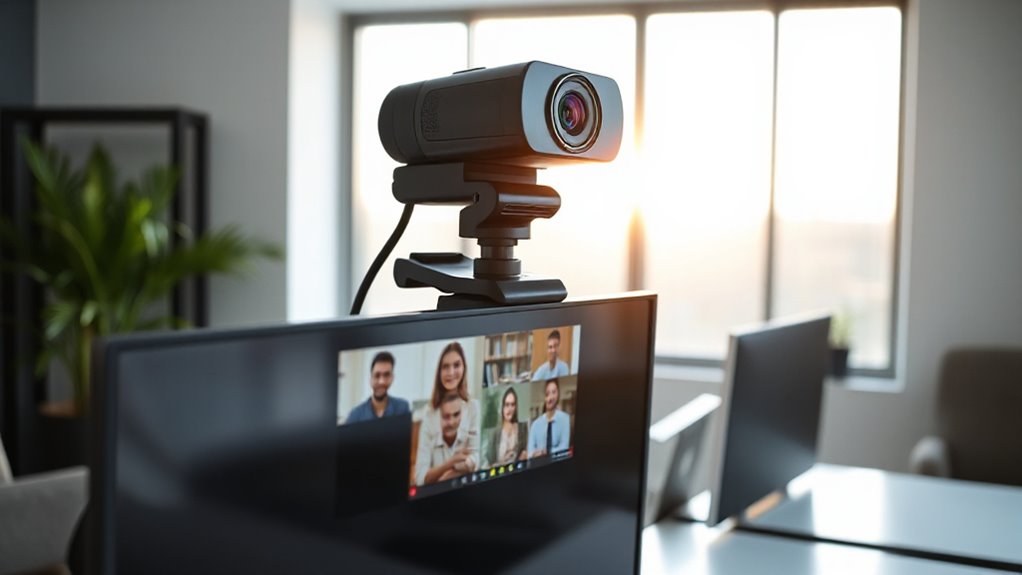

If you want your Zoom meetings to look professional, I recommend checking out webcams like the Logitech Brio, C920x, or the EMEET C960, which offer high resolutions from 1080p to 4K, auto-focus, and excellent lighting adjustments. Clear audio, privacy features, and easy setup are also key. Whether you’re on a budget or want top-tier quality, there’s a perfect option for you. Keep exploring to discover the best fit for your needs!

Get home appliances delivered free — and shop member deals
- Fast, free delivery on millions of items
- Access to Prime Big Deal Days deals on October 6–7
- Prime Video, Amazon Music and more included
Key Takeaways
- Prioritize webcams with 4K or 2K resolutions for sharp, professional video quality in Zoom meetings.
- Choose models with advanced autofocus, auto framing, and AI tracking for stable, well-focused visuals.
- Ensure cameras have high-quality built-in microphones with noise cancellation for clear audio.
- Opt for plug-and-play, compatible webcams with versatile mounting options for quick setup and flexible positioning.
- Consider privacy features like physical shutters and security updates to protect user privacy during virtual meetings.
| Logitech Brio 1080p Webcam with Microphone | 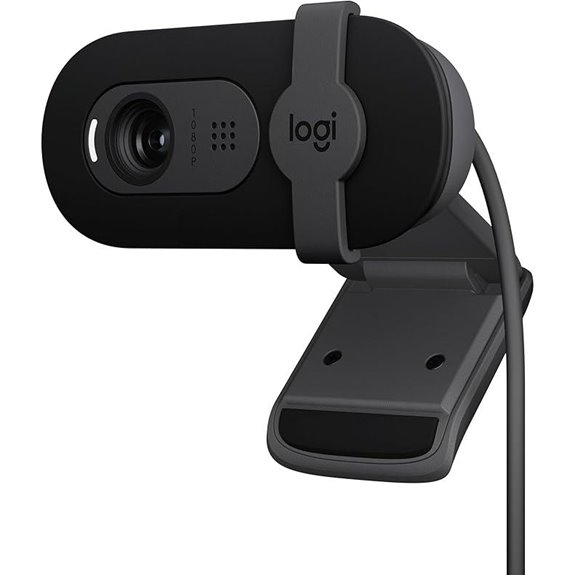 | Seamless Compatibility | Resolution: Full HD 1080p | Microphone Type: Built-in microphone | Privacy Feature: Webcam cover | VIEW LATEST PRICE | See Our Full Breakdown |
| Logitech C920x HD Pro Webcam with HD Video | 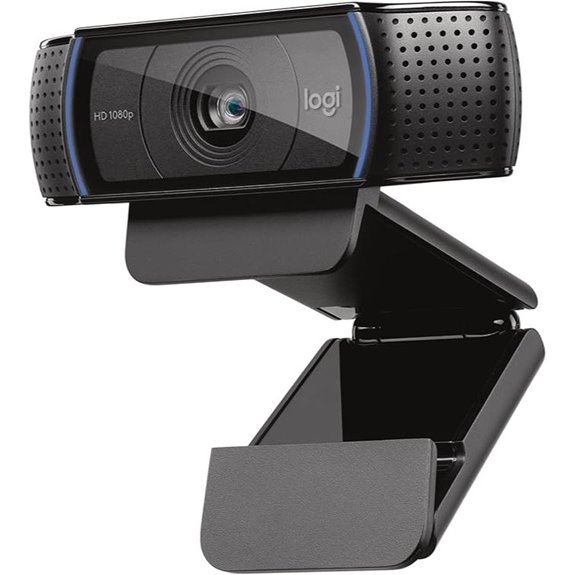 | Professional Quality | Resolution: Full HD 1080p | Microphone Type: Dual microphones | Privacy Feature: No privacy cover | VIEW LATEST PRICE | See Our Full Breakdown |
| EMEET C960 4K Webcam with Auto Focus & Noise Cancelling | 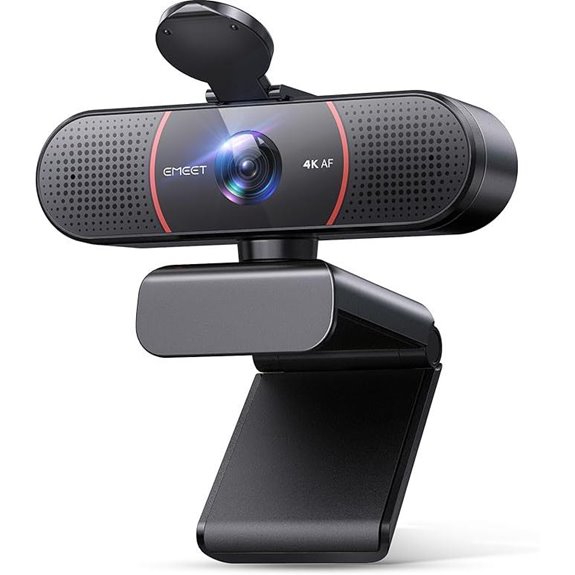 | Ultra-High Resolution | Resolution: 4K (switchable to 1080p) | Microphone Type: Dual AI noise-canceling mics | Privacy Feature: Privacy cover included | VIEW LATEST PRICE | See Our Full Breakdown |
| EMEET 1080P Webcam with Microphone and Adapter | 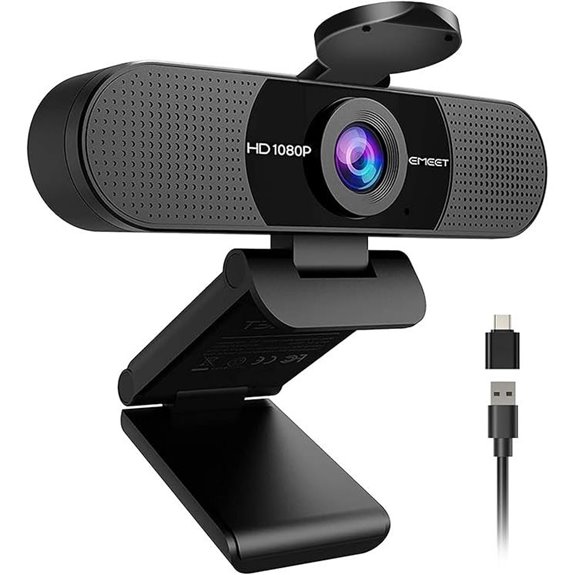 | All-in-One Solution | Resolution: Full HD 1080p | Microphone Type: Built-in omnidirectional mics | Privacy Feature: Privacy cover included | VIEW LATEST PRICE | See Our Full Breakdown |
| NexiGo N60 1080P Webcam with Microphone and Privacy | 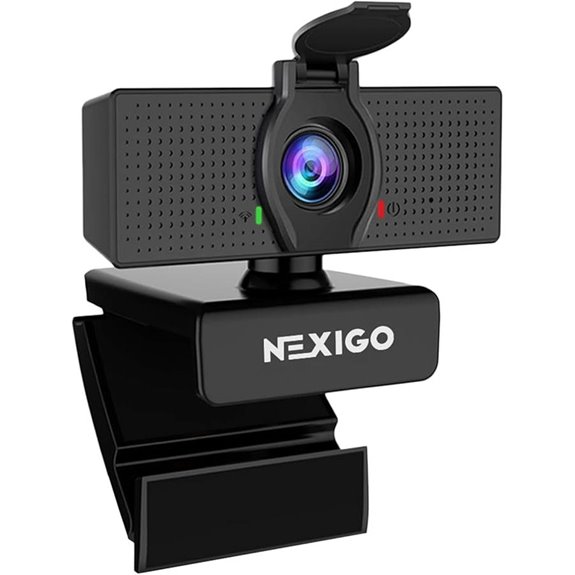 | Best for Home Use | Resolution: Full HD 1080p | Microphone Type: Noise-canceling microphone | Privacy Feature: Privacy cover | VIEW LATEST PRICE | See Our Full Breakdown |
| MELCAM 2K Webcam with Microphone and Privacy Cover | 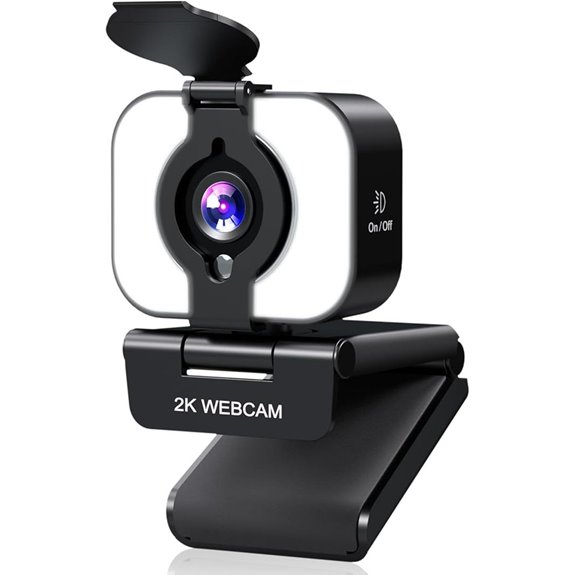 | Versatile Performance | Resolution: 2K (resolves to 1080p) | Microphone Type: Noise-canceling microphone | Privacy Feature: Privacy cover | VIEW LATEST PRICE | See Our Full Breakdown |
| Logitech C920e HD Webcam with Microphone | 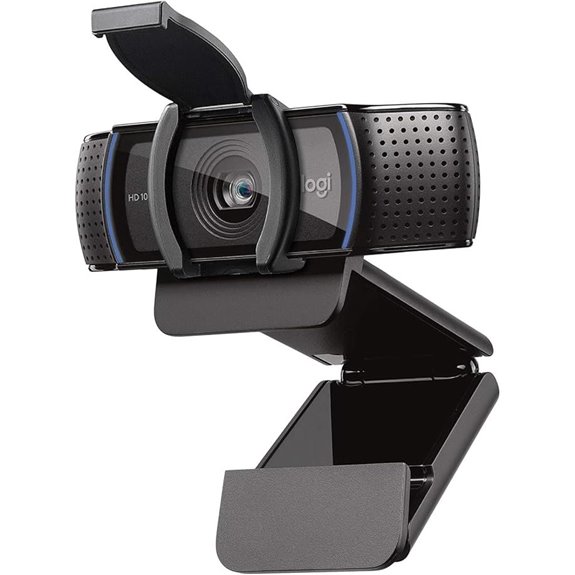 | Business-Ready | Resolution: HD 720p | Microphone Type: Omnidirectional microphones | Privacy Feature: Privacy cover | VIEW LATEST PRICE | See Our Full Breakdown |
| 1080P HD Webcam with Microphone and Privacy Cover | 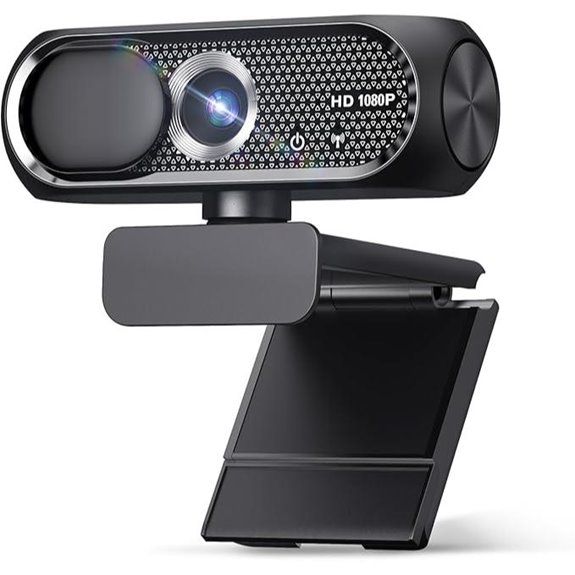 | Enhanced Privacy | Resolution: Full HD 1080p | Microphone Type: Noise-canceling microphone | Privacy Feature: Privacy cover | VIEW LATEST PRICE | See Our Full Breakdown |
| 2K AI Webcam with 1080P Zoom HDR Microphones | 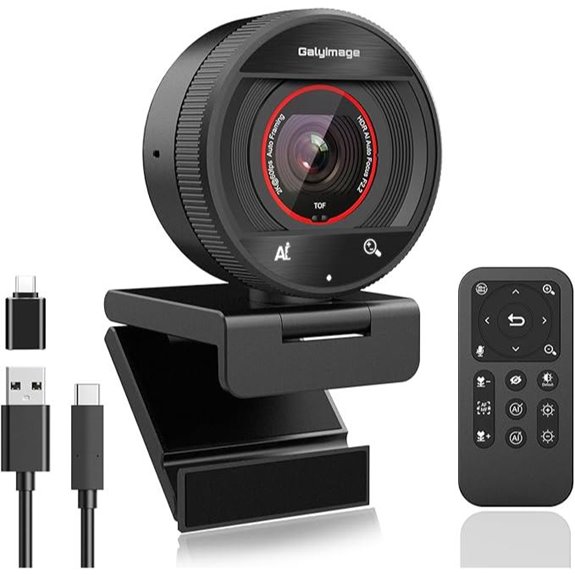 | Advanced Features | Resolution: 2K (2560×1440) | Microphone Type: Dual noise-canceling microphones | Privacy Feature: Magnetic privacy cover | VIEW LATEST PRICE | See Our Full Breakdown |
| Logitech Brio 4K Webcam with Noise-Canceling Mic | 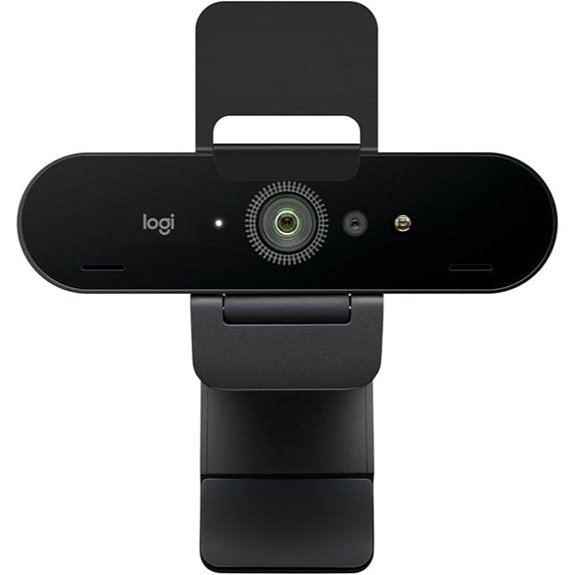 | 4K Clarity | Resolution: 4K (supports 4K at 30fps) | Microphone Type: Noise-canceling dual mics | Privacy Feature: Privacy cover | VIEW LATEST PRICE | See Our Full Breakdown |
| Logitech C270 HD Webcam with Noise Mic | 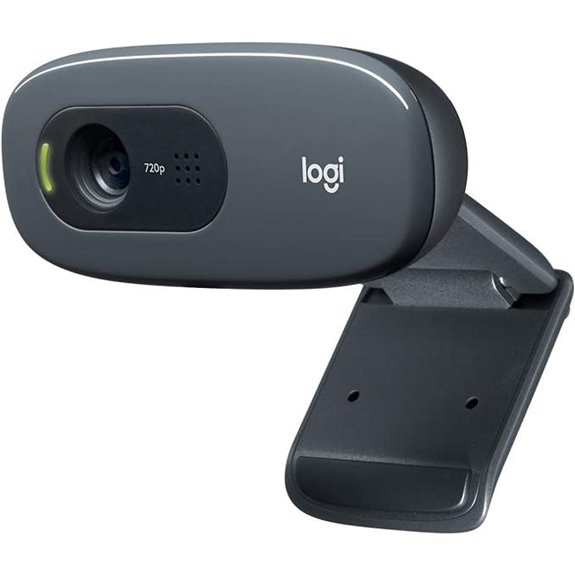 | Budget-Friendly | Resolution: HD 720p | Microphone Type: Built-in noise-reducing mic | Privacy Feature: Privacy cover | VIEW LATEST PRICE | See Our Full Breakdown |
| Insta360 Link 2 PTZ 4K Webcam with AI Tracking | 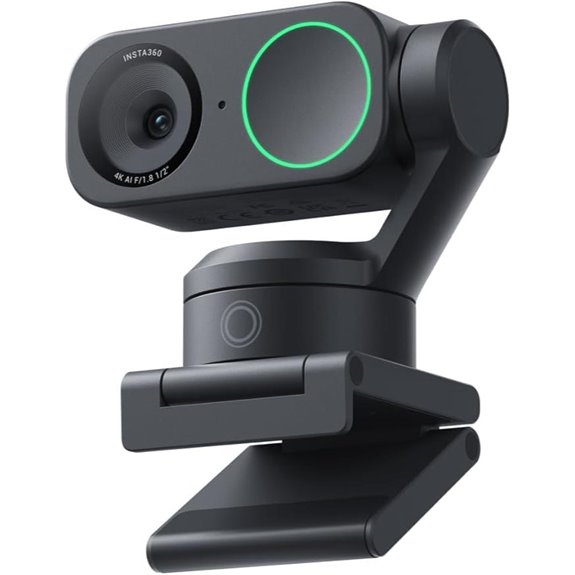 | AI-Powered Focus | Resolution: 4K (supports 4K at 30fps) | Microphone Type: AI noise-canceling microphones | Privacy Feature: Privacy cover | VIEW LATEST PRICE | See Our Full Breakdown |
| Logitech Brio 1080p Webcam with Mic and Shutter | 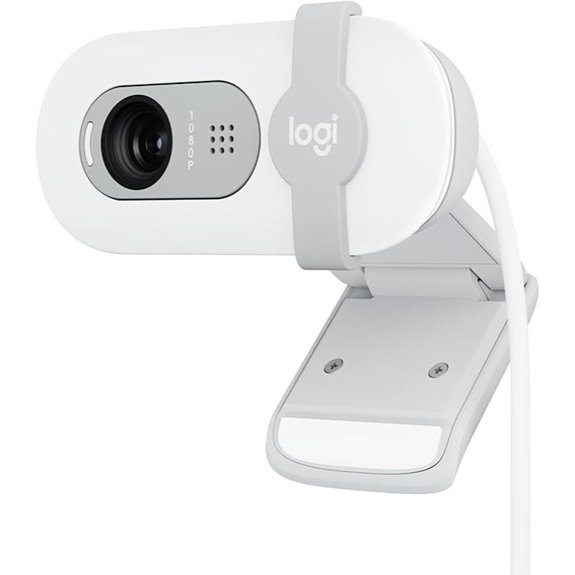 | Eco-Conscious Choice | Resolution: Full HD 1080p | Microphone Type: Built-in microphone | Privacy Feature: Webcam cover | VIEW LATEST PRICE | See Our Full Breakdown |
| 4K Webcam with Ring Light and Microphone | 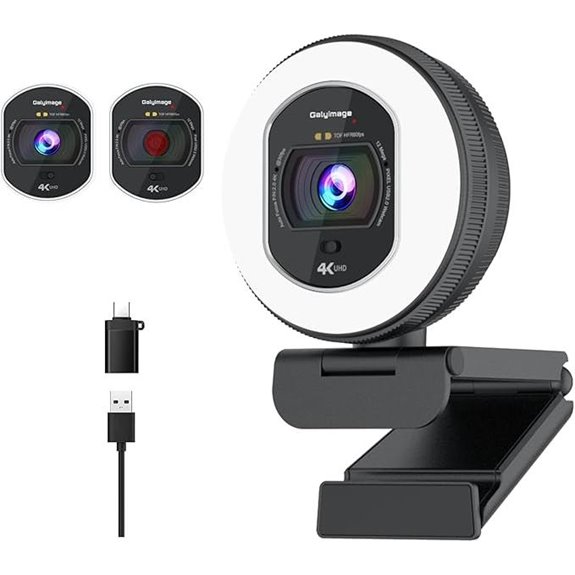 | Studio Quality | Resolution: 4K (supports 4K at 30fps) | Microphone Type: Dual noise-canceling microphones | Privacy Feature: Privacy cover | VIEW LATEST PRICE | See Our Full Breakdown |
| Anker PowerConf C200 2K Webcam with AI Noise Cancel | 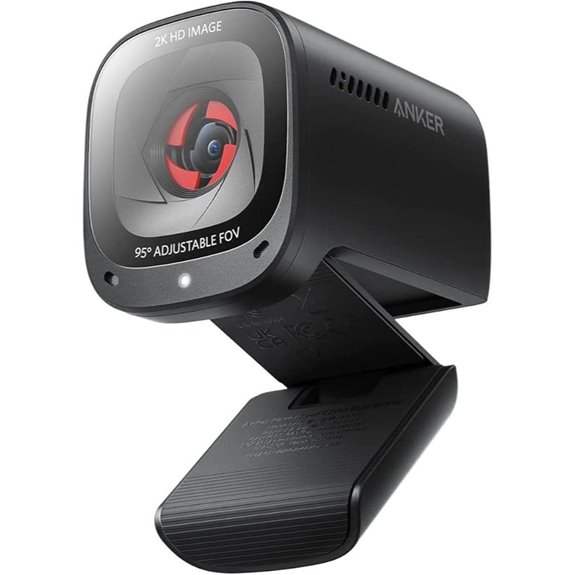 | Premium Design | Resolution: 2K (2560×1440) | Microphone Type: AI noise-canceling stereo mics | Privacy Feature: Privacy cover | VIEW LATEST PRICE | See Our Full Breakdown |
More Details on Our Top Picks
-
Logitech Brio 1080p Webcam with Microphone
If you’re looking for a webcam that delivers professional-quality video and seamless compatibility, the Logitech Brio 1080p Webcam with Microphone is an excellent choice. It works effortlessly with popular platforms like Microsoft Teams, Zoom, and Google Meet, making it perfect for meetings or streaming. With full HD 1080p resolution, it provides sharp, clear images, while the auto-light balance feature enhances brightness and reduces shadows. The built-in microphone ensures clear audio, and the privacy cover offers peace of mind. Plus, its simple plug-and-play setup with no drivers needed makes it easy to use on desktops, laptops, or PCs.
- Resolution:Full HD 1080p
- Microphone Type:Built-in microphone
- Privacy Feature:Webcam cover
- Mounting Options:Desktop/laptop mount
- Compatibility:Windows, Mac, Nintendo Switch 2
- Connectivity Type:USB-A
- Additional Feature:Auto-Light Balance with RightLight
- Additional Feature:Integrated webcam privacy cover
- Additional Feature:Plug-and-play setup
-
Logitech C920x HD Pro Webcam with HD Video
The Logitech C920x HD Pro Webcam stands out as an excellent choice for professionals and content creators who want sharp, detailed video across multiple devices. It delivers Full HD 1080p resolution at 30fps, ensuring crisp, vibrant visuals for calls, streaming, or recording. Compatibility spans Windows 11, Mac, tablets, and Nintendo Switch 2’s GameChat mode, making it versatile. With HD light correction and autofocus, it automatically adjusts to deliver bright, clear images even in low light. Dual microphones capture natural stereo sound, enhancing communication. Plus, it includes advanced software and a 3-month XSplit VCam license for background editing, making it a well-rounded, reliable webcam.
- Resolution:Full HD 1080p
- Microphone Type:Dual microphones
- Privacy Feature:No privacy cover
- Mounting Options:Mount on monitor/laptop
- Compatibility:Windows, Mac, Nintendo Switch 2
- Connectivity Type:USB-A
- Additional Feature:HD light correction
- Additional Feature:Background removal software
- Additional Feature:Compatible with multiple platforms
-
EMEET C960 4K Webcam with Auto Focus & Noise Cancelling
For professionals and educators seeking crystal-clear video quality, the EMEET C960 4K Webcam stands out with its true 4K resolution and advanced autofocus technology. Its genuine CMOS sensor delivers ultra-clear visuals, perfect for remote meetings or lectures, with the option to switch from 1080P to 4K via software. The PDAF guarantees stable, sharp focus across different scenarios, reducing blurriness and interruptions. With a 73° field of view and flexible tilt, framing is effortless. Dual AI noise-canceling microphones provide crisp, natural sound, making communication seamless. Easy to set up with a USB plug-and-play design, it’s ideal for professional, educational, or personal use.
- Resolution:4K (switchable to 1080p)
- Microphone Type:Dual AI noise-canceling mics
- Privacy Feature:Privacy cover included
- Mounting Options:Tripod, clip, mount
- Compatibility:Windows, Mac, Android TV, Linux
- Connectivity Type:USB-A
- Additional Feature:True 4K resolution
- Additional Feature:360° adjustable tilt
- Additional Feature:No cloud storage needed
EMEET 1080P Webcam with Microphone and Adapter
The EMEET 1080P Webcam with Microphone and Adapter stands out for its excellent Full HD video quality combined with built-in noise-canceling microphones, making it ideal for professional online meetings and streaming. It delivers crisp 1920x1080p resolution with a wide 90° angle and a 5-layer anti-glare lens, ensuring clear images even in challenging lighting. Its automatic low-light correction and exposure adjustment improve visibility in dim environments. The plug-and-play setup supports USB Type-A and A-to-C connections, while the removable privacy cover adds security. Perfect for home offices, online teaching, and video calls, it’s a reliable, versatile choice for elevated Zoom meetings.
- Resolution:Full HD 1080p
- Microphone Type:Built-in omnidirectional mics
- Privacy Feature:Privacy cover included
- Mounting Options:Clamp, tripod-ready
- Compatibility:Windows, Mac, ChromeOS, Android TV
- Connectivity Type:USB-A
- Additional Feature:Anti-glare lens
- Additional Feature:Brightness and exposure control
- Additional Feature:Supports USB Type-A and A-to-C
NexiGo N60 1080P Webcam with Microphone and Privacy
If you need a reliable webcam that delivers sharp, clear video without complicated setup, the NexiGo N60 1080P Webcam with Microphone and Privacy is a great choice. It offers Full HD 1080p resolution with a 2-MP CMOS sensor, ensuring crisp images at 30fps. The glass lens is optimized for indoor distances, and a privacy cover keeps your lens protected when not in use. The built-in noise-canceling microphone improves audio clarity, making it perfect for video calls, streaming, or recording. Compatible with most USB ports and operating systems, it’s a straightforward plug-and-play device that’s ready within a minute.
- Resolution:Full HD 1080p
- Microphone Type:Noise-canceling microphone
- Privacy Feature:Privacy cover
- Mounting Options:Clip, tripod support
- Compatibility:Windows, Mac, Linux, Android, Chrome OS
- Connectivity Type:USB-A
- Additional Feature:3.6mm glass lens
- Additional Feature:Wide compatibility range
- Additional Feature:Firmware update support
MELCAM 2K Webcam with Microphone and Privacy Cover
The MELCAM 2K Webcam stands out with its 2K resolution, offering crystal-clear visuals that make your online presence look professional and polished. It’s perfect for home offices, virtual classes, streaming, and meetings, ensuring you appear sharp and confident. The three adjustable ring lights provide natural, bright illumination, even in dim environments, eliminating the need for extra lighting. A built-in privacy cover adds security when not in use, while the noise-canceling microphone ensures clear communication. With autofocus, flexible tilting, and easy USB plug-and-play compatibility, this webcam adapts seamlessly to various setups, making it a reliable choice for creators, students, and professionals alike.
- Resolution:2K (resolves to 1080p)
- Microphone Type:Noise-canceling microphone
- Privacy Feature:Privacy cover
- Mounting Options:Clip, tripod support
- Compatibility:Windows, Mac, Linux, Android TV
- Connectivity Type:USB-A
- Additional Feature:Three adjustable ring lights
- Additional Feature:Autofocus feature
- Additional Feature:Supports tripod attachment
Logitech C920e HD Webcam with Microphone
Designed for professionals and remote workers, the Logitech C920e HD Webcam with Microphone offers a well-balanced 78° field of view that guarantees you stay in frame during meetings. Its built-in HD autofocus and automatic light correction guarantee clear, high-quality video in various lighting conditions. The two omnidirectional microphones deliver natural sound from up to one meter away, making conversations crisp and authentic. The attachable privacy cover provides quick privacy checks, while the sturdy clip mounts easily on laptops or monitors. Certified for major platforms like Zoom and Teams, this webcam is versatile, reliable, and perfect for maintaining a professional presence in any remote setting.
- Resolution:HD 720p
- Microphone Type:Omnidirectional microphones
- Privacy Feature:Privacy cover
- Mounting Options:Adjustable clip
- Compatibility:Windows, Mac
- Connectivity Type:USB
- Additional Feature:78° fixed FOV
- Additional Feature:Tripod-ready support
- Additional Feature:Device management software
1080P HD Webcam with Microphone and Privacy Cover
Looking for a webcam that combines sharp video quality with privacy features? The 0P HD Webcam with Microphone and Privacy Cover is perfect. It offers 1080P Full HD resolution, delivering crisp, vibrant images and smooth 30 fps video. The wide-angle lens captures more of your environment, great for streaming or online meetings. Automatic light correction guarantees clear visuals in any lighting. The built-in noise-canceling microphone guarantees clear audio, even in noisy settings. Plus, the privacy cover slides over the lens instantly, giving you peace of mind when not in use. It’s easy to set up with a plug-and-play design, compatible with most devices and platforms.
- Resolution:Full HD 1080p
- Microphone Type:Noise-canceling microphone
- Privacy Feature:Privacy cover
- Mounting Options:Clip, tripod support
- Compatibility:Windows, Mac
- Connectivity Type:USB
- Additional Feature:Wide-angle lens
- Additional Feature:Dynamic light correction
- Additional Feature:Eco-friendly materials
2K AI Webcam with 1080P Zoom HDR Microphones
If you want a webcam that guarantees sharp, professional-quality video during your Zoom meetings, the K AI Webcam with 1080P, Zoom, HDR, and microphones is an excellent choice. It features 7 optical lenses, a true 2K resolution, and a 5-megapixel sensor, delivering crisp, clear images. The camera supports USB 3.0 for smooth 60FPS streaming and uses TOF autofocus for fast, stable focus. Its 92° wide-angle lens is perfect for group calls or presentations, and HDR technology ensures vibrant color accuracy even in difficult lighting. Plus, AI auto-framing and humanoid tracking maintain you perfectly centered, making your meetings effortless and professional.
- Resolution:2K (2560×1440)
- Microphone Type:Dual noise-canceling microphones
- Privacy Feature:Magnetic privacy cover
- Mounting Options:Tripod, clip
- Compatibility:Mac, Windows
- Connectivity Type:USB 3.0
- Additional Feature:AI auto-framing
- Additional Feature:Remote control included
- Additional Feature:5 microphones for noise reduction
Logitech Brio 4K Webcam with Noise-Canceling Mic
The Logitech Brio 4K Webcam with Noise-Canceling Mic stands out as an excellent choice for professionals and streamers who demand top-tier video quality. It supports up to 4K resolution at 30 fps, ensuring sharp, detailed images with accurate color. The autofocus, 5x digital zoom, and RightLight 3 automatically adapt to lighting conditions, keeping your image crisp. Its adjustable field of view lets you choose between 65°, 78°, or 90°, perfect for framing yourself or a wider scene. The dual noise-canceling microphones capture clear audio from up to 1.2 meters away, making your communication crystal clear. It’s compatible with most platforms and offers privacy controls for peace of mind.
- Resolution:4K (supports 4K at 30fps)
- Microphone Type:Noise-canceling dual mics
- Privacy Feature:Privacy cover
- Mounting Options:Tripod, adjustable mount
- Compatibility:Windows, Mac, ChromeOS
- Connectivity Type:USB
- Additional Feature:Supports Windows Hello
- Additional Feature:Multiple field-of-view presets
- Additional Feature:Logitech Logi Options+ software
Logitech C270 HD Webcam with Noise Mic
For anyone seeking a reliable webcam that delivers clear video and crisp audio, the Logitech C270 HD Webcam with Noise Mic stands out as an excellent choice. It’s compatible with Nintendo Switch 2, PC, Mac, laptops, and tablets, making it versatile for any setup. The 720p HD resolution at 30 fps and a 55° wide-angle view ensure sharp, professional-quality video. Its RightLight 2 auto light correction adapts to lighting conditions, brightening images in dim environments. The built-in noise-reducing microphone captures voices clearly, even up to 1.5 meters away, making it perfect for noisy spaces. Plus, its adjustable clip and compact design make installation effortless.
- Resolution:HD 720p
- Microphone Type:Built-in noise-reducing mic
- Privacy Feature:Privacy cover
- Mounting Options:Adjustable clip
- Compatibility:Windows, Mac, Chrome OS
- Connectivity Type:USB 2.0/3.0
- Additional Feature:55° wide-angle view
- Additional Feature:Auto light correction
- Additional Feature:Compact universal clip
Insta360 Link 2 PTZ 4K Webcam with AI Tracking
When aiming to elevate your video calls and content creation, the Insta360 Link 2 PTZ 4K Webcam stands out with its advanced AI tracking that automatically pans and tilts to keep you perfectly framed. It delivers stunning 4K visuals with a 1/2″ sensor, HDR, and low-light capabilities, ensuring professional-quality video in any setting. Gesture control and remote smartphone operation make it easy to activate auto framing, zoom, or modes like Whiteboard and DeskView. With AI noise-canceling microphones and automatic privacy tilting, it’s designed for seamless, versatile use on all major platforms. This webcam truly combines power, flexibility, and professional-grade features.
- Resolution:4K (supports 4K at 30fps)
- Microphone Type:AI noise-canceling microphones
- Privacy Feature:Privacy cover
- Mounting Options:Tripod, mount options
- Compatibility:Windows, Mac
- Connectivity Type:USB
- Additional Feature:AI tracking technology
- Additional Feature:Gesture control mode
- Additional Feature:DSLR-like bokeh effect
Logitech Brio 1080p Webcam with Mic and Shutter
If you want a webcam that delivers crisp, clear video and reliable privacy, the Logitech Brio 1080p Webcam with Mic and Shutter is an excellent choice. Its Full HD resolution guarantees sharp, detailed images during calls and streams. It’s compatible with popular platforms like Zoom, Teams, and Google Meet, and even works seamlessly with Nintendo Switch 2’s GameChat mode. Features like Auto-Light Balance with RightLight boost brightness by up to 50%, reducing shadows, while the built-in microphone ensures your voice sounds clear. Plus, the integrated shutter provides privacy when needed, and its eco-friendly design includes recycled plastics. Setup is quick and simple—just plug in and go.
- Resolution:Full HD 1080p
- Microphone Type:Built-in microphone
- Privacy Feature:Webcam cover
- Mounting Options:Adjustable clip
- Compatibility:Windows, Mac
- Connectivity Type:USB
- Additional Feature:Eco-conscious design
- Additional Feature:Multiple color options
- Additional Feature:Detachable privacy shutter
4K Webcam with Ring Light and Microphone
The K Webcam with Ring Light and Microphone stands out as an excellent choice for anyone seeking professional-quality video with minimal setup. It supports 4K UHD resolution at 30FPS and 1080P at 60FPS, delivering sharp, smooth visuals perfect for conferences, streaming, or classes. The built-in ring light, with adjustable brightness and color temperature, ensures ideal lighting even in low-light environments. Its dual noise-canceling microphones guarantee clear audio, while the privacy cover adds security. Compatible with Windows, Mac, Linux, and popular apps, it’s a plug-and-play device that combines excellent video, audio, and privacy features—making it a versatile, all-in-one conferencing solution.
- Resolution:4K (supports 4K at 30fps)
- Microphone Type:Dual noise-canceling microphones
- Privacy Feature:Privacy cover
- Mounting Options:Universal clip, tripod support
- Compatibility:Windows, Mac, Linux
- Connectivity Type:USB
- Additional Feature:Adjustable ring light
- Additional Feature:Touch sensor controls
- Additional Feature:Built-in autofocus
Anker PowerConf C200 2K Webcam with AI Noise Cancel
The Anker PowerConf C200 2K Webcam stands out with its AI noise cancellation technology, making it an excellent choice for professionals and remote workers who need clear audio in busy or noisy environments. Its dual stereo microphones effectively filter out background noise, ensuring your voice comes through crisp and clear. The camera’s 2K ultra-clear resolution delivers sharp, detailed video, perfect for professional meetings. Plus, its adjustable field of view allows you to customize framing from 65° to 95°, and its superior low-light performance keeps your image clear even in dim settings. A built-in privacy cover adds security, making it a versatile, reliable webcam for any workspace.
- Resolution:2K (2560×1440)
- Microphone Type:AI noise-canceling stereo mics
- Privacy Feature:Privacy cover
- Mounting Options:Tripod, clip
- Compatibility:Windows, Mac
- Connectivity Type:USB 3.0
- Additional Feature:Multiple FOV options
- Additional Feature:AI humanoid tracking
- Additional Feature:18-button remote control
Factors to Consider When Choosing Webcams for Zoom Meetings
When choosing a webcam for Zoom meetings, I look at several key factors to guarantee clear communication. I consider video resolution, microphone quality, and features that adapt to different lighting conditions. It’s also important to check privacy, security, and compatibility with my devices to avoid any issues.
Video Resolution Quality
Choosing the right webcam resolution is essential for making sure your video looks professional and clear during Zoom meetings. Higher resolutions like 1080p or 4K provide sharper, more detailed images, making your appearance more engaging and credible. A 4K webcam offers four times the resolution of 1080p, delivering crisp visuals that stand out, especially on large screens. While many webcams support auto-upscaling to 1080p, native higher resolutions such as 1440p or 4K give you better image clarity. For most users, a minimum of 1080p is recommended to ensure your video appears crisp and professional. Investing in a higher-resolution webcam makes a noticeable difference in how colleagues and clients perceive your video quality, enhancing your overall conferencing experience.
Built-in Microphone Clarity
A high-quality built-in microphone is essential for clear communication during Zoom meetings, especially in noisy environments. Look for webcams with microphones that support noise reduction and echo cancellation to minimize background noise and interference. A pickup range of at least 1.5 meters guarantees your voice is captured clearly without needing to be directly in front of the camera. Dual microphone systems can provide stereo sound, improving audio clarity and spatial awareness. Auto-gain control automatically adjusts volume levels, keeping your voice consistent regardless of speaking volume. Multi-directional or omnidirectional microphones are ideal for capturing voices from multiple participants, making group calls more natural. Prioritizing these features helps ensure your audio quality matches your visual presentation, delivering a professional Zoom experience.
Lighting Adjustment Features
Lighting adjustment features play a crucial role in ensuring your video stays clear and professional, regardless of the lighting conditions around you. Many webcams come with auto-light correction and HDR, which analyze your environment and adjust exposure in real-time, preventing overexposure or underexposure. Some models also include manual controls for brightness, contrast, and color temperature, giving you the ability to fine-tune your appearance. Additional illumination options like ring lights or built-in LEDs can boost visibility in dim or shadowy spaces. Proper lighting adjustment reduces shadows, glare, and uneven lighting, resulting in a more polished and professional-looking video. These features help you maintain consistent image quality, making your zoom meetings look sharp and engaging, no matter the lighting situation.
Privacy and Security Measures
Ensuring your privacy and security during Zoom meetings is essential, especially as webcams can be vulnerable to hacking or accidental activation. A physical privacy shutter, like a lens cover or switch, provides a simple, reliable barrier to prevent unauthorized access. Built-in privacy covers on webcams help protect against malware or hackers trying to activate your camera remotely. Complementing hardware features, software-based privacy settings—such as disabling the camera or using security apps—add an extra layer of protection. Regular firmware updates from manufacturers are vital, as they fix vulnerabilities and enhance security features. By choosing a webcam with these measures, you can confidently participate in meetings knowing your privacy is safeguarded against potential threats.
Compatibility With Devices
Choosing the right webcam for your Zoom meetings means making sure it’s compatible with your device’s hardware and software. First, check if it supports your operating system—Windows, macOS, or Linux—to ensure smooth operation. Next, verify that it connects via the right port, whether USB-A, USB-C, or Thunderbolt. It’s also important to confirm that your device meets the webcam’s hardware requirements, like processor speed and RAM, to avoid lag or crashes. Additionally, look for webcams with official Zoom support or certification, which guarantees compatibility and reliable performance. Finally, consider whether you need adapters or drivers for seamless integration. Ensuring these compatibility factors will make your setup straightforward and guarantee your meetings are professional and glitch-free.
Ease of Setup
When selecting a webcam for your Zoom meetings, ease of setup should be a top priority. Look for models with plug-and-play functionality—these don’t require drivers or extra software, making installation quick and simple. Compatibility is key; choose webcams that work seamlessly with your operating system, whether Windows, Mac, or Linux, to prevent setup headaches. Adjustable mounting options, like universal clips or tripod compatibility, help you position the camera easily. Also, opt for devices supporting USB 2.0 or higher for reliable, hassle-free connectivity. Ultimately, select webcams with straightforward controls and minimal configuration needs. This ensures a smooth setup process, so you can focus on your meetings without wasting time troubleshooting or adjusting complicated settings.
Frequently Asked Questions
Which Webcams Are Best for Low-Light Zoom Meetings?
If you’re looking for webcams that excel in low-light Zoom meetings, I recommend the Logitech Brio and the Razer Kiyo Pro. Both feature excellent low-light performance, thanks to their advanced sensors and good aperture sizes. I’ve used these myself, and they markedly improve video clarity in dim environments. Keep in mind, adding some soft lighting can make any webcam perform even better, ensuring you always look sharp on camera.
How Do Webcams Handle Background Noise During Calls?
They say, “a chain is only as strong as its weakest link,” and that applies to background noise during calls. Webcams themselves don’t handle noise directly, but many come with built-in microphones that have noise-canceling features. I recommend using a quality headset or microphone with noise suppression. This way, your audio stays clear, and your meetings run smoothly without distracting background sounds.
Are There Webcams Compatible With Multiple Operating Systems?
Yes, many webcams are compatible with multiple operating systems like Windows, macOS, and Linux. I’ve found that popular brands like Logitech and Microsoft design their webcams to support various OS platforms, making setup straightforward. Just make certain you check the specifications before purchasing. I recommend looking for plug-and-play models with broad compatibility, so you can enjoy seamless video calls regardless of your device.
What Is the Average Lifespan of High-Quality Webcams?
High-quality webcams typically last around 3 to 5 years, depending on usage and care. I’ve found that investing in a sturdy model and keeping it clean helps extend its lifespan. Regularly updating drivers and avoiding physical damage also make a difference. While technology advances quickly, a well-maintained webcam can serve you well for several years, ensuring clear video quality for your meetings and calls.
Can Webcams Improve Audio Quality Without External Mics?
Ever wondered if webcams can boost audio quality without external mics? Yes, some high-end webcams come with built-in microphones that offer decent sound, but they rarely match dedicated mics in clarity. While they’re convenient for quick setups, for professional audio, investing in a good external microphone is still the best bet. So, if clarity matters most, don’t rely solely on your webcam’s mic—upgrade for better sound!
Conclusion
Choosing the right webcam can considerably improve your Zoom meetings. Did you know that 85% of remote workers say better video quality boosts their confidence during virtual meetings? Investing in a high-quality webcam not only enhances your image but also helps you communicate more effectively. So, pick one that fits your needs and makes your online presence shine—because clear, crisp video truly makes a difference.
Fall yard work Picks
leaf blowers
As an affiliate, we earn on qualifying purchases.