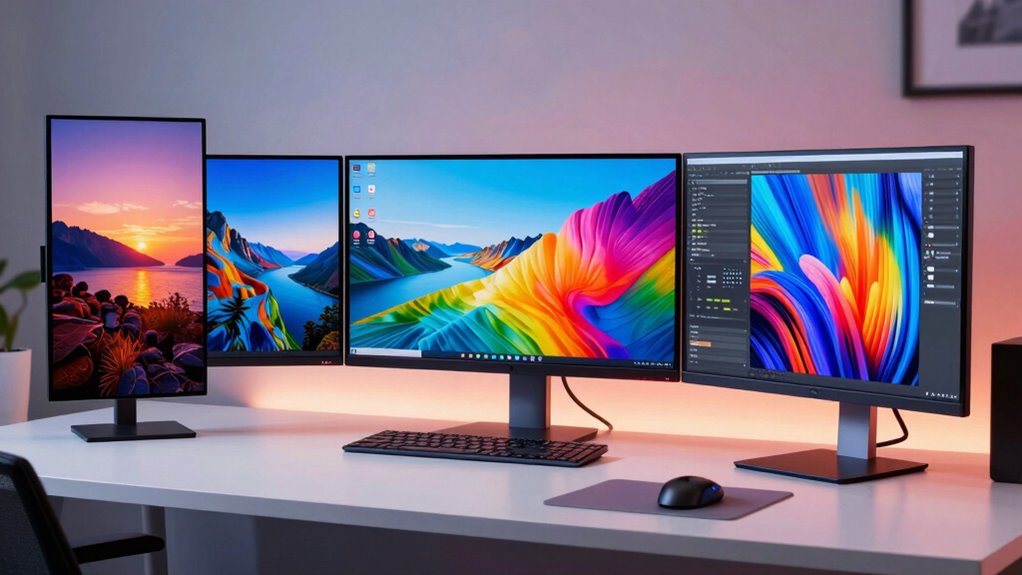

Choosing a budget 4K monitor in 2026 means balancing image quality, refresh rates, and connectivity without breaking the bank. The LG 27US500-W stands out for its vibrant IPS panel and HDR support, making it ideal for creative work. Meanwhile, the Gawfolk 27 Inch offers excellent value with flicker-free tech and wide angles, though it lacks built-in speakers. For those seeking a versatile all-rounder, the INNOCN 27″ combines great image quality with multiple inputs and ergonomic adjustments. Gamers will find the Dell S2725QS appealing thanks to its 120Hz refresh rate, but it sacrifices some features like built-in audio. Lastly, the Acer Nitro VG270K caters to budget gamers with a fast response time and HDR support, though at a slightly lower default refresh rate. Each of these options balances affordability with essential features, but their tradeoffs make them suited to different users.
Open a free Amazon Business account
Business pricing, bulk buying and tax-exempt orders.
Create a free accountAs an affiliate, we earn on qualifying purchases.
Complete the kit


Key Takeaways
- Most budget 4K monitors top out at 60Hz, suitable for general use but less ideal for fast-paced gaming.
- IPS panels dominate the lineup, delivering wide viewing angles and vibrant colors, critical for creative tasks.
- Connectivity options like HDMI and DisplayPort are standard, but built-in speakers are rare at this price point.
- Ergonomics and adjustability vary, with some models offering full tilt, height, and pivot adjustments.
- Tradeoffs often include response times and refresh rates, which can impact gaming or fast-moving content.


| budget 4k monitor | Resolution | Refresh Rate | Contrast Ratio | Screen Size |
|---|---|---|---|---|
| LG 27US500-W 27-Inch 4K UHD IP | 3840 x 2160 (4K UHD) | 60Hz | 1000:1 | 27 inches |
| Gawfolk 27 Inch 4K Monitor IPS | 3840 x 2160 (4K UHD) | 60Hz | 3000:1 | 27 inches |
| INNOCN 27" 4K USB-C Monitor fo | 3840 x 2160 pixels | 60Hz | 1000:1 | — |
| Dell 27 Monitor S2725QS 4K UHD | 3840 x 2160 (4K UHD) | 120Hz | 1500:1 | 27 inches |
| Acer Nitro 27-inch 4K UHD IPS | 3840 x 2160 | 72Hz at 4K, up to 144Hz at 1080p | — | — |
More Details on Our Top Picks
LG 27US500-W 27-Inch 4K UHD IPS Monitor with HDR10, Reader Mode, Flicker Safe, HDMI & DisplayPort – White
The LG 27US500-W shines with its vivid 4K IPS panel and HDR10 support, making it an excellent choice for photo editing, design, or even streaming. Its wide viewing angles and adjustable ergonomic stand add to the overall usability. Unlike some budget options, it supports HDR10 for richer contrast and colors, but its 60Hz refresh rate and 5ms response time mean it’s less suited for competitive gaming. Compared with higher-refresh-rate models, it sacrifices smoothness for superior image quality, making it ideal for creative work but not fast-paced gaming or eSports. Its multiple input options add flexibility, and the color accuracy is impressive for its price range.
Pros:- Vivid 4K IPS display with HDR10 support
- Wide viewing angles
- Ergonomic stand for flexible positioning
Cons:- Limited to 60Hz refresh rate
- Response time of 5ms not ideal for gaming
- No built-in speakers
Best for: Creative professionals and general users seeking crisp visuals
Not ideal for: Fast-paced gamers or those needing high refresh rates for competitive gaming
- Screen Size:27 inches
- Resolution:3840 x 2160 (4K UHD)
- Display Technology:IPS
- Contrast Ratio:1000:1
- Brightness:300 cd/m²
- Refresh Rate:60Hz
Our verdict“A well-rounded, color-accurate 4K monitor best suited for creatives and general use.”
Gawfolk 27 Inch 4K Monitor IPS 60Hz, UHD 3840 x 2160p PC Monitors
The Gawfolk 27 Inch is a compelling budget pick with a 4K IPS panel that provides vibrant colors and wide angles, making it suitable for both work and casual gaming. It includes flicker-free technology and low blue light, reducing eye strain during long hours. Its connectivity options—dual HDMI and DisplayPort—are versatile, though its design is somewhat bulky, which might not fit well in tight spaces. While response times are not specified, its overall picture quality and eye-friendly features make it a good choice for everyday use, but it falls short for fast-paced gaming due to the lack of higher refresh rates or adaptive sync features.
Pros:- Vibrant 4K display with wide viewing angles
- Flicker-Free and Low Blue Light tech
- Multiple connectivity options
Cons:- Design may be bulky
- Response time not specified
- No built-in speakers
Best for: Budget-conscious users needing a versatile, eye-friendly monitor
Not ideal for: Competitive gamers or users requiring built-in speakers
- Screen Size:27 inches
- Resolution:3840 x 2160 (4K UHD)
- Display Technology:LED
- Contrast Ratio:3000:1
- Brightness:292 cd/m²
- Refresh Rate:60Hz
Our verdict“A budget-friendly, feature-rich monitor suitable for everyday tasks and media consumption.”
INNOCN 27″ 4K USB-C Monitor for Laptop MacBook/Mac mini – 16:9 IPS 3840 x 2160 Display, HDR400, DeltaE<2, DisplayPort, HDMI, Built-in Speakers, Adjustable Stand, Black
The INNOCN 27″ offers premium features at a budget price, including HDR400 support, a wide color gamut, and a very accurate DeltaE<2 color accuracy. Its USB-C port makes it perfect for MacBook users or those with compatible laptops, and the ergonomic stand with tilt, height, and pivot adjustments enhances comfort. Its IPS panel provides excellent viewing angles and vibrant colors, suitable for creative professionals. However, it consumes more power at 65 watts and lacks DVI/VGA ports, limiting older device compatibility. Its 60Hz refresh rate makes it less suitable for high-end gaming but perfect for multimedia and productivity tasks.
Pros:- Excellent color accuracy and wide viewing angles
- Multiple connectivity including USB-C
- Ergonomic stand with full adjustments
Cons:- High power consumption
- Limited to 60Hz
- No DVI or VGA ports
Best for: Creative professionals and productivity-focused users
Not ideal for: Competitive gamers seeking high refresh rates
- Display Size:27 inches
- Resolution:3840 x 2160 pixels
- Display Technology:IPS
- Contrast Ratio:1000:1
- Brightness:400 cd/m²
- Refresh Rate:60Hz
Our verdict“A feature-rich, color-accurate monitor ideal for creative work and multi-device setups.”
Dell 27 Monitor S2725QS 4K UHD IPS with 120Hz Refresh Rate and FreeSync Premium
The Dell S2725QS combines stunning 4K visuals with a surprisingly high 120Hz refresh rate for an IPS panel, a rare find at this price point. Its 99% sRGB coverage and HDR support make it a strong choice for content creators and daily multitasking. Its FreeSync Premium technology ensures tear-free viewing during casual gaming or video editing. While it doesn’t feature built-in speakers, and its response time is 5ms, it’s a significant upgrade for users wanting smoother motion at 4K. The modern, ultra-thin bezel design makes it attractive for multi-monitor setups, though some might miss more advanced gaming features like higher refresh rates or more extensive adaptive sync options.
Pros:- 120Hz refresh rate with FreeSync Premium
- Excellent color coverage and HDR support
- Sleek design with ultra-thin bezel
Cons:- Limited sound quality
- No built-in speakers
- Response time of 5ms
Best for: Multimedia consumers and casual gamers wanting smooth visuals
Not ideal for: Competitive gamers requiring ultra-low response times
- Screen Size:27 inches
- Resolution:3840 x 2160 (4K UHD)
- Panel Type:IPS
- Refresh Rate:120Hz
- Contrast Ratio:1500:1
- HDR:Yes
Our verdict“A versatile monitor blending good color accuracy and fluid motion, suitable for multimedia and light gaming.”
Acer Nitro 27-inch 4K UHD IPS Gaming Monitor VG270K L1
The Acer Nitro VG270K provides a compelling option for gamers on a budget with its 72Hz refresh rate at 4K and a rapid response time of 1ms G to G, making fast action appear smoother. Its DCI-P3 95% color gamut and HDR10 support add to the visual punch, while AMD FreeSync helps prevent tearing. Its zero-frame design makes multi-monitor setups seamless, but the lower default refresh rate at 4K may disappoint high-end gamers seeking 120Hz or higher. Additionally, it lacks built-in speakers and USB ports, so external audio and peripherals are necessary. It’s a good entry-level gaming monitor that balances performance and affordability but isn’t meant for ultra-competitive settings.
Pros:- Fast 1ms response time
- Affordable 4K gaming experience
- HDR10 and wide color support
Cons:- Limited to 72Hz at 4K
- No built-in speakers
- Requires powerful GPU for best 4K performance
Best for: Budget gamers seeking decent performance without high costs
Not ideal for: Professional esports players or users needing 144Hz+ at 4K
- Display Size:27 inches
- Resolution:3840 x 2160
- Panel Type:IPS
- Refresh Rate:72Hz at 4K, up to 144Hz at 1080p
- Response Time:1ms
- HDR:HDR10
Our verdict“A solid gaming monitor for budget-conscious users who prioritize speed over ultra-high refresh rates.”

How We Picked
Our selection process focused on monitors that deliver 4K resolution within a budget range, generally under $400. I prioritized models with IPS panels for color accuracy and wide viewing angles, essential for creative work and general use. Connectivity options like multiple HDMI and DisplayPort inputs were considered critical for versatility. Response times and refresh rates were evaluated to identify options suitable for casual gaming or fast-moving content, with a clear understanding that budget models typically don’t match premium gaming monitors. Finally, user reviews, feature sets, and ergonomic features helped refine the list to ensure each monitor offers a distinct value proposition for different buyer needs.
| budget 4k monitor | Display Technology |
|---|---|
| LG 27US500-W 27-Inch 4K UHD IP | IPS |
| Gawfolk 27 Inch 4K Monitor IPS | LED |
| INNOCN 27" 4K USB-C Monitor fo | IPS |
| Dell 27 Monitor S2725QS 4K UHD | — |
| Acer Nitro 27-inch 4K UHD IPS | — |
Factors to Consider When Choosing Budget 4k Monitors
When selecting a budget 4K monitor, it’s important to identify your primary use. Creative tasks demand high color accuracy and wide viewing angles, so IPS panels with HDR support are key. For general productivity, connectability and ergonomic features matter more than ultra-high refresh rates. Gamers on a budget should focus on response times and adaptive sync tech, but often have to compromise on refresh rate. Price points typically limit features like built-in speakers or high-end gaming specs, so understanding what’s most critical to your workflow helps narrow choices.
Display Quality and Panel Technology
At this price, IPS panels are the standard for vibrant colors and consistent viewing angles. If you plan to do photo editing, design, or media consumption, prioritize monitors with high color accuracy (close to DeltaE<2) and HDR support. TN or VA panels are less common in this range and usually offer faster response times but poorer color fidelity.
Refresh Rate and Response Time
For everyday tasks and media, 60Hz is sufficient, but gamers should look for higher refresh rates—preferably 75Hz or more—if available. Keep in mind that many budget 4K monitors max out at 60Hz, which is acceptable for casual gaming but less so for competitive play. Response times of 1-5ms help reduce motion blur, a plus for gaming and fast video content.
Connectivity and Ergonomics
Multiple HDMI and DisplayPort inputs are common and allow flexibility for connecting multiple devices. USB-C ports are a bonus for MacBook users. Ergonomic features such as height adjustment, tilt, and pivot are important for comfortable long-term use. Budget monitors may skimp here, so verify these features if comfort is a priority.
Frequently Asked Questions
Are budget 4K monitors suitable for gaming?
Most budget 4K monitors support 60Hz refresh rates, which are adequate for casual gaming but fall short of the high refresh rates preferred by competitive gamers. Some models, like the Acer Nitro VG270K, offer 72Hz at 4K or higher at lower resolutions, providing a better experience for casual or light gaming. Response times are generally adequate, but if gaming is your main focus, consider monitors with higher refresh rates or dedicated gaming features, even if they cost a bit more.
Can I use these monitors for professional creative work?
Yes, many of these monitors feature IPS panels with wide viewing angles and high color accuracy, especially models like the LG 27US500-W and INNOCN 27″, which support HDR and DeltaE<2 color precision. These features make them suitable for photo editing, video editing, and design work. However, they may lack the color calibration and uniformity of more expensive professional-grade displays, so for highly critical tasks, calibration might be necessary.
Do budget 4K monitors come with built-in speakers?
Most budget 4K monitors do not include built-in speakers, or their audio quality is quite limited. If audio is important, plan to connect external speakers or headphones. For example, the INNOCN offers built-in speakers, but many others, like the LG and Dell models, do not. Always check the specifications if integrated audio is a must-have feature for your setup.
Are these monitors future-proof for upgrades?
At this price point, these monitors are primarily designed for current use rather than long-term upgrades. They typically support HDMI 2.0 and DisplayPort 1.4, which are sufficient for 4K at 60Hz, but may lack support for higher refresh rates or newer standards like HDMI 2.1. If future-proofing is a concern, investing in a monitor with more advanced connectivity options or higher refresh capabilities might be necessary, though it often comes at a higher price.
What should I prioritize if I want a monitor for multitasking?
For multitasking, prioritize monitors with ergonomic features like height, tilt, and pivot adjustments, along with multiple connectivity ports. Wide viewing angles and good color reproduction are also beneficial when working across multiple windows or shared screens. Monitors like the INNOCN 27″ excel here, offering full ergonomic adjustability and multiple input options, making them suitable for productivity and creative workflows.
Conclusion
If you’re a creative professional or casual user seeking vibrant visuals and HDR support without gaming concerns, the LG 27US500-W or INNOCN 27″ are excellent choices. For general use and eye comfort, the Gawfolk 27″ offers great value. Budget gamers should consider the Acer Nitro VG270K for decent gaming performance at a low cost, though if smoothness is a priority, a more expensive high-refresh-rate monitor might be needed. For those wanting a blend of multimedia and light gaming with smoother motion, the Dell S2725QS strikes a good balance. Match your needs to these profiles to find the best budget 4K monitor for your 2026 setup.
As an affiliate, we earn on qualifying purchases.NFL season / tailgating Picks
team gear