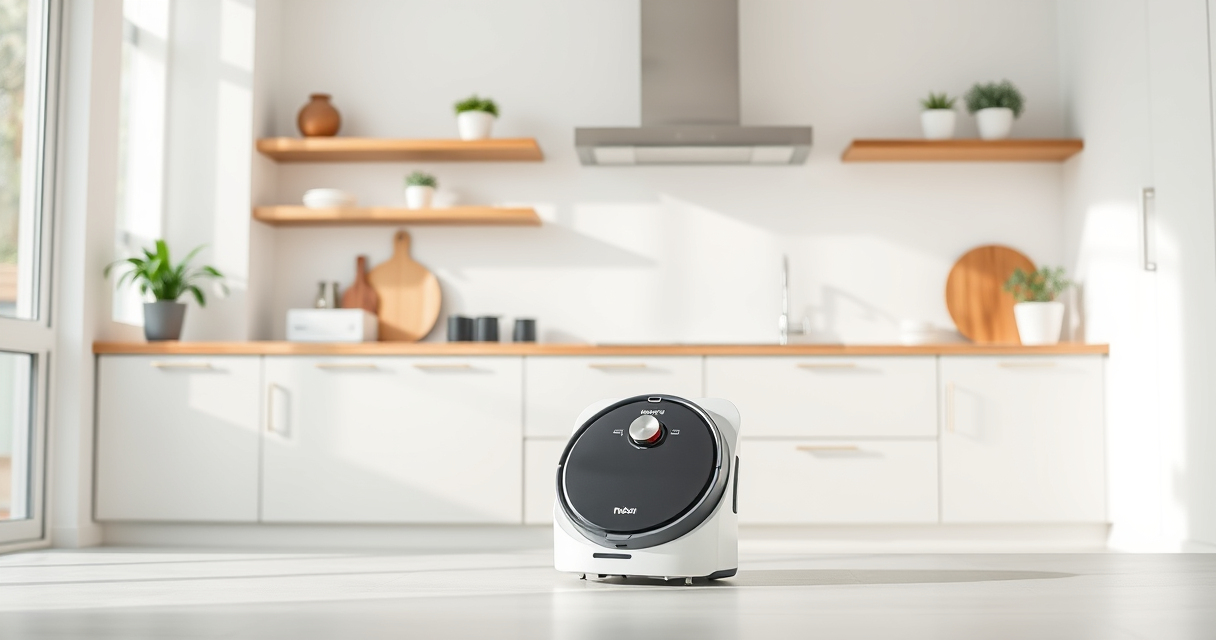
If you’re using the Roborock Q7 M5+ Robot Vacuum and Mop, regular maintenance is key to ensuring optimal performance and longevity. This comprehensive guide covers common issues, troubleshooting steps, and essential care tips to keep your device operating at its best.

Get home appliances delivered free with Prime
- Fast, free delivery on millions of items
- Prime Video, Amazon Music and more included
- Member-only deals all year
From clearing blockages to replacing filters, you’ll find clear, safe, and effective instructions to handle everyday problems and routine upkeep. Whether you’re experiencing suction issues or navigation glitches, this guide will help you resolve them efficiently.
Key Takeaways
| Regular Cleaning | Keep sensors and brushes clean to prevent performance drops. |
| Filter Maintenance | Replace or wash filters every 1-3 months for optimal air quality. |
| Empty Dust Bag | Monitor the 2.7L sealed dust bag and empty when full for extended cleaning. |
| Navigation Checks | Ensure LiDAR sensor and wheels are unobstructed for proper navigation. |
| Battery Care | Charge fully and avoid leaving the robot in extreme temperatures. |
Initial Troubleshooting Tips
- Verify Power and Connectivity: Ensure the robot is charged and connected to Wi-Fi. Reboot the device if it doesn’t respond.
- Check for Obstructions: Clear debris from brushes, wheels, and sensors to avoid navigation issues.
- Inspect the Dust Bag: If suction diminishes, empty the 2.7L sealed dust bag or replace it if full.
- Update Firmware: Confirm the Roborock app shows the latest firmware version and update if needed.
Cleaning and Maintaining the Brushes
- Remove the Main Brush: Detach the brush from the bottom of the robot according to the user manual.
- Clear Hair and Debris: Use scissors or a brush to remove tangled pet hair and debris from the dual anti-tangle system.
- Wash the Brush: Rinse with water and let it dry completely before reinstalling.
- Check the Side Brushes: Remove and clean or replace if worn or damaged.
Filter and Mop Pad Care
- Washable Filters: Remove filters regularly and wash with water. Let them dry completely before reinserting.
- Replace Filters: Use the 4 Pack Washable Filter for consistent performance and air quality.
- Mop Pad Maintenance: Remove mop pads and wash with mild detergent. Replace every 1-3 months or as needed for optimal cleaning.
Battery and Charging Tips
- Proper Charging: Place the robot on the dock, ensuring contact points are clean.
- Battery Longevity: Avoid letting the battery fully discharge regularly. Keep the robot in moderate temperatures.
- Extended Idle: If not in use for long periods, recharge periodically to maintain battery health.
Advanced Troubleshooting and Support
If basic troubleshooting doesn’t resolve issues, consult the Roborock app for error codes or contact customer support. Reset the robot by pressing and holding the power button for 10 seconds, then reconnect to Wi-Fi. Consider replacing worn parts like brushes or filters for sustained performance.
The Products in This Guide

roborock Q7 M5+ Robot Vacuum and Mop
- ✔ Max Suction: 10000Pa
- ✔ Dust Capacity: 2.7L
- ✔ Battery Life: Up to 9 weeks

4 Pack Washable Filter
- ✔ Pack: 4 filters
- ✔ Material: HEPA
- ✔ Washable: Yes
roborock Q7 M5+ Robot Vacuum and Mop
The Roborock Q7 M5+ Robot Vacuum and Mop offers up to 7-9 weeks of self-emptying capacity with a 2.7L sealed dust bag, making maintenance effortless. Its 10000Pa suction and dual anti-tangle system are perfect for pet owners and deep cleaning needs.
Pros:
- Long-lasting self-emptying feature
- Powerful 10000Pa suction
- Pet hair and carpet-friendly design
- Precise LiDAR navigation
Cons:
- Higher initial cost
- Requires regular filter cleaning
- Mop pad replacements needed
Best for: Pet owners and large homes needing frequent, maintenance-free cleaning
Not ideal for: Small spaces with minimal debris or very low-pile flooring
Bottom line: A high-capacity, intelligent robot vacuum ideal for busy pet households.
4 Pack Washable Filter
This 4 Pack Washable Filter set is compatible with several Roborock models, including the Q7 Max and Q5 Max. It ensures your vacuum maintains strong suction and air filtration, extending its lifespan and performance.
Pros:
- Cost-effective 4-pack
- Washable and reusable
- Maintains filtration efficiency
- Easy to install
Cons:
- Not OEM
- Must wash filters regularly
- Replacement needed every few months
Best for: Maintaining optimal air quality and suction power
Not ideal for: Models outside compatibility range like S7 or S8 series
Bottom line: A reliable, cost-effective filter set for ongoing maintenance.
Frequently Asked Questions
How often should I replace the filters in my Roborock Q7 M5+?
It’s recommended to wash the filters every 1-3 months and replace them every few months depending on usage and visible dirt accumulation.
What should I do if my Roborock is not docking properly?
Check that the charging contacts are clean and unobstructed. Ensure the docking station is on a flat surface and restart the robot and the dock to reset the connection.
How can I improve navigation if my Roborock gets stuck frequently?
Clear any obstacles or clutter along its cleaning path, ensure the LiDAR sensor is clean, and update the firmware via the app. Recalibrate if necessary.
Can I use regular water in the mop pad?
Yes, use plain water or mild cleaning solutions for the microfiber mop pads. Avoid harsh chemicals that could damage the material.
What is the best way to maintain the self-emptying feature?
Regularly check the 2.7L dust bag for fullness, and empty or replace it as needed. Keep the dust port and the dock area clean to prevent jams.
Keeping Your Roborock Q7 M5+ in Peak Condition
Regular maintenance and troubleshooting are essential for maximizing your Roborock’s lifespan and cleaning efficiency. By following these steps, you can prevent common issues and ensure your device continues to deliver powerful, hands-free cleaning. Remember to keep sensors, brushes, and filters clean, and stay updated with firmware to enjoy uninterrupted performance.
Affiliate disclosure: As an Amazon Associate we earn from qualifying purchases. Prices and availability are accurate as of the time of publishing.
Cold & flu season Picks
humidifiers
As an affiliate, we earn on qualifying purchases.