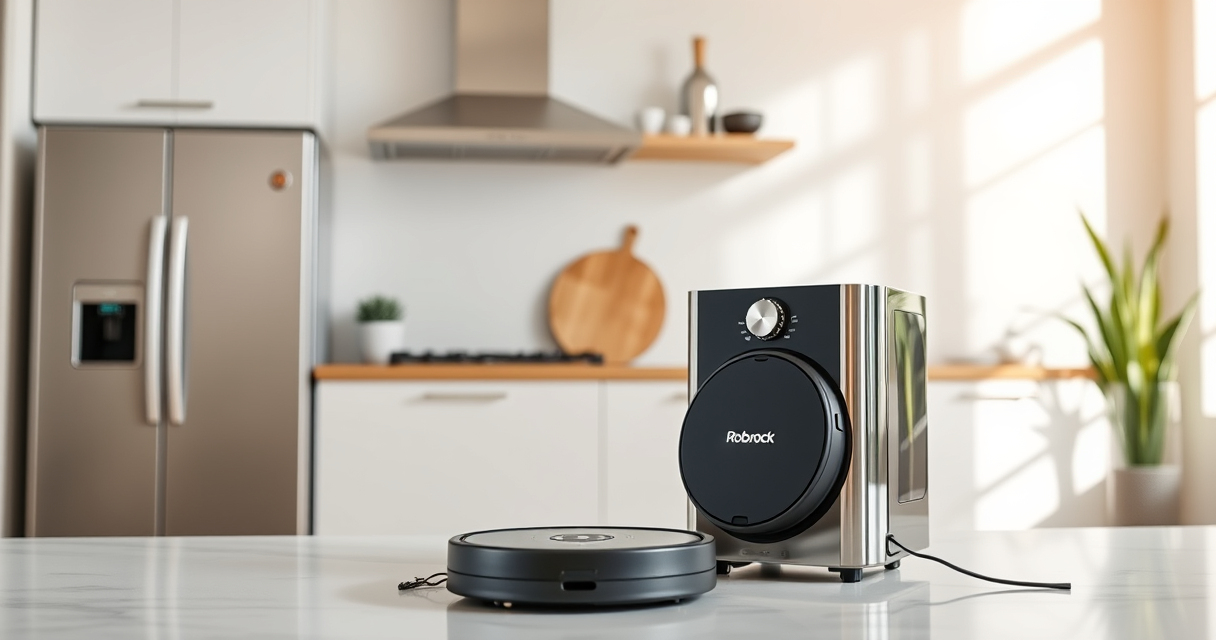
Roborock robot vacuums are prized for their powerful suction, advanced navigation, and low-maintenance design. However, regular upkeep is vital to keep your device running smoothly and to maximize its lifespan. Proper maintenance not only ensures thorough cleaning but also helps prevent common issues like poor suction or navigation errors.

Get home appliances delivered free with Prime
- Fast, free delivery on millions of items
- Prime Video, Amazon Music and more included
- Member-only deals all year
This comprehensive guide walks you through the essential maintenance steps for your Roborock Q7 M5+ Robot Vacuum and Mop, including cleaning components, replacing filters, troubleshooting common problems, and tips for safe operation. Whether you’re a new owner or looking to optimize your existing device, these practical steps will keep your Roborock performing at its best.
Key Takeaways
| Regular Cleaning | Keep brushes, sensors, and filters clean to maintain suction and navigation. |
| Filter Maintenance | Wash or replace filters every 1-3 months for optimal air quality and performance. |
| Battery & Charging | Ensure charging contacts are clean and avoid overcharging for longer battery life. |
| Troubleshooting | Identify common issues like navigation errors or poor suction early and resolve promptly. |
| Safe Handling | Always power off and unplug your device before maintenance to prevent damage or injury. |
Cleaning the Main Brush and Anti-Tangle System
- Power off your Roborock and remove it from the charging dock.
- Flip the device upside down to access the main brush area.
- Gently remove the main brush and clear away pet hair, string, or debris using a cleaning tool or scissors if necessary.
- Inspect the dual anti-tangle design, especially the JawScrapers, and remove any tangled hair or debris.
- Reinstall the main brush securely, ensuring it spins freely.
- Regularly check the brush for wear and replace if significantly worn out or damaged.
Cleaning Sensors and Navigation Components
- Use a soft, dry cloth or a microfiber cloth to gently wipe sensors, LiDAR, and camera lenses.
- Avoid using liquids or harsh chemicals that could damage sensitive parts.
- Clean the charging contacts on both the robot and dock to maintain optimal power connection.
- Perform this cleaning weekly or biweekly, especially if you notice navigation issues.
Replacing or Washing Filters
The Roborock Q7 M5+ features a sealed dust bag that can hold up to 2.7L of debris, reducing frequent emptying. However, filters still require regular care.
- Remove the dust compartment and take out the filter.
- If washable, rinse the filter under cold water and let it air dry completely before reinstalling.
- If using disposable filters, replace them every 1-3 months for best performance.
- Consider using a washable HEPA filter, such as the 4 Pack Washable Filter, for cost-effective, long-term maintenance.
Emptying and Maintaining the Self-Empty Dust Bin
The Q7 M5+ features a 2.7L sealed dust bag, which can last up to 7-9 weeks depending on usage. To maintain optimal suction and prevent odors:
- Check the dust bag periodically through the app or manually, especially after heavy cleaning sessions.
- Replace the dust bag when full to ensure the vacuum continues to operate efficiently.
- Clean the dust compartment and seals with a dry cloth to prevent dust buildup.
Troubleshooting Common Issues
If your Roborock Q7 M5+ encounters problems such as poor suction, navigation errors, or connectivity issues:
- Ensure the brushes and sensors are clean and free of obstructions.
- Reboot the device via the app or by pressing the power button.
- Check the app for software updates and install if available.
- Reset the device to factory settings if issues persist.
Consult the user manual or support resources for specific error codes or behaviors.
The Products in This Guide

roborock Q7 M5+ Robot Vacuum and Mop
- ✔ Model: Roborock Q7 M5+
- ✔ Battery: Long-lasting with up to 9 weeks capacity
- ✔ Dust Capacity: 2.7L sealed dust bag

4 Pack Washable Filter
- ✔ Pack Size: 4 filters
- ✔ Compatibility: Multiple Roborock models
- ✔ Washable: Yes
roborock Q7 M5+ Robot Vacuum and Mop
The Roborock Q7 M5+ offers powerful suction, an advanced navigation system, and a large self-emptying dust bag, making it a top choice for busy households. Its dual anti-tangle system and app control simplify maintenance and daily operation.
Pros:
- Powerful 10,000Pa suction for pet hair and debris
- Up to 7-9 weeks of self-emptying capacity
- PreciSense LiDAR navigation for precise cleaning
- App control for scheduling and monitoring
Cons:
- Initial setup can be complex for new users
- Replacement filters and accessories add ongoing costs
- Mopping performance may require regular mop pad replacement
Best for: Pet owners and busy households needing reliable, low-maintenance cleaning
Not ideal for: Users seeking ultra-quiet operation or very deep cleaning on heavy carpets
Bottom line: A highly effective robot vacuum that reduces daily maintenance with its self-emptying system and powerful cleaning features.
4 Pack Washable Filter
This 4-pack of washable HEPA filters is a great accessory for maintaining your Roborock Q7 M5+, ensuring clean air and optimal suction without frequent filter replacements.
Pros:
- Economical 4-pack for long-term savings
- Compatible with multiple Roborock models
- Easy to wash and reuse
- Maintains strong suction and air quality
Cons:
- Filters need thorough drying before reuse
- Not OEM, but performance matches original filters
- Requires regular cleaning to prevent clogging
Best for: Users wanting to reduce ongoing filter costs and maximize filtration performance
Not ideal for: Those seeking OEM-certified filters for guaranteed compatibility
Bottom line: A cost-effective solution for maintaining optimal filter performance and air quality.
Frequently Asked Questions
How often should I clean the main brush?
It’s recommended to clean the main brush every 1-2 weeks, especially if you have pets, to prevent tangling and maintain suction efficiency.
Can I wash the filters?
Yes, washable filters can be rinsed under cold water, but they must be completely dry before reinstalling to prevent mold or damage.
What should I do if the vacuum stops charging?
Check the charging contacts for dust or debris, clean them gently, and ensure the charging dock is functioning properly. Reboot the device if needed.
How do I troubleshoot navigation errors?
Clean the sensors and LiDAR, remove any obstacles from the path, and reset the device if navigation issues persist.
When should I replace the dust bag?
The self-emptying dust bag can last 7-9 weeks, but check regularly via the app or manually, and replace when full for optimal operation.
Keep Your Roborock Running Like New
Regular maintenance is key to ensuring your Roborock Q7 M5+ remains a reliable and efficient cleaning companion. By following these simple steps—cleaning brushes, filters, sensors, and troubleshooting issues—you can extend its lifespan and enjoy consistently clean floors. Remember, a well-maintained robot vacuum not only performs better but also saves you time and money in the long run. Stay proactive with your upkeep, and your Roborock will serve you effectively for years to come.
Affiliate disclosure: As an Amazon Associate we earn from qualifying purchases. Prices and availability are accurate as of the time of publishing.
NFL season / tailgating Picks
team gear
As an affiliate, we earn on qualifying purchases.