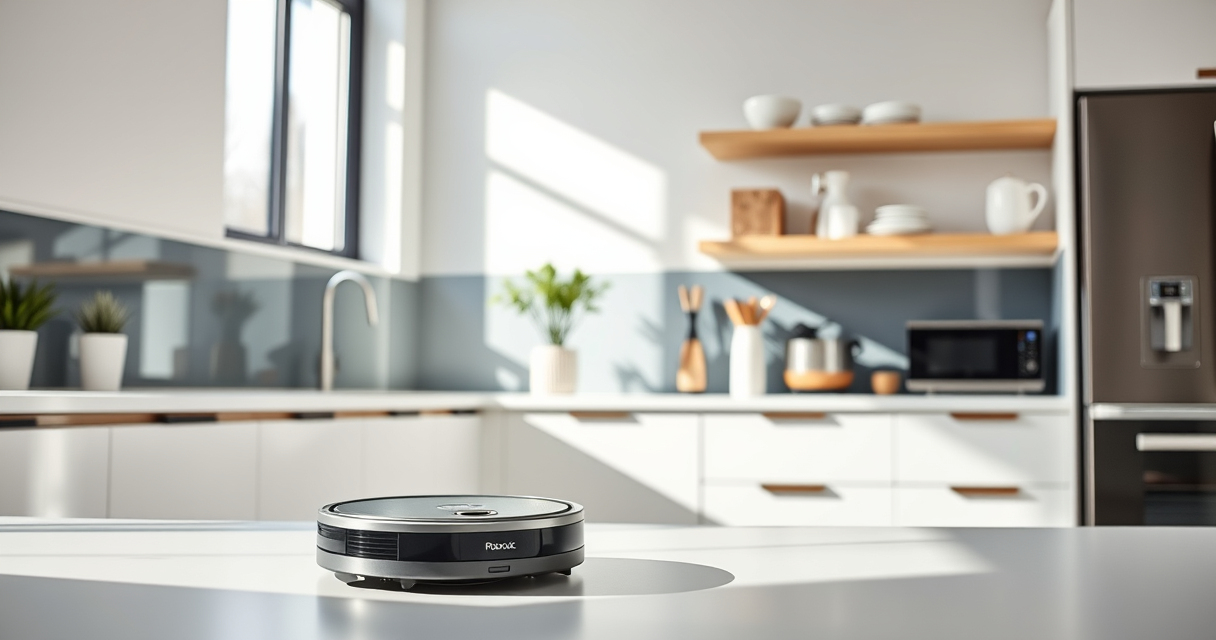
Getting your new Roborock Q7 M5+ robot vacuum ready for its first cleaning cycle is straightforward but requires attention to detail to ensure safety and optimal performance. This guide walks you through the essential steps, from unboxing to initial setup, so you can enjoy a cleaner home with minimal hassle.

Get home appliances delivered free with Prime
- Fast, free delivery on millions of items
- Prime Video, Amazon Music and more included
- Member-only deals all year
Whether you’re a first-time robot vacuum user or upgrading from an older model, these instructions will help you set up your device correctly and troubleshoot common issues, ensuring your Roborock operates smoothly and efficiently.
Key Takeaways
| Ease of setup | Simple, step-by-step instructions for quick installation |
| Optimal performance | Proper initial setup enhances cleaning efficiency and device longevity |
| Safety first | Important warnings to prevent damage or accidents during setup |
| Maintenance tips | Guidance on filters, mop pads, and emptying for consistent cleaning |
Unboxing and Preparing Your Roborock Q7 M5+
- Carefully remove your Roborock Q7 M5+ from the box, checking that all components are present: the vacuum unit, charging dock, power adapter, and accessories like mop pads or filters if included.
- Place the charging dock on a flat surface against a wall with at least 1.5 meters clearance on each side and 2 meters in front for unobstructed docking.
- Connect the power adapter to the dock and plug it into a power outlet. Allow the dock to charge briefly before the first setup.
- Ensure the area around the dock is clear of obstructions, cords, or furniture to facilitate easy docking and undocking.
Preparing your space and components properly sets the foundation for smooth operation and prevents setup delays.
Installing the App and Connecting Your Device
- Download the Roborock app compatible with your device from the App Store or Google Play.
- Create or log in to your account, then turn on Bluetooth and location services for seamless connection.
- Power on the Roborock Q7 M5+ by pressing the power button. Open the app and follow the prompts to add a new device.
- Select ‘Roborock Q7 M5+’ from the device list. The app will guide you through connecting the vacuum to your Wi-Fi network—preferably 2.4 GHz for stability.
- Once connected, customize your cleaning preferences, such as scheduling, suction power, and mop settings.
Connecting via app allows remote control, scheduling, and firmware updates, enhancing your cleaning experience.
Initial Setup: Adjusting Settings and Preparing the Vacuum
- Attach the self-emptying dust bag to the vacuum if not pre-installed, ensuring it is securely fitted to handle up to 7-9 weeks of debris.
- Install any mop pads if you plan to use the mopping feature. For the Q7 M5+, compatible microfiber mop pads are available and should be washed before first use.
- Check and replace filters if necessary. A 4-pack washable filter set (asin=B0DK99HTQ7) is recommended for ongoing maintenance.
- Place the vacuum on the dock to initiate charging and allow the device to fully charge before the first cleaning cycle.
Proper initial adjustments ensure optimal cleaning, prolonged device life, and ease of use.
Running Your First Cleaning Cycle & Troubleshooting Tips
- Open the app, select your device, and choose the ‘Start’ or ‘Clean’ option. Confirm your cleaning preferences, such as suction level and mop activation.
- The robot will perform a quick self-check and begin cleaning. Make sure the area is clear of small objects or cords.
- If the vacuum gets stuck or encounters obstacles, consult the app’s troubleshooting section or reset the device by turning it off and on again.
- Regularly check the dust bag and filter, especially after heavy pet hair or dirt accumulation, to maintain suction power.
Following these steps ensures your Roborock Q7 M5+ operates efficiently from the first run, reducing the need for frequent troubleshooting.
Maintenance and Safety Tips for Long-Term Use
- Empty the self-emptying dust bag when full to maintain suction and prevent odors. The 2.7L capacity allows for up to 7-9 weeks of use without needing to empty frequently.
- Wash and replace mop pads regularly—every 1-3 months—to keep mopping effective and prevent bacteria buildup.
- Clean the sensors and charging contacts periodically with a soft cloth to ensure consistent navigation and docking.
- Use only recommended filters and accessories, like the washable HEPA filters, to avoid damage and preserve warranty coverage.
Consistent maintenance maximizes your vacuum’s lifespan and cleaning performance, making your investment worthwhile.
The Products in This Guide

roborock Q7 M5+ Robot Vacuum and Mop
- ✔ Weight: 4.2 kg
- ✔ Charging Time: About 4 hours
- ✔ Mopping: Supported with mop pads

4 Pack Washable Filter
- ✔ Weight: Approx. 50g per filter
- ✔ Dimensions: Approx. 50mm x 50mm x 10mm
- ✔ Material: HEPA filter media
roborock Q7 M5+ Robot Vacuum and Mop
The Roborock Q7 M5+ offers powerful suction of 10,000Pa, a self-emptying dust bag, and advanced navigation, making it a top choice for pet owners and busy households.
Pros:
- Powerful 10,000Pa suction
- Up to 7-9 weeks of self-emptying
- PreciSense LiDAR navigation
- App control with scheduling
Cons:
- Requires initial Wi-Fi setup
- Mop pads need regular washing
- Self-emptying dock is bulky
Best for: Pet owners, busy families, homes with carpets and hard floors
Not ideal for: Users seeking a lightweight, portable device or minimal maintenance
Bottom line: A powerful, convenient robot vacuum ideal for pet households and busy homes.
4 Pack Washable Filter
A 4-pack of washable HEPA filters designed for your Roborock, ensuring effective filtration and easy maintenance. Keeps your vacuum performing at its best.
Pros:
- Effective HEPA filtration
- Reusable and washable
- Easy to install
- Compatible with multiple models
Cons:
- Additional cost for replacement filters
- Must be washed regularly
- Not OEM but highly compatible
Best for: Maintaining clean air and prolonging filter life
Not ideal for: Users seeking disposable filters only
Bottom line: A cost-effective way to keep your vacuum’s filtration system in top shape.
Frequently Asked Questions
How do I connect my Roborock Q7 M5+ to Wi-Fi?
Download the Roborock app, create an account, turn on Bluetooth and location services, then follow the app prompts to add and connect your device to your home Wi-Fi network.
Can I use the mopping feature immediately after setup?
Yes, but make sure you attach the mop pads and fill the water tank as instructed. It’s recommended to run a test clean first to ensure proper operation.
How often should I replace or wash the filters?
Wash the washable filters every 2-3 months or when visibly dirty. Replace filters every 6-12 months for optimal filtration performance.
What should I do if the vacuum gets stuck or doesn’t dock?
Check for obstacles, clean the sensors and charging contacts, and ensure the dock is unobstructed. Restarting the device via the app can also resolve minor glitches.
Is the self-emptying feature safe for pets and children?
Yes, the sealed dust bag minimizes exposure to dust and allergens, making it safe for households with pets and children. However, handle the dust bag carefully during emptying.
Getting Your Roborock Q7 M5+ Ready for Action
With these straightforward steps, your Roborock Q7 M5+ is now set up and ready to keep your floors spotless. Proper initial installation, app connection, and regular maintenance will ensure your device performs at its best for years to come. Enjoy the convenience of automated cleaning, especially if you have pets or busy schedules.
Remember to perform periodic checks and updates through the app to optimize performance and longevity. A well-maintained robot vacuum can significantly reduce your household chores, giving you more time to relax and enjoy your clean home.
Affiliate disclosure: As an Amazon Associate we earn from qualifying purchases. Prices and availability are accurate as of the time of publishing.
Fall yard work Picks
leaf blowers
As an affiliate, we earn on qualifying purchases.