
TL;DR

Get home appliances delivered free with Prime
- Fast, free delivery on millions of items
- Prime Video, Amazon Music and more included
- Member-only deals all year
Smart home security cameras deter break-ins, capture evidence and let you check on your home remotely, but the real decision is about placement, storage and subscriptions — not megapixels. A visible camera at your front door, strong passwords with two-factor authentication, and a storage plan (local or cloud) that fits your budget will protect you better than any premium feature. Expect $3–$10/month for cloud plans, or no subscription at all with local storage brands like Eufy, Wyze or Reolink.
A burglar casing your street is making a two-second calculation: which house looks like trouble? Research from the University of North Carolina, based on interviews with convicted burglars, found that most would walk past a home with a visible camera or alarm sign and pick an easier target [1]. That dull little dome above your doorbell is doing more work than you think.
But buying a smart home security camera in 2025 is confusing. Should you get a doorbell cam, a wire-free outdoor unit, or a floodlight monster? Do you really need a $10/month subscription? And after the Wyze and Eufy security incidents of the past few years — can you trust any of these companies with a live feed of your living room?
This guide answers all of it. You’ll learn which camera type fits each spot around your house, which features actually matter, how local vs. cloud storage compares in real dollars, and how to lock down your system so it doesn’t become someone else’s peephole.
Cover three locations first — front door, back door, driveway — before adding cameras anywhere else; these are the routes burglars actually use.
Local storage (SD card or encrypted hub) costs $15–$200 one-time versus $110–$360+ for three years of cloud subscriptions — brands like Eufy, Wyze and Reolink…
Smart motion zones and AI person detection cut false alerts more than any resolution upgrade; 2K is the sweet spot, 4K is overkill for most homes.
Ten minutes of setup — unique password, 2FA, auto firmware updates — prevents nearly all camera hacking; the Wyze incidents came from misconfiguration, not mag…
Check audio recording laws and camera angles before installation: pointing cameras at neighbors’ property or recording audio can violate wiretapping statutes i…
Why a Visible Camera Beats a Fancy Camera
Smart security cameras work in two ways: they deter crime before it happens and they provide evidence when it does. Understanding which of these you’re actually buying for changes everything about how you shop — because the two jobs reward completely different specs.
Deterrence is the underrated half, and it’s also the half money can’t improve. Burglars interviewed by UNC researchers consistently said visible cameras, alarms and dogs pushed them toward other houses — and crucially, the footage quality never even came up [1]. A burglar evaluating your house from the sidewalk can’t tell 2K from 4K, can’t tell a $60 camera from a $300 one. What they see is a camera. This is why spending up on resolution for deterrence is wasted money: the deterrence value of any visible camera is essentially identical, so the rational move is to cover more entry points with cheaper cameras rather than fewer points with premium ones.
The evidence half is where specs matter — but only after the fact. When a package thief grabs your delivery at 2 p.m., a 1080p clip with clear facial detail is what police can actually use. A grainy smear of a hoodie is not. The catch is that evidence quality is determined by distance and lighting far more than by the number on the box. A 4K camera pointed at a dark driveway forty feet from the street still won’t read a plate; a 2K camera six feet from your porch will. Which means the spec that actually protects your evidence value is placement, not resolution.
Then there’s the everyday value nobody puts on the box, and honestly, it’s what most owners end up using daily: checking whether you closed the garage door from your office, watching the dog, confirming that the “strange noise” was just a raccoon with zero respect for your trash cans. If a camera prevents one panicked drive home or one unnecessary police call, it has paid for itself in peace of mind alone.
My neighbor caught a hit-and-run driver with his $60 doorbell camera — the car’s plate was legible in the clip, and the driver was identified within a week. That single clip paid for the camera ten times over. Notice what made it work: not the camera’s price, but the fact that it was mounted where things actually happen — the street-facing edge of the porch, at plate height.
The takeaway: mount cameras where they can be seen. A hidden camera catches criminals after the damage; a visible one prevents the damage. The first job is worth more, and it costs nothing extra.
Which Camera Type Fits Each Spot Around Your Home
Smart home security cameras come in six main types, and each solves a different problem. The mistake most buyers make is choosing a camera first and then figuring out where to put it — which is backwards. The location dictates power availability, wiring constraints, weather exposure and what the camera needs to see, so match the type to the location, not the other way around.
- Doorbell cameras (Ring, Nest Doorbell, Eufy) — the most popular entry point into smart security, and for good reason: the front door is the single most-trafficced entry point for both burglars and package thieves. Catches package thieves and lets you talk to visitors from anywhere. The tradeoff: doorbells sit low and close to the street, so they excel at faces and packages but struggle with wide driveways. Best for: front door.
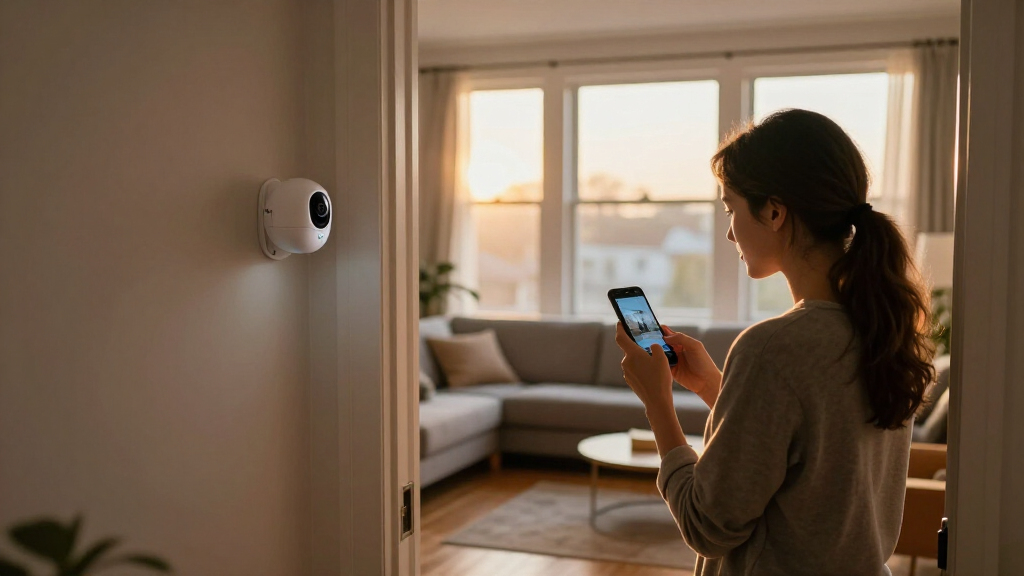
- Indoor cameras — great for baby monitoring, pet watching and checking in on caregivers. The tradeoff is privacy, not performance: an indoor camera is a camera in your home, pointed at your life. Look for physical privacy shutters, and think hard about which rooms you actually want on the record. Best for: nursery, living room.
- Outdoor wired cameras — reliable power means continuous recording, which matters because event-based cameras only capture clips when motion triggers — and triggers fail. A delivery, a scammer or an animal that approaches slowly or outside detection zones simply won’t be recorded on a battery camera. Weatherproofed with IP65/IP66 ratings (the difference matters: IP65 handles rain, IP66 handles directed jets). Best for: eaves and exterior walls with existing wiring.
- Wire-free battery cameras — mount anywhere, recharge every 2–6 months. That flexibility is real, but understand the cost: to save battery, these cameras sleep, record only short event clips, and often lock their smartest AI features behind subscriptions. Expect shorter battery life — weeks, not months — in freezing weather and high-traffic areas. Best for: renters, fences, sheds, anywhere without power.
- Floodlight cameras — camera plus blinding LED lights in one unit. The pairing is smarter than it looks: the light makes the camera’s night footage usable (color instead of grainy IR) and doubles the deterrence, since sudden light is itself a strong “you’ve been noticed” signal. Requires wiring, so budget for an electrician if you don’t have an existing fixture. Best for: dark driveways and side yards.
- Pan-tilt-zoom (PTZ) cameras — one camera covers a wide arc, which sounds efficient but carries a hidden flaw: a PTZ camera can only look one direction at a time. If it’s panned left when something happens right, you miss it. Treat PTZ as a supplement to fixed cameras, not a replacement. Best for: wide coverage of large backyards where multiple fixed cameras aren’t practical.
Here’s a quick rule of thumb: front door, back door, driveway. Cover those three and you’ve handled the routes burglars actually use — police data consistently shows most break-ins come through these entries, with the front door alone accounting for roughly a third. Ground-floor windows come next if your budget allows, prioritizing any window hidden from the street by bushes or a fence, since concealment is what burglars value most.
Renter? Skip the drilling entirely. A wire-free camera with adhesive mounting and a peephole or No-Drill doorbell gets you full coverage — and it moves with you. The implication is worth spelling out: renting shifts the whole calculus toward wire-free gear even though it’s slightly worse at evidence capture, because a security deposit and a landlord’s permission are constraints just as real as weather and wiring.
6 Features Worth Paying For (and 3 You Can Skip)
Smart home security cameras all advertise the same spec sheet, but only a handful of features change your day-to-day experience. The pattern behind the list below: features that reduce noise and eliminate dependency are worth money; features that inflate raw specs mostly aren’t. Here’s why each one earns its price.
- Smart motion zones — tell the camera to ignore the street and watch only your porch. Picture a common scenario: your camera faces a porch fifteen feet from a quiet suburban road, and every passing car triggers a 20-second clip. By day three you’ve gotten 60 alerts, zero of them useful — and by day ten you’ve muted notifications entirely, at which point the camera is a decoration. Drawing a zone around just the porch steps cuts those alerts by 80% or more, and the implication is bigger than convenience: alert fatigue is what kills home security systems. Zones are what keep you actually paying attention. Eufy and Reolink offer robust zone configuration even on sub-$100 cameras.
- AI person/vehicle/animal detection — you get pinged for a person, not every passing squirrel or shadow. This is the same anti-fatigue principle one level up: instead of filtering by area, the camera filters by what’s in the area. Real example: a delivery driver walks up your driveway — with dumb motion detection, the branches swaying behind him trigger the clip too, and the app labels it “Motion.” With AI detection, the notification says “Person detected at front door,” and you know instantly whether it’s the UPS guy or a stranger. Google Nest’s familiar-face and vehicle alerts and Ring’s Person Alert are the benchmarks here. Caveat: the best AI detection is often locked behind subscriptions — check before buying, because “supports AI detection” and “includes it free” are very different products. Eufy’s local AI detection, which runs on the hub with no monthly fee, is the notable exception.
- 2K resolution — 1080p is fine for doorbells, but 2K gives you readable plates and faces at distance. Think of it in pixels-per-foot terms: identification needs roughly 80 pixels across a face or plate to be useful to police. At 1080p, a face stops being identifiable at about 8–10 feet; at 2K, you get that clarity at 15–20 feet — the difference between “someone in a hoodie” and “this specific person” when the camera is mounted on a second-story eave. It’s now standard at mid-range prices (Reolink and TP-Link both ship 2K cameras under $60), so this is rarely a costly upgrade.
- Color night vision — infrared gives you grayscale ghosts; color night vision captures the actual color of a car or jacket. Imagine reporting a hit-and-run to police: “a dark sedan, maybe gray or blue” from an IR clip is nearly useless, while “a maroon Honda Civic, early 2010s model” from a color-night-vision clip narrows the suspect pool enormously. Wyze’s Color Night Vision and Ring’s low-light color mode both pull this off using a sensitive sensor plus a small spotlight — a real tradeoff on battery cameras where the light drains the cell.
- Two-way audio — “Leave the package” spoken through your doorbell is remarkably effective. A concrete case: a friend watched a courier start to walk a package back to the truck for a “failed delivery” and said through the doorbell, “You can leave it — thank you!” — package delivered, no trip to the depot. The same mechanism works on intruders: a voice from an empty house signals the property is monitored in real time, not just recorded after the fact. It also handles legitimate traffic — delivery instructions, telling the dog sitter you’ll be late — that would otherwise go through a note taped to the door.
- Local storage option — an SD card or hub means no mandatory subscription. This is less a feature than an exit strategy. Consider what happened to Arlo users when the company ended its free 7-day cloud storage on older cameras: owners who had no local option had to start paying or lose their camera’s history entirely. A camera with an SD card slot — like the Reolink Argus series or Eufy SoloCam — keeps recording and keeps you owning your footage if you cancel a plan or the company changes pricing, gets acquired, or shuts its cloud down. Cameras with no local option are, functionally, cameras with a permanent rental fee.
What you can skip — and why: 4K (identification is solved at 2K for typical mounting distances, and 4K quadruples storage and upload bandwidth for marginal gain — it’s like buying a telescope to read a street sign across the room), facial recognition (genuinely creepy to houseguests — imagine your friend’s phone buzzing with “Dave is at your door” when Dave never agreed to be in a database — legally messy in some states, and its practical value rarely matches its privacy cost), and 180-degree field of view (the fisheye distortion makes faces at the edges look like a funhouse mirror reflection — you bought a wide view of things you can’t identify).
Bandwidth note: each streaming camera uses roughly 1–2 Mbps of upload. A concrete scenario: four cameras on a DSL line with 5 Mbps upload will choke your video calls every time an event triggers — your Zoom meeting freezes the moment the mail carrier walks up the driveway. Cloud cameras that record continuously or upload every event hit your upload pipe constantly, not just when you check the feed. Check your upload speed (not download — they’re different, and upload is usually the smaller number) before buying a fleet.
Local vs. Cloud Storage: What You’ll Actually Pay Over 3 Years
Smart home security camera storage splits into two camps: local (SD card or hub at your house) and cloud (footage stored on company servers). Cloud plans typically run $3–$10 per camera per month, or around $20+/month for multi-device plans, usually with a 30-day rolling history [1]. Local storage costs nothing after the hardware.
The difference compounds fast, and this is the number most buyers never run. A $70 cloud-free camera with a $20 SD card costs $90 total, forever. A $70 camera on a $4/month plan costs $214 over three years — for the same footage. Now scale it: a four-camera system on cloud plans can cost $500–$1,400 more over three years than the identical setup on a local hub. At that point you’re not choosing a storage plan; you’re choosing between a storage plan and a whole extra subsystem of your home — and the subscriptions never end, while the hub is a one-time buy.
| Storage Type | Upfront Cost | 3-Year Cost | Best For |
|---|---|---|---|
| Cloud (per camera) | $0–50 | $110–360+ | Anyone who wants zero maintenance |
| Local (SD card) | $15–30 | One-time | Budget setups, privacy-focused users |
| Local hub (e.g., Eufy HomeBase, Arlo SmartHub) | $100–200 | One-time | Multi-camera homes, encrypted storage |
| Hybrid | Varies | Varies | Local backup + cloud for critical clips |
But the price tag is only half the decision — the tradeoffs are physical and architectural. Local storage’s fundamental weakness is that it lives where the crime happens. A thief can steal or smash your camera, pull the SD card, or take the hub; if the evidence was only stored at the scene, it’s gone with the scene. Cloud footage survives anything done to your property — fire, theft, vandalism — because it lives somewhere else. That resilience is what you’re actually renting, and it’s why cloud isn’t simply a rip-off: for some homes, remote survivability is worth $4/month.
Cloud’s mirror-image weakness is trust. Your footage exists on servers you don’t control, secured by practices you can’t audit, and Eufy’s 2022–2023 incident — where unencrypted streams were exposed despite the company’s privacy-first marketing — showed exactly what happens when that trust breaks [1]. The deeper lesson isn’t “avoid Eufy”; it’s that any company’s privacy promises are only as good as their current engineering, and companies change, get breached, or get acquired. Encryption on your own hardware is verifiable; encryption on someone else’s is a press release.
The market has responded to both pressures. Brands like Wyze, Eufy and Reolink now offer encrypted local hubs and more features without mandatory subscriptions, because subscription fatigue is real. The practical synthesis for most homes: local hub as the base, cloud only if theft-of-evidence is a genuine risk for you — a visible camera in a high-traffic area, or a home that’s unoccupied for long stretches.
Stop Your Camera From Watching You Back
Smart home security cameras get hacked — but the mechanics matter, because they tell you where the defense is. Almost none of these breaches involve a clever attacker “breaking in”; they involve weak passwords and outdated firmware, meaning the attacker simply logged in with credentials that were already circulating or exploited a hole the manufacturer had already patched. The Wyze incidents of 2023–2024, where thousands of users were briefly able to see into strangers’ cameras, were a loud wake-up call about cheap-camera tradeoffs [1] — and specifically about what corners get cut on budget hardware: slower security response, thinner testing, weaker defaults.
The good news is the mirror image of the bad news: if hacks happen through misconfiguration, then configuration is the fix. Ten minutes of setup work prevents almost all of it.
- Change the default password immediately — use a unique 16+ character password from a password manager. Default and reused passwords are in massive breach lists that attackers run against camera services automatically; a unique long password makes your account unprofitable to attack.
- Turn on two-factor authentication (2FA) — every major brand supports it; it blocks stolen-password attacks entirely, because a leaked password alone is no longer enough to log in. This is the single highest-value step on the list.
- Enable auto firmware updates — patches are how companies close the holes attackers use, and most camera breaches exploit bugs that were fixed months earlier on devices that never updated. Automatic updates trade a tiny bit of control for never being the low-hanging fruit.
- Put cameras on a guest network — this is compartmentalization: if another device on your main Wi-Fi gets compromised, the attacker can’t pivot to your cameras (or through your cameras to everything else). It costs nothing and limits the blast radius of any single breach.
- Physically cover or angle indoor cameras when you’re home — many have privacy shutters; use them. Firmware can fail, accounts can be breached, but a physical shutter works regardless. For cameras without one, pointing it at the entryway instead of the couch is the poor man’s version.
Privacy-minded beyond passwords? Apple HomeKit Secure Video offers end-to-end encrypted footage even Apple can’t view, and works with cameras from Logitech, Aqara and others. The architectural point is what makes it strong: encryption happens on your device before footage ever leaves your house, so there is nothing readable to leak from a server. It’s the strongest mainstream privacy option if you’re in the Apple ecosystem — the tradeoff being fewer camera choices and an iCloud+ subscription requirement.
And check the law before you point that lens around, because privacy law doesn’t care about your intent. Recording your own property is generally legal, but aiming a camera at a neighbor’s yard, a public sidewalk, or recording audio can run into wiretapping statutes that vary by state — in some states, recording a conversation without consent is a crime even if it happens on your own porch, and several people have been prosecuted over doorbell audio of arguments in the street. When in doubt, angle down and mute the mic. The principle: video of your property is your business; audio of other people’s conversations and video of their property often isn’t, and “I didn’t know” has never been a defense.
Make It Talk to Your Smart Speaker (or Don’t)
Smart home security cameras work best when they plug into the ecosystem you already use: Amazon Alexa, Google Home or Apple HomeKit. Integration means live feeds on your Echo Show or Nest Hub, announcements when someone’s at the door, and routines like “turn on floodlight when a person is detected.” Why that last one matters: routines turn your security devices from passive recorders into an active system — a floodlight that fires on its own when someone approaches is a deterrent that reacts in real time, no alert-checking required.
Buy within your ecosystem to avoid frustration, and understand the reason the frustration exists: camera makers and platform owners both want you locked in, so first-party pairings (Ring+Alexa, Nest+Google) get features months or years before competitors do — and sometimes competitors never get them at all. A Ring doorbell plays beautifully with Alexa but is awkward with Google; Nest is the reverse. If you use iPhone and care about privacy, HomeKit Secure Video is worth building around — it’s the only mainstream option where your footage is encrypted end-to-end before it leaves your house, which changes the trust equation entirely.
The newer Matter standard is slowly reaching cameras after rolling out across lights and locks, promising cross-brand compatibility [1]. It’s promising but not yet something to bet a purchase on — camera support arrived later and thinner than other device categories, and “Matter-certified” still doesn’t guarantee every feature works across every platform. Check current compatibility for the specific camera-and-app pairing you’ll actually use; don’t assume it.
And no, you don’t need any smart speaker. Every camera works fine as a standalone device through its own app. Ecosystems add convenience — hands-free viewing, announcements, routines — but not capability, and each integration is another data-sharing relationship to weigh. If your priority is a small privacy footprint, the standalone-camera route is legitimately the more private one: fewer platforms holding your feed, fewer companies in the chain.
Frequently Asked Questions
Are wireless or wired security cameras better?
Wired cameras are more reliable: continuous recording, no recharging, no dead batteries in a cold snap. Wireless cameras win on installation — mount them anywhere in minutes with no drilling or electrician. Choose wired for permanent placements like eaves and driveways; choose wire-free for renters, fences and sheds. Battery performance drops in freezing weather, so northern-climate outdoor cams do better wired or paired with a solar panel.
Can smart security cameras be hacked?
Yes, but almost always through weak passwords or outdated firmware — not sophisticated attacks. The Wyze incidents of 2023–2024 exposed thousands of camera feeds and pushed the industry toward better defaults. Protect yourself with a unique 16+ character password, two-factor authentication, and automatic firmware updates. Those three steps block the vast majority of real-world camera compromises.
Do I need a subscription for a security camera to work?
No. Brands like Eufy, Wyze and Reolink offer cameras with local SD card or hub storage that record and play back footage with no monthly fee. Subscriptions ($3–$10/month per camera) typically buy cloud storage, longer video history (30+ days), and smarter AI alerts. Skip the subscription if you’re comfortable checking clips yourself; pay for it if you want footage to survive camera theft or vandalism.
How much internet bandwidth do security cameras use?
Expect roughly 1–2 Mbps of upload bandwidth per streaming camera. A four-camera system may need 4–8 Mbps of consistent upload — usually fine on cable or fiber, but a real constraint on DSL or satellite connections. Event-based recording uses far less than continuous streaming, and you can lower resolution or restrict streaming to when you’re away to reduce load.
How many security cameras do I need for my home?
Most homes are well covered with three to four cameras: front door, back door, driveway, and any ground-floor window blind spots. A doorbell camera handles the front door; a floodlight or wired camera covers the driveway; a wire-free unit watches the back. Start with two, see what your blind spots actually are, and expand only where your footage shows gaps.
Conclusion
Buy for placement, storage and habits — not spec sheets. A $60 wire-free camera with smart zones, local storage and a strong password at your front door protects you better than a $300 flagship pointed the wrong way with “password123” as the login.
Start with one camera at your front door this weekend. Live with it for a month, learn what alerts you actually care about, then expand. The best security system isn’t the biggest one — it’s the one you’ll actually keep running.
Halloween Picks
halloween
As an affiliate, we earn on qualifying purchases.