Choosing the right smart home hub determines how seamlessly your devices communicate and how much control you retain over your data. The Homey Pro (2026) stands out as the best overall pick for its unmatched protocol support, handling everything from Zigbee to Matter without relying solely on the cloud. For those deeply embedded in Amazon’s ecosystem, the Amazon Echo Hub (Newest Model) offers the most intuitive voice-first experience with a dedicated control panel. However, buyers face a fundamental tradeoff between ease of use and local privacy; cloud-dependent hubs simplify setup but often lag during internet outages, while local-first options like Home Assistant Green require more technical patience. This guide breaks down the top contenders to help you match a hub to your specific automation needs and technical comfort level.

Get home appliances delivered free with Prime
- Fast, free delivery on millions of items
- Prime Video, Amazon Music and more included
- Member-only deals all year
Complete the kit



Key Takeaways
- Local processing hubs like Home Assistant Green and Hubitat Elevation offer superior reliability during internet outages compared to cloud-based alternatives.
- Matter compatibility is no longer a future promise but a standard requirement; hubs lacking Matter support limit future device integration.
- Display-centric hubs like the Echo Show 21 prioritize interface over raw connectivity strength, often requiring additional bridges for Zigbee devices.
- The Homey Pro remains the only consumer hub with native support for almost every major radio protocol, including Thread and Z-Wave Plus.
- Budget-friendly options like the Tapo H200 are excellent for single-brand ecosystems but fail to bridge cross-protocol devices effectively.
| Echo Show 5 (newest model) – Smart Display, Cloud Blue |  | Best for Alexa Glanceable Control | Display: 5.5-inch touchscreen | Camera: 2 MP | Voice assistant: Alexa | VIEW LATEST PRICE | See Our Full Breakdown |
| Tapo H500 Smart Home Hub | 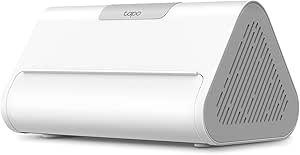 | Best for Tapo Camera and Sensor Management | Compatible devices: Up to 16 Tapo cameras and 64 Tapo Sub-1G devices | Continuous recording: Up to 4 cameras | Built-in storage: 16GB | VIEW LATEST PRICE | See Our Full Breakdown |
| Hubitat Elevation C-8 Pro Smart Home Hub – Z-Wave Zigbee Matter |  | Best for Local Automation Control | Model: C-8 Pro | Protocols: Matter 1.5, Z-Wave 800 Series, Zigbee 3.0, Bluetooth | Dimensions: 2.95 x 3.23 x 0.67 inches | VIEW LATEST PRICE | See Our Full Breakdown |
| Aeotec Smart Home Hub with SmartThings, Matter, Z-Wave, and Zigbee |  | Best for SmartThings Households | Model: V3 Smart Home Hub (2020) | Model number: GP-AEOHUBV3US | Connectivity: Ethernet, Wi-Fi, Z-Wave, Zigbee, Matter | VIEW LATEST PRICE | See Our Full Breakdown |
| Homey Pro (2026) Smart Hub for Home Automation – Features Z-Wave Plus, Zigbee, Wi-Fi, BLE, Infrared, Matter & Thread, Compatible with Siri, Alexa & Google Home |  | Best for Broad Protocol Coverage | Connectivity protocols: Bluetooth, infrared, Matter, Wi-Fi, Z-Wave, Zigbee; Thread is also listed in the product description | Compatible voice assistants: Siri, Alexa, Google Home | Operation: Local-first processing, according to the product description | VIEW LATEST PRICE | See Our Full Breakdown |
| Aeotec Smart Home Hub 2 V4 |  | Best for SmartThings Loyalists | Model: V4 – Smart Home Hub 2 (2025) | Connectivity: Wi-Fi, Ethernet | Supported Protocols: Matter, Zigbee, SmartThings | VIEW LATEST PRICE | See Our Full Breakdown |
| eufy Smart Display E10 |  | Best Dedicated Security Monitor | Manufacturer: eufy | Part Number: T87A0 | Storage Capacity: 64GB | VIEW LATEST PRICE | See Our Full Breakdown |
| Amazon Echo Hub (Newest Model) |  | Best All-Rounder for Alexa Homes | Screen Size: 8 inches | Connectivity: WiFi, Bluetooth, Zigbee, Matter, Sidewalk, Thread | Mounting: Wall mountable, table-top compatible | VIEW LATEST PRICE | See Our Full Breakdown |
| Tapo H200 Smart Hub with Built-In Chime | 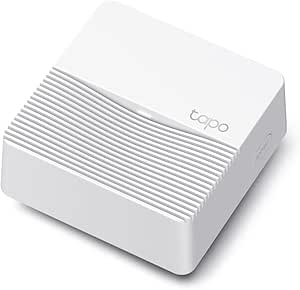 | Best Value for Tapo Ecosystem | Device capacity: Up to 64 switches, sensors, or buttons plus 4 cameras | Connectivity: Wireless; 2.4 GHz Wi-Fi required | Wireless protocol: Sub-1G low-power wireless | VIEW LATEST PRICE | See Our Full Breakdown |
| Home Assistant Green Smart Home Hub |  | Best for Advanced Automation | Brand: Nabu Casa | Operating system: Home Assistant OS | Processor: Quad-core | VIEW LATEST PRICE | See Our Full Breakdown |
| Amazon Echo Show 15 (2nd Gen) |  | Best for Family Organization | Display: 15.6-inch, 1920 x 1080 resolution | Dimensions: 16.1 x 10.1 x 1.4 inches | Weight: 4.96 lb | VIEW LATEST PRICE | See Our Full Breakdown |
| Amazon Echo Show 11 |  | Best Balanced Smart Display | Display: 10.95-inch Full HD touchscreen, 1920 x 1200 | Dimensions: 10 x 5 x 7.2 inches | Weight: 1302 g (45.92 oz) | VIEW LATEST PRICE | See Our Full Breakdown |
| TP-Link Tapo H110 Smart IR and IoT Hub |  | Best for Legacy Appliance Control | Model: H110 | Connectivity: 2.4 GHz Wi-Fi | Compatibility: Matter; Alexa, Google Assistant, Apple Home | VIEW LATEST PRICE | See Our Full Breakdown |
| Amazon Echo Show 21 |  | Best Premium Home Theater Hub | Display Size: 21 inches | Resolution: 1920 x 1080 (Full HD) | Dimensions: 21.4″ W x 13.2″ H x 1.5″ D | VIEW LATEST PRICE | See Our Full Breakdown |
| Aqara Smart Home Hub M3 |  | Best for Advanced Automation and Privacy | Brand: Aqara | Model: HM-G01E | Connectivity: Zigbee, Thread, Bluetooth, Wi-Fi, PoE, USB-C | VIEW LATEST PRICE | See Our Full Breakdown |
| smart home hub | Connectivity |
|---|---|
| Echo Show 5 | — |
| Tapo H500 Smart Home Hub | Wi-Fi, Ethernet |
| Hubitat Elevation C-8 Pro Smar | — |
| Aeotec Smart Home Hub with Sma | Ethernet, Wi-Fi, Z-Wave, Zigbee, Matter |
| Homey Pro | — |
| Aeotec Smart Home Hub 2 V4 | Wi-Fi, Ethernet |
| eufy Smart Display E10 | — |
| Amazon Echo Hub | WiFi, Bluetooth, Zigbee, Matter, Sidewalk, Thread |
| Tapo H200 Smart Hub with Built | Wireless; 2.4 GHz Wi-Fi required |
| Home Assistant Green Smart Hom | Ethernet, USB, Bluetooth |
| Amazon Echo Show 15 | Wi-Fi 6E; Zigbee, Matter, Thread |
| Amazon Echo Show 11 | Wi-Fi 6E, Zigbee, Matter, Thread |
| TP-Link Tapo H110 Smart IR and | 2.4 GHz Wi-Fi |
| Amazon Echo Show 21 | Wi-Fi 6E, Zigbee, Matter, Thread |
| Aqara Smart Home Hub M3 | Zigbee, Thread, Bluetooth, Wi-Fi, PoE, USB-C |
More Details on Our Top Picks
Echo Show 5 (newest model) – Smart Display, Cloud Blue
The Echo Show 5 suits a home where a hub should also put useful information in view. Its 5.5-inch touchscreen can show compatible smart home controls alongside weather, news, and photos, while Alexa provides voice control. Compared with the Amazon Echo Hub, its compact screen is easier to place on a bedside table or kitchen counter, but it offers less room for managing devices at once. The 2 MP camera adds video calls and home monitoring, and the improved audio makes it more useful for podcasts and music than a basic control panel. Its main compromise is scale: the small display limits media viewing and makes it a weaker choice for controlling a large setup by touch.
Pros:- Compact touchscreen fits easily on a bedside table or counter
- Alexa voice control pairs smart home commands with glanceable information
- Built-in camera supports video calls and home monitoring
- Recycled fabric and aluminum are part of its construction
Cons:- The 5.5-inch display feels cramped for extended viewing or multi-device control
- Alexa-centered control may not suit homes built around another assistant
Best for: Alexa households that want a compact bedside or countertop display for voice control, quick information, and video calls
Not ideal for: Buyers who want a dedicated, large-screen panel for viewing and controlling many smart home devices at once
- Display:5.5-inch touchscreen
- Camera:2 MP
- Voice assistant:Alexa
- Color:Cloud Blue
- Fabric material:100% post-consumer recycled polyester yarn
- Aluminum material:100% recycled aluminum
- Audio:Enhanced bass and clearer vocals
Our verdict“Choose the Echo Show 5 if you want a compact Alexa display for everyday voice control and quick check-ins, rather than a large dedicated hub screen.”
Tapo H500 Smart Home Hub
The Tapo H500 is a focused hub for households building around Tapo cameras and sensors. It can manage up to 16 cameras and 64 sensors, switches, or buttons, with 16GB of local storage and room for a separate SATA drive. That makes it more useful for organizing and recording a security setup than the Aeotec Smart Home Hub, which centers on broader device automation rather than this camera capacity and storage setup. The H500 also offers HDMI viewing, two-way audio, and a loud alarm, giving it several practical roles beyond connecting devices. The tradeoffs are its Tapo-centered fit and the need to buy expandable storage separately; continuous recording is limited to four cameras, and Thread devices need another hub.
Pros:- Manages up to 16 Tapo cameras and 64 compatible sensors, switches, or buttons
- Includes 16GB of local storage and supports a separate SATA drive up to 16TB
- HDMI, two-way audio, and a 110dB alarm add useful security functions
- Offers Wi-Fi and Ethernet connectivity
Cons:- Additional SATA storage is sold separately
- Continuous recording supports up to four cameras
- Thread-based Matter devices require a separate Thread hub
Best for: Tapo users who want one place to connect cameras and sensors, with local recording and the option to add substantial storage
Not ideal for: Households seeking a protocol-first hub for a mixed Thread and smart home ecosystem, or continuous recording across more than four cameras
- Compatible devices:Up to 16 Tapo cameras and 64 Tapo Sub-1G devices
- Continuous recording:Up to 4 cameras
- Built-in storage:16GB
- Expandable storage:2.5-inch SATA HDD or SSD, up to 16TB
- Video resolution:1080p
- Connectivity:Wi-Fi, Ethernet
- Ports:USB 2.0, USB Type-C, HDMI, LAN
- Alarm volume:110dB
- Dimensions:6.31 x 3.89 x 3.28 inches
Our verdict“Pick the Tapo H500 if your smart home is centered on Tapo cameras and sensors and you want local recording options in the same hub.”
Hubitat Elevation C-8 Pro Smart Home Hub – Z-Wave Zigbee Matter
The Hubitat Elevation C-8 Pro is aimed at people who want automations to run on the hub itself, including when the internet is down. Its support for Matter, Z-Wave 800, Zigbee 3.0, and Bluetooth gives it a broad base for mixing device types, while dedicated antennas are intended to extend reach. Compared with the Aeotec Smart Home Hub, Hubitat puts more emphasis on local rules and hands-on automation logic; Aeotec may be a gentler fit for buyers who want to manage devices through SmartThings. Hubitat’s strength is control and offline operation, but that comes with a steeper setup and learning curve. Buyers who prefer a simple app-led hub may find its rule engine more work than they need.
Pros:- Local automation processing supports fast responses and operation during internet outages
- Supports Matter, Z-Wave 800 Series, Zigbee 3.0, and Bluetooth
- Dedicated antennas are designed to extend wireless range
- No subscription is required according to the supplied product description
Cons:- Initial setup and advanced rules can be demanding for non-technical users
- The supplied specifications provide limited detail on ports and network connectivity
Best for: Smart home hobbyists who want local automations, offline operation, and control over a mixed Zigbee, Z-Wave, and Matter setup
Not ideal for: First-time smart home buyers who want guided setup and simple routines with minimal configuration
- Model:C-8 Pro
- Protocols:Matter 1.5, Z-Wave 800 Series, Zigbee 3.0, Bluetooth
- Dimensions:2.95 x 3.23 x 0.67 inches
- Weight:2.56 ounces
- Manufacturer:Hubitat Inc.
- First available:December 28, 2023
- Voice and ecosystem integrations:Alexa, Google Home, Apple HomeKit, and Ring cameras
Our verdict“Choose Hubitat if you value local control and flexible automation enough to take on a more technical setup.”
Aeotec Smart Home Hub with SmartThings, Matter, Z-Wave, and Zigbee
For buyers who want a mainstream app to connect a mix of devices, the Aeotec Smart Home Hub brings SmartThings together with Matter, Zigbee, and Z-Wave Plus support on the V3 model. It works with Alexa and Google Home, and some automations can run locally, which can improve response and reliability for supported routines. Compared with the Hubitat Elevation C-8 Pro, Aeotec is a more app-centered choice; Hubitat offers a stronger appeal to people who want to build detailed local rules. Aeotec also offers Wi-Fi or Ethernet setup, giving buyers some placement flexibility. Its limits matter: this V3 model is designed for North America, and Z-Wave Plus support applies to V3 specifically, so check the model and regional fit before choosing it.
Pros:- Connects compatible Matter, Zigbee, and Z-Wave Plus devices
- Supports Wi-Fi or Ethernet setup
- Works with Amazon Alexa and Google Assistant
- Some automations can run locally
Cons:- Designed for use in North America
- Z-Wave Plus support is specific to the V3 model
- Local automation availability depends on the supported devices and routines
Best for: North American SmartThings users who want to connect compatible Zigbee, Z-Wave, and Matter devices with Alexa or Google Home
Not ideal for: Buyers outside North America or those who need extensive local rule control and broad regional compatibility
- Model:V3 Smart Home Hub (2020)
- Model number:GP-AEOHUBV3US
- Connectivity:Ethernet, Wi-Fi, Z-Wave, Zigbee, Matter
- Frequency:908.42 MHz
- Control methods:App, voice
- Compatible voice assistants:Amazon Alexa, Google Assistant
- Weight:1.1 pounds
- Color:White
- Warranty:1 year
Our verdict“Choose the Aeotec hub if you want SmartThings app control and a mix of supported radios in a North American home.”
Homey Pro (2026) Smart Hub for Home Automation – Features Z-Wave Plus, Zigbee, Wi-Fi, BLE, Infrared, Matter & Thread, Compatible with Siri, Alexa & Google Home
The Homey Pro is the broadest protocol pick here, combining Z-Wave Plus, Zigbee, Wi-Fi, Bluetooth, infrared, Matter, and Thread in one hub. That range can reduce the need for separate bridges when a home mixes older infrared equipment with newer wireless devices. Compared with the Hubitat Elevation C-8 Pro, Homey’s listed protocol mix adds infrared and Thread, while Hubitat’s description stresses its automation engine and offline behavior. Homey also supports Siri, Alexa, and Google Home and is described as running locally. The wide scope may suit a growing, mixed-brand setup, but its advanced range can mean more setup decisions for newcomers. The supplied specifications also conflict on supported device counts and leave dimensions incomplete, so I would verify those details before buying.
Pros:- Supports seven listed protocols, including infrared, Thread, Matter, Zigbee, and Z-Wave Plus
- Local operation is intended to reduce cloud dependence and response delays
- Compatible with Siri, Alexa, and Google Home
- Increased RAM is described as supporting larger setups and more complex automations
Cons:- The breadth of protocols may make setup more involved for new smart home users
- The supplied device compatibility figures conflict: 70,000 devices from 2,000 brands in the description versus over 50,000 from 1,000 brands in the specs
- The listed item dimensions are incomplete
Best for: Experienced smart home builders combining devices across several protocols, including infrared equipment and Thread
Not ideal for: Buyers with a small, simple setup who want straightforward onboarding or require confirmed device capacity and full dimensions
- Connectivity protocols:Bluetooth, infrared, Matter, Wi-Fi, Z-Wave, Zigbee; Thread is also listed in the product description
- Compatible voice assistants:Siri, Alexa, Google Home
- Operation:Local-first processing, according to the product description
- RAM:Double the RAM compared with previous models
- Color:Black/Grey
- Control method:App, voice
- Mounting type:Wall mount
- Listed item dimensions:4.9 x 4.9 inches; remaining dimension not provided
Our verdict“Choose Homey Pro if your mixed-brand setup needs broad protocol coverage and you are comfortable verifying details and configuring a more capable hub.”
Aeotec Smart Home Hub 2 V4
This hub stands out for its robust local automation capabilities, ensuring your routines run even when the internet fails. Compared to the Amazon Echo Hub, which leans heavily on cloud processing, the Aeotec V4 prioritizes reliability through local execution. It supports both Matter and Zigbee, making it a future-proof choice for SmartThings users. However, the lack of Z-Wave support is a significant limitation if you have legacy Z-Wave locks or sensors, unlike the older Aeotec models or the Homey Pro. Setup is straightforward via Wi-Fi or Ethernet, and it integrates seamlessly with Alexa and Google Assistant for voice control. This option is best suited for those already invested in the SmartThings ecosystem who value stability over protocol variety.Pros:- Local automation keeps devices working during internet outages
- Supports both Matter and Zigbee for broad modern compatibility
- Flexible setup options via Wi-Fi or Ethernet
Cons:- No Z-Wave radio support limits device ecosystem
- Requires SmartThings account for full functionality
Best for: SmartThings users who prioritize local automation reliability and Matter compatibility.
Not ideal for: Users with existing Z-Wave devices or those seeking a multi-protocol powerhouse.
- Model:V4 – Smart Home Hub 2 (2025)
- Connectivity:Wi-Fi, Ethernet
- Supported Protocols:Matter, Zigbee, SmartThings
- Voice Assistants:Amazon Alexa, Google Assistant
- Operating System:SmartThings
- Warranty:30-Day Return Guarantee
- Color:White
Our verdict“Choose this if you are committed to SmartThings and need reliable local automation.”
eufy Smart Display E10
The eufy Smart Display E10 functions less as a general automation brain and more as a dedicated security command center. Unlike the Amazon Echo Hub, which attempts to be everything to everyone, this device focuses intensely on video surveillance with four simultaneous camera views and instant door alerts. The local storage of 64GB allows for immediate event replay without waiting for cloud downloads. Its facial and package recognition features generate useful daily reports, though this specialization means it lacks the broad protocol support found in hubs like the Aeotec Smart Home Hub 2 V4. The bulky dimensions and need for an external power adapter despite a built-in battery can make placement tricky in tight spaces. This is ideal for eufy camera owners who want a no-nonsense monitoring screen.Pros:- Four simultaneous live camera feeds on one screen
- Local storage enables instant event replay without buffering
- Smart daily reports with facial and package recognition
Cons:- Large physical footprint limits placement flexibility
- Requires external power adapter despite built-in battery
Best for: eufy camera owners seeking a dedicated, local-storage video monitoring station.
Not ideal for: Users needing broad smart home protocol support or compact form factors.
- Manufacturer:eufy
- Part Number:T87A0
- Storage Capacity:64GB
- Product Dimensions:78.4 x 54.6 x 6.43 inches
- Item Weight:2.46 pounds
- Battery Cell Type:Lithium Ion
- Warranty Description:12 months
Our verdict“Buy this if you primarily need a robust security monitor for eufy cameras.”
Amazon Echo Hub (Newest Model)
This 8-inch panel is the central nervous system for Alexa-centric households, offering customizable dashboards that simplify device management. Compared to the Tapo H200, which is limited to its own ecosystem, the Echo Hub supports a wider array of protocols including Matter, Zigbee, and Thread. The integration with Ring cameras allows for voice-controlled footage search, a feature that rivals dedicated security monitors. However, many advanced features, such as camera summaries, require Alexa+ and Ring subscriptions, adding ongoing costs that the Aeotec Smart Home Hub 2 V4 avoids. The requirement for wall-mount accessories sold separately and the need for nearby power outlets also restrict installation options. This pick makes the most sense for users who want a polished, screen-based interface for their Alexa devices.Pros:- Supports Matter, Zigbee, and Thread for broad compatibility
- Customizable dashboards for personalized device management
- Seamless integration with Ring cameras for voice search
Cons:- Advanced features require separate Alexa+ and Ring subscriptions
- Wall mounting accessories and cable management sold separately
Best for: Alexa and Ring users wanting a centralized touch interface for device control.
Not ideal for: Users who avoid subscription services or lack nearby power outlets.
- Screen Size:8 inches
- Connectivity:WiFi, Bluetooth, Zigbee, Matter, Sidewalk, Thread
- Mounting:Wall mountable, table-top compatible
- Material:27% recycled materials
- Privacy Features:Mic off button
- Power:Power-over-ethernet adapter compatible (sold separately)
Our verdict“This is the best choice for Alexa households wanting a premium control panel.”
Tapo H200 Smart Hub with Built-In Chime
The Tapo H200 is a compact, cost-effective entry point into smart home automation, specifically for TP-Link Tapo devices. Unlike the Amazon Echo Hub, which offers a large touchscreen interface, this hub is a discreet box that connects up to 64 switches and sensors. Its Sub-1G wireless protocol provides better range and penetration than standard Zigbee in some scenarios, though it requires 2.4 GHz Wi-Fi for connection. The built-in chime with adjustable volume is a nice touch for visitor alerts, but the microSD card is sold separately for local video storage, adding hidden costs. Compared to the Aeotec Smart Home Hub 2 V4, it lacks Matter support and broader third-party integration. This model is better suited to beginners or those who have already invested in Tapo cameras and sensors.Pros:- Connects up to 64 switches, sensors, or buttons
- Built-in chime with volume adjustable up to 90 dB
- Supports local video storage via microSD card
Cons:- microSD card for storage is sold separately
- Limited to Tapo devices and requires 2.4 GHz Wi-Fi
Best for: Tapo camera and sensor owners seeking an affordable, simple hub.
Not ideal for: Users needing Matter support or extensive third-party device compatibility.
- Device capacity:Up to 64 switches, sensors, or buttons plus 4 cameras
- Connectivity:Wireless; 2.4 GHz Wi-Fi required
- Wireless protocol:Sub-1G low-power wireless
- Local storage:microSD card up to 512 GB (sold separately)
- Dimensions:2.81 x 2.81 x 1.23 inches
- Weight:73 g
- Color:White
Our verdict“Ideal for Tapo users wanting a budget-friendly hub with chime functionality.”
Home Assistant Green Smart Home Hub
Home Assistant Green is the power user’s choice, offering a fanless, silent design with Home Assistant OS preinstalled. Unlike the Amazon Echo Hub or Aeotec Smart Home Hub 2 V4, which rely on vendor ecosystems, this hub keeps all data local and open-source. It features a quad-core processor and 4 GB of RAM, providing ample headroom for complex automations that simpler hubs cannot handle. However, additional radios for Z-Wave, Zigbee, or Thread require separate USB dongles, meaning out-of-the-box connectivity is limited to Ethernet and Bluetooth. This setup requires more technical patience than the plug-and-play nature of the Tapo H200. This option is strictly for those who want total control over their smart home infrastructure and privacy.Pros:- Home Assistant OS preinstalled for straightforward setup
- All home data stored locally for maximum privacy
- Fanless, silent design with low power consumption
Cons:- Requires Ethernet connection for initial setup
- Z-Wave, Zigbee, or Thread support requires USB dongles
Best for: Tech-savvy users prioritizing local privacy and complex, open-source automations.
Not ideal for: Beginners or those wanting plug-and-play support for Zigbee/Z-Wave without extra hardware.
- Brand:Nabu Casa
- Operating system:Home Assistant OS
- Processor:Quad-core
- RAM:4 GB LPDDR4X
- Storage:32 GB
- Connectivity:Ethernet, USB, Bluetooth
- USB ports:2
Our verdict“Buy this if you want a private, powerful, and flexible automation engine.”
Amazon Echo Show 15 (2nd Gen)
The Echo Show 15 positions itself as a digital command center rather than just a smart speaker with a screen. Its 15.6-inch display is large enough to serve as a shared family dashboard, displaying calendars, lists, and weather widgets simultaneously. Compared to the Echo Show 11, the Show 15 offers a more traditional landscape orientation that suits wall mounting better, though the 11-inch model provides a more compact footprint for smaller countertops. The inclusion of Fire TV transforms it into a media hub, allowing users to watch Netflix or Prime Video directly without an external stick. However, the 4.96 lb weight and lack of a battery mean placement is permanent once plugged in. While it supports Zigbee, Matter, and Thread for device control, the interface can feel cluttered with subscription prompts for various Alexa skills. It is a powerful tool for households that want a centralized hub for both logistics and entertainment, provided they have the wall space or sturdy shelf to accommodate its size.Pros:- Large 15.6-inch Full HD screen supports landscape and portrait modes
- Built-in Fire TV eliminates the need for a separate streaming stick
- Comprehensive smart home hub support for Zigbee, Matter, and Thread
- Physical privacy shutter on the 13 MP auto-framing camera
Cons:- Heavier and bulkier than smaller Echo Show models
- Some advanced Alexa features require additional subscriptions
- Does not support ad-hoc Wi-Fi networks
Best for: Families needing a shared wall-mounted dashboard for calendars, lists, and streaming.
Not ideal for: Renters or small apartment dwellers who cannot mount devices or lack shelf space.
- Display:15.6-inch, 1920 x 1080 resolution
- Dimensions:16.1 x 10.1 x 1.4 inches
- Weight:4.96 lb
- Camera:13 MP with shutter
- Audio:Two 2-inch woofers and two 0.6-inch tweeters
- Connectivity:Wi-Fi 6E; Zigbee, Matter, Thread
- Processor:Octa-core SoC with Amazon AZ2 neural network engine
Our verdict“This is the ideal choice for families who want a permanent, wall-mounted command center for both daily organization and casual TV watching.”
Amazon Echo Show 11
The Echo Show 11 strikes a balance between the compact nature of smaller Echo devices and the expansive utility of the Show 15. Its 10.95-inch screen is large enough to view video calls clearly while remaining discreet on a kitchen counter or nightstand. Unlike the Echo Show 15, which leans heavily into wall-mountable family organization, the Show 11 is designed for closer interaction, featuring a spatial audio system that fills a medium-sized room more effectively than the smaller Show 5. The AZ3 Pro processor handles automations and media playback with noticeable speed improvements over older generations. A key differentiator is the inclusion of presence detection sensors, which allow the device to trigger routines when you enter the room without needing to speak. However, the Sidewalk feature is enabled by default, which may raise privacy concerns for users who are not tech-savvy. It is a strong contender for those who want a dedicated smart home controller that doesn’t dominate the room visually.Pros:- Compact 11-inch Full HD touchscreen fits well on standard countertops
- Spatial audio provides richer sound than smaller Echo Show models
- Includes presence detection and ambient light sensors for smarter automation
- Physical privacy controls for camera and microphones
Cons:- Sidewalk is enabled by default, requiring manual opt-out
- Bluetooth pairing with certain speakers requiring PIN codes is unsupported
- Smaller screen than the Show 15 or 21 for video content
Best for: Users who want a versatile kitchen or office hub with advanced presence detection and spatial audio.
Not ideal for: Those who prefer a strictly privacy-first device without always-on microphone arrays or Sidewalk connectivity.
- Display:10.95-inch Full HD touchscreen, 1920 x 1200
- Dimensions:10 x 5 x 7.2 inches
- Weight:1302 g (45.92 oz)
- Camera:13 MP with auto framing
- Audio:One 2.8-inch woofer and two full-range drivers
- Connectivity:Wi-Fi 6E, Zigbee, Matter, Thread
- Processor:AZ3 Pro with AI Accelerator
Our verdict“This model makes the most sense for buyers who want a high-performance smart display that blends seamlessly into daily life without the bulk of larger screens.”
TP-Link Tapo H110 Smart IR and IoT Hub
The Tapo H110 serves a specific niche that most modern smart hubs ignore: controlling infrared (IR) appliances. While devices like the Aqara M3 also offer IR blasters, the Tapo H110 simplifies the process for users who want to control older air conditioners, TVs, or fans without replacing them with smart versions. It supports Matter, allowing it to integrate with Apple Home, Alexa, or Google Home, making it a versatile bridge for legacy tech. The hub includes a 93 dB chime, which is useful for security alerts or doorbell notifications. However, the requirement for a separate USB power adapter is a minor inconvenience compared to hubs that include everything in the box. Unlike the Tapo H500, which may have different feature sets, the H110 focuses heavily on local processing for core automations, ensuring reliability even when the internet goes down. It is an affordable entry point for those looking to modernize existing appliances rather than replacing them entirely.Pros:- Controls over 8,000 IR brands and 18 appliance types
- Supports Matter for integration with Alexa, Google, and Apple Home
- Local processing maintains automations during internet outages
- Built-in 93 dB customizable chime for alerts
Cons:- USB power adapter is sold separately
- IR control requires line-of-sight to the target device
- Limited to 2.4 GHz Wi-Fi connectivity
Best for: Homeowners with older IR-controlled appliances who want to integrate them into a Matter-compatible ecosystem.
Not ideal for: Users who need a hub with built-in power bricks or those who exclusively use Zigbee/Z-Wave devices without IR needs.
- Model:H110
- Connectivity:2.4 GHz Wi-Fi
- Compatibility:Matter; Alexa, Google Assistant, Apple Home
- IR Compatibility:8,000+ brands, 18 appliance types
- Built-in Alarm:93 dB
- Power:5V/2A USB (adapter sold separately)
- Operating Temp:32°F–104°F (0°C–40°C)
Our verdict“This is the best value for users who want to bring legacy IR appliances into their smart home without buying new hardware.”
Amazon Echo Show 21
The Echo Show 21 is less of a smart speaker and more of a secondary television with Alexa built-in. Its massive 21-inch Full HD display dwarfs the Echo Show 15, making it suitable for kitchen islands or dedicated media corners where distance viewing is necessary. The 3.3x zoom camera is a standout feature for video calls, allowing users to maintain eye contact even when standing across a large room. While it shares the same Zigbee, Matter, and Thread hub capabilities as its smaller siblings, the audio system is tuned for a larger space, though it still lacks the bass depth of a dedicated soundbar. The significant 10.7 lb weight limits placement options to sturdy furniture or heavy-duty mounting. This device is overkill for checking the weather but perfect for households that want a central entertainment and control hub that doubles as a digital photo frame or dashboard. It justifies its size for users who prioritize screen real estate over footprint.Pros:- Massive 21-inch screen ideal for video calls and media consumption
- 13 MP camera with 3.3x zoom for flexible framing
- Comprehensive smart home hub support for Zigbee, Matter, and Thread
- Included Fire TV remote simplifies streaming navigation
Cons:- Very heavy at 10.7 lb, requiring sturdy placement
- Requires significant physical space
- Bluetooth voice control limited on certain OS devices
Best for: Users with large kitchens or living rooms who want a primary screen for video calls and media.
Not ideal for: Those with limited counter space or who prefer portable, lightweight devices.
- Display Size:21 inches
- Resolution:1920 x 1080 (Full HD)
- Dimensions:21.4″ W x 13.2″ H x 1.5″ D
- Weight:10.7 lb
- Camera:13 MP with shutter and 3.3x zoom
- Connectivity:Wi-Fi 6E, Zigbee, Matter, Thread
- Processor:Octa-core SoC with Amazon AZ2 neural network engine
Our verdict“This is the premium choice for buyers who want a large, integrated screen for both heavy media use and comprehensive smart home control.”
Aqara Smart Home Hub M3
The Aqara M3 is engineered for power users who prioritize local control and privacy over voice assistant integration. Unlike the Echo Show 11, which relies heavily on cloud processing for many features, the M3 offers 8 GB of encrypted local storage for storing camera recordings and running automations entirely on-device. It supports a vast array of protocols including Zigbee, Thread, Bluetooth, and Matter, making it a universal translator for mixed-brand smart homes. The inclusion of PoE (Power over Ethernet) is a significant advantage for stability, allowing for wired network connections that reduce latency and dropouts common in Wi-Fi-only hubs like the Tapo H110. The 360° IR blaster with feedback allows it to learn and verify commands for AC units, a level of precision not found in basic hubs. However, the interface is complex for beginners, and exposing AC devices to Matter is limited to one device at a time. It is the superior choice for tech enthusiasts building a robust, private, and locally controlled smart home.Pros:- Supports Zigbee, Thread, Bluetooth, and Matter with local processing
- PoE and USB-C connectivity options ensure network stability
- 360° IR blaster with feedback for precise appliance control
- No microphone or camera, enhancing physical privacy
Cons:- Only one AC device can be exposed to Matter at a time
- USB power adapter not included
- Steeper learning curve compared to consumer-friendly hubs
Best for: Tech-savvy users building a privacy-focused, locally operated smart home with mixed protocols.
Not ideal for: Beginners who want a simple, plug-and-play experience with built-in voice assistants.
- Brand:Aqara
- Model:HM-G01E
- Connectivity:Zigbee, Thread, Bluetooth, Wi-Fi, PoE, USB-C
- IR Blaster:360° smart IR with feedback
- Local Storage:8 GB encrypted
- Supported Platforms:Apple HomeKit, Alexa, SmartThings, Home Assistant, Matter
- Warranty:12 months
Our verdict“This hub is for advanced users who demand local reliability, privacy, and extensive protocol support in a compact form factor.”

How We Picked
I evaluated these hubs based on protocol versatility, local processing capability, and ecosystem integration. The primary filter was whether the hub could operate independently of an internet connection for core automations, a factor that heavily influenced the ranking of local-first devices over cloud-dependent ones. I also prioritized hubs that support the Matter standard, as this ensures compatibility with the next generation of smart devices regardless of brand.
Another key criterion was the user interface and setup complexity. Hubs requiring command-line configurations were ranked lower for general consumers but higher for advanced users seeking granular control. I compared each model against its direct competitors to highlight specific strengths, such as Home Assistant Green’s open-source flexibility versus the Aeotec Smart Home Hub’s streamlined Samsung integration. The final selection balances technical power with accessibility, ensuring there is a viable option for every type of smart home enthusiast.
Factors to Consider When Choosing Smart Home Hubs
Selecting a smart home hub goes beyond brand loyalty. It requires understanding how your existing devices communicate and what level of technical involvement you are willing to accept. Here are the critical factors to weigh before making a purchase.Local vs. Cloud Processing
Most modern hubs rely on cloud servers to execute automations, meaning your lights might not turn on if your internet goes down. Local processing hubs execute these commands directly on the device, offering faster response times and increased reliability. If you live in an area with unstable internet, prioritizing a hub with local automation capabilities is a practical necessity rather than a luxury. However, cloud-based setups often integrate more easily with third-party services and voice assistants, requiring less manual configuration. Decide if you value offline resilience or seamless third-party connectivity more highly.
Protocol Support and Matter Readiness
Your hub needs to speak the language of your devices. While Wi-Fi and Bluetooth are common, many sensors and bulbs use Zigbee, Z-Wave, or Thread. A hub that lacks a specific radio chip cannot natively control those devices, forcing you to buy proprietary bridges or stick to one brand. Matter is the new universal standard that promises cross-brand compatibility, but it relies on the hub’s hardware to function correctly. Check if the hub supports Matter over Thread and Wi-Fi to future-proof your setup against obsolescence.
Ecosystem Lock-In and Flexibility
Some hubs, particularly those from major tech giants, are designed to keep you within their specific ecosystem. Amazon Alexa and Google Home hubs work best when all your devices are certified for those platforms. In contrast, open-source or multi-protocol hubs like Home Assistant or Homey allow you to mix and match devices from different manufacturers without friction. If you already own a significant number of devices from one brand, sticking to that brand’s hub might save time. But if you plan to shop based on the best deal or feature set, a flexible hub saves you from expensive replacements later.
Interface and User Experience
A powerful hub is useless if you cannot configure it easily. Display-based hubs offer a visual dashboard for monitoring cameras and controlling scenes, which is ideal for shared households where multiple people need access. Non-display hubs rely on mobile apps, which can be cumbersome for quick adjustments. Consider whether you want a dedicated wall-mounted control panel or if a smartphone interface suffices. Advanced users might prefer the granular control of a web-based backend, while beginners will likely appreciate the guided setup wizards found in consumer-focused models.
Privacy and Data Security
Smart home hubs collect data on your habits, location, and device usage. Cloud-connected hubs transmit this data to remote servers, where it may be used for advertising or analytics. Local-first hubs keep your data within your home network, offering a higher degree of privacy. If you are installing cameras or microphones, understanding where that data is processed is critical. Look for hubs that offer explicit privacy controls and the ability to opt out of data sharing. For maximum security, a hub that allows you to disconnect from the internet while maintaining local control is the safest choice.
Frequently Asked Questions
Do I need a smart home hub if I only have Wi-Fi devices?
Technically, you can control Wi-Fi devices via a smartphone app, but a hub adds significant value. Hubs enable local automation, allowing devices to react to each other instantly without waiting for a cloud server roundtrip. They also provide a unified interface, so you do not need to open five different apps to turn off the lights. Additionally, hubs often act as Matter bridges, allowing Wi-Fi devices to communicate with Bluetooth or Thread devices. If you plan to expand beyond a few plugs, a hub simplifies management considerably.
Is Matter compatibility worth paying extra for right now?
Yes, if you plan to keep your smart home for more than two years. Matter is designed to end the era of proprietary ecosystems, allowing devices from different brands to work together seamlessly. Hubs without Matter support may become bottlenecks as new devices launch exclusively with Matter compatibility. While early Matter adoption had bugs, the standard has matured, and major manufacturers are increasingly dropping non-Matter devices. Investing in a Matter-ready hub protects your current devices and ensures future ones will connect without extra bridges.
Can I use multiple hubs in the same house?
Yes, but it requires careful planning to avoid signal interference and automation conflicts. You might use a Z-Wave hub for security sensors and a Wi-Fi hub for media controls. However, managing automations across separate ecosystems can be frustrating, as scenes usually do not cross boundaries without complex third-party integrations. It is generally cleaner to choose one primary hub that supports the protocols you need. If you must use multiple, ensure they can communicate via a platform like Home Assistant or use cloud-to-cloud linking, though this introduces latency.
What is the difference between a hub and a bridge?
A hub is the central brain that manages automations, user interfaces, and device connectivity. It often includes a processor, storage, and multiple radios. A bridge is a simpler device that translates one protocol into another, such as connecting Zigbee bulbs to a Wi-Fi network. Bridges usually lack the processing power to run complex automations or host dashboards. Some devices, like the Aeotec Smart Home Hub, function as both. When shopping, check if the device can operate autonomously or if it requires a separate main controller to function.
Will a smart home hub work if my internet goes down?
It depends entirely on the hub’s architecture. Cloud-dependent hubs will lose most functionality, including voice commands and remote access, though some basic local scenes may still trigger. Local-first hubs like Home Assistant or Hubitat continue to operate automations locally, keeping your lights and locks functional. Voice assistants usually fail because they rely on cloud processing. If reliability during outages is a priority, choose a hub that explicitly advertises local execution and does not require constant internet verification for core features.
Conclusion
Choosing the best smart home hub for 2027 depends on your technical confidence and existing device collection. For the majority of users seeking a balance of power and ease, the Homey Pro (2026) is the best overall choice due to its extensive protocol support and local processing capabilities. If you are already deep in the Amazon ecosystem and value voice control above all, the Amazon Echo Hub (Newest Model) offers the smoothest integration. For privacy-conscious users who don’t mind a learning curve, Home Assistant Green provides the ultimate in local control and customization. Beginners on a budget should look at the Tapo H200 for a simple, reliable entry point into home automation. Ultimately, the right hub is the one that matches your current needs while leaving room for the devices you want to buy next year.
NFL season / tailgating Picks
team gear
As an affiliate, we earn on qualifying purchases.