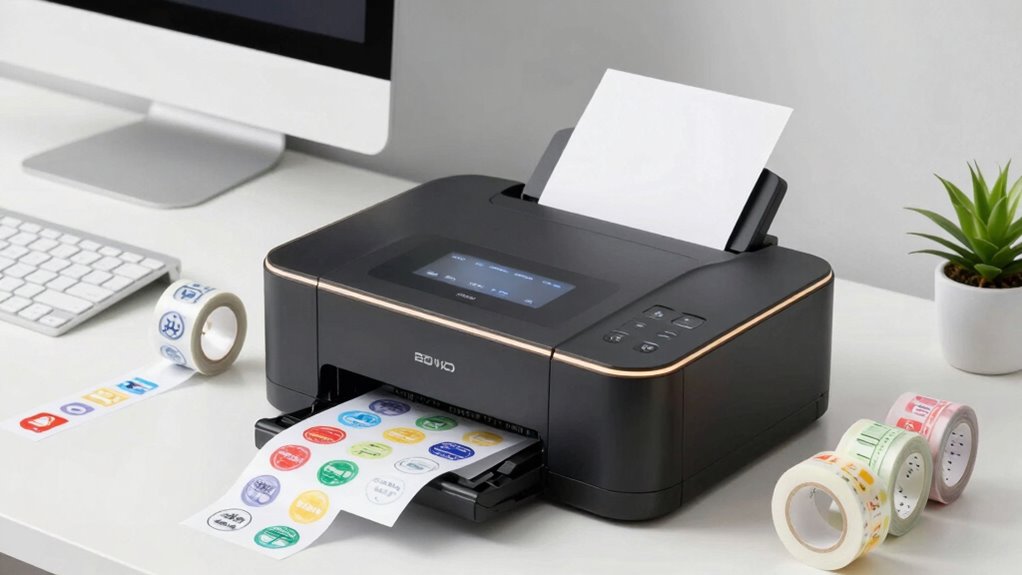
Choosing the right desktop label printers depends entirely on whether you are printing high-volume shipping labels or organizing small home inventory. For most e-commerce sellers, the Rollo USB 4×6 Thermal Shipping Label Printer stands out as the best overall choice due to its speed and lack of ink costs. If you need wireless flexibility for a mixed-use office, the Brother QL-810W offers superior reliability and driver support. The primary tradeoff you will face is between direct thermal models, which require special heat-sensitive paper and offer no ink costs, versus traditional inkjet or laser options that print on standard paper but require ongoing consumable purchases. Additionally, connectivity varies widely, with some units relying solely on USB while others offer robust Bluetooth or Wi-Fi integration for mobile workflows. Continue reading to see how these fifteen models stack up against each other in performance, ease of use, and long-term value.

Get home appliances delivered free with Prime
- Fast, free delivery on millions of items
- Prime Video, Amazon Music and more included
- Member-only deals all year
Complete the kit


Key Takeaways
- Direct thermal printers dominate the shipping category because they eliminate ink costs, but they require specific heat-sensitive labels that fade over time if exposed to heat or sunlight.
- Bluetooth connectivity is now standard for mobile workflows, yet driver stability remains the biggest pain point for Windows users compared to macOS or iOS environments.
- The Brother QL series offers superior build quality and driver reliability for professional office environments, whereas budget brands like JADENS and Nelko offer better value for high-volume e-commerce sellers.
- Label width flexibility is critical; while 4×6 inch shipping labels are standard, models that support smaller widths (like the Brother P-Touch) are far more versatile for general organization.
- Print speed differences are negligible for home users (under 50 labels/day) but become a deciding factor for businesses printing over 200 labels per day.
| JADENS 168BT Bluetooth Thermal Shipping Label Printer with Built-in Label Bin | 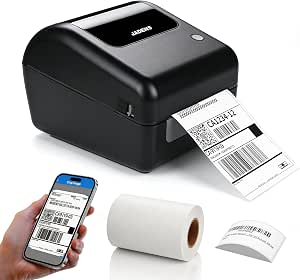 | Best for Easy Roll Loading | Printer type: Thermal | Connectivity: Bluetooth, USB | Resolution: 203 × 203 dpi | VIEW ON AMAZON | See Our Full Breakdown |
| Brother QL-810W Wireless Professional Label Printer |  | Best for Fast Address Labels | Printer type: Thermal | Connectivity: USB 2.0, Wi-Fi | Resolution: 300 dpi | VIEW ON AMAZON | See Our Full Breakdown |
| Nelko P21 Bluetooth Label Maker |  | Best Compact Desktop Companion | Printer type: Direct thermal | Connectivity: Bluetooth | Compatible devices: iOS and Android smartphones | VIEW ON AMAZON | See Our Full Breakdown |
| Brother QL-820NWB Professional Monochrome Label Printer |  | Best for Connected Offices | Printer type: Thermal | Connectivity: Bluetooth, Ethernet, USB, Wi-Fi | Resolution: 300 × 300 dpi | VIEW ON AMAZON | See Our Full Breakdown |
| KNAON 4×6 Bluetooth Thermal Shipping Label Printer |  | Best for Broad Computer Compatibility | Printer type: Thermal | Connectivity: Bluetooth via FlashLabel Pro app, USB | Supported operating systems: Windows 7 or later, macOS, ChromeOS, Linux | VIEW ON AMAZON | See Our Full Breakdown |
| Brother P-Touch PT-D610BT Bluetooth Business Label Maker |  | Best for Standalone Business Labeling | Printer Type: Thermal | Connectivity: Bluetooth and USB | Maximum Tape Width: 24 mm | VIEW ON AMAZON | See Our Full Breakdown |
| Rollo USB 4×6 Thermal Shipping Label Printer |  | Best High-Speed Wired Shipping Printer | Brand: Rollo | Print Speed: Up to 1 label per second (150 mm/s) | Connectivity: USB 2.0 | VIEW ON AMAZON | See Our Full Breakdown |
| Nelko PL70E Bluetooth Thermal Shipping Label Printer |  | Best Wireless Shipping Printer for Mixed Devices | Printer Type: Direct thermal | Print Speed: Up to 72 4×6 labels per minute | Connectivity: Bluetooth via NELKO app; USB | VIEW ON AMAZON | See Our Full Breakdown |
| JADENS Bluetooth Thermal Shipping Label Printer |  | Best Value Bluetooth Shipping Printer | Brand: JADENS | Printer Type: Thermal | Resolution: 203 x 203 DPI | VIEW ON AMAZON | See Our Full Breakdown |
| SUPVAN T50M Pro Bluetooth Label Maker with 3 Tapes |  | Best Portable Home & Office Label Maker | Printer Type: Thermal | Connectivity: Bluetooth | Label Width: 3/4–2 inches | VIEW ON AMAZON | See Our Full Breakdown |
| KNAON Bluetooth Thermal Shipping Label Printer |  | Best for Multi-Platform Sellers | Printer Type: Thermal | Resolution: 200×200 dpi | Print Speed: 180 mm/s | VIEW ON AMAZON | See Our Full Breakdown |
| Brother QL-800 High-Speed Thermal Label Printer |  | Best for Office & Retail Organization | Printer Type: Thermal | Print Speed: Up to 93 labels per minute | Resolution: 300 x 300 dpi | VIEW ON AMAZON | See Our Full Breakdown |
| Nelko P21 Bluetooth Thermal Label Maker |  | Best for Mobile Organization | Printer Type: Direct Thermal | Resolution: 203 x 203 DPI | Connectivity: Bluetooth | VIEW ON AMAZON | See Our Full Breakdown |
| NIIMBOT B1 Bluetooth Thermal Label Printer |  | Best for Hybrid Mobile/PC Use | Printer Type: Thermal | Resolution: 203 dpi | Connectivity: Bluetooth, USB | VIEW ON AMAZON | See Our Full Breakdown |
| NULLTONEX Thermal Shipping Label Printer |  | Best Value Shipping Printer | Printer Type: Direct Thermal | Resolution: 203 DPI | Print Speed: 150mm/s | VIEW ON AMAZON | See Our Full Breakdown |
| desktop label printer | Connectivity | Printer type | Resolution | Print speed |
|---|---|---|---|---|
| JADENS 168BT Bluetooth Thermal | Bluetooth, USB | Thermal | 203 × 203 dpi | 150 mm/s |
| Brother QL-810W Wireless Profe | USB 2.0, Wi-Fi | Thermal | 300 dpi | Up to 110 standard address labels per minute |
| Nelko P21 Bluetooth Label Make | Bluetooth | Direct thermal | 203 × 203 dpi | — |
| Brother QL-820NWB Professional | Bluetooth, Ethernet, USB, Wi-Fi | Thermal | 300 × 300 dpi | Up to 110 labels per minute |
| KNAON 4×6 Bluetooth Thermal Sh | Bluetooth via FlashLabel Pro app, USB | Thermal | 203 dpi | Up to 180 mm/s |
| Brother P-Touch PT-D610BT Blue | Bluetooth and USB | Thermal | — | — |
| Rollo USB 4×6 Thermal Shipping | USB 2.0 | — | — | Up to 1 label per second (150 mm/s) |
| Nelko PL70E Bluetooth Thermal | Bluetooth via NELKO app; USB | Direct thermal | — | Up to 72 4×6 labels per minute |
| JADENS Bluetooth Thermal Shipp | Bluetooth, USB 2.0 | Thermal | 203 x 203 DPI | — |
| SUPVAN T50M Pro Bluetooth Labe | Bluetooth | Thermal | 203 dpi | — |
| KNAON Bluetooth Thermal Shippi | Bluetooth, USB | Thermal | 200×200 dpi | 180 mm/s |
| Brother QL-800 High-Speed Ther | USB | Thermal | 300 x 300 dpi | Up to 93 labels per minute |
| Nelko P21 Bluetooth Thermal La | Bluetooth | Direct Thermal | 203 x 203 DPI | — |
| NIIMBOT B1 Bluetooth Thermal L | Bluetooth, USB | Thermal | 203 dpi | — |
| NULLTONEX Thermal Shipping Lab | Bluetooth, USB | Direct Thermal | 203 DPI | 150mm/s |
More Details on Our Top Picks
JADENS 168BT Bluetooth Thermal Shipping Label Printer with Built-in Label Bin
The JADENS 168BT is a practical pick for home shippers who want a desktop printer that keeps a label roll contained: its built-in label holder simplifies loading and positioning. Bluetooth works with iOS, Android, and Windows devices, while Mac connects by USB, so it suits mixed-device households with one notable platform limitation. Unlike the KNAON 4×6 Bluetooth Thermal Shipping Label Printer, it lists a built-in bin and includes 50 starter labels, giving new users a ready-to-start setup. Its 203 dpi monochrome output is aimed at shipping labels rather than colorful retail presentation, and the starter supply may run short for frequent shipping. I’d choose it for straightforward roll-based shipping, but buyers who need Mac wireless printing should look elsewhere.
Pros:- Built-in label holder helps keep roll installation and positioning simple.
- Bluetooth supports iOS, Android, and Windows devices.
- USB connection supports Mac computers.
- Direct thermal printing avoids ink and toner.
Cons:- Mac printing is limited to USB rather than Bluetooth.
- Monochrome output cannot produce color graphics.
- The included 50 labels may be insufficient for frequent shipping.
Best for: Home sellers who ship from phones or Windows PCs and want a built-in holder for 4×6 label rolls.
Not ideal for: Mac users who need wireless printing, or high-volume shippers who want a larger starter label supply.
- Printer type:Thermal
- Connectivity:Bluetooth, USB
- Resolution:203 × 203 dpi
- Print speed:150 mm/s
- Supported label width:1.57–4.1 inches
- Dimensions:10 × 7 × 7 inches
- Included labels:50 sheets of 4 × 6 inch thermal labels
- Warranty:1 year
Our verdict“Choose the JADENS 168BT for a roll-based desktop shipping setup with easy loading, provided Mac wireless printing is not a requirement.”
Brother QL-810W Wireless Professional Label Printer
For a desk handling many envelopes, folders, and package labels, the Brother QL-810W prioritizes speed and sharper text over wide-format shipping flexibility. Its stated rate of up to 110 standard address labels per minute and 300 dpi resolution make it a stronger fit for crisp, repeated address work than the 203 dpi JADENS 168BT. Wi-Fi and USB support desktop and mobile workflows, and black-and-red printing can make selected labels easier to scan visually. The tradeoff is reliance on Brother DK rolls, rather than the broader 1.57–4.1-inch media range listed for the JADENS. Its postage service also needs an internet connection and is Windows-only. I’d pick it for varied office labeling, but not for buyers who want standard 4×6 shipping labels as the main job.
Pros:- Prints up to 110 standard address labels per minute.
- 300 dpi resolution supports crisp small text.
- Wi-Fi and USB offer wireless and wired connections.
- Can print black-and-red labels without ink or toner.
Cons:- Requires Brother DK label rolls.
- Postage label service requires internet and works with Windows only.
Best for: Small offices printing frequent address labels, envelopes, folders, and occasional color-accented labels.
Not ideal for: Online sellers focused on standard 4×6 shipping labels or buyers seeking broad media choices.
- Printer type:Thermal
- Connectivity:USB 2.0, Wi-Fi
- Resolution:300 dpi
- Print speed:Up to 110 standard address labels per minute
- Print colors:Black and red
- Media:Brother DK label rolls
- Weight:2.4 pounds
- Dimensions:5 × 9.2 × 5.7 inches
Our verdict“Pick the QL-810W for fast, sharp office and address labeling if its DK media system fits your workflow.”
Nelko P21 Bluetooth Label Maker
The Nelko P21 is the outlier here: it is a small, rechargeable label maker that can sit on a desk, but it is not a desktop shipping printer for 4×6 parcels. Its 14 × 75 mm maximum media suits narrow organization labels, while the phone app adds templates, icons, QR codes, and barcodes. Compared with the Brother QL-820NWB, it takes up less space and needs no computer connection, but it cannot match that model’s wider media, wired network options, or office throughput. The P21 also does not connect to computers or accept continuous label tape, which sharply limits its use for shipping workflows. I’d choose it for drawer, cable, and small-item labeling from a phone, not for a seller’s main packing station.
Pros:- Compact 230 g body is easy to move or store.
- Rechargeable battery supports portable use.
- Direct thermal printing requires no ink or toner.
- App provides templates, icons, QR codes, and barcodes.
Cons:- Does not work with computers.
- Does not support continuous label tape or wide shipping labels.
- Charging adapter is not included.
Best for: People organizing small items at a desk who prefer designing labels on an iOS or Android phone.
Not ideal for: Online sellers needing 4×6 shipping labels, computer printing, or continuous label tape.
- Printer type:Direct thermal
- Connectivity:Bluetooth
- Compatible devices:iOS and Android smartphones
- Resolution:203 × 203 dpi
- Maximum media size:14 × 75 mm
- Weight:230 g
- Dimensions:6.65 × 4.5 × 1.9 inches
- Battery:Built-in rechargeable
Our verdict“Choose the P21 for phone-made organization labels in a compact footprint, not as a shipping-label desktop printer.”
Brother QL-820NWB Professional Monochrome Label Printer
The Brother QL-820NWB earns its place for offices where several devices or a networked workstation need access to one desktop label printer. Its Bluetooth, Wi-Fi, Ethernet, and USB connections give it more ways to join a desk setup than the Wi-Fi-and-USB QL-810W. A monochrome LCD also enables standalone use, which is useful for repeat tasks without routing every job through a computer. Like the QL-810W, it reaches up to 110 labels per minute and can print black and red with the specified DK 2251 media. That proprietary roll system narrows media choice compared with the JADENS 168BT’s stated width range, and the output remains limited to monochrome or black-and-red printing. I’d select it for shared office labeling, rather than a simple one-device shipping station.
Pros:- Bluetooth, Wi-Fi, Ethernet, and USB support varied office setups.
- LCD allows standalone operation for selected tasks.
- Prints up to 110 labels per minute at 300 × 300 dpi.
- Can print black-and-red labels with DK 2251 media.
Cons:- Uses Brother DK rolls rather than standard paper labels.
- Cannot print full-color graphics.
- Wider 11.5-inch body takes more desk width than the QL-810W.
Best for: Small teams that need a shared label printer with Ethernet, wireless connections, and standalone controls.
Not ideal for: Buyers seeking full-color graphics or broad compatibility with standard label media.
- Printer type:Thermal
- Connectivity:Bluetooth, Ethernet, USB, Wi-Fi
- Resolution:300 × 300 dpi
- Print speed:Up to 110 labels per minute
- Output:Monochrome; black and red with DK 2251 media
- Compatibility:Windows, Mac, iOS, Android
- Dimensions:5 × 11.5 × 5.7 inches
- Warranty:2-year limited
Our verdict“Choose the QL-820NWB when shared connectivity and standalone controls matter more than open media choice or color printing.”
KNAON 4×6 Bluetooth Thermal Shipping Label Printer
The KNAON 4×6 is a compact option for shippers who want to use a desktop computer across several operating systems, with Bluetooth available through its FlashLabel Pro app. USB compatibility spans Windows, macOS, ChromeOS, and Linux, a broader listed computer range than the JADENS 168BT, whose Mac connection is USB-only. Its 180 mm/s speed and support for labels up to 4.41 inches wide suit standard shipping work, while app templates and fonts cover basic customization. The setup has a few dependencies: phone printing goes through the companion app, and ChromeOS needs a separate extension. At 203 dpi it is built for practical monochrome labels rather than fine graphics, and the package includes only 20 test papers. I’d favor it for a multi-OS desk; the JADENS is the more ready-to-load choice with its built-in holder.
Pros:- USB supports Windows, macOS, ChromeOS, and Linux.
- Bluetooth printing is available through the FlashLabel Pro app.
- Prints labels up to 4.41 inches wide at up to 180 mm/s.
- App offers templates, icons, and fonts.
Cons:- Bluetooth printing depends on the FlashLabel Pro app.
- ChromeOS requires a separate FlashLabel extension.
- Includes 20 test papers rather than a full working supply.
Best for: Small sellers using a mix of Windows, macOS, ChromeOS, or Linux computers for 4×6 shipping labels.
Not ideal for: Buyers who want phone Bluetooth printing without a companion app or a substantial included label supply.
- Printer type:Thermal
- Connectivity:Bluetooth via FlashLabel Pro app, USB
- Supported operating systems:Windows 7 or later, macOS, ChromeOS, Linux
- Maximum media width:4.41 inches
- Paper size:4 inches
- Resolution:203 dpi
- Print speed:Up to 180 mm/s
- Dimensions:7.3 × 2.56 × 3.15 inches
Our verdict“Choose the KNAON for compact 4×6 shipping across varied computer platforms if its app-based Bluetooth setup suits you.”
Brother P-Touch PT-D610BT Bluetooth Business Label Maker
This model stands out because it functions without a computer or smartphone for many tasks. Unlike the Rollo USB 4×6 Thermal Shipping Label Printer, which is tethered and focused on shipping, the Brother P-Touch PT-D610BT features a built-in QWERTY keyboard and color LCD. This allows office managers to print address labels, file folder tabs, or barcodes directly at their desk. The Bluetooth connectivity adds flexibility for mobile printing when needed, but the physical interface is the real differentiator. It is ideal for environments where computers are locked down or where quick, ad-hoc labeling is frequent. However, the 24 mm maximum tape width limits its use for large shipping labels, making it a poor choice for high-volume e-commerce.
Pros:- Built-in QWERTY keyboard allows printing without a connected device.
- Color LCD preview helps verify label formatting before printing.
- Includes 175 business templates for quick professional results.
- Bluetooth and USB connectivity offer flexible device pairing.
Cons:- Maximum label width is limited to 24 mm (approx. 1 inch).
- Advanced design features often require Brother software or apps.
Best for: Office managers and administrators who need quick, standalone label creation without relying on software or smartphones.
Not ideal for: E-commerce sellers who need to print large 4×6 shipping labels at high speed.
- Printer Type:Thermal
- Connectivity:Bluetooth and USB
- Maximum Tape Width:24 mm
- Display:20-character, 2-line full-color LCD
- Stored Labels:Up to 90
- Included Accessories:AC adapter and USB cable
Our verdict“This is the best choice for office environments needing independent, professional labeling without computer dependency.”
Rollo USB 4×6 Thermal Shipping Label Printer
The Rollo USB 4×6 Thermal Shipping Label Printer is engineered for reliability and speed, printing up to one label per second. While the Nelko PL70E Bluetooth Thermal Shipping Label Printer offers wireless convenience, the Rollo’s wired USB-only connection ensures a stable link that never drops during busy fulfillment sessions. This makes it a favorite for sellers who prioritize uptime over mobility. The direct thermal technology means no ink or toner costs, keeping operational expenses low. However, the lack of Bluetooth can be a annoyance if you need to print from a tablet or phone occasionally. It is strictly a desktop workhorse for Windows and Mac users who need consistent, high-volume output.
Pros:- Prints up to one 4×6 label per second.
- Direct thermal printing eliminates ink and toner costs.
- Wired USB connection provides stable, interruption-free performance.
- Compatible with major shipping platforms and marketplaces.
Cons:- No wireless connectivity; requires a direct USB cable.
- Monochrome output only, limiting creative label designs.
Best for: High-volume e-commerce sellers who need a reliable, fast, wired connection for desktop shipping.
Not ideal for: Mobile sellers or those who need to print labels from smartphones or tablets via Bluetooth.
- Brand:Rollo
- Print Speed:Up to 1 label per second (150 mm/s)
- Connectivity:USB 2.0
- Supported Label Size:4 × 6 inches
- Compatible Operating Systems:Windows XP and newer; Mac 10.9 and newer
- Warranty:Limited 1 year
- Dimensions:4 × 8 × 4 inches
Our verdict“Choose this for unmatched reliability and speed if you print exclusively from a computer.”
Nelko PL70E Bluetooth Thermal Shipping Label Printer
This printer bridges the gap between mobile convenience and desktop power. Unlike the Rollo USB 4×6 Thermal Shipping Label Printer, the Nelko PL70E offers Bluetooth connectivity for iOS and Android, allowing sellers to print from tablets or phones. However, Mac users must still use a USB cable, a limitation shared by many wireless competitors. It prints at a rapid 72 labels per minute, matching the speed of top-tier wired models. The compact design saves desk space, which is valuable for small home offices. While it requires the NELKO app for Bluetooth printing, the flexibility to switch between wired and wireless modes makes it a versatile tool for sellers who move around their workspace.
Pros:- Supports Bluetooth for iOS and Android devices.
- Fast printing speed of up to 72 labels per minute.
- Compact footprint suits small desks and home offices.
- Handles both fanfold and roll label formats.
Cons:- Mac OS printing is restricted to USB connections.
- Bluetooth printing requires using the proprietary NELKO app.
Best for: Small business owners who use a mix of computers and mobile devices for shipping.
Not ideal for: Mac users who expect full wireless functionality, as Mac printing requires a USB cable.
- Printer Type:Direct thermal
- Print Speed:Up to 72 4×6 labels per minute
- Connectivity:Bluetooth via NELKO app; USB
- Label Width:1.54–4.1 inches
- Power:6 watts
- Dimensions:9 × 5 × 6 inches
Our verdict“This is the best option for sellers who need wireless flexibility for mobile devices but still want high-speed desktop performance.”
JADENS Bluetooth Thermal Shipping Label Printer
The JADENS Bluetooth Thermal Shipping Label Printer offers similar wireless capabilities to the Nelko PL70E but often at a more accessible price point. It supports Bluetooth and USB connections across Windows, Mac, and mobile devices. The main trade-off here is usability; users report needing to recalibrate the printer when switching label sizes, which can interrupt workflow. Compared to the Rollo, it lacks the raw speed and industrial build, but for occasional sellers, it is sufficient. The app-based printing on mobile devices is functional but can feel less intuitive than dedicated driver software. It is a solid entry-level choice for those who want wireless convenience without breaking the budget.
Pros:- Supports both Bluetooth and USB for versatile connectivity.
- Compatible with iOS, Android, Windows, and macOS.
- Direct thermal printing requires no ink or toner.
- Supports both fanfold and roll label media.
Cons:- Requires recalibration when changing label sizes.
- Mobile printing depends on the Jadens Printer app.
Best for: Occasional e-commerce sellers who want affordable Bluetooth connectivity for shipping labels.
Not ideal for: High-volume sellers who cannot afford frequent recalibration or slower print speeds.
- Brand:JADENS
- Printer Type:Thermal
- Resolution:203 x 203 DPI
- Label Width:1.57 to 4.1 inches
- Connectivity:Bluetooth, USB 2.0
- Compatible Systems:Windows 7 or newer, macOS 10.9 or newer, Android, iOS
- Warranty:1 year limited warranty
Our verdict“A cost-effective wireless option for sellers who print in moderate volumes and can handle occasional setup adjustments.”
SUPVAN T50M Pro Bluetooth Label Maker with 3 Tapes
This device is fundamentally different from shipping-focused printers like the JADENS Bluetooth Thermal Shipping Label Printer. The SUPVAN T50M Pro is designed for creative and organizational labeling, not shipping. It prints narrower labels (up to 2 inches), making it perfect for jars, cables, files, and school supplies. The app interface is robust, offering over 30 fonts and hundreds of icons, which appeals to home users and crafters. It is extremely lightweight and portable, weighing just over 300 grams. However, it cannot print standard 4×6 shipping labels, so it is useless for e-commerce fulfillment. It is a specialized tool for organization, not logistics.
Pros:- Lightweight and portable design for on-the-go labeling.
- App offers extensive customization with fonts, frames, and icons.
- Includes 3 label tapes to get started immediately.
- Inkless thermal printing is clean and low-maintenance.
Cons:- Cannot print standard 4×6 shipping labels.
- Monochrome output limits color-coding options.
Best for: Home users, teachers, and organizers who need portable, decorative labels for household or classroom items.
Not ideal for: Businesses or sellers who need to print standard 4×6 shipping labels.
- Printer Type:Thermal
- Connectivity:Bluetooth
- Label Width:3/4–2 inches
- Resolution:203 dpi
- Weight:303 g
- Included Tapes:3
- Power Consumption:10 watts
Our verdict“This is the ideal choice for home and office organization where portability and design flexibility matter more than shipping speed.”
KNAON Bluetooth Thermal Shipping Label Printer
This printer stands out for its exceptional device compatibility, supporting iOS, Android, Windows, Mac, and ChromeOS. Unlike many competitors that struggle with cross-platform consistency, the KNAON handles diverse operating systems with ease. It includes a built-in USB drive with drivers, which simplifies initial setup significantly. However, the reliance on the FlashLabel Pro app for Bluetooth printing can be a hurdle; it does not connect directly through system print dialogs. Compared to the NULLTONEX model, which offers similar wireless flexibility, the KNAON’s template library is more extensive, making it better for users who need pre-designed shipping formats. It is a solid choice for small businesses juggling multiple devices, though the manual PDF import for logistics labels adds extra steps to the workflow.Pros:- Supports iOS, Android, Windows, Mac, and ChromeOS
- Includes built-in USB drive with drivers for easy setup
- Extensive template library in the companion app
- Compact and portable design
Cons:- Bluetooth printing requires the specific FlashLabel Pro app
- Logistics labels must be saved as PDFs and imported manually
- ChromeOS users need a separate browser extension
Best for: Small e-commerce sellers who use a mix of Mac, PC, and mobile devices and need broad OS support.
Not ideal for: Users who prefer direct system printing without third-party apps or those who want fully automated label imports.
- Printer Type:Thermal
- Resolution:200×200 dpi
- Print Speed:180 mm/s
- Connectivity:Bluetooth, USB
- Compatible Systems:iPhone, Android, Windows, Mac, ChromeOS, Linux
- Paper Width:1.5 to 4.2 inches
- Weight:2.8 lbs
Our verdict“Choose this if you need reliable cross-platform compatibility and don’t mind using a dedicated app for wireless printing.”
Brother QL-800 High-Speed Thermal Label Printer
The Brother QL-800 is a powerhouse for high-volume internal labeling, printing up to 93 labels per minute. Its standout feature is black-and-red printing with compatible media, allowing for color-coded inventory or priority shipping labels without needing multiple printers. Unlike the KNAON or NULLTONEX, which focus on 4×6 shipping labels, this model excels at smaller address and file labels using DK rolls. It integrates seamlessly with Microsoft Office apps, letting users print directly from Word or Excel. However, it is limited to USB connectivity, lacking the wireless freedom of Bluetooth models. This makes it less ideal for mobile sellers but perfect for a fixed office station where speed and color coding are priorities over portability.Pros:- High speed at 93 labels per minute
- Supports black-and-red printing for color coding
- Direct printing from Microsoft Word, Excel, and Outlook
- Auto-cutter for continuous tape and DK rolls
Cons:- USB connectivity only; no Bluetooth or Wi-Fi
- Requires specific Brother DK media for best results
- Not designed for standard 4×6 shipping labels
Best for: Office managers and retail staff who need fast, color-coded address and inventory labels from a desktop.
Not ideal for: Mobile sellers or those who need 4×6 shipping labels and wireless printing capabilities.
- Printer Type:Thermal
- Print Speed:Up to 93 labels per minute
- Resolution:300 x 300 dpi
- Connectivity:USB
- Compatible Systems:Windows and Mac
- Print Colors:Black and red (with DK-2251 media)
- Warranty:Two-year limited warranty
Our verdict“Ideal for fixed workstations requiring rapid, color-coded internal labels rather than mobile shipping solutions.”
Nelko P21 Bluetooth Thermal Label Maker
This compact device is designed for on-the-go organization, fitting easily into a bag or pocket. It connects via Bluetooth to iOS and Android devices only, making it strictly mobile-first. Unlike the NIIMBOT B1, which offers PC connectivity via USB, the Nelko P21 is limited to smartphone use. This restriction simplifies the interface but removes desktop flexibility. The app provides templates for QR codes and barcodes, useful for asset tracking or school supplies. However, the fixed label sizes (14mm width) limit its utility for larger shipping tasks. It is a niche tool for home or small office organization, not a shipping printer. Compared to desktop models like the Brother QL-800, it lacks speed and volume capacity but wins on portability and battery life.Pros:- Ultra-portable and lightweight design
- Built-in rechargeable battery for cordless use
- App supports QR codes and barcodes
- Inkless thermal printing reduces ongoing costs
Cons:- No computer connectivity; works only with smartphones
- Limited label width restricts use cases
- Compatibility issues reported with some Android 14 devices
Best for: Home organizers and students who need a portable, battery-powered labeler for small items and files.
Not ideal for: Businesses needing 4×6 shipping labels or users who require desktop computer connectivity.
- Printer Type:Direct Thermal
- Resolution:203 x 203 DPI
- Connectivity:Bluetooth
- Compatible Devices:iOS and Android smartphones
- Label Sizes:14 x 40 mm, 14 x 50 mm, 14 x 75 mm
- Weight:11.52 oz
- Battery:Built-in rechargeable
Our verdict“A specialized mobile tool for small-scale organization, not suitable for high-volume or shipping needs.”
NIIMBOT B1 Bluetooth Thermal Label Printer
The NIIMBOT B1 bridges the gap between mobile and desktop use by offering both Bluetooth and USB connectivity. This dual option sets it apart from the Nelko P21, which is mobile-only, and the Brother QL-800, which is desktop-only. The app features automatic label size detection, streamlining the design process for users creating custom text or symbols. While it is smaller than the NULLTONEX shipping printer, its versatility makes it excellent for small business inventory and file labeling. It prints monochrome labels at 203 dpi, sufficient for barcodes and text but not high-resolution images. The rechargeable battery allows for portable use, while USB ensures stable desktop printing. It is a balanced choice for users who need flexibility without committing to a large, dedicated shipping station.Pros:- Dual connectivity with Bluetooth and USB
- App automatically detects label size for easy design
- Portable with a built-in rechargeable battery
- Includes two label rolls in the box
Cons:- Not compatible with tablets
- Monochrome output limits visual branding options
- Smaller print area compared to shipping printers
Best for: Small business owners who need a flexible labeler for both inventory tracking and occasional desktop tasks.
Not ideal for: High-volume shippers needing 4×6 labels or users requiring tablet compatibility.
- Printer Type:Thermal
- Resolution:203 dpi
- Connectivity:Bluetooth, USB
- Compatible Devices:iOS, Android, PCs
- Battery Capacity:1500 mAh
- Weight:293 g
- Included Labels:2 white label rolls
Our verdict“A versatile middle-ground option for users who need both mobile convenience and desktop reliability.”
NULLTONEX Thermal Shipping Label Printer
This printer delivers strong shipping performance at a competitive entry point. With a print speed of 150mm/s, it handles high-volume 4×6 labels efficiently, comparable to the KNAON but with a simpler hardware footprint. It supports Bluetooth and USB, offering the same wireless freedom as other top picks. The inclusion of 25 sheets of labels in the box is a practical touch for immediate use. However, like the KNAON, it relies on the FlashLabel Pro app for wireless printing, which may frustrate users preferring direct driver installation. It lacks the advanced color features of the Brother QL-800, sticking to black-and-white output. This model is a pragmatic choice for new e-commerce sellers who need reliable, fast shipping labels without paying for unnecessary extras.Pros:- Fast print speed of 150mm/s for high volume
- Dual Bluetooth and USB connectivity
- Includes starter pack of 25 label sheets
- Compatible with major carriers like USPS and Amazon
Cons:- Requires FlashLabel Pro app for Bluetooth printing
- Black and white output only
- Larger footprint than mobile labelers
Best for: New e-commerce sellers and small businesses needing a reliable, fast 4×6 shipping printer.
Not ideal for: Users who require color coding or direct system printing without app dependencies.
- Printer Type:Direct Thermal
- Resolution:203 DPI
- Print Speed:150mm/s
- Connectivity:Bluetooth, USB
- Supported Label Sizes:1.57″ to 4.3″ wide
- Weight:3 pounds
- Included Accessories:Power cord, USB cable, 25 label sheets
Our verdict“A cost-effective, no-frills shipping printer that prioritizes speed and compatibility over extra features.”

How We Picked
I evaluated these desktop label printers based on three core pillars: reliability, cost of ownership, and workflow compatibility. Reliability was assessed by looking at driver support across operating systems, paper jam frequency, and build durability. Cost of ownership went beyond the sticker price to include the price of label rolls and the necessity of specific proprietary media. Workflow compatibility considered whether the device integrates seamlessly with major shipping platforms like Shopify or Amazon Seller Central, as well as mobile apps for on-the-go printing.
Ranking logic prioritized ease of setup for the top tier, because a printer that works but is difficult to configure often ends up gathering dust. Mid-tier picks focused on value, balancing decent print quality with lower upfront costs. The final tier includes specialized units that excel in niche scenarios, such as ultra-portability or heavy-duty industrial use, acknowledging that their tradeoffs make them unsuitable for the average buyer.
| desktop label printer | Printer type |
|---|---|
| JADENS 168BT Bluetooth Thermal | Thermal |
| Brother QL-810W Wireless Profe | Thermal |
| Nelko P21 Bluetooth Label Make | Direct thermal |
| Brother QL-820NWB Professional | Thermal |
| KNAON 4×6 Bluetooth Thermal Sh | Thermal |
| Brother P-Touch PT-D610BT Blue | Thermal |
| Rollo USB 4×6 Thermal Shipping | — |
| Nelko PL70E Bluetooth Thermal | Direct thermal |
| JADENS Bluetooth Thermal Shipp | Thermal |
| SUPVAN T50M Pro Bluetooth Labe | Thermal |
| KNAON Bluetooth Thermal Shippi | Thermal |
| Brother QL-800 High-Speed Ther | Thermal |
| Nelko P21 Bluetooth Thermal La | Direct Thermal |
| NIIMBOT B1 Bluetooth Thermal L | Thermal |
| NULLTONEX Thermal Shipping Lab | Direct Thermal |
Factors to Consider When Choosing Desktop Label Printers
Selecting a desktop label printer requires matching the hardware to your specific output volume and media type. Here are the critical factors to weigh before purchasing.Direct Thermal vs. Standard Ink Technology
Most dedicated label printers use direct thermal technology, which uses heat to create images on specially coated paper. This eliminates the need for ink or toner, drastically reducing long-term costs and maintenance. However, direct thermal labels are susceptible to fading if exposed to sunlight, heat, or friction, making them unsuitable for permanent archival use. If you need labels that last for years, such as asset tags or product warranties, you should look for thermal transfer models or standard inkjet printers, though these will increase your operational costs and require regular ink replacements.
Connectivity: Bluetooth, Wi-Fi, and USB
Connectivity dictates where you can print from. USB-only printers are the most stable and least prone to driver conflicts, making them ideal for a dedicated workstation. Bluetooth models offer mobility, allowing you to print from a smartphone or tablet, which is excellent for warehouse workers or home sellers who move around. Wi-Fi enables network printing, allowing multiple computers to share one printer, but it can be susceptible to network drops and security configurations. For most users, a hybrid model with both USB and Bluetooth offers the best balance of reliability and flexibility.
Label Width and Media Compatibility
Check the maximum and minimum label width the printer supports. Most shipping printers are fixed at 4 inches wide to accommodate standard 4×6 shipping labels. If you also need to print small address labels, file folder tabs, or product SKU tags, ensure the printer supports narrower widths or has adjustable guides. Buying a 4-inch only printer for general organization will limit you to shipping tasks, whereas a multi-width model like the Brother QL series can handle a broader range of business documents.
Print Speed and Daily Volume
Print speed is measured in labels per minute (ipm). For a home seller printing fewer than 50 labels a day, a speed of 150mm/sec is sufficient. High-volume sellers should look for printers rated at 200mm/sec or higher to avoid bottlenecks during peak seasons. It is also important to check the duty cycle rating, which indicates how many labels the printer can handle before requiring maintenance. Exceeding the recommended duty cycle on a consumer-grade printer will lead to premature printhead failure.
Software Integration and Driver Support
Hardware is only half the equation; software determines your actual workflow. Verify that the printer has native drivers for your operating system (Windows, macOS, Linux) and integrates with your shipping software of choice. Many budget brands rely on their own proprietary apps, which may lack advanced features like batch printing or custom templates. A printer with robust SDK support or standard CUPS drivers (for Linux) will save you hours of troubleshooting compared to closed-ecosystem devices.
Frequently Asked Questions
Do desktop label printers require special paper?
Yes, most desktop label printers that use direct thermal technology require specific heat-sensitive label rolls. These rolls are typically sold in standard 4×6 inch sizes for shipping or narrower widths for organization. You cannot use standard printer paper in these devices because they lack ink or toner mechanisms. While the labels themselves are inexpensive, you are locked into using the manufacturer’s recommended media to prevent jams and ensure print clarity.
Can I print shipping labels from my phone with these printers?
Many modern desktop label printers include Bluetooth or Wi-Fi capabilities that allow printing directly from smartphones or tablets via companion apps. This is particularly useful for sellers who manage inventory on the go. However, the app experience varies significantly by brand; some offer robust features like batch printing and cloud storage, while others are basic and prone to connection drops. Always check if the specific model supports iOS and Android if mobile printing is a priority.
How long do direct thermal labels last?
Direct thermal labels are designed for short-term use, typically lasting one to three years under normal indoor conditions. They will fade faster if exposed to direct sunlight, high humidity, or friction. For shipping purposes, this is perfectly acceptable as the labels only need to survive transit. However, for long-term asset tracking or archival documents, you should consider thermal transfer printers, which use a ribbon to create a more permanent image.
Is it worth buying a printer with a built-in label bin?
A built-in label bin helps keep the workspace tidy by catching discarded backing paper (liner). This is a significant convenience feature for high-volume sellers who generate a lot of waste. Without a bin, you will spend time cleaning up paper scraps from your desk or floor. If you print fewer than 20 labels a day, this feature is less critical, but for busy operations, it contributes to a cleaner and more efficient workflow.
What is the main difference between a label maker and a shipping label printer?
Label makers (like the Brother P-Touch) are designed for small, text-based labels using pre-loaded tape cassettes, often used for organization and labeling files. Shipping label printers (like the Rollo or JADENS) use continuous rolls of thermal paper to print large, graphical 4×6 inch labels required for carriers like UPS or FedEx. Label makers are not suitable for shipping, and shipping printers are often too large and cumbersome for simple desk organization tasks.
Conclusion
Choosing the best desktop label printer comes down to your specific volume and connectivity needs. For the best overall performance and reliability, the Rollo USB 4×6 Thermal Shipping Label Printer is my top recommendation for serious sellers. If you need a premium option with superior build quality and multi-width support, the Brother QL-810W is the standout choice. For beginners or those with budget constraints, the JADENS 168BT offers excellent value with its built-in bin and Bluetooth capability. If you are looking for a compact, portable solution for light use, the Brother P-Touch PT-D610BT is ideal. Evaluate your daily print volume and required label sizes to make the final decision.
Fall yard work Picks

Halloween Inflatable Haunted House Maze – 20×20 ft with Removable Roof and Blower
As an affiliate, we earn on qualifying purchases.