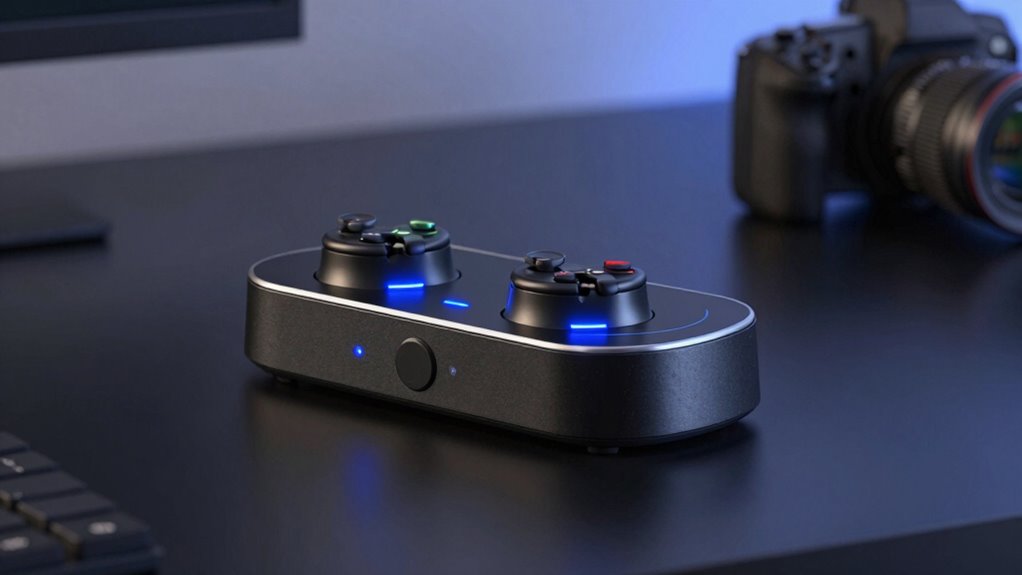

A dual PlayStation charging station keeps two PS5 controllers ready without leaving cables stretched across your console area. My best overall pick is the OIVO PS5 Controller Charging Station with AC Adapter, which stands out for its dedicated power supply; the PowerA Twin Charging Station is a strong choice for a straightforward two-controller setup, while the PS5 stand with cooling fan and dual controller charger suits players who want several console accessories together. The main tradeoffs are whether to prioritize a simple charging dock, compatibility with DualSense Edge, or extras such as cooling, USB ports, and lighting. Fit and power connection matter as much as appearance, since a dock that does not suit your controllers or setup can add clutter instead of removing it. Read on for the full comparison, buying advice, and recommendations by player type.

Get home appliances delivered free with Prime
- Fast, free delivery on millions of items
- Prime Video, Amazon Music and more included
- Member-only deals all year
Complete the kit



Key Takeaways
- A dedicated AC adapter distinguishes the OIVO AC Adapter model from options described with a USB-C cable, which may suit buyers who want a separate power source for the dock.
- DualSense Edge compatibility appears in several listings, including OIVO’s two-controller models, the NEWDERY dock, and the multi-function stand; check the exact product variant before choosing.
- Console stands combine several jobs: the cooling and charging models can add USB ports or a headset holder, but take more space than a dedicated charging dock.
- Lighting is a cosmetic choice rather than a charging advantage; RGB and LED models may suit a coordinated setup, while simpler docks keep attention on controller storage and charging.
- The lineup spans established brand names and less familiar options, so buyers should compare the included power connection and stated controller fit instead of choosing by product name alone.
| afbptek DualSense PS5 Controller Charging Station |  | Best Complete Kit | Compatibility: PS5 DualSense controllers | Charging capacity: 2 controllers simultaneously | Charging time: Approximately 2–3 hours | VIEW ON AMAZON | See Our Full Breakdown |
| PS5 DualSense Controller Charging Station |  | Best Compact Pick | Compatibility: PS5 DualSense wireless controllers; not DualSense Edge | Charging capacity: 2 controllers simultaneously | Power connection: Type-C cable | VIEW ON AMAZON | See Our Full Breakdown |
| Nyko DualSense Charging Station for PlayStation 5 |  | Best for Quick Charging | Compatibility: Standard PS5 DualSense; not DualSense Edge | Charging capacity: 2 controllers | Charging time: Up to 2 hours | VIEW ON AMAZON | See Our Full Breakdown |
| OIVO PS5 Controller Charging Station, 2H Fast Charger for DualSense & Edge |  | Best for DualSense Edge | Compatibility: DualSense and DualSense Edge controllers | Charging capacity: 2 controllers simultaneously | Charging time: About 2 hours | VIEW ON AMAZON | See Our Full Breakdown |
| PS5, PS5 Slim, and PS5 Pro Stand with Cooling Fan and Dual Controller Charger |  | Best All-in-One Stand | Compatibility: PS5, PS5 Slim, and PS5 Pro | Controller charging: 2 controllers simultaneously | Charging time: About 2.5 hours | VIEW ON AMAZON | See Our Full Breakdown |
| PS5 Dual Controller Charging Station with LED Indicators |  | Best for Automatic Docking | Brand: bibuks | Model: PSDZ-001 | Compatibility: PS5 controllers | VIEW ON AMAZON | See Our Full Breakdown |
| OIVO Dual PS5 Controller Charging Station for DualSense and Edge |  | Best for DualSense Edge Owners | Compatibility: PS5 DualSense and Edge controllers | Capacity: Two controllers | Full charge time: About two hours | VIEW ON AMAZON | See Our Full Breakdown |
| PS5 Stand and Cooling Station with Dual Controller Charging, 3 USB Ports, and Headset Holder |  | Best for All-in-One Setup Organization | Compatible consoles: PS5, PS5 Slim, and PS5 Pro; disc and digital editions | USB ports: Three | Fan speed levels: Three | VIEW ON AMAZON | See Our Full Breakdown |
| DualSense Controller Charging Station for PS5 |  | Best for Included Power Adapter | Brand: Rzkipdy | Model: PS5DK01 | Compatible devices: PS5 DualSense controllers | VIEW ON AMAZON | See Our Full Breakdown |
| Dual Charging Station for PS5 DualSense and Edge Controllers with RGB Lighting |  | Best for RGB Desk Setups | Compatibility: PS5 DualSense and Edge controllers | Capacity: Two controllers | Claimed charging time: Two hours for PS5 Edge controllers | VIEW ON AMAZON | See Our Full Breakdown |
| PowerA Twin Charging Station for PlayStation 5 DualSense Controllers |  | Best Licensed Display Stand | Brand: PowerA | Compatibility: PlayStation 5 DualSense controllers | Capacity: 2 controllers | VIEW ON AMAZON | See Our Full Breakdown |
| OIVO PS5 Controller Charging Station with AC Adapter |  | Best for DualSense Edge Owners | Compatibility: PS5 DualSense and DualSense Edge | Capacity: 2 controllers | Claimed charging time: About 2 hours | VIEW ON AMAZON | See Our Full Breakdown |
| HEATFUN Dual PS5 Controller Charging Station with LED Light and USB-C Cable |  | Best for Simple Drop-In Charging | Brand: HEATFUN | Compatibility: PS5 DualSense controllers | Capacity: 2 controllers | VIEW ON AMAZON | See Our Full Breakdown |
| NEWDERY Dual Controller Charging Station for PS5 and DualSense Edge |  | Best for Stable Placement | Compatibility: PS5 DualSense and DualSense Edge | Capacity: 2 controllers simultaneously | Claimed charging time: About 2.5 hours with a 5V/3A adapter | VIEW ON AMAZON | See Our Full Breakdown |
| Tokluck PS5 Controller Charging Station with RGB Lighting |  | Best for Customizable Lighting | Compatibility: PlayStation 5 DualSense and DualSense Edge | Capacity: 2 controllers | Claimed charging time: About 2 hours | VIEW ON AMAZON | See Our Full Breakdown |
| playstation charging stations dual | Compatibility | Capacity | Output |
|---|---|---|---|
| afbptek DualSense PS5 Controll | PS5 DualSense controllers | — | — |
| PS5 DualSense Controller Charg | PS5 DualSense wireless controllers; not DualSense Edge | — | — |
| Nyko DualSense Charging Statio | Standard PS5 DualSense; not DualSense Edge | — | 5 V |
| OIVO PS5 Controller Charging S | DualSense and DualSense Edge controllers | — | 5 V, 3 A; 12 W |
| PS5 | PS5, PS5 Slim, and PS5 Pro | — | — |
| PS5 Dual Controller Charging S | PS5 controllers | Two controllers simultaneously | 5V, 1.5A |
| OIVO Dual PS5 Controller Charg | PS5 DualSense and Edge controllers | Two controllers | — |
| PS5 Stand and Cooling Station | — | — | 5 V DC, 3.6 A |
| DualSense Controller Charging | — | Two controllers | — |
| Dual Charging Station for PS5 | PS5 DualSense and Edge controllers | Two controllers | 0.5 A, 3.7 V DC |
| PowerA Twin Charging Station f | PlayStation 5 DualSense controllers | 2 controllers | — |
| OIVO PS5 Controller Charging S | PS5 DualSense and DualSense Edge | 2 controllers | 5 V, 3 A |
| HEATFUN Dual PS5 Controller Ch | PS5 DualSense controllers | 2 controllers | 5 V, 500 mA |
| NEWDERY Dual Controller Chargi | PS5 DualSense and DualSense Edge | 2 controllers simultaneously | — |
| Tokluck PS5 Controller Chargin | PlayStation 5 DualSense and DualSense Edge | 2 controllers | 5 V, 2 A |
More Details on Our Top Picks
afbptek DualSense PS5 Controller Charging Station
I’d give this dock the edge for buyers who want the basic setup ready out of the box: it includes both a USB-C cable and a 5 V/2 A AC adapter, so you can power it from a wall outlet or the console. It charges two standard DualSense controllers in about 2–3 hours, with blue indicators for charging status and an anti-slip base to keep it steady. Compared with the Nyko DualSense Charging Station, afbptek takes longer based on the listed charging times, but its included adapter avoids relying on a spare USB power source. The tradeoff is that controllers charge through their bottom ports, and the dock does not list DualSense Edge compatibility. I’d choose it for a straightforward paired-controller setup, not for faster charging or broader controller support.
Pros:- Charges two standard DualSense controllers simultaneously
- Includes a 5 V/2 A AC adapter and USB-C cable
- Blue LEDs show charging status
- Anti-slip base and built-in short-circuit protection
Cons:- Listed charging time is approximately 2–3 hours
- Charges through the controllers’ bottom ports
- DualSense Edge compatibility is not listed
Best for: PS5 owners who want a two-controller dock with its own wall adapter and cable included
Not ideal for: DualSense Edge owners or players who prioritize a listed charge time faster than 2–3 hours
- Compatibility:PS5 DualSense controllers
- Charging capacity:2 controllers simultaneously
- Charging time:Approximately 2–3 hours
- Input:5 V, 2 A; 10 W
- Connector:USB Type-C
- Power sources:PS5 console or USB AC charger
- Included accessories:3-foot USB-C cable and 5 V/2 A AC adapter
- Warranty:1 year
Our verdict“Choose afbptek if you want a complete, adapter-included dock for two standard DualSense controllers.”
PS5 DualSense Controller Charging Station
This compact dock suits players who want to charge two standard DualSense controllers without dedicating a large accessory station to the task. Its Type-C power connection lets it run from a power strip while the PS5 is off, which is handy if the console is shut down between sessions. Overcurrent, overvoltage, and short-circuit protection add practical safeguards, while anti-slip feet help keep the base in place. Unlike the afbptek DualSense PS5 Controller Charging Station, this option does not include a listed AC adapter, so you’ll need a suitable USB power source. Its clearest limitation is compatibility: it specifically excludes the DualSense Edge. I’d pick it for a small, standard-controller setup; players with an Edge or a need for a complete wall-powered kit should look elsewhere.
Pros:- Charges two controllers simultaneously
- Can run from a power strip while the console is off
- Includes overcurrent, overvoltage, and short-circuit protection
- Compact base has anti-slip rubber feet
Cons:- Not compatible with the DualSense Edge controller
- No AC adapter is listed among the included items
- Charging time is not specified
Best for: Players with two standard DualSense controllers who want a small dock that can charge while the PS5 is off
Not ideal for: DualSense Edge owners or buyers who need an AC adapter included
- Compatibility:PS5 DualSense wireless controllers; not DualSense Edge
- Charging capacity:2 controllers simultaneously
- Power connection:Type-C cable
- Power use:Can charge from a power strip while the console is off
- Safety features:Overcurrent, overvoltage, and short-circuit protection
- Base:Compact with anti-slip rubber feet
- Included:Charging station, Type-C cable, and user manual
Our verdict“Choose this compact dock for two standard DualSense controllers if you already have a USB power source.”
Nyko DualSense Charging Station for PlayStation 5
Nyko’s main advantage in this group is its stated charge time: it can charge two standard DualSense controllers in up to 2 hours. Copper connectors and blue indicators that show when charging is complete make the dock easy to read at a glance. It also includes two USB-C charge adapters and an extra USB port, giving it more connection utility than the afbptek DualSense PS5 Controller Charging Station. That speed claim comes with a narrower fit: Nyko does not support the DualSense Edge, and it needs a USB port for power. Compared with the OIVO PS5 Controller Charging Station, Nyko’s listed charge time is similar, but OIVO supports Edge controllers. I’d favor Nyko when charge time and the extra port matter more than Edge compatibility or a supplied wall adapter.
Pros:- Charges two standard DualSense controllers simultaneously
- Listed charging time is up to 2 hours
- Blue indicators show when charging is complete
- Includes two USB-C charge adapters and an extra USB port
Cons:- Does not support the DualSense Edge
- Requires a USB port for power
- Plastic tabletop dock offers limited accessory storage
Best for: Standard DualSense owners who value a stated charge time of up to two hours and an extra USB port
Not ideal for: DualSense Edge owners or players without an available USB power source
- Compatibility:Standard PS5 DualSense; not DualSense Edge
- Charging capacity:2 controllers
- Charging time:Up to 2 hours
- USB ports:2
- Output:5 V
- Wattage:7.5 W
- Mounting type:Tabletop
- Included accessories:2 USB-C charge adapters and USB-C charging cable
Our verdict“Pick Nyko if you use standard DualSense controllers and want a fast-listed charge time plus an extra USB port.”
OIVO PS5 Controller Charging Station, 2H Fast Charger for DualSense & Edge
OIVO is the clearest choice here for households mixing a standard DualSense with a DualSense Edge: it supports both controller types and charges two at once in about two hours. Unlike the Nyko DualSense Charging Station, which has a similar listed charging time but excludes Edge, OIVO covers that upgraded controller too. It connects to the PS5 by USB-C, so there’s no separate AC adapter to add, and its light switch lets you turn off the LEDs when they’re distracting. The anti-slip pads and listed three-year warranty are useful additions. Its tradeoff is that charging depends on a USB-C connection and the PS5, rather than the included wall adapter offered by afbptek. I’d choose OIVO for Edge compatibility and flexible indicator lights, provided console-powered charging fits your setup.
Pros:- Supports both DualSense and DualSense Edge controllers
- Charges two controllers in about 2 hours
- USB-C connection works directly with the PS5 without an external AC adapter
- LEDs can be switched off; anti-slip pads and a three-year warranty are listed
Cons:- Relies on a USB-C cable and console-powered connection
- Designed for DualSense and DualSense Edge rather than other gamepads
Best for: Households with DualSense and DualSense Edge controllers that want to charge two from the PS5
Not ideal for: Players who want a dedicated wall adapter or a dock for controllers beyond DualSense and Edge
- Compatibility:DualSense and DualSense Edge controllers
- Charging capacity:2 controllers simultaneously
- Charging time:About 2 hours
- Input:5 V, 3 A
- Output:5 V, 3 A; 12 W
- Connection:USB-C to PS5
- Lighting:LED indicators with on/off switch
- Warranty:3 years
Our verdict“Choose OIVO if DualSense Edge support and console-powered charging matter more than a separate wall adapter.”
PS5, PS5 Slim, and PS5 Pro Stand with Cooling Fan and Dual Controller Charger
This stand makes sense for a player who wants the controller charger to be part of a larger console setup. It combines two-controller charging with a three-speed cooling fan, three extra USB ports, a headset holder, and storage for up to 14 game discs. That gives it a broader role than the afbptek DualSense PS5 Controller Charging Station, which is a dedicated charging dock with an included adapter. The tradeoff is footprint and complexity: at 907 g, this is a substantial accessory, and the listed controller charging time is about 2.5 hours. Charging may also fail to start when a controller battery is above 70%, which makes topping up less predictable than with a simple dock. I’d choose this for an organized console area, not for buyers who only need a compact dual charger.
Pros:- Combines charging for two controllers with console cooling and accessory storage
- Three-speed fan is specified at 3100–3500 RPM
- Stores up to 14 game discs and includes three extra USB ports
- Controller charging includes multiple electrical safety protections
Cons:- Controller charging may not start when battery level is above 70%
- Listed charge time is about 2.5 hours
- At 907 g, it is heavier and more involved than a standalone dock
Best for: PS5, PS5 Slim, or PS5 Pro owners who want controller charging, disc storage, extra USB ports, and a cooling fan in one stand
Not ideal for: Players with limited space or anyone seeking only a small, predictable dual-controller charger
- Compatibility:PS5, PS5 Slim, and PS5 Pro
- Controller charging:2 controllers simultaneously
- Charging time:About 2.5 hours
- Cooling fan:3 speeds; 3100–3500 RPM
- Extra USB ports:3
- Game storage:Up to 14 discs
- Dimensions:4.02 x 1.02 x 4.33 inches
- Weight:907 g
Our verdict“Choose this stand if you want a combined console organizer and charger and have room for its larger setup.”
PS5 Dual Controller Charging Station with LED Indicators
I’d choose this bibuks dock for a simple routine: set both controllers down and let the automatic alignment guide them into place. It charges two PS5 controllers together, with LED indicators to show their status and listed protection against over-voltage, over-current, overheating, and short circuits. The claimed full charge time is as fast as 2.5 hours when paired with a 5V/3A adapter. That makes its charging pace less aggressive than the Rzkipdy station’s claim of 90% in 50 minutes, but bibuks spells out the adapter requirement and offers a non-slip base for a steadier setup. The tradeoff is that the optimal adapter is a separate requirement in the product details, so buyers should check their USB power gear before choosing it.
Pros:- Charges two PS5 controllers simultaneously
- Automatic alignment makes setting controllers on the dock easier
- LED indicators show charging status
- Lists several electrical and heat protections
Cons:- Optimal charging requires a 5V/3A power adapter
- Listed compatibility names PS5 controllers without specifying Edge support
- The 2.5-hour charge claim depends on the specified adapter
Best for: PS5 households that want a straightforward, self-aligning dock for two controllers and already have a 5V/3A adapter
Not ideal for: Buyers who want an included power adapter or need a dock verified for DualSense Edge compatibility
- Brand:bibuks
- Model:PSDZ-001
- Compatibility:PS5 controllers
- Capacity:Two controllers simultaneously
- Charging time:As fast as 2.5 hours
- Input:5V/3A
- Output:5V, 1.5A
- Connector:USB Type-C
- Warranty:90 days
Our verdict“Pick the bibuks if you value easy alignment and clear charging status and can supply the recommended adapter.”
OIVO Dual PS5 Controller Charging Station for DualSense and Edge
This OIVO is a strong fit when a household mixes DualSense and Edge controllers: it explicitly supports both and charges two at once. Its roughly two-hour full-charge claim is quicker than the bibuks dock’s stated 2.5 hours, while the drop-to-charge design avoids lining up a cable with each controller. Nine RGB modes add customization, and red/green indicators make charging status easy to check. Compared with the Rzkipdy dock, OIVO offers broader named compatibility but doesn’t include a power adapter in the supplied details; it needs a USB power source. That means the cable and power setup deserve a check before buying. The lighting also makes this more of a visible gaming-desk accessory than a discreet charging spot.
Pros:- Supports both DualSense and DualSense Edge controllers
- Charges two controllers simultaneously
- Nine RGB modes offer lighting choices
- Red and green indicators distinguish charging from full or standby
Cons:- Requires a USB power source
- Only listed for DualSense and Edge controllers
- RGB lighting may not suit a minimal or dark gaming setup
Best for: PS5 players who alternate between DualSense and DualSense Edge controllers and want visible status lights
Not ideal for: Buyers seeking a low-profile, unlit dock or a package that clearly includes its own power adapter
- Compatibility:PS5 DualSense and Edge controllers
- Capacity:Two controllers
- Full charge time:About two hours
- USB cable length:34.8 inches
- Lighting:Nine RGB modes
- Indicators:Red for charging; green for full charge or standby
- Safety features:Over-current, over-voltage, and short-circuit protection
- Power source:USB power source
Our verdict“Choose this OIVO when Edge compatibility and customizable lighting matter more than a bundled power adapter.”
PS5 Stand and Cooling Station with Dual Controller Charging, 3 USB Ports, and Headset Holder
I’d rank this stand for buyers who want controller charging to be part of a broader console and accessory organizer. It fits listed PS5, Slim, and Pro models, holds two controllers, and adds a headset holder, media-remote space, three USB ports, and a three-speed fan. That makes it a much larger commitment than the bibuks tabletop dock, but it can reduce scattered gear around the console. The listing gives a roughly three-hour full charge and says charging stops at 70%, a meaningful limitation for anyone expecting topped-up controllers. Its fan and ports may appeal to a crowded setup, though the product details don’t explain how much cooling the fan delivers. The console and accessories are not included, so this is best for an existing setup that needs consolidation.
Pros:- Supports listed PS5, PS5 Slim, and PS5 Pro editions
- Combines dual controller charging with headset and remote storage
- Three fan speeds allow adjustment
- Three USB ports add connection options
Cons:- Charging automatically stops at 70% according to the description
- Console and accessories are not included
- Larger stand takes more space than a dedicated tabletop charger
Best for: PS5, Slim, or Pro owners who want a single stand for the console, two controllers, headset, remote, and USB accessories
Not ideal for: Players who need controllers charged beyond 70%, want a compact dock, or don’t need console organization
- Compatible consoles:PS5, PS5 Slim, and PS5 Pro; disc and digital editions
- USB ports:Three
- Fan speed levels:Three
- Controller charging:Dual wireless; approximately three hours
- Charging limit:Automatically stops at 70%
- Wattage:18 watts
- Output:5 V DC, 3.6 A
- Connector:USB Type-C
- Warranty support:One year
Our verdict“Pick this stand if consolidating console accessories matters more than full controller charging or a small footprint.”
DualSense Controller Charging Station for PS5
The Rzkipdy station is the clearest choice here for buyers who want the power supply included: its package lists a charging station and adapter, while the bibuks and OIVO details leave the power adapter to the buyer. The click-in dock charges two DualSense controllers, and the indicator turns off when charging is complete, giving the setup a less attention-grabbing signal than the OIVO’s nine RGB modes. The listing claims up to 90% in 50 minutes, a notably fast figure compared with the OIVO’s roughly two-hour full-charge claim, but that speed is a product claim rather than a detail corroborated by the other listings. It is also specified for DualSense controllers, not Edge, and uses a corded tabletop setup. I’d weigh the included adapter and simple docking against those limits.
Pros:- Charges two DualSense controllers at once
- Includes a power adapter
- Click-in design makes docking straightforward
- Indicator turns off when charging is complete
Cons:- Compatibility is listed for DualSense controllers only
- The 90%-in-50-minutes speed is a product claim
- Uses a corded tabletop setup
Best for: DualSense owners who want a tabletop dual dock with its power adapter included
Not ideal for: DualSense Edge owners or buyers who prefer USB-powered flexibility and a less dependent charging-speed claim
- Brand:Rzkipdy
- Model:PS5DK01
- Compatible devices:PS5 DualSense controllers
- Capacity:Two controllers
- Claimed charging speed:Up to 90% in 50 minutes
- Input:5 V, 3 A
- Wattage:15 W
- Included:Charging station, power adapter, user manual
- Warranty:12 months
Our verdict“Choose the Rzkipdy if you want an adapter included and a simple DualSense dock, while treating its speed claim cautiously.”
Dual Charging Station for PS5 DualSense and Edge Controllers with RGB Lighting
For a gaming desk where the charger should contribute to the look, this dock pairs nine RGB modes with red/green charge indicators. It accepts both DualSense and Edge controllers and uses a drop-and-charge layout, so there’s no need to attach a cable to each controller. Compared with the OIVO dual dock, it offers a similar lighting range and compatibility, but its listing gives a specific 34.8-inch cable and a stated 0.5 A output current. The claimed two-hour charging time is specifically tied to Edge controllers, so I wouldn’t assume the same timing for every compatible controller. It also needs a USB power source or compatible AC adapter. Plastic construction and the short listed output current make this a style-led desk pick rather than the most convincing option for buyers focused only on charging speed.
Pros:- Supports DualSense and Edge controllers
- Drop-and-charge design avoids plugging cables into controllers
- Nine RGB modes and separate charging indicators
- Anti-slip base and listed protective chip
Cons:- Two-hour charging claim is specifically stated for Edge controllers
- Requires a USB power source or compatible AC adapter
- Plastic construction may feel basic beside a premium setup
Best for: DualSense or Edge owners who want a lit charging dock and have a USB power source near the gaming desk
Not ideal for: Buyers prioritizing a clearly fast charge for both controller types or seeking a premium-material dock
- Compatibility:PS5 DualSense and Edge controllers
- Capacity:Two controllers
- Claimed charging time:Two hours for PS5 Edge controllers
- Cable length:34.8 inches
- Connector:USB Type-A
- Output:0.5 A, 3.7 V DC
- Lighting:Nine RGB modes; red charging and green full-charge/standby indicators
- Material:Plastic
- Power source:USB power source or compatible AC adapter
Our verdict“Choose this dock if RGB styling and DualSense/Edge support are priorities and you can provide USB power.”
PowerA Twin Charging Station for PlayStation 5 DualSense Controllers
The PowerA Twin Charging Station suits buyers who want a tidy place to charge and display two DualSense controllers, with the reassurance of an official PlayStation 5 license. Its charging status appears on the controllers’ own LEDs, so the dock keeps its design simple rather than adding separate indicator lights. Compared with the OIVO PS5 Controller Charging Station with AC Adapter, PowerA emphasizes licensed presentation and a two-year limited warranty, while OIVO lists compatibility with DualSense Edge and a claimed charging time. PowerA’s listed compatibility names only DualSense controllers, so Edge owners should check fit before choosing it. The main tradeoff is the AC connection: it needs a nearby outlet, and the listing does not give a charging-time estimate. Choose it for a neat tabletop setup, not for flexible USB-powered placement.
Pros:- Charges two DualSense controllers at once
- Officially licensed for PlayStation 5
- Displays controllers when they are not in use
- Two-year limited warranty
Cons:- Requires a corded AC power source
- The supplied compatibility details name DualSense, not DualSense Edge
- No charging-time estimate is provided
Best for: PS5 owners who want a licensed tabletop display and routinely charge two standard DualSense controllers
Not ideal for: DualSense Edge owners seeking explicitly listed compatibility, or players who need a dock powered directly from a USB port
- Brand:PowerA
- Compatibility:PlayStation 5 DualSense controllers
- Capacity:2 controllers
- Power source:AC adapter
- Charging indicator:Controller LED indicators
- USB ports:1
- Wattage:10 W
- Mounting type:Tabletop
- Warranty:Two-year limited warranty
Our verdict“Pick PowerA if licensed presentation and a stated two-year warranty matter more than USB power flexibility or a listed Edge fit.”
OIVO PS5 Controller Charging Station with AC Adapter
For households with a standard DualSense and a DualSense Edge, this OIVO dock has a clear advantage over the PowerA Twin Charging Station: its listed compatibility covers both controller types. The included AC adapter means the setup has the power supply it needs, while LEDs and a rear switch make charging status and power control easy to manage on a tabletop. OIVO claims a charge time of about two hours, but that figure is manufacturer-provided, and the supplied details do not explain the conditions behind it. Compared with the USB-C-powered NEWDERY Dual Controller Charging Station, this model favors a ready-to-use AC setup over a cable-and-adapter arrangement. It still needs an outlet, so it is a poor fit for a gaming area with no convenient power socket.
Pros:- Lists compatibility with DualSense and DualSense Edge
- Charges two controllers at once
- Includes an AC power adapter
- LED indicators and a rear switch aid everyday use
Cons:- Requires a corded power connection
- About two hours is a manufacturer claim
- Needs tabletop space near an outlet
Best for: PS5 households that alternate between DualSense and DualSense Edge controllers and want an AC adapter included
Not ideal for: Players who need a USB-powered dock or want a charging-time figure backed by independently verified conditions
- Compatibility:PS5 DualSense and DualSense Edge
- Capacity:2 controllers
- Claimed charging time:About 2 hours
- Connector type:USB Type-C
- Input:5 V, 3 A
- Output:5 V, 3 A
- Wattage:12 W
- Mounting type:Tabletop
- Included:AC power adapter and user manual
Our verdict“Choose this OIVO model for its stated DualSense Edge compatibility and included AC adapter, provided an outlet is within reach.”
HEATFUN Dual PS5 Controller Charging Station with LED Light and USB-C Cable
The HEATFUN Dual PS5 Charging Station focuses on a straightforward routine: place two DualSense controllers on the dock and charging starts automatically. Its included short-circuit protection adds a stated safety feature, while the blue ambient light gives the station a visible presence on a desk. That glow does not show charge progress, though; the controllers’ own lights do that job. Compared with the NEWDERY Dual Controller Charging Station, HEATFUN specifies a 5V/2A input and one-year warranty, while NEWDERY provides clearer indicator behavior and anti-slip pads. HEATFUN’s charging-time information is inconsistent, so I would not choose it for predictable turnaround between play sessions. It also requires a 5V/2A adapter, making this a better match for buyers who already have a suitable power source than for someone expecting a complete AC setup.
Pros:- Charges two DualSense controllers simultaneously
- Charging starts when controllers are placed on the dock
- Includes short-circuit protection
- Ambient blue lighting adds a visible desktop accent
Cons:- Requires a 5V/2A power adapter
- The blue dock light does not indicate charging status
- Charging-time information is inconsistent
Best for: DualSense owners who want automatic drop-in charging, ambient blue lighting, and already have a suitable 5V/2A adapter
Not ideal for: DualSense Edge owners, buyers who need a clear charge-status light on the dock, or players who depend on a reliable charging-time estimate
- Brand:HEATFUN
- Compatibility:PS5 DualSense controllers
- Capacity:2 controllers
- Input:5 V, 2 A
- Output:5 V, 500 mA
- Power:10 W
- Connector:USB Type-C
- Features:Short-circuit protection and ambient blue light
- Warranty:1 year
Our verdict“Pick HEATFUN for simple drop-in charging and ambient lighting if you can supply the adapter and do not need a dependable charge-time estimate.”
NEWDERY Dual Controller Charging Station for PS5 and DualSense Edge
NEWDERY is the practical pick for a shared charging spot: it supports both DualSense and DualSense Edge, includes a USB-C cable, and uses anti-slip mats to help keep the dock planted. Its indicators flash blue during charging and stay blue when controllers are full or on standby, giving a clearer dock-level cue than the HEATFUN Dual PS5 Charging Station, whose blue light is ambient rather than a charge-status signal. NEWDERY claims about 2.5 hours to charge, contingent on a 5V/3A adapter; that adapter is a requirement, while the supplied details list only the cable as included. The fit caveat matters too: cases and skins must come off before charging. Choose NEWDERY for a stable, clearly signaled station, but skip it if removing controller covers would be an ongoing hassle.
Pros:- Supports DualSense and DualSense Edge
- Includes a 3.3 ft USB-C charging cable
- Flashing and steady blue indicators show charging state
- Anti-slip mats help hold the dock in place
Cons:- Requires a 5V/3A adapter, which is not listed as included
- Cases or skins must be removed before charging
- About 2.5 hours is a stated charging estimate
Best for: Players who charge DualSense or DualSense Edge controllers in a shared spot and value visible status lights and a stable dock
Not ideal for: Owners who keep protective cases or skins on their controllers, or who lack a 5V/3A adapter
- Compatibility:PS5 DualSense and DualSense Edge
- Capacity:2 controllers simultaneously
- Claimed charging time:About 2.5 hours with a 5V/3A adapter
- Power adapter requirement:5 V, 3 A
- Included cable:3.3 ft Type-C charging cable
- Charging indicator:Flashing blue while charging; steady blue when full or on standby
- Anti-slip features:Four anti-slip mats
- Controller fit:Remove cases or skins before charging
Our verdict“Choose NEWDERY for a stable dock with clear indicators and Edge compatibility if you are comfortable removing controller cases.”
Tokluck PS5 Controller Charging Station with RGB Lighting
If the charging dock is part of a coordinated gaming setup, the Tokluck adds touch-controlled RGB lighting with 10 listed modes, alongside separate red and blue charging indicators. It supports two DualSense or DualSense Edge controllers and can draw power from a PS5, AC adapter, laptop, or another USB source. That flexibility sets it apart from the outlet-dependent PowerA Twin Charging Station, while the on/off switch gives you a way to cut power at the dock. The listing describes an intelligent chip for overcurrent, overvoltage, and short-circuit protection, but gives conflicting counts for its lighting modes, so treat the listed 10 as uncertain. The USB cable is included, but a wired connection is still required. Choose Tokluck for lighting and source flexibility; skip it if a restrained, unlit dock is your priority.
Pros:- Charges two DualSense or DualSense Edge controllers
- Can draw power from a PS5, adapter, laptop, or other USB source
- Includes red and blue charging indicators and an on/off switch
- Lists overcurrent, overvoltage, and short-circuit protection
Cons:- Requires a wired USB power connection
- The listing gives conflicting counts for its RGB lighting modes
- About two hours is a stated charging estimate
Best for: PS5 players who want RGB accents, touch lighting controls, and the option to power a dock from several USB sources
Not ideal for: Buyers who prefer a plain, unlit charging stand or want unambiguous product details about lighting modes
- Compatibility:PlayStation 5 DualSense and DualSense Edge
- Capacity:2 controllers
- Claimed charging time:About 2 hours
- Charging cable:34.8-inch USB Type-A
- Input:5 V, 2 A
- Output:5 V, 2 A
- Lighting:10 listed RGB modes with touch control
- Controls:On/off switch and touch lighting control
- Placement:Tabletop
Our verdict“Choose Tokluck if RGB customization and flexible USB power sources matter more to you than a simple, unlit design.”

How We Picked
I compared the 15 listed products on the details that shape a dual-controller setup: stated compatibility with standard DualSense and DualSense Edge controllers, the included or described power connection, how much the dock adds beyond charging, and how clearly its purpose comes through. A dedicated charging station has an advantage for buyers who want a compact, focused accessory; a stand with cooling, USB ports, or a headset holder earns consideration when replacing several separate accessories matters more than saving space.
The ranking favors clear utility and a distinct fit for a buyer type. The OIVO model with an AC adapter leads the roundup because its listed power supply gives it a clear practical distinction, while the PowerA twin dock represents a focused option from a familiar accessory brand. OIVO’s other dock, Nyko, NEWDERY, and the remaining models round out the comparison based on their stated compatibility or extras. Product descriptions do not provide a consistent basis for comparing charging speed or build durability across all 15, so I avoid treating those as proven advantages.
Factors to Consider When Choosing Playstation Charging Stations Dual
Before choosing a dual dock, I would start with how your controllers, console, and cables fit together in everyday use. The right pick depends on whether you need a dedicated charger, support for an Edge controller, or a shared stand for several accessories.
Check Controller Fit Before Anything Else
Confirm that the dock supports the exact controllers you own, especially if one is a DualSense Edge. Product names can be broad, while compatibility details may refer only to standard DualSense controllers. If your household mixes controller types, look for explicit support for both rather than assuming that a two-slot dock fits every model. A dock that accepts one controller securely but leaves the other unsupported will not solve the problem you bought it for. Check the listing and package contents for any required adapters or alternate contact pieces. This small check matters more than lighting or extra ports because it determines whether both controllers can use the station at all.
Match the Power Connection to Your Setup
Look at how the station draws power and what the package includes. A dock with a dedicated AC adapter gives you a separate power source, while a cable-based model may depend on a USB port or adapter you already own. Think about where the nearest outlet is and whether routing another cable to it would make your entertainment area tidier or messier. Do not assume that the charging dock includes a wall adapter just because a cable is shown in product images. Also check whether the power source can stay connected where you plan to place the station. The best connection is the one that fits your outlet access and cable management, not simply the one with the most appealing product photo.
Decide Whether a Console Stand Saves Space
A combined stand can bring controller charging together with cooling, USB ports, or a headset holder. That can reduce the number of separate accessories around your console, but the combined unit usually takes up more room than a charging-only dock. Measure the surface or console area before ordering, including room to lift controllers off the station and reach nearby ports. Consider which extras you would actually use: an unused headset hook or fan still adds size and another feature to maintain. If your console already has a stable, ventilated position and your accessories have their own storage, a compact dock may be the cleaner choice. Choose an all-in-one model when consolidating equipment matters more than keeping the charger small.
Treat Charging-Time Claims Carefully
Some product names advertise fast charging, but a headline alone does not tell you how performance compares under the same conditions. Check whether the listing explains the charging method, compatible power source, and any limits for each controller type. Your routine matters too: overnight charging makes speed less important, while frequent play sessions can make a shorter turnaround more useful. Avoid assuming that a station with more indicators or lighting charges faster. If you cannot find a clear charging-time specification, weigh the dock on fit, power supply, and placement instead. A clearly stated capability is more useful than a vague speed claim when you are comparing models.
Choose Indicators and Lighting for How You Use the Dock
LED indicators can make it easier to check charging status from across a room, while RGB lighting is mainly a style feature. Decide whether you want status information at a glance or prefer a low-distraction setup near a TV. Bright lighting may be unwelcome in a bedroom or dark media room, so check whether the product description explains how the lights behave or whether they can be turned off. Do not pay attention to indicator design at the expense of controller stability and fit. A simple status light can be useful, but an elaborate light strip does not make the dock more compatible. Match the visual features to your space and leave them out of the decision if you would rarely notice them.
Account for Placement and Cable Access
Think through where both controllers will rest when the station is in use and whether the cable can reach that spot without crossing a walkway or blocking console access. A dock placed beside the console is convenient only if you can lift controllers off it without moving other equipment. For a stand with several add-ons, check that the headset holder and USB ports will remain reachable once the console is in place. Keep ventilation paths clear when considering a model with a cooling fan, and follow the console maker’s placement guidance. If your available surface is narrow, a dedicated charging dock is often easier to position than a full accessory stand. Planning the footprint first can prevent a feature-rich purchase from becoming another item you need to relocate.
Frequently Asked Questions
Will a dual charging station work with a DualSense Edge controller?
Some models in this roundup explicitly name DualSense Edge compatibility, while others list only PS5 or DualSense controllers. Check the exact product listing for Edge support rather than relying on the phrase “dual controller.” If you own both an Edge and a standard DualSense, confirm that the station supports that combination at the same time. Also check whether any charging adapter is included or required. When the listing is unclear, treat compatibility as unconfirmed before buying.
Do I need a charging station that includes an AC adapter?
An included adapter can be useful if you want the charging station powered from a wall outlet without relying on an available USB port. A cable-only station may work well if you already have an appropriate power source and a convenient place to connect it. Check the package details carefully because “USB-C cable” does not necessarily mean a wall adapter is included. Consider outlet distance and cable routing before deciding. Your existing setup, rather than the connector name alone, should guide this choice.
Is a PS5 stand with cooling and charging better than a separate dock?
A combined stand can make sense when you want controller charging alongside features such as a fan, USB ports, or a headset holder. It can also take more space and add components you may not need. A separate dock is easier to place when your console already has a suitable setup and you only want to store and charge controllers. Compare the stand’s footprint with the space around your console, including access to ports and ventilation. Choose based on the accessories you will use regularly, not on the number of features in the listing.
Can I leave both controllers on the dock between gaming sessions?
Charging stations are designed to hold controllers for charging, but the product descriptions in this lineup do not give a consistent account of charging behavior once a controller is full. Check the manufacturer’s guidance for the specific model and its recommended power source. If the dock has charging indicators, use them to understand its status rather than assuming that every light means the same thing. A stable placement also matters if controllers will sit there for long periods. Keep the station away from spots where cables or nearby equipment could knock it over.
Should I choose a model with LED or RGB lighting?
Choose LEDs when a clear charging-status cue would help you, and consider RGB lighting if appearance is part of your setup. These features do not establish that a dock charges faster or supports more controller types. If the station will sit in a bedroom or a dark viewing area, look for details about how the lights operate and whether they can be disabled. A plain dock may be a better fit when you want fewer visual distractions. Confirm controller fit and power details first, then use lighting as a secondary preference.
Conclusion
For most buyers, I would start with the OIVO PS5 Controller Charging Station with AC Adapter as the best overall, thanks to its clearly stated separate power supply. The PowerA Twin Charging Station is my best value in practical simplicity for players who want a focused two-controller dock without a multi-feature stand. For a premium-style setup with more built-in functions, consider the PS5 stand with cooling, dual charging, USB ports, and a headset holder, provided you have the space and will use its extras. New players who want a straightforward place to park two standard controllers can look first at the PowerA or Nyko docks, checking the included power details before ordering. If you need Edge support, narrow the shortlist to models that explicitly name DualSense Edge, such as the OIVO dual station or NEWDERY; for a more decorative setup, compare the RGB options while keeping fit and power at the center of the decision.
Halloween Picks

Haunted Hill Farm 4.6-Ft. Spinning Beatrix Halloween Animatronic

Spirit Halloween 54-Inch Sitting Scarecrow Animatronic

DomKom 6-Foot Halloween Inflatable Ghosts Roasting Marshmallows
As an affiliate, we earn on qualifying purchases.