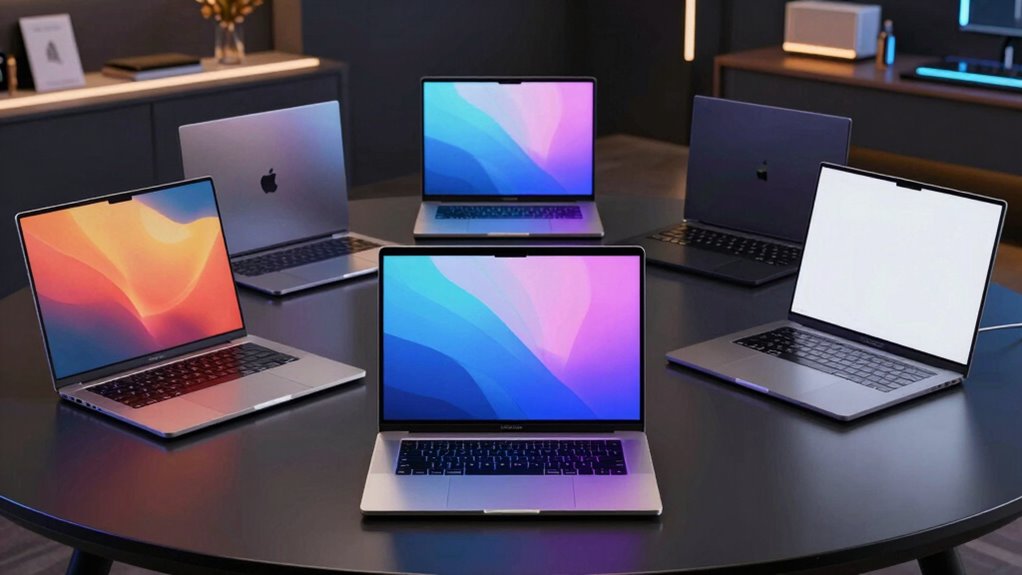

When I compare high-end laptops on Amazon, I look beyond processor labels to the work each machine is built to handle. The 14-inch MacBook Pro is my strongest all-around pick for demanding creative work and a vivid display; the Lenovo ThinkPad P16s Gen 4 pairs a 4K OLED screen with business-focused security; and the Dell Precision 7680 offers workstation connectivity and a high-powered Core i9. Their tradeoffs are substantial: the Dell’s integrated graphics do not match its workstation name, the Lenovo screen refreshes at 60Hz, and neither rivals the MacBook’s portability and battery-focused design. I’ve also included a large touchscreen Dell and a compact HP for buyers who value Windows flexibility or longer stated battery life.

Get home appliances delivered free with Prime
- Fast, free delivery on millions of items
- Prime Video, Amazon Music and more included
- Member-only deals all year
Complete the kit


Key Takeaways
- The MacBook Pro is the best balanced choice here for a compact premium laptop with a bright XDR display, M5 chip, and broad port selection.
- The ThinkPad P16s suits Windows users who prioritize a high-resolution OLED touchscreen, Windows 11 Pro, and business security features.
- The Precision 7680 offers the most workstation-style connectivity and a Core i9, but its integrated graphics limit GPU-heavy work.
- The HP OmniBook X combines a 14-inch 3K OLED touchscreen with a stated battery life of up to 27.5 hours; actual runtime varies by workload.
- The Dell Pro 16 is the most straightforward fit for buyers who want a large Windows touchscreen and numeric keypad, though its 300-nit display is less compelling for bright rooms.


| high end laptops on amazon | Memory | Storage | Display | Processor |
|---|---|---|---|---|
| Apple 2025 MacBook Pro 14-inch | 24GB unified memory | 1TB SSD | 14.2-inch Liquid Retina XDR | — |
| Lenovo ThinkPad P16s Gen 4 Mob | 32GB DDR5-5600 | 1TB PCIe Gen4 SSD | 16-inch 3840 × 2400 OLED touchscreen, 60Hz | AMD Ryzen AI 7 PRO 350 |
| HP OmniBook X 14 inch Next Gen | 24GB LPDDR5x | 1TB PCIe Gen4 NVMe SSD | 14-inch 3K OLED touchscreen | Intel Core Ultra 7 356H |
| Dell Precision 7680 16-inch FH | 32GB DDR5 CAMM | 1TB PCIe NVMe SSD | 16-inch 1920 × 1200 anti-glare | Intel Core i9-13950HX vPro, up to 5.5GHz |
| Dell Pro 16 Touchscreen Laptop | 32GB LPDDR5X, 8533 MT/s | 1TB PCIe NVMe SSD | 16-inch FHD+ touchscreen, 1920 × 1200, 300 nits | Intel Core Ultra 9 288V |
More Details on Our Top Picks
Apple 2025 MacBook Pro 14-inch Laptop with M5 Chip (10-Core CPU, 10-Core GPU), 24GB Unified Memory, 1TB SSD – Silver
I put the 14-inch MacBook Pro first because it makes fewer compromises across the jobs people expect from a high-end laptop. Its M5 chip, 24GB unified memory, and 1TB SSD are a strong foundation for professional and creative workloads, while the Liquid Retina XDR display offers unusually high peak brightness and contrast. Compared with the 16-inch Dell options, it is the more compact choice, and its HDMI and SDXC ports reduce the need to carry adapters for common displays and media cards.
The screen and connectivity make it especially versatile: it has three Thunderbolt 4 ports, MagSafe charging, HDMI, and an SDXC slot, plus a 12MP Center Stage camera and six-speaker audio system. Apple lists all-day battery life, with consistent performance on battery or power. It supports up to two external displays, fewer than the Precision 7680’s stated three. Its main limitation is platform fit: buyers who depend on Windows-only software or prefer a touchscreen should look at the ThinkPad or HP instead. Apple Intelligence availability can also vary by region, and this configuration is positioned as a premium purchase.
Pros:- Bright 14.2-inch Liquid Retina XDR display with high contrast
- M5 chip, 24GB unified memory, and 1TB SSD
- HDMI, SDXC, MagSafe, and three Thunderbolt 4 ports
- 12MP Center Stage camera and six-speaker Spatial Audio
Cons:- No touchscreen option
- Supports up to two external displays, fewer than the Precision 7680
- Apple Intelligence availability varies by region
Best for: Creative professionals and general power users who want a compact macOS laptop with a high-quality display, capable performance, and useful built-in ports.
Not ideal for: Windows-only workflows, touchscreen users, or buyers who need to connect more than two external displays.
- Chip:Apple M5, 10-core CPU and 10-core GPU
- Memory:24GB unified memory
- Storage:1TB SSD
- Display:14.2-inch Liquid Retina XDR
- Peak brightness:Up to 1600 nits
- Ports:Three Thunderbolt 4, MagSafe 3, HDMI, SDXC, headphone jack
- External displays:Up to 2
- Camera:12MP Center Stage
Our verdict“I recommend the MacBook Pro as the most balanced high-end pick here for buyers comfortable with macOS.”
Lenovo ThinkPad P16s Gen 4 Mobile Workstation – 16″ 4K OLED Touchscreen, AMD Ryzen AI 7 PRO 350, 32GB RAM, 1TB SSD
The ThinkPad P16s Gen 4 is my premium Windows pick for buyers who put the screen and business features ahead of gaming-class graphics. Its 16-inch 3840 × 2400 OLED touchscreen covers 100% of the DCI-P3 color space and supports Dolby Vision, giving detailed images and rich color that the Dell Pro 16’s 300-nit FHD+ panel cannot match. Compared with the MacBook Pro, it offers Windows 11 Pro, a larger touch display, and an Ethernet port; the MacBook is smaller and supports a higher listed peak brightness.
The Ryzen AI 7 PRO 350, 32GB DDR5 memory, and 1TB PCIe Gen4 SSD suit demanding office, development, and many creative tasks. ThinkShield, a fingerprint reader, a 5MP camera, and military-grade testing add business-focused features. However, integrated Radeon 860M graphics make this a weaker fit for heavy 3D rendering or GPU-intensive effects than a system with a discrete GPU. The 60Hz OLED panel may also feel less fluid than faster-refresh screens, and the roughly four-pound chassis is not especially light for frequent travel. Lenovo lists a one-year warranty, shorter than the remaining Dell support period stated for the Precision.
Pros:- 4K OLED touchscreen with Dolby Vision and 100% DCI-P3 coverage
- 32GB DDR5 memory and 1TB PCIe Gen4 SSD
- Windows 11 Pro, ThinkShield, and fingerprint reader
- Dual Thunderbolt 4/USB4, HDMI 2.1, and Ethernet
Cons:- Integrated graphics limit demanding GPU workloads
- OLED display is limited to 60Hz
- Approximately four pounds and listed with a one-year warranty
Best for: Windows professionals who want a large, color-rich touchscreen, business security features, and Windows 11 Pro.
Not ideal for: People doing heavy 3D or GPU-intensive work, or frequent travelers seeking the lightest 16-inch option.
- Processor:AMD Ryzen AI 7 PRO 350
- Memory:32GB DDR5-5600
- Storage:1TB PCIe Gen4 SSD
- Display:16-inch 3840 × 2400 OLED touchscreen, 60Hz
- Graphics:Integrated AMD Radeon 860M
- Operating system:Windows 11 Pro
- Connectivity:Dual Thunderbolt 4/USB4, HDMI 2.1, Ethernet, Wi-Fi 7
- Weight:Approximately 4 lb
Our verdict“I’d choose the ThinkPad over the Dell Pro 16 when a premium Windows screen and business features matter more than discrete graphics or a lighter carry.”
HP OmniBook X 14 inch Next Gen AI PC (14-ka0099nr, 2026)
For a portable Windows laptop with an ambitious screen and battery claim, I’d put the HP OmniBook X 14 ahead of the larger Dell models. It combines a 14-inch 3K OLED touchscreen with an Intel Core Ultra 7 356H, 24GB of LPDDR5x memory, and a 1TB Gen4 SSD. That configuration should feel more suited to everyday professional and creative use than a basic travel laptop, while the smaller footprint is easier to carry than the ThinkPad P16s or Precision 7680.
HP states up to 27.5 hours of battery life and says Fast Charge can take the battery from empty to 50% in about 30 minutes. Those are vendor claims rather than a promise for every workload, but they make this the most battery-focused option in the group. The 5MP IR webcam and Poly Studio speakers are useful for calls. Its tradeoff is graphics headroom: integrated Intel graphics are not the right foundation for sustained 3D work or demanding gaming. Compared with the MacBook Pro, it adds touch input and runs Windows, but the MacBook offers an XDR panel, more listed ports, and support for two external displays. OLED also calls for care against physical screen damage, which can be costly to repair.
Pros:- 14-inch 3K OLED touchscreen
- 24GB LPDDR5x memory and 1TB Gen4 SSD
- Vendor-stated battery life up to 27.5 hours and fast charging
- 5MP IR webcam and Poly Studio dual speakers
Cons:- Integrated Intel graphics are not aimed at heavy GPU work
- OLED panel may be costly to repair if damaged
- Runs Windows 11 Home rather than Pro
Best for: Traveling Windows users who want a compact touchscreen OLED laptop, substantial memory and storage, and a long stated battery life.
Not ideal for: Buyers focused on demanding 3D work, high-end gaming, or a repair-friendly display.
- Processor:Intel Core Ultra 7 356H
- Memory:24GB LPDDR5x
- Storage:1TB PCIe Gen4 NVMe SSD
- Display:14-inch 3K OLED touchscreen
- Graphics:Integrated Intel Graphics
- Operating system:Windows 11 Home
- Battery claim:Up to 27 hours 30 minutes
- Webcam:5MP IR with HDR
Our verdict“I’d pick the OmniBook X over the Dell Pro 16 for portability and screen quality, provided integrated graphics meet the workload.”
Dell Precision 7680 16-inch FHD+ Workstation Laptop, Intel Core i9-13950HX, 32GB DDR5, 1TB SSD
The Dell Precision 7680 is the pick for buyers who need workstation-style connections and a high-powered processor in a durable 16-inch system. Its Core i9-13950HX, 32GB DDR5 CAMM memory, and Windows 11 Pro are built around demanding office and compute-heavy work. Dell says it can drive up to three 4K monitors at 60Hz without a dock, giving it an advantage over the MacBook Pro’s listed two-display limit and the ThinkPad’s more vivid but 60Hz OLED screen.
That workstation label needs qualification: this configuration has integrated Intel UHD graphics, so it is a poor match for workloads that depend on a discrete GPU, including intensive 3D rendering. Its 1920 × 1200 anti-glare panel is practical for documents, but it lacks the visual impact of the ThinkPad’s 4K OLED or MacBook’s XDR display. The listing also says the computer was resealed for an SSD upgrade. The upgraded SSD has a three-year seller warranty, while Dell support for the remaining components runs through July 2029. That split coverage deserves attention before choosing it over a new-condition system such as the Dell Pro 16.
Pros:- Core i9-13950HX and 32GB DDR5 CAMM memory
- Supports up to three external 4K monitors at 60Hz
- Windows 11 Pro and broad port selection, including Ethernet and HDMI
- MIL-STD-810H testing and 1080p webcam with privacy shutter
Cons:- Integrated graphics constrain GPU-heavy work
- FHD+ resolution is less detailed than the ThinkPad OLED
- Resealed for SSD upgrade, with separate warranty terms
Best for: Professionals who need Windows 11 Pro, a large port selection, high CPU performance, and up to three external 4K displays.
Not ideal for: GPU-intensive creators, buyers wanting a high-resolution premium screen, or shoppers who prefer an unopened machine with uniform warranty coverage.
- Processor:Intel Core i9-13950HX vPro, up to 5.5GHz
- Memory:32GB DDR5 CAMM
- Storage:1TB PCIe NVMe SSD
- Display:16-inch 1920 × 1200 anti-glare
- Graphics:Integrated Intel UHD Graphics
- Operating system:Windows 11 Pro
- External displays:Up to three 4K displays at 60Hz
- Warranty and condition:Resealed for SSD upgrade; SSD has three-year seller coverage; Dell support on remaining components through July 2029
Our verdict“I’d choose the Precision over the Dell Pro 16 for CPU-heavy work and multi-monitor connections, after weighing its integrated graphics and resealed condition.”
Dell Pro 16 Touchscreen Laptop, Intel Core Ultra 9, 32GB RAM, 1TB SSD
The Dell Pro 16 is the most straightforward choice for buyers who want a roomy Windows touchscreen, a numeric keypad, and current connectivity in one large laptop. Its Core Ultra 9 288V, 32GB LPDDR5X memory, and 1TB SSD give it a strong base for multitasking and office workloads. Unlike the Precision 7680, it uses Intel Arc graphics rather than Intel UHD, while weighing a stated starting 4.12 pounds. The Precision still offers a higher-powered Core i9 and supports three external 4K displays, so I would favor it for CPU-heavy work and a fixed desk setup.
The Dell Pro’s 16:10 FHD+ touch panel makes documents and web pages comfortable to work through, and its Thunderbolt 4, HDMI 2.1, and Wi-Fi 7 provide room to connect newer accessories. But 300 nits is a modest brightness specification beside the OLED ThinkPad, HP, or bright MacBook panel; the Dell Pro is less suited to bright rooms or screen-focused creative work. Its Windows 11 Home edition also lacks the Pro designation found on the Precision and ThinkPad. This is a capable large-screen general-purpose machine, not the obvious pick for color-critical production or maximum portability.
Pros:- 16-inch FHD+ touchscreen with 16:10 aspect ratio
- 32GB LPDDR5X memory and 1TB SSD
- Intel Arc graphics and Thunderbolt 4
- Wi-Fi 7, HDMI 2.1, and numeric keypad
Cons:- Display is listed at 300 nits
- Starting weight is 4.12 pounds
- Windows 11 Home rather than Pro
Best for: Home-office and business users who want a large Windows touchscreen, numeric keypad, 32GB memory, and modern wireless connectivity.
Not ideal for: Color-focused creators, frequent travelers, or buyers who need Windows 11 Pro and workstation display support.
- Processor:Intel Core Ultra 9 288V
- Memory:32GB LPDDR5X, 8533 MT/s
- Storage:1TB PCIe NVMe SSD
- Display:16-inch FHD+ touchscreen, 1920 × 1200, 300 nits
- Graphics:Intel Arc graphics
- Operating system:Windows 11 Home
- Wireless:Wi-Fi 7 and Bluetooth 5.3
- Starting weight:4.12 lb
Our verdict“I’d choose the Dell Pro 16 for a large, practical Windows touchscreen, while the ThinkPad is a much stronger screen choice and the Precision better suits multi-monitor work.”

How We Picked
I ranked these five laptops by how convincingly each one earns a place in a high-end buying guide: performance for its intended work, screen quality, useful memory and storage, connectivity, portability, and the clarity of its tradeoffs. I compared them against one another rather than treating a large processor number or a premium screen as an automatic win. A laptop with a beautiful panel may still be a poor choice for GPU-heavy workloads, while a business workstation can make sense for ports and manageability even if its display is less vivid.
I also gave weight to configuration details that affect ownership. The Precision 7680 listing says the computer was resealed for an SSD upgrade, with separate warranty coverage for that drive and the rest of the system. That distinction matters beside the Lenovo’s stated one-year warranty and the MacBook’s integrated Apple hardware and ecosystem. Product descriptions report battery claims and specifications, but real-world results depend on settings and workload. I have not treated advertised claims as guarantees or assumed hands-on testing.
The order reflects the best fit across the lineup, not a single benchmark. The MacBook Pro comes first for its combination of display, performance, ports, and compact size. The ThinkPad earns the premium Windows workstation role through its OLED panel and business features. The HP follows as a compelling portable OLED option, while the Precision’s workstation credentials are tempered by integrated graphics and its resealed condition. The Dell Pro 16 rounds out the list as a capable large-screen general-purpose laptop with a less premium display.
| high end laptops on amazon | Processor | Graphics | Operating system |
|---|---|---|---|
| Apple 2025 MacBook Pro 14-inch | — | — | — |
| Lenovo ThinkPad P16s Gen 4 Mob | AMD Ryzen AI 7 PRO 350 | Integrated AMD Radeon 860M | Windows 11 Pro |
| HP OmniBook X 14 inch Next Gen | Intel Core Ultra 7 356H | Integrated Intel Graphics | Windows 11 Home |
| Dell Precision 7680 16-inch FH | Intel Core i9-13950HX vPro, up to 5.5GHz | Integrated Intel UHD Graphics | Windows 11 Pro |
| Dell Pro 16 Touchscreen Laptop | Intel Core Ultra 9 288V | Intel Arc graphics | Windows 11 Home |
Factors to Consider When Choosing High End Laptops On Amazon
I’d start with the work you need the laptop to do, then narrow the choices by screen, operating system, and how often you’ll carry it. These five machines all offer substantial memory and storage, but that shared baseline hides real differences in graphics, display quality, and ports.
Match the laptop to the workload
For mixed creative and professional work, the MacBook Pro’s M5 platform is the most balanced option in this list. If your work depends on Windows 11 Pro, the ThinkPad combines business features with an OLED panel, while the Precision pairs a Core i9 with broad connectivity. Neither Windows workstation here has discrete graphics in the supplied configuration. For demanding 3D, GPU rendering, or serious gaming, check for a model with a dedicated GPU rather than assuming a workstation name means one is included. The Dell Pro 16 and HP OmniBook X suit productivity and everyday creative tasks better than intensive GPU work.
Choose a screen you can work with
The ThinkPad P16s has the sharpest stated resolution at 3840 × 2400, along with OLED, touch input, Dolby Vision, and wide color coverage. The HP’s 3K OLED offers a smaller touch display, while Apple’s XDR screen emphasizes brightness and contrast. The Dell Pro 16 and Precision use FHD+ panels; the Pro’s display is listed at 300 nits, and the Precision’s anti-glare finish favors practical office use over image detail. If you work with color, prioritize panel quality and color coverage. For long document sessions, a clear 16:10 screen and comfortable scaling may matter more than peak resolution.
Think about carrying size and battery claims
The 14-inch MacBook Pro and HP OmniBook X are the most compact choices listed. HP states up to 27.5 hours of battery life, but runtime depends on brightness, applications, and other settings. Apple describes the MacBook Pro’s battery life as all-day. Treat both as estimates for particular usage patterns rather than guarantees. The ThinkPad and Dell systems give you larger displays and numeric keypads, but each is around four pounds or more based on the supplied details. If you regularly commute with a laptop, screen size can turn into a daily tradeoff.
Check ports, displays, and operating system
Count the connections you actually use. The Precision 7680 supports up to three external 4K displays without a docking station and includes Ethernet. The MacBook Pro supports up to two external displays and has HDMI and SDXC built in. The ThinkPad adds Ethernet and HDMI 2.1, while the Dell Pro includes HDMI 2.1 and Thunderbolt 4. Windows 11 Pro is specified on both workstation models; the Dell Pro and HP list Windows 11 Home. If you rely on Windows management or software that requires Pro, that difference can rule out two options immediately.
Read the listing and warranty details
High-end specifications do not tell the whole ownership story. The Precision 7680 listing says the computer was resealed for a seller-installed SSD upgrade. It assigns three years of seller warranty to that SSD and says Dell support for the other components runs through July 2029. The ThinkPad lists a one-year Lenovo warranty. Compare the terms attached to the actual listing you are considering, especially when a seller has modified the configuration. For OLED models, consider how you would protect the screen: the panel can be a major part of the appeal and may be expensive to repair if damaged.
Frequently Asked Questions
Which laptop is the best all-around choice in this group?
I rank the 14-inch MacBook Pro first for its blend of M5 performance, 24GB unified memory, 1TB storage, a bright XDR screen, and useful built-in ports. It is a strong fit for creative and professional work when macOS suits your software. Buyers who need Windows 11 Pro or a touchscreen should compare it with the ThinkPad P16s instead.
Which option has the best display for color-focused work?
The ThinkPad P16s Gen 4 has the strongest stated color-focused specification: a 4K OLED touchscreen with Dolby Vision and 100% DCI-P3 coverage. The MacBook Pro’s XDR screen is another excellent option, while the HP offers 3K OLED in a smaller format. Panel specifications alone do not establish professional color accuracy, so buyers with calibrated production needs should check their required workflow and display settings.
Is the Dell Precision 7680 a good choice for graphics-heavy work?
Not in the configuration described here. The Precision 7680 has integrated Intel UHD graphics, despite its workstation positioning, so demanding 3D rendering and GPU-heavy effects are a weak fit. Its Core i9 processor, Windows 11 Pro, and support for three external 4K displays suit CPU-heavy work and multi-monitor office setups. For graphics workloads, look for a configuration with a dedicated GPU.
Which laptop is best for travel and long unplugged sessions?
The HP OmniBook X 14 is the most battery-focused Windows pick, with HP stating up to 27.5 hours and fast charging to 50% in about 30 minutes. The compact MacBook Pro is another strong travel candidate, with Apple describing its battery life as all-day. Actual runtime varies with brightness, applications, and settings, so neither claim should be treated as a guaranteed duration for every trip.
What should I check before buying the Precision 7680 listing?
Read the listing’s condition and warranty details closely. It says the computer was resealed for an SSD upgrade, that the upgraded drive carries a three-year warranty from the seller, and that Dell support for the remaining components runs through July 2029. That means coverage differs by component. If you want an unopened system or one warranty covering the complete configuration, compare those terms with the other listings before deciding.
Conclusion
I’d choose the MacBook Pro for a balanced premium laptop that handles creative and professional work in a compact format, provided macOS fits my software. For a Windows machine with a sharp, vivid screen and business protections, I’d turn to the ThinkPad P16s. The HP OmniBook X makes more sense for travel when a small OLED touchscreen and long stated battery life lead the priorities. I’d reserve the Precision 7680 for CPU-heavy desk work and multi-monitor setups after reviewing its resealed condition and split warranty. The Dell Pro 16 is the practical pick for a large everyday Windows touchscreen and numeric keypad, but screen-focused creators should favor the OLED or XDR alternatives.