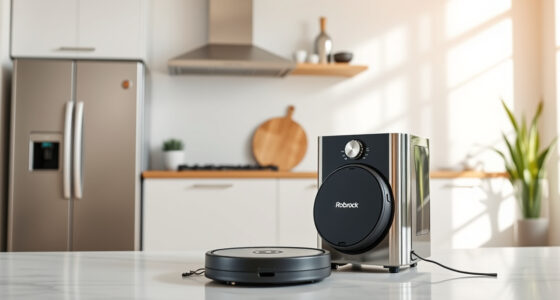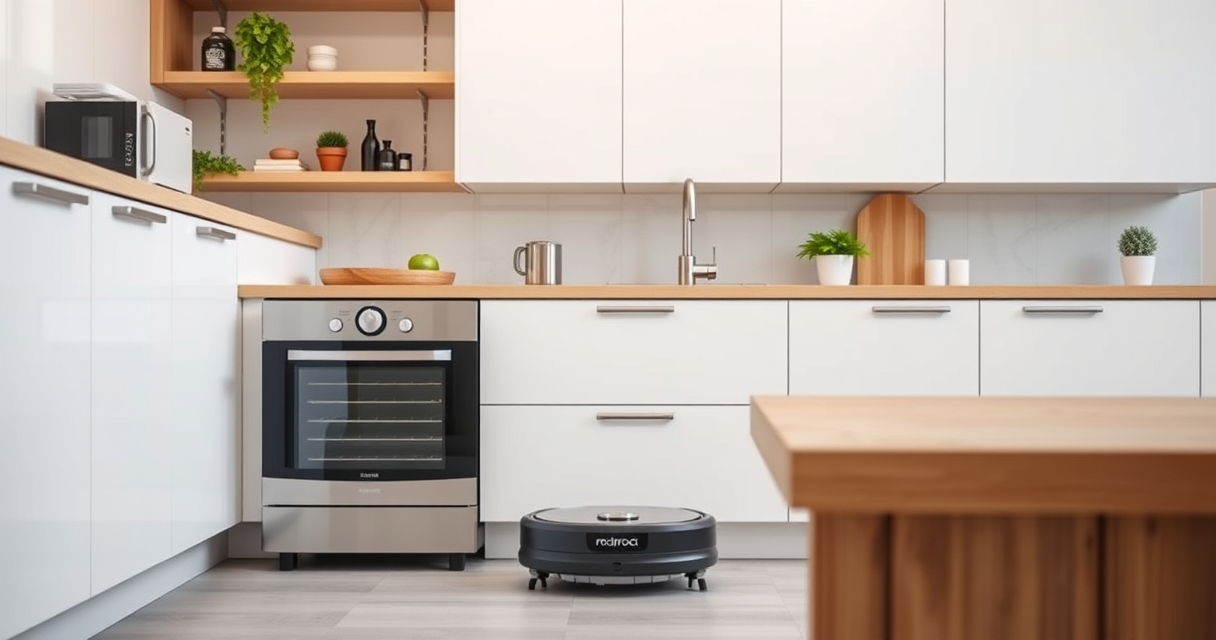
If your Roborock Q10 S5+ robot vacuum isn’t mopping properly, it can be frustrating, especially when you rely on it for regular cleaning. Several common issues can cause the mopping function to stop working or perform poorly, from simple cleaning needs to technical glitches. Fortunately, most problems are fixable with a few straightforward steps.

Get home appliances delivered free with Prime
- Fast, free delivery on millions of items
- Prime Video, Amazon Music and more included
- Member-only deals all year
This guide will walk you through the key troubleshooting steps, safety tips, and maintenance routines to get your robot back to delivering spotless floors. Whether it’s a connectivity issue, dirty mop pads, or mechanical problems, you’ll find clear instructions to resolve the issue efficiently.
Key Takeaways
| Regular maintenance is key | Clean and replace mop pads regularly to ensure effective mopping. |
| Check water supply | Ensure the water tank is filled properly and the system isn’t blocked. |
| Inspect the mopping system | Look for obstructions or damage in the VibraRise 2.0 system. |
| Update firmware | Keep your Roborock software up to date to fix bugs and improve performance. |
| Perform a reset if needed | Reboot or reset the robot to clear minor glitches. |
Step 1: Check the Water Tank and Water Supply
- Remove the water tank from your Roborock Q10 S5+ and inspect it for any blockages or leaks.
- Ensure the tank is filled with clean, cold water to at least the minimum fill line.
- Check the water inlet and outlet for clogs or debris that could prevent water flow.
- Reinstall the tank securely, making sure it clicks into place properly.
A proper water supply is essential for effective mopping. If the water isn’t reaching the mopping pads, the system won’t work correctly.
Step 2: Clean the Mop Pads and VibraRise System
- Remove the microfiber mop pads and wash them in warm water with mild detergent. Dry thoroughly before reinstalling.
- Inspect the mop pads for tears or excessive dirt that could impair mopping performance.
- Check the VibraRise 2.0 mopping system for obstructions or buildup. Use a soft brush or cloth to gently clean the area around the sonic vibrations and lifting mechanism.
- Ensure the mop pads are properly attached and evenly aligned on the robot’s base.
Dirty or worn mop pads can significantly reduce mopping effectiveness. Regular cleaning or replacement is recommended every 1-3 months.
Step 3: Verify Obstacle Avoidance and Mechanical Functionality
Ensure the obstacle avoidance sensors are clean and unobstructed. Use a soft cloth to wipe the sensors gently.
Check the main brush and side brushes for tangled hair or debris that could interfere with movement or water distribution. Clear any hair tangles carefully.
Test the robot’s ability to lift the mop if it’s equipped with Auto Mop Lifting. Confirm that the lifting mechanism operates smoothly without sticking or jamming.
If the robot isn’t lifting or lowering the mop properly, consult the user manual or contact support for potential mechanical repairs.
Step 4: Update Firmware and Reset the Device
Ensure your Roborock Q10 S5+ runs the latest firmware. Connect it to the app, check for updates, and install any available firmware upgrades.
If issues persist, perform a soft reset or restart the robot. This can clear minor glitches affecting the mopping function.
To reset, hold the power button for a few seconds until the robot turns off, then turn it back on. Reconfigure the cleaning map if necessary.
These steps often resolve software-related issues causing mopping failures.
Tips and Warnings for Safe and Effective Troubleshooting
- Always unplug or remove the water tank before cleaning or inspecting internal parts to avoid electrical hazards.
- Use only recommended cleaning solutions and avoid harsh chemicals that could damage the system.
- Handle brushes and moving parts carefully to prevent injury or damage.
- Consult the user manual for specific maintenance instructions related to your model.
- If mechanical or electrical issues persist, contact Roborock customer support for professional assistance.
The Products in This Guide

roborock Q10 S5+ Robot Vacuum and Mop
- ✔ Weight: Approx. 4.8 kg
- ✔ Charging Time: About 3 hours
- ✔ Dust Capacity: 2.7L

4 Pack Washable Filter
- ✔ Pack Size: 4 filters
- ✔ Material: HEPA
- ✔ Washable: Yes
roborock Q10 S5+ Robot Vacuum and Mop
The Roborock Q10 S5+ offers powerful cleaning with 10,000 Pa suction and advanced sonic mopping. Its self-empty station and obstacle avoidance make it ideal for busy households, especially pet owners.
Pros:
- Powerful 10,000 Pa suction
- Self-emptying station for up to 70 days
- Obstacle avoidance technology
- Dual anti-tangle design
Cons:
- Higher price point
- Requires regular maintenance
- Complex setup for new users
Best for: Households needing powerful suction and automated mopping
Not ideal for: Users seeking a lightweight or budget-friendly option
Bottom line: A top-tier robot vacuum combining powerful cleaning and convenient features for busy homes.
4 Pack Washable Filter
This 4-pack of washable filters ensures your Roborock stays effective over time, maintaining high filtration and airflow without the recurring expense of replacements.
Pros:
- Cost-effective 4-pack
- Easy to wash and reuse
- Compatible with multiple models
- Helps maintain suction power
Cons:
- Requires regular cleaning
- Not OEM, but performs well
Best for: Pet owners and busy households needing consistent filtration
Not ideal for: Users seeking original OEM filters
Bottom line: A budget-friendly, washable filter pack that keeps your Roborock’s filtration system in top shape.
Frequently Asked Questions
Why isn’t my Roborock Q10 S5+ mopping properly?
Common reasons include a clogged water tank, dirty mop pads, obstructions in the mopping system, or outdated firmware. Following the troubleshooting steps can usually resolve these issues.
How often should I clean or replace the mop pads?
It’s recommended to wash microfiber mop pads every 1-3 months, depending on usage, to maintain optimal cleaning performance.
What should I do if the robot’s mopping system is lifting or not lowering the mop?
Check the Auto Mop Lifting mechanism for obstructions, clean the sensors, and ensure the lifting system operates smoothly. If problems persist, contact support.
Can I update the firmware myself?
Yes, connect your robot to the Roborock app and check for firmware updates. Keeping the software current can fix bugs and improve mopping performance.
Is it safe to use cleaning solutions in the water tank?
Only use recommended, mild cleaning solutions. Harsh chemicals can damage the system and void the warranty.
Restore Your Roborock’s Mopping Power with Ease
Keeping your Roborock Q10 S5+ functioning optimally requires regular maintenance, cleaning, and occasional troubleshooting. By following these steps, you can resolve most mopping issues quickly and safely, ensuring your floors stay spotless without hassle. Remember, routine upkeep and software updates are key to long-term performance. If problems persist, don’t hesitate to seek professional support to keep your smart cleaning companion running smoothly.
Affiliate disclosure: As an Amazon Associate we earn from qualifying purchases. Prices and availability are accurate as of the time of publishing.
Halloween Picks
halloween
As an affiliate, we earn on qualifying purchases.