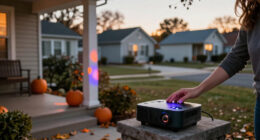
For a home theater projector, I’d start with the Epson Home Cinema 3800 as the best overall pick: its 3-chip 3LCD design and 4K PRO-UHD processing make it the most theater-focused option in this lineup. The VOPLLS G7 stands out for built-in Google TV, while the VISSPL Smart Projector claims 3000 ANSI lumens and AI auto focus for buyers who want a brighter, simpler setup. The main tradeoffs are native resolution versus 4K support or decoding, room brightness versus portability, and built-in streaming versus picture-first design. Several models advertise 4K support while listing native 1080p, so those terms are not interchangeable. Read on for the full breakdown and help matching a projector to your room and viewing habits.

Get home appliances delivered free with Prime
- Fast, free delivery on millions of items
- Prime Video, Amazon Music and more included
- Member-only deals all year
Complete the kit



Key Takeaways
- The Epson Home Cinema 3800 is the clearest theater-first pick: its 3-chip 3LCD system and 4K PRO-UHD processing set it apart from the many portable models built around native 1080p and 4K decoding.
- Streaming convenience varies more than the 4K labels suggest: VOPLLS lists Google TV, the X9 Pro and VIDAA Smart Projector list VIDAA OS, and another model bundles a Google TV stick.
- Portability often comes with a resolution tradeoff: XuanPad, VIDAA Smart Projector, and Wimius P62 Pro list native 1080p alongside 4K support or decoding.
- Setup aids are a recurring strength: several models list auto focus, while the XuanPad adds a 360° stand and one Google TV bundle model lists an auto lens cap.
- Feature claims do not settle room suitability: advertised brightness, audio, and smart features differ across these models, so buyers should check the exact specifications and plan for their screen size, lighting, and sound setup.


| home theater projectors 4k | Native resolution | Brightness | Audio | HDR |
|---|---|---|---|---|
| Epson Home Cinema 3800 4K PRO- | — | 3,000 lumens | Dual 10 W stereo speakers | Full 10-bit HDR |
| VOPLLS G7 4K Projector with Go | 1920 × 1080 | — | 16 W dual Dolby Audio | HDR10+ |
| XuanPad Smart Mini Projector | 1920 × 1080 | — | — | — |
| X9 Pro 4K-Decoding Smart Proje | 1080p | 920 ISO lumens | — | HDR10 |
| VISSPL Smart Projector with 4K | 1080p | 3,000 ANSI lumens | Dolby 3D surround sound with AI audio balance | HDR10 enhancement |
| Thunrlge HY300 Pro Portable Sm | 1280 × 720 | — | — | — |
| VIDAA Smart Projector with Nat | 1920 × 1080 | 550 ANSI lumens | Dolby Audio | — |
| Smart 4K Projector [Bundled wi | 1920 × 1080 | 3000 ANSI lumens (listed) | — | — |
| HAPPRUN Outdoor Smart Projecto | — | 1500 ANSI lumens (listed) | Dual 15W speakers with Dolby Audio | — |
| Wimius P62 Pro Smart Outdoor P | 1080p | 600 ANSI lumens | Dual 10W speakers with Dolby audio | HDR10 |
More Details on Our Top Picks
Epson Home Cinema 3800 4K PRO-UHD 3-Chip 3LCD Projector
I’d put the Epson Home Cinema 3800 first for buyers who want a dedicated home theater picture with stronger brightness and color detail than the portable 1080p models in this group. Its 3-chip 3LCD system displays the full RGB signal, avoiding the rainbow effect some viewers notice with other projection technologies. The 3,000-lumen rating also gives it more headroom for rooms that are not fully dark, while lens shift helps with placement. Compared with the VISSPL Smart Projector, the Epson offers a specified 3840 × 2160 resolution rather than 4K decoding on a native 1080p panel. The tradeoff is convenience: it lacks the listed built-in streaming apps and automatic setup features of several rivals, and its speakers are better treated as a backup than a theater sound system.
Pros:- 3-chip 3LCD displays full RGB color without rainbow effects
- Supports 4K HDR at 60 Hz
- 3,000-lumen brightness suits rooms that are not completely dark
- Lens shift adds flexibility to tabletop placement
Cons:- Built-in stereo speakers may not provide theater-level sound
- Streaming apps are not listed as built in
- Active 3D viewing requires separate 3D glasses
Best for: Home theater viewers who prioritize a bright, color-rich image, 4K HDR at 60 Hz, and flexible tabletop placement.
Not ideal for: Buyers who want a portable projector with built-in streaming apps and automatic focus, or who expect the built-in speakers to replace a sound system.
- Projection technology:3-chip 3LCD
- Resolution:3840 × 2160
- Brightness:3,000 lumens
- Contrast ratio:100,000:1
- HDR:Full 10-bit HDR
- HDMI:HDMI 2.0, 18 Gbps; 4K HDR at 60 Hz
- Audio:Dual 10 W stereo speakers
- Maximum image size:300 inches
Our verdict“Choose the Epson if picture brightness, color, and specified 4K resolution matter more than portable smart features.”
VOPLLS G7 4K Projector with Google TV
The VOPLLS G7 is the pick for viewers who want streaming ready on the projector, with licensed Google TV and access to popular apps. Auto focus and keystone correction reduce the setup work when moving it between rooms, and casting options add flexibility for phones and tablets. Its 16 W Dolby Audio speakers also make casual viewing simpler without immediate external audio. The main distinction from the Epson Home Cinema 3800 is resolution: the G7’s panel is natively 1920 × 1080, and its 3840 × 2160 figure describes supported input, not displayed pixel resolution. That makes it a less convincing choice for buyers seeking fine 4K detail on a large home theater screen. Its brightness claim lacks a specific measurement, so I’d favor controlled lighting for demanding movie sessions.
Pros:- Licensed Google TV provides access to popular streaming apps
- Auto focus and keystone correction simplify setup
- Wi-Fi 6, Bluetooth 5.2, and multiple casting options
- Dual 16 W Dolby Audio speakers support casual viewing
Cons:- Native resolution is 1920 × 1080; 4K is supported as an input
- Brightness is described comparatively without a specific lumen measurement
- Outdoor use is positioned for dusk and evening viewing
Best for: Viewers who want a portable, app-ready projector with automatic setup and easy wireless casting for everyday streaming.
Not ideal for: Dedicated home theater buyers who want native 4K-level detail or a clearly specified brightness figure for a large screen.
- Native resolution:1920 × 1080
- Maximum supported input:3840 × 2160
- Display type:LCD
- Throw ratio:1.24:1
- HDR:HDR10+
- Audio:16 W dual Dolby Audio
- Wireless:Wi-Fi 6, Bluetooth 5.2, AirPlay, Miracast, Chromecast
- Setup features:Auto focus, 6D keystone correction, obstacle avoidance, screen fit
Our verdict“Choose the VOPLLS G7 for convenient built-in streaming and portability if native 4K detail is not your priority.”
XuanPad Smart Mini Projector, Native 1080p, 4K Support, Wi-Fi and Bluetooth, Auto Focus, 360° Stand
At 1.89 pounds, the XuanPad is the clearest choice here for buyers who want to move a projector between rooms or take it along. Its detachable 360° stand makes unusual projection angles easier, and autofocus plus keystone correction cuts down on manual adjustment. Built-in apps and wireless connections also make it more self-contained than the Epson Home Cinema 3800, which is better suited to a fixed home theater setup. The limit is the same one buyers should keep in view across several compact picks: XuanPad’s panel is natively 1080p, and 4K support refers to accepted input. Its 40–200-inch projection range offers placement flexibility, but the largest image will not deliver the fine detail of a projector with a higher native resolution. I’d choose it for convenience and mobility, not a reference-style 4K theater.
Pros:- Lightweight 1.89-pound design
- Detachable 360° stand supports flexible placement
- Autofocus and keystone correction simplify setup
- Built-in apps plus Wi-Fi and Bluetooth connectivity
Cons:- Native resolution is 1920 × 1080; 4K is supported as input
- Maximum listed projection size is 200 inches, with no brightness figure provided
- Built-in speaker details are not specified
Best for: People who want a lightweight projector for moving between bedrooms, living spaces, or occasional travel.
Not ideal for: Home theater buyers who prioritize native 4K detail, a large dedicated screen, or a permanently installed system.
- Native resolution:1920 × 1080
- Maximum supported input:3840 × 2160
- Display type:LCD
- Weight:1.89 lbs
- Projection size:40–200 inches
- Stand:Detachable, 360° rotatable
- Connectivity:HDMI, USB, 3.5 mm jack, Bluetooth 5.2, Wi-Fi
- Setup features:Autofocus, 4P/6D keystone correction, 50%–100% zoom
Our verdict“Choose the XuanPad for portability and flexible setup, while treating 4K input support as a convenience rather than native 4K projection.”
X9 Pro 4K-Decoding Smart Projector with VIDAA OS, Dolby Audio, Wi-Fi 6 and Auto Focus
The X9 Pro suits buyers who want the streaming system and wireless controls built into a home projector: VIDAA OS includes named services and live TV channels, while AirPlay 2 and HomeKit support Apple-device households. Automatic focus, keystone correction, and screen fit make setup more forgiving than with the Epson Home Cinema 3800, which offers lens shift but not the same listed smart adjustments. That convenience comes with a clear image tradeoff: the X9 Pro has a native 1080p panel, so 4K decoding does not create 4K projected detail. Its 920 ISO lumens are also a more modest brightness specification than the Epson’s 3,000-lumen rating. The 2 × 20 W Dolby Audio speakers are unusually substantial on paper, but buyers focused on image fidelity should put resolution and room lighting ahead of app count.
Pros:- VIDAA OS includes popular streaming services and over 1,000 live TV channels
- AirPlay 2 and HomeKit support Apple-device integration
- AI focus, keystone correction, obstacle avoidance, and screen fit ease setup
- Two 20 W Dolby Audio speakers are built in
Cons:- Native resolution is 1080p; 4K content plays back at 1080p
- 920 ISO lumens may limit use in brighter rooms
- Smart features and built-in audio do not replace native 4K image detail
Best for: Apple-device households and streaming-first viewers who want automatic image setup and built-in VIDAA services.
Not ideal for: Buyers seeking native 4K projection or a brighter image for a room with significant ambient light.
- Operating system:VIDAA OS
- Native resolution:1080p
- Video decoding:4K
- Brightness:920 ISO lumens
- HDR:HDR10
- Speakers:2 × 20 W with Dolby Audio
- Wireless:Wi-Fi 6, Bluetooth 5.4, AirPlay 2, HomeKit
- Connections:HDMI ARC/CEC, USB, 3.5 mm headphone jack
Our verdict“Choose the X9 Pro for VIDAA and Apple-friendly convenience if you accept native 1080p playback and plan to control room light.”
VISSPL Smart Projector with 4K Support, 3000 ANSI Lumens, AI Auto Focus, and Dolby Audio
The VISSPL’s headline advantage is its stated 3,000 ANSI lumens, paired with automatic focus and screen adjustment for buyers who want a flexible setup across rooms or for evening outdoor viewing. Its 360° adjustable stand gives it more placement options than the Epson Home Cinema 3800, while built-in streaming apps reduce the need for a separate device. But the 4K wording needs context: this projector has a native 1080p resolution and decodes 4K content for playback at that resolution. The claimed brightness could help in a less controlled room, though the description still frames best picture quality around dark rooms or outdoor nights. Compared with the lighter XuanPad, VISSPL emphasizes brightness and audio features rather than a stated compact weight. It is a flexible 1080p choice, not the lineup’s strongest match for buyers chasing 4K detail.
Pros:- Stated 3,000 ANSI lumens brightness
- Built-in streaming apps include Netflix, YouTube, and Prime Video
- AI focus, keystone correction, obstacle avoidance, and screen fit reduce setup effort
- 360° stand and Wi-Fi 6 support flexible placement and wireless use
Cons:- Native resolution is 1080p; 4K content is decoded rather than displayed at native 4K
- Best picture quality is described for dark rooms or outdoor nights
- Listed two-year protection is shorter than the three-year warranties specified for some rivals
Best for: Viewers who want a smart 1080p projector with a flexible stand for dark-room movies and occasional outdoor nights.
Not ideal for: Buyers who require native 4K resolution or plan to watch in daylight or a brightly lit room.
- Native resolution:1080p
- 4K support:4K decoding
- Brightness:3,000 ANSI lumens
- HDR:HDR10 enhancement
- Audio:Dolby 3D surround sound with AI audio balance
- Wireless connectivity:Wi-Fi 6, Bluetooth 5.2
- Picture adjustment:AI auto focus, 6D keystone correction, obstacle avoidance, screen fit
- Stand:360° adjustable
Our verdict“Choose VISSPL for its stated brightness, apps, and flexible stand if 1080p playback meets your home theater needs.”
Thunrlge HY300 Pro Portable Smart Mini Projector
The HY300 Pro earns a place for easy repositioning, not for 4K detail: its native resolution is 1280 × 720, so 4K source material cannot appear at full resolution. Its 180° rotation and automatic keystone correction make it easier to point at a wall or ceiling than the more home theater-focused Wimius P62 Pro, which offers native 1080p and more connection ports. Built-in Android 11.0 and Netflix reduce the need for a separate streaming device, while its 40–130-inch image range suits casual viewing in smaller spaces. The tradeoff is a lower-resolution picture than the lineup’s 1080p options, with a listed contrast ratio of 1500:1. I’d choose it for flexible, occasional viewing, and skip it if sharp detail is the priority.
Pros:- Android 11.0 and Netflix are built in
- 180° rotation allows flexible projection angles
- Automatic keystone correction helps square the image
- 40–130-inch image range fits casual viewing
Cons:- Native 1280 × 720 resolution falls short of the lineup’s 1080p models
- Listed contrast ratio is 1500:1
- Bluetooth version is inconsistent between title and description
Best for: Viewers who want a small projector for casual bedroom, ceiling, or travel viewing and value flexible positioning over image detail
Not ideal for: Home theater buyers who want native 1080p or 4K-level detail; its native resolution is 1280 × 720
- Native resolution:1280 × 720
- Display type:TFT LCD
- Operating system:Android 11.0
- Contrast ratio:1500:1
- Image size:40–130 inches
- Throw distance:0.5–3 meters
- Projection rotation:180°
- Connectivity:Wi-Fi 6, Bluetooth, HDMI, USB
Our verdict“Choose the HY300 Pro for flexible placement and built-in streaming when portability matters more than a high-resolution home theater picture.”
VIDAA Smart Projector with Native 1080p, 4K Decoding, Wi-Fi 6, Bluetooth 5.4, Auto Focus, and Dolby Audio
This VIDAA model suits viewers who want setup help and a broad streaming menu more than native 4K resolution. Its native 1080p panel displays 4K-decoded content at 1080p, like the Wimius P62 Pro; neither should be mistaken for a native 4K projector. Where this VIDAA option stands apart is its auto focus, 6D keystone correction, obstacle avoidance, and screen alignment, which can make moving it between rooms or outdoor spots less fiddly. The listed 550 ANSI lumens are a limit for bright rooms, even with HDR10+ support. Compared with the HAPPRUN Outdoor Smart Projector, it offers more explicit setup adjustments, while HAPPRUN lists higher brightness. I’d shortlist it for adaptable placement and streaming variety, but skip it for daytime viewing or native 4K detail.
Pros:- Native 1080p resolution with 4K decoding
- Auto focus, 6D keystone, obstacle avoidance, and screen alignment simplify placement
- VIDAA OS lists more than 1,200 apps and 1,000 live TV channels
- Dolby Audio, AirPlay, and Wi-Fi 6 support
Cons:- 4K content is displayed at native 1080p resolution
- 550 ANSI lumens may limit use in bright environments
- Its setup features do not remove the need to manage placement and ambient light
Best for: Viewers who move a projector between rooms or outdoor setups and want automatic image adjustments plus built-in streaming
Not ideal for: Buyers seeking native 4K detail or a bright picture in a sunlit room; resolution is native 1080p and brightness is listed at 550 ANSI lumens
- Native resolution:1920 × 1080
- Maximum display resolution:3840 × 2160 decoding
- Brightness:550 ANSI lumens
- Operating system:VIDAA
- Maximum image size:300 inches
- Throw distance:4.5–16.4 feet
- Audio:Dolby Audio
- Connectivity:Wi-Fi 6, Bluetooth 5.4, HDMI 2.1 CEC/ARC, 3.5 mm jack
Our verdict“Pick this VIDAA projector if automatic setup and streaming access matter more than native 4K or bright-room performance.”
Smart 4K Projector [Bundled with Google TV Stick] with WiFi and Bluetooth, 3000ANSI, Auto Lens Cap, Portable Outdoor Movie Projector with Built-in Apps Auto Focus for Ceiling/Home Theater/Bedroom
with WiFi and Bluetooth, 3000ANSI, Auto Lens Cap, Portable Outdoor Movie Projector with Built-in Apps Auto Focus for Ceiling/Home Theater/Bedroom” image=”https://m.media-amazon.com/images/I/71LLNEJdLxL._AC_SY300_SX300_QL70_ML2_.jpg” link=”0″]Best for a Protected, Portable Setup
View on AmazonThe bundled Google TV Stick and auto lens cover give this projector a practical angle for portable home theater use: streaming is ready to hand, and the cover helps protect the lens between sessions. Its 360° rotating stand and automatic focus and keystone correction also make it easier to move between a shelf, table, and outdoor setup than the Thunrlge HY300 Pro, which has 180° rotation and lower native resolution. Despite the 4K wording and 3000 ANSI claim, the listed native resolution is 1920 × 1080, and maximum display resolution is also listed as 1920 × 1080. The supplied information describes HDR but does not identify a specific standard. I’d favor it for flexible positioning and lens protection, while buyers prioritizing documented 4K display capability should look elsewhere.
Pros:- Google TV Stick is bundled for streaming access
- 360° rotating stand supports varied projection angles
- Auto lens cover helps protect the lens between uses
- Automatic focus and keystone correction simplify setup
Cons:- Native and maximum listed display resolution are 1920 × 1080, despite 4K branding
- Supplied specs do not identify an HDR standard
- 3000 ANSI brightness is a manufacturer claim without additional measurement context in the supplied data
Best for: People who move a projector between indoor and outdoor viewing spots and want a rotating stand, lens cover, and bundled streaming device
Not ideal for: Buyers who require native 4K or verified 4K output; the listed native and maximum display resolutions are both 1920 × 1080
- Native resolution:1920 × 1080
- Maximum display resolution:1920 × 1080
- Display type:LED
- Brightness:3000 ANSI lumens (listed)
- Maximum throw distance:4 meters
- Minimum throw distance:1.1 meters
- Wireless:Wi-Fi 6, Bluetooth 5.2
- Stand:360° rotating
Our verdict“Choose this model for flexible placement, lens protection, and bundled streaming, provided native 1080p meets your image needs.”
HAPPRUN Outdoor Smart Projector 4K Decoding, Built-in Apps, 30W Dolby Audio
The HAPPRUN’s clearest distinction is its 30W Dolby Audio speaker system, which may reduce the need to add an external speaker for casual movies. It also lists 1,500 ANSI lumens, more than the VIDAA Smart Projector’s 550, making it the stronger paper choice for rooms that are not fully dark. Its 4K decoding is not native 4K, though: the supplied description does not state a native resolution, so I would verify that specification before buying for sharp home theater detail. Built-in access to more than 1,000 apps and automatic focus add convenience, while Wi-Fi 6 and Bluetooth 5.2 broaden connection options. Compared with the Wimius P62 Pro, HAPPRUN emphasizes louder built-in audio and a higher stated brightness; Wimius provides clearer resolution and port details. The tradeoff is less complete specification data.
Pros:- Built-in streaming access includes more than 1,000 apps
- 30W Dolby Audio speakers are rated at 15W each
- Automatic focus supports quick image adjustment
- Lists 1,500 ANSI lumens
Cons:- 4K decoding does not establish native 4K resolution
- Native resolution is not specified in the supplied product data
- The claimed 20,000:1 contrast ratio lacks further measurement context
Best for: Movie watchers who want built-in streaming and stronger on-projector audio for casual indoor or outdoor use
Not ideal for: Buyers who need confirmed native 4K or a clearly documented native resolution before choosing a home theater projector
- Resolution support:4K decoding; native resolution not specified
- Brightness:1500 ANSI lumens (listed)
- Contrast ratio:20,000:1 (listed)
- Audio:Dual 15W speakers with Dolby Audio
- Wireless:Wi-Fi 6, Bluetooth 5.2
- Ports:HDMI, USB, 3.5 mm audio
- Setup:Automatic focus and screen adjustment
- Mounting:Ceiling, table, tripod, or wall mount
Our verdict“Choose the HAPPRUN if built-in audio and streaming convenience lead your priorities, after confirming its native resolution suits your needs.”
Wimius P62 Pro Smart Outdoor Projector, Native 1080p with 4K Support
The P62 Pro is the most clearly specified option here for connecting several wired devices: two HDMI ports and two USB ports give a console, streaming stick, or other source room to stay connected. Its native 1080p resolution with 4K input support is easier to interpret than the HAPPRUN’s unspecified native resolution, but it still displays 4K video at 1080p rather than native 4K detail. The 600 ANSI lumens make a dim viewing space the sensible setting; the VIDAA Smart Projector lists 550 ANSI lumens, while the HAPPRUN claims 1,500. Automatic focus, keystone correction, and obstacle avoidance help with setup, and built-in apps cover everyday streaming. This is a practical fit for a fixed collection of sources, though the listed brightness and resolution keep it from being the strongest choice for bright rooms or 4K purists.
Pros:- Two HDMI and two USB ports accommodate multiple wired sources
- Native 1080p resolution with 4K input support
- Automatic focus, keystone correction, obstacle avoidance, and screen alignment
- Dual 10W speakers with Dolby audio and Bluetooth 5.2
Cons:- 4K input is displayed at native 1080p resolution
- 600 ANSI lumens suit darker rooms better than bright environments
- Carrying case is not included
Best for: Home theater viewers who connect multiple HDMI or USB devices and watch mainly in a dim room
Not ideal for: Buyers seeking native 4K detail, bright-room viewing, or a projector with a supplied carrying case
- Native resolution:1080p
- 4K support:4K input support
- Brightness:600 ANSI lumens
- HDR:HDR10
- Audio:Dual 10W speakers with Dolby audio
- Wireless:Wi-Fi 6, Bluetooth 5.2
- Ports:2 HDMI, 2 USB, 3.5 mm audio output
- Projection features:Auto focus, auto keystone, obstacle avoidance, screen alignment, 50–100% zoom
Our verdict“Pick the P62 Pro if multiple wired connections and automatic setup matter more than native 4K resolution or high brightness.”

How We Picked
I ranked these home theater projectors by how well their listed features serve a dedicated movie and TV setup: projection and resolution claims, stated brightness, image technology, streaming access, audio, setup controls, and portability. I gave more weight to features tied directly to an in-room viewing experience than to convenience extras, while treating phrases such as “4K support” and “4K decoding” as distinct from native 4K resolution. The product descriptions provided do not establish comparable measured brightness, contrast, or image quality, so I avoid presenting those claims as verified performance.
The Epson Home Cinema 3800 leads because its 3-chip 3LCD design and 4K PRO-UHD positioning are the strongest theater-oriented combination in this list. Models with built-in platforms or higher stated brightness earn places for convenience, but they rank below it when their descriptions emphasize native 1080p, decoding, or portability. Compact models remain useful for flexible rooms and outdoor viewing, though those strengths do not automatically make them the best dedicated theater choices.
| home theater projectors 4k | HDR | Wireless |
|---|---|---|
| Epson Home Cinema 3800 4K PRO- | Full 10-bit HDR | — |
| VOPLLS G7 4K Projector with Go | HDR10+ | Wi-Fi 6, Bluetooth 5.2, AirPlay, Miracast, Chromecast |
| XuanPad Smart Mini Projector | — | — |
| X9 Pro 4K-Decoding Smart Proje | HDR10 | Wi-Fi 6, Bluetooth 5.4, AirPlay 2, HomeKit |
| VISSPL Smart Projector with 4K | HDR10 enhancement | — |
| Thunrlge HY300 Pro Portable Sm | — | — |
| VIDAA Smart Projector with Nat | — | — |
| Smart 4K Projector [Bundled wi | — | Wi-Fi 6, Bluetooth 5.2 |
| HAPPRUN Outdoor Smart Projecto | — | Wi-Fi 6, Bluetooth 5.2 |
| Wimius P62 Pro Smart Outdoor P | HDR10 | Wi-Fi 6, Bluetooth 5.2 |
Factors to Consider When Choosing Home Theater Projectors 4k
Before choosing a projector, I’d match its capabilities to the room and the way you watch. A 4K label alone says little about native resolution, brightness in your setup, or how easily you can place the image. These checks can help prevent paying for features that do not improve your own viewing experience.
Check what “4K” means on the spec sheet
Projector listings may use “4K,” “4K support,” “4K decoding,” or a named processing system to describe different things. Look for the stated native resolution and the specific way the projector handles higher-resolution content. A native 1080p model that accepts a 4K signal can still be convenient, but it is not the same specification as a projector with native 4K imaging. Decide whether you mainly want access to 4K sources or finer detail from a large screen. A common mistake is to compare product titles without checking the resolution line in the technical details. If the listing does not explain the distinction, treat the claim as unresolved before buying.
Plan for your room’s light and screen size
Brightness needs depend on the room, screen, and image size, so a single lumen figure cannot guarantee a particular result in your home. A darker room gives a projector more room to produce a vivid-looking image; ambient light can make a large picture look washed out. Treat advertised ANSI lumen figures as a specification to compare, not as a promise of equal real-world performance across brands. Think through whether you can use curtains or schedule viewing after dark before choosing a model for a bright living room. Another common mistake is to buy a larger screen before checking the projector’s placement and brightness requirements. Check the maker’s projection guidance and screen recommendations for your intended setup.
Measure placement before choosing a screen
Room layout can rule out a projector even when its headline features look right. Measure the distance from the planned projector position to the screen, and check the image size available at that distance. Look for throw ratio, zoom, lens shift, and keystone correction in the specifications; these features affect how flexibly you can position the unit and square the picture. Auto focus can make setup easier, but it does not guarantee that a projector can fill your preferred screen from your available spot. Ceiling mounts, shelves, vents, and walking paths also affect placement. Confirm the model’s setup range before settling on a screen size or mounting point.
Choose between built-in streaming and separate devices
A built-in platform can reduce cables and speed up casual viewing, while a streaming stick or external player may offer a familiar interface and easier upgrades. Check which apps and services the projector supports, whether it receives software updates, and how it handles the audio formats you use. A bundled streaming stick can be useful, but it adds a separate device and may occupy an HDMI port. Do not assume that “smart” means every app you want is available or that the interface will remain current. If you already use a console, receiver, or streaming box, confirm the projector has enough inputs for your setup. Buyers who value flexibility may prefer external streaming even when built-in apps are included.
Budget for sound, cables, and mounting
Built-in speakers are convenient for a bedroom or portable setup, but listed speaker power or Dolby Audio support does not tell you how a system will sound in your room. For movie nights in a dedicated theater, plan whether you will use a soundbar or AV receiver and check the projector’s audio outputs and connection options. Confirm that cable lengths, ceiling mounting hardware, and power access work with your planned placement. Portable models may be easier to move, while a fixed installation can benefit more from flexible lens and mounting controls. A frequent budgeting mistake is to spend the full amount on the projector and overlook the screen, audio, and installation needs. Price claims are outside this guide; compare the full setup rather than the projector alone.
Match portability to how often you move it
A compact projector can suit shared spaces, travel, or occasional outdoor viewing, but moving it often adds setup work and may mean giving up theater-focused features. Decide whether you need a projector that stays installed or one you can carry between rooms. Check for a stand, auto focus, lens protection, and connection options that support the way you plan to use it. Outdoor viewing also calls for power, a suitable screen, controlled ambient light, and a clear audio plan; portability alone does not solve those needs. Buyers who mostly watch in one dark room may get more from image and placement controls than from a small form factor. Choose portability when you will use it regularly, not just because it sounds convenient.
Frequently Asked Questions
Does a projector that supports or decodes 4K show a native 4K image?
Not necessarily. “4K support” or “4K decoding” can mean the projector accepts or processes a 4K source, while its listed native resolution may be 1080p. Check the native resolution and the image-processing method in the manufacturer’s specifications. In this roundup, several compact options pair native 1080p with a 4K-related claim, while the Epson uses 4K PRO-UHD branding. Compare those descriptions carefully before deciding which kind of detail matters to you.
Which of these projectors makes the most sense for a dedicated dark-room theater?
The Epson Home Cinema 3800 is the strongest fit on the information provided because it is positioned around home cinema and uses a 3-chip 3LCD design with 4K PRO-UHD processing. That makes it a more theater-focused choice than models whose descriptions emphasize portability, built-in apps, or 1080p with 4K decoding. Your room still matters: check throw distance, screen size, and available mounting adjustments against the Epson’s specifications. If streaming convenience is your main concern, compare its setup with the VOPLLS G7’s listed Google TV platform.
Are built-in apps enough, or should I use a streaming stick?
Built-in apps can make setup simpler, but the right choice depends on whether the platform includes your services and remains convenient to use. The VOPLLS G7 lists Google TV, while the X9 Pro and VIDAA Smart Projector list VIDAA OS; another model includes a Google TV stick. An external streamer can be easier to replace or update, though it uses a connection and adds a device to the setup. Check app availability, HDMI inputs, and audio connections before choosing. If you already own a streaming device, its interface may matter more than the projector’s built-in platform.
Can one of these projectors work in a bright living room?
Some list higher brightness claims, including the VISSPL and the bundled Google TV stick model, but those figures alone cannot confirm how the image will look in your room. Screen size, wall or screen material, placement, and ambient light all affect the result. A large image in a sunlit room can look less vivid than a smaller image viewed after dark. Check the manufacturer’s brightness specifications and guidance, and think about whether you can reduce incoming light. If daytime viewing is common, compare models using the same measurement standard and screen conditions where possible.
Should I choose a portable mini projector for outdoor movie nights?
A portable model is a reasonable choice when you will move it regularly, but outdoor use involves more than carrying the projector outside. You need a power source, a screen or suitable projection surface, enough control over ambient light, and a plan for sound. Models such as the XuanPad list a 360° stand, while several others list auto focus, which may help with flexible placement. Check whether the exact model’s connections and audio suit your devices and audience. If most viewing happens in a fixed theater room, portability may matter less than resolution, placement range, and external audio support.
Conclusion
For a dedicated home theater, I recommend the Epson Home Cinema 3800 as the best overall because its 3-chip 3LCD design and 4K PRO-UHD focus align most closely with theater viewing. For built-in streaming, the VOPLLS G7 is the best value-style pick in this comparison, thanks to its listed Google TV platform; check its full resolution and brightness details before buying. The Epson is also my best premium choice on the listed theater-oriented features, while the XuanPad is the easiest beginner-style option to place flexibly thanks to its auto focus and 360° stand. For buyers who prioritize a stated brightness figure and setup assistance, the VISSPL is worth comparing; for outdoor or multi-room use, consider the portable XuanPad, HAPPRUN, or Wimius models against your resolution and audio needs. Match the final choice to your room measurements, native resolution preference, and streaming setup.