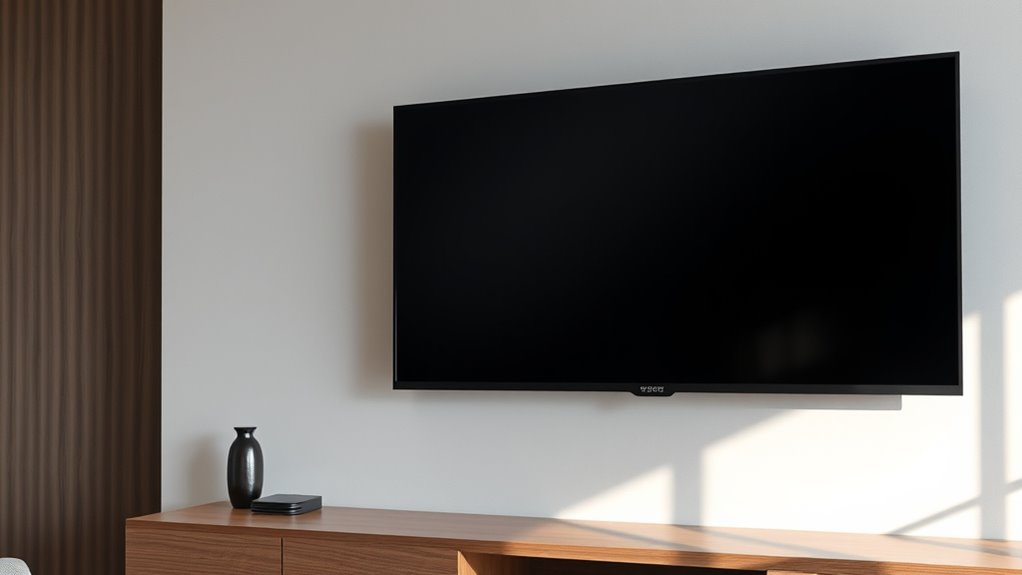

For a large TV that needs a stable, polished installation, I’d start with the monTEK Heavy-Duty Fixed TV Wall Mount for 43–100-Inch TVs as my best overall pick: its fixed design keeps the screen close to the wall, with fewer moving parts than an articulating mount. The ECHOGEAR MaxMotion stands out for flexible viewing, while the HOME VISION Heavy-Duty Fixed Mount for 65–150-Inch TVs is aimed at especially large screens. The main tradeoff is straightforward: fixed mounts favor a clean, low-profile look, while full-motion models add reach and adjustment at the cost of more space and mechanical complexity. I also weigh screen fit, weight limits, and the wall structure needed for installation. Read on for the full breakdown and help matching a mount to your TV and room.

Get home appliances delivered free with Prime
- Fast, free delivery on millions of items
- Prime Video, Amazon Music and more included
- Member-only deals all year
Complete the kit


Key Takeaways
- Fixed mounts lead when a close-to-wall finish matters: the monTEK 43–100-inch and HOME VISION 32–86-inch models avoid the extended arm profile of full-motion alternatives.
- Full-motion models solve viewing-angle problems: the ECHOGEAR MaxMotion and several Perlegear and USX MOUNT options suit rooms where the screen needs to turn or extend.
- Very large screens narrow the field: the HOME VISION fixed mount rated for 65–150-inch TVs and the 60–120-inch monTEK and Perlegear models are tailored to larger displays.
- Screen size alone does not establish fit: VESA pattern, TV weight, wall construction, and mount capacity all need to match before purchase.
- More articulation brings more installation demands: long-arm mounts offer reach, but their extension puts greater demands on the wall attachment than a fixed mount.
| monTEK Heavy-Duty Fixed TV Wall Mount for 43–100-Inch TVs |  | Best Low-Profile Fixed Mount | TV size compatibility: 43–100 inches | Maximum load capacity: 200 lbs | Tested load: 800 lbs (4× load) | VIEW ON AMAZON | See Our Full Breakdown |
| ECHOGEAR MaxMotion Full-Motion TV Wall Mount for 42–90-Inch TVs |  | Best for Everyday Adjustability | Model: EGLF2 | TV size compatibility: 42–90 inches | Maximum TV weight: 125 lbs | VIEW ON AMAZON | See Our Full Breakdown |
| Perlegear Full-Motion Long-Arm TV Wall Mount for 42–97-Inch TVs |  | Best for Corner Placement | Model: PGXLF02-N1-US | TV size compatibility: 42–97 inches | Weight capacity: 150 lbs | VIEW ON AMAZON | See Our Full Breakdown |
| Perlegear Full-Motion Long-Arm TV Wall Mount for 26–70-Inch TVs |  | Best for Smaller Rooms | Model: PGMF25B-US | TV size compatibility: 26–70 inches | Maximum load: 100 lbs | VIEW ON AMAZON | See Our Full Breakdown |
| USX MOUNT Full Motion TV Wall Mount for 60–120-Inch TVs |  | Best for the Heaviest Extra-Large TVs | Supported TV size: 60–120 inches | Weight capacity: Up to 220 lbs | VESA compatibility: 200×100 mm to 900×600 mm | VIEW ON AMAZON | See Our Full Breakdown |
| HOME VISION Heavy-Duty Fixed TV Wall Mount for 65–150-Inch TVs |  | Best for the Largest Fixed Screens | TV size compatibility: 65–150 inches | Maximum load capacity: 364 lbs | VESA compatibility: 200 × 200 mm to 1200 × 600 mm | VIEW ON AMAZON | See Our Full Breakdown |
| Mounting Dream Tilting TV Wall Mount for 37–90 Inch TVs |  | Best for Low-Profile Glare Control | TV size compatibility: 37–90 inches | Weight capacity: 132 lbs | Maximum VESA: 600 × 400 mm | VIEW ON AMAZON | See Our Full Breakdown |
| monTEK Heavy-Duty Tilting TV Wall Mount for 60–120-Inch TVs up to 300 lb |  | Best Heavy-Duty Tilting Pick | TV size compatibility: 60–120 inches | Maximum weight capacity: 300 lb | VESA compatibility: 50 × 50 mm to 900 × 600 mm | VIEW ON AMAZON | See Our Full Breakdown |
| USX MOUNT Full Motion TV Wall Mount for 42–97-Inch TVs |  | Best for Flexible Room Layouts | Compatible TV size: 42–97 inches | Maximum TV weight: 150 lbs | Extension: 19 inches | VIEW ON AMAZON | See Our Full Breakdown |
| monTEK Full Motion TV Wall Mount for 37–90-Inch TVs up to 165 lb |  | Best Compact Full-Motion Pick | Compatible TV size: 37–90 inches | Maximum TV weight: 165 lb | VESA compatibility: 200 × 100 mm to 600 × 400 mm | VIEW ON AMAZON | See Our Full Breakdown |
| Mount-It! The Beast Heavy-Duty Articulating TV Wall Mount, 60–110 Inches |  | Best for Maximum Load Capacity | TV size: 60–110 inches | Maximum TV weight: 275 lbs | VESA compatibility: 100 × 100 mm to 800 × 600 mm | VIEW ON AMAZON | See Our Full Breakdown |
| USX MOUNT Full Motion TV Wall Mount for 37–84 Inch TVs |  | Best Value for Mid-Size TVs | Compatible TV size: 37–84 inches | Weight capacity: 120 lbs | VESA compatibility: 200 × 100 mm to 600 × 400 mm | VIEW ON AMAZON | See Our Full Breakdown |
| HOME VISION Fixed TV Wall Mount for 32–86-Inch TVs |  | Best Low-Profile Fixed Pick | TV size compatibility: 32–86 inches | Maximum TV weight: 165 lbs | Mount type: Fixed, low-profile | VIEW ON AMAZON | See Our Full Breakdown |
| Perlegear Full-Motion TV Wall Mount for 55–120-Inch TVs |  | Best for Wide Viewing Angles | TV size compatibility: 55–120 inches | Maximum TV weight: 220 lbs | VESA compatibility: 200 × 200 mm to 900 × 600 mm | VIEW ON AMAZON | See Our Full Breakdown |
| monTEK Heavy-Duty Full-Motion TV Wall Mount for 60–120-Inch TVs |  | Best for Broad Stud Compatibility | TV size range: 60–120 inches | Maximum supported weight: 265 lbs | VESA compatibility: 200 × 200 mm to 900 × 600 mm | VIEW ON AMAZON | See Our Full Breakdown |
| luxury tv wall mounts heavy duty | VESA compatibility | TV size compatibility |
|---|---|---|
| monTEK Heavy-Duty Fixed TV Wal | 200×200 mm to 800×600 mm | 43–100 inches |
| ECHOGEAR MaxMotion Full-Motion | — | 42–90 inches |
| Perlegear Full-Motion Long-Arm | 200×100 mm to 800×400 mm | 42–97 inches |
| Perlegear Full-Motion Long-Arm | 100×100 to 400×400 mm | 26–70 inches |
| USX MOUNT Full Motion TV Wall | 200×100 mm to 900×600 mm | — |
| HOME VISION Heavy-Duty Fixed T | 200 × 200 mm to 1200 × 600 mm | 65–150 inches |
| Mounting Dream Tilting TV Wall | — | 37–90 inches |
| monTEK Heavy-Duty Tilting TV W | 50 × 50 mm to 900 × 600 mm | 60–120 inches |
| USX MOUNT Full Motion TV Wall | — | — |
| monTEK Full Motion TV Wall Mou | 200 × 100 mm to 600 × 400 mm | — |
| Mount-It! The Beast Heavy-Duty | 100 × 100 mm to 800 × 600 mm | — |
| USX MOUNT Full Motion TV Wall | 200 × 100 mm to 600 × 400 mm | — |
| HOME VISION Fixed TV Wall Moun | — | 32–86 inches |
| Perlegear Full-Motion TV Wall | 200 × 200 mm to 900 × 600 mm | 55–120 inches |
| monTEK Heavy-Duty Full-Motion | 200 × 200 mm to 900 × 600 mm | — |
More Details on Our Top Picks
monTEK Heavy-Duty Fixed TV Wall Mount for 43–100-Inch TVs
For a large screen that should sit close to the wall, I’d put this monTEK ahead of the more adjustable ECHOGEAR MaxMotion: it supports TVs up to 200 pounds and leaves just 1.2 inches of clearance. Its broad VESA range and compatibility with wood studs, concrete, and brick give it flexibility across substantial installations, while the included template and bubble level can help with setup. The tradeoff is fundamental: this is a fixed mount, so it cannot aim the screen toward a sofa off to the side or reduce glare with a tilt. Its tested load is listed as 800 pounds, but buyers still need to follow the TV and wall compatibility requirements. Choose it for a clean, close-to-wall presentation; skip it if viewing angles change often.
Pros:- Supports compatible TVs weighing up to 200 pounds
- Sits only 1.2 inches from the wall
- Fits VESA patterns from 200×200 mm to 800×600 mm
- Includes a drilling template, bubble level, and installation hardware
Cons:- No tilt, swivel, or extension for adjusting the viewing angle
- Requires a suitable wood stud, concrete, or brick mounting surface
Best for: Owners of large, heavy TVs who want a close-to-wall look and have a viewing position directly in front of the screen.
Not ideal for: Households with off-axis seating or changing glare, since the fixed bracket offers no tilt or swivel.
- TV size compatibility:43–100 inches
- Maximum load capacity:200 lbs
- Tested load:800 lbs (4× load)
- VESA compatibility:200×200 mm to 800×600 mm
- Wall clearance:1.2 inches
- Mount type:Fixed
- Compatible wall types:Wood studs, concrete, or brick
- Compatible wood stud spacing:16, 18, 24, and 32 inches
Our verdict“Choose this monTEK for a heavy, large TV that should sit nearly flush to the wall; pick the ECHOGEAR MaxMotion if you need to reposition the screen.”
ECHOGEAR MaxMotion Full-Motion TV Wall Mount for 42–90-Inch TVs
The ECHOGEAR MaxMotion is the flexible choice for a room where the TV needs to face different seats. Its arm extends 22 inches and swivels up to 130 degrees, giving it a more useful range for repositioning than the Perlegear 26–70-inch mount’s listed ±90-degree swivel. It retracts to 2.4 inches, so it can still return close to the wall when viewing is done. The 125-pound capacity and 42–90-inch range suit many large sets, though they fall short of the monTEK fixed mount’s 200-pound capacity and 100-inch upper limit. Installation requires drilling, and the supplied details do not state a minimum TV weight. I’d choose it for multi-seat viewing, but not for the heaviest screens in this roundup.
Pros:- Extends up to 22 inches from the wall
- Swivels up to 130 degrees for flexible viewing
- Retracts to a 2.4-inch depth
- Includes installation hardware and a drilling template
Cons:- Supports less weight and a smaller maximum screen size than the monTEK fixed mount
- Installation requires drilling, and minimum supported TV weight is unspecified
Best for: Viewers who regularly shift a large TV between seating areas and whose set weighs no more than 125 pounds.
Not ideal for: Owners of TVs over 90 inches or 125 pounds, and anyone seeking a simple fixed bracket with no moving arm.
- Model:EGLF2
- TV size compatibility:42–90 inches
- Maximum TV weight:125 lbs
- Extension:Up to 22 inches
- Swivel:Up to 130 degrees
- Retracted depth:2.4 inches
- Compatibility:Universal VESA patterns; major TV brands
- Included:Hardware kit and drilling template
Our verdict“Choose the ECHOGEAR MaxMotion for frequent viewing-angle changes with a compatible mid-to-large TV; choose the USX MOUNT 60–120-inch model for a heavier screen.”
Perlegear Full-Motion Long-Arm TV Wall Mount for 42–97-Inch TVs
When a large TV needs to reach around a corner or past built-in cabinetry, this Perlegear’s 40.1-inch arm extension gives it a distinct advantage over the ECHOGEAR MaxMotion, which extends up to 22 inches. The mount also handles TVs up to 150 pounds and adds tilt, swivel, and post-install leveling, so the screen can be aimed and squared after mounting. Its reach is the main reason to accept the compromise: at its shortest, it sits 3.7 inches from the wall, farther out than the monTEK fixed mount’s 1.2-inch profile. The broad arm also needs a suitable wall structure; drywall alone is not suitable. I’d choose it when placement demands reach and adjustability, but not for a flush, minimalist installation.
Pros:- Extends up to 40.1 inches for corner and cabinet installations
- Supports compatible TVs weighing up to 150 pounds
- Offers swivel, tilt, and ±4-degree post-install leveling
- Includes a drilling template and bubble level
Cons:- Retracts only to 3.7 inches from the wall, farther than the monTEK fixed mount
- Cannot be mounted on drywall alone
Best for: Owners of large TVs who need to pull the screen well away from the wall to clear a corner, cabinet, or side seating area.
Not ideal for: Buyers prioritizing a nearly flush appearance or those whose wall is drywall without a compatible stud, concrete, or brick.
- Model:PGXLF02-N1-US
- TV size compatibility:42–97 inches
- Weight capacity:150 lbs
- VESA compatibility:200×100 mm to 800×400 mm
- Arm extension:3.7–40.1 inches
- Swivel:±90°
- Tilt:+5°/-15°
- Wall compatibility:8, 12, 16, or 24-inch wood studs; concrete or brick
Our verdict“Choose this Perlegear when long reach matters more than a close-to-wall profile and the installation surface can support it.”
Perlegear Full-Motion Long-Arm TV Wall Mount for 26–70-Inch TVs
This Perlegear brings full-motion positioning to TVs up to 70 inches without the larger capacity and size range of the 42–97-inch Perlegear. Its 31.65-inch extension and ±90-degree swivel can help a smaller screen serve different seats or fit a compact corner installation. Tilt and ±3-degree leveling add useful alignment options, while the 100-pound limit covers many compatible sets in its size class. Against the ECHOGEAR MaxMotion, it reaches farther but supports a lower maximum weight; that makes it a better fit when placement flexibility matters more than a heavier-duty rating. It mounts to a single wood stud or solid concrete, not drywall alone. I’d skip it for oversized, heavy screens or a wall without a suitable anchor point.
Pros:- Extends up to 31.65 inches and swivels ±90 degrees
- Fits VESA patterns from 100×100 to 400×400 mm
- Provides tilt and ±3-degree post-install leveling
- Includes a drilling template and labeled hardware
Cons:- Lower weight limit and smaller TV range than the 42–97-inch Perlegear
- Cannot be installed on drywall alone
Best for: Apartment and den owners with a 26–70-inch TV who need an articulating arm for corner placement or multiple seating positions.
Not ideal for: Buyers with TVs over 70 inches or 100 pounds, or anyone without a suitable wood stud or solid concrete wall.
- Model:PGMF25B-US
- TV size compatibility:26–70 inches
- Maximum load:100 lbs
- VESA compatibility:100×100 to 400×400 mm
- Extension:31.65 inches
- Retracted depth:2.83 inches
- Swivel and tilt:±90°; +5°/-15°
- Mounting surfaces:Single wood stud or solid concrete; not drywall alone
Our verdict“Choose this model for a smaller TV that needs substantial movement in a compact room, provided the wall has a suitable anchor point.”
USX MOUNT Full Motion TV Wall Mount for 60–120-Inch TVs
For the largest and heaviest screens in this batch, the USX MOUNT stands out with support for TVs up to 120 inches and 220 pounds. That gives it a higher stated weight capacity and broader VESA ceiling than the long-arm Perlegear, whose limit is 150 pounds and 800×400 mm. The dual arms extend up to 28.11 inches, with swivel, tilt, and horizontal adjustment for positioning a very wide screen. The tradeoff is a narrower swivel range of ±45 degrees than the ECHOGEAR MaxMotion’s listed 130 degrees, and its shortest depth is 3.07 inches rather than the monTEK fixed mount’s close 1.2-inch profile. It needs wood studs or concrete or brick; drywall alone will not work. Concrete anchors may need to be requested.
Pros:- Supports TVs up to 120 inches and 220 pounds
- Fits VESA patterns up to 900×600 mm
- Dual arms extend 28.11 inches and provide tilt and swivel
- Includes a leveling device and preassembled front support
Cons:- Swivels ±45 degrees, less than the ECHOGEAR MaxMotion’s listed 130 degrees
- Cannot be mounted on drywall alone, and concrete anchors may need to be requested
- Retracts to 3.07 inches, farther from the wall than the monTEK fixed mount
Best for: Owners of compatible 60–120-inch TVs weighing up to 220 pounds who need a heavy-duty articulating mount.
Not ideal for: Buyers with smaller TVs, a drywall-only mounting surface, or a need for a very wide swivel range.
- Supported TV size:60–120 inches
- Weight capacity:Up to 220 lbs
- VESA compatibility:200×100 mm to 900×600 mm
- Extension:Up to 28.11 inches
- Retracted depth:3.07 inches
- Swivel and tilt:±45°; ±10°
- Horizontal adjustment:±3°
- Compatible wall types:12, 16, 18, or 24-inch wood studs; concrete or brick
Our verdict“Choose this USX MOUNT for a compatible extra-large TV whose weight rules out lower-capacity articulating options.”
HOME VISION Heavy-Duty Fixed TV Wall Mount for 65–150-Inch TVs
For a very large screen that will stay in one viewing position, I rank the HOME VISION ahead of the monTEK Heavy-Duty Tilting TV Wall Mount for 60–120-Inch TVs on size and stated load capacity: it supports TVs up to 150 inches and 364 lbs. Its broad stud-spacing range, from 16 to 48 inches, can also help when the wall layout does not match a standard mount. The 1.45-inch fixed profile keeps the screen close to the wall for a restrained, built-in look. The tradeoff is that fixed means no tilt or swivel, so glare and off-axis seating need to be solved through room placement. It also requires wood studs or masonry; drywall alone is not supported. I’d choose it for a large, stationary installation where capacity matters more than adjustment.
Pros:- Supports TVs up to 150 inches and 364 lbs
- Wide 16–48-inch wood stud spacing compatibility
- Low 1.45-inch wall clearance
- Includes a 10-year manufacturer warranty
Cons:- Fixed design offers no tilt or swivel adjustment
- Drywall-only installation is unsupported
- Its large-screen capacity may be unnecessary for smaller TVs
Best for: Owners of exceptionally large TVs who have a suitable stud or masonry wall and a settled, straight-on viewing position
Not ideal for: Buyers who need to angle the screen, regularly access rear connections, or mount to drywall without structural backing
- TV size compatibility:65–150 inches
- Maximum load capacity:364 lbs
- VESA compatibility:200 × 200 mm to 1200 × 600 mm
- Mount type:Fixed, low-profile
- Wall clearance:1.45 inches
- Compatible stud spacing:16–48 inches
- Installation surfaces:Wood studs, concrete, or brick
- Warranty:10 years
Our verdict“Choose this for an exceptionally large TV that will remain fixed in place on a suitable structural wall.”
Mounting Dream Tilting TV Wall Mount for 37–90 Inch TVs
The Mounting Dream suits buyers who want a simple tilt function without moving to a full-motion arm. It handles TVs from 37 to 90 inches and tilts forward up to 8 degrees, giving a high-mounted screen some glare relief while keeping it just 1.5 inches from the wall. Compared with the USX MOUNT Full Motion TV Wall Mount for 42–97-Inch TVs, it gives up swivel and extension, but the simpler setup keeps the screen close and avoids an arm projecting into the room. The limit is practical: tilt alone cannot redirect a screen toward side seating, and the 132-pound capacity is lower than several heavy-duty options in this group. It also needs a suitable wall structure, with concrete anchors potentially required. I’d pick it for a straightforward, mostly front-on room layout.
Pros:- Fits TVs from 37 to 90 inches
- Tilts forward up to 8 degrees to help manage glare
- Sits 1.5 inches from the wall
- Includes installation instructions and a level
Cons:- No swivel or extension for side seating or rear access
- 132-pound capacity is below the heavier large-screen mounts here
- Not suitable for drywall-only installation
Best for: Buyers mounting a mid-to-large TV high on a suitable wall who want modest glare adjustment and minimal projection
Not ideal for: Households that need side-to-side viewing angles, frequent access behind the TV, or support beyond 132 lbs
- TV size compatibility:37–90 inches
- Weight capacity:132 lbs
- Maximum VESA:600 × 400 mm
- Wood stud spacing:Up to 24 inches
- Wall clearance:1.5 inches
- Tilt:Up to 8 degrees forward
- Installation:Not suitable for drywall only
Our verdict“Pick this for a close-to-wall installation where a little tilt is enough and full-motion adjustment is unnecessary.”
monTEK Heavy-Duty Tilting TV Wall Mount for 60–120-Inch TVs up to 300 lb
The monTEK is the middle ground for a large, heavy TV when a fixed mount feels too restrictive. It supports up to 120 inches and 300 lbs, then adds tool-free tilt from −10 to +10 degrees for adjusting the screen after installation. Compared with the fixed HOME VISION Heavy-Duty Fixed TV Wall Mount for 65–150-Inch TVs, it gives up some maximum screen size and load capacity but lets the viewer change the angle. The 3.1-inch clearance leaves more space behind the set than a low-profile fixed mount, which can help with adjustment and release straps but is more visible from the side. Its broad VESA range calls for a careful match to the TV, and the listing says three studs are needed for 16-inch spacing. This fits buyers who need serious capacity and tilt without an articulating arm.
Pros:- Supports TVs up to 120 inches and 300 lbs
- Tool-free tilt adjustment from −10 to +10 degrees
- Quick-release straps ease TV removal
- Includes a guide, level, template, and video tutorial
Cons:- 3.1-inch clearance is more visible than low-profile fixed options
- Three studs are required for 16-inch stud spacing, according to the listing
- Wide VESA range requires checking the TV pattern carefully
Best for: Owners of large, heavy TVs who want meaningful tilt adjustment but do not need swivel or extension
Not ideal for: Buyers seeking the closest possible wall fit, a full-motion arm, or a mount for drywall alone
- TV size compatibility:60–120 inches
- Maximum weight capacity:300 lb
- VESA compatibility:50 × 50 mm to 900 × 600 mm
- Tilt adjustment:−10° to +10°
- Wall compatibility:16, 18, or 24-inch wood studs; concrete or brick
- Wall clearance:3.1 inches
- Included accessories:Step-by-step guide, bubble level, template, video tutorial
Our verdict“Choose this when a large, heavy screen needs tilt and high capacity without a full-motion arm.”
USX MOUNT Full Motion TV Wall Mount for 42–97-Inch TVs
When seating or screen position changes across the room, the USX MOUNT offers more useful movement than the tilt-only Mounting Dream Tilting TV Wall Mount for 37–90 Inch TVs. Its arms extend 19 inches, retract to 3.35 inches, swivel ±45 degrees, and tilt without tools, so one installation can serve more than a single straight-on seat. The 150-pound capacity and 42–97-inch range cover many large TVs, while up to 8 inches of horizontal wall-plate adjustment can help align the screen with the room when suitable studs are not centered where expected. That articulation brings a visible tradeoff: the mount projects farther than fixed and low-profile tilting designs, and the hardware still needs wood studs or masonry. I’d favor it when viewing flexibility matters more than a minimal wall profile.
Pros:- Extends 19 inches and retracts to 3.35 inches
- Swivels ±45 degrees and tilts without tools
- Supports TVs up to 97 inches and 150 lbs
- Wall plate allows up to 8 inches of horizontal adjustment
Cons:- Projects farther from the wall than fixed or tilt-only designs
- Not suitable for drywall-only installation
- Concrete anchors are available upon request rather than listed as included
Best for: Households with multiple seating positions that need to angle a large TV and have a suitable stud or masonry wall
Not ideal for: Buyers prioritizing a nearly flush look or those whose TV exceeds 150 lbs
- Compatible TV size:42–97 inches
- Maximum TV weight:150 lbs
- Extension:19 inches
- Retracted depth:3.35 inches
- Swivel:±45°
- Tilt:+5°/−15°, tool-free
- Horizontal adjustment:Up to 8 inches
- Wall types:Wood studs, concrete, or brick
Our verdict“Choose this for a large TV that needs to swivel between seating areas and extend for convenient access.”
monTEK Full Motion TV Wall Mount for 37–90-Inch TVs up to 165 lb
This monTEK brings full-motion control to a smaller wall footprint than the USX option: it retracts to 2.75 inches and extends to 16.6 inches. Tilt, swivel, and ±3-degree leveling adjustment give buyers several ways to fine-tune the screen, while its 165-pound capacity exceeds the USX MOUNT’s 150 pounds. Its 37–90-inch range is narrower at the top than the USX’s 97 inches, and the stated VESA range ends at 600 × 400 mm, so larger TVs need a careful fit check. The fixed 16-inch stud requirement also makes its wall compatibility less flexible than mounts listed for multiple stud spacings. I’d choose it for a large but not oversized TV when the screen needs articulation and a relatively tight retracted profile.
Pros:- Supports TVs up to 90 inches and 165 lbs
- Retracts to 2.75 inches and extends to 16.6 inches
- Offers tilt, swivel, and ±3-degree leveling adjustment
- Includes cable straps, pre-labeled hardware, and a bubble level
Cons:- Limited to 16-inch wood studs or solid concrete and brick
- Maximum screen size is below the USX MOUNT’s 97-inch limit
- Not suitable for drywall-only installation
Best for: Owners of 37–90-inch TVs who want full-motion adjustment, a short retracted depth, and added leveling control
Not ideal for: Buyers with TVs over 90 inches, VESA patterns outside the listed range, or walls without 16-inch studs or solid masonry
- Compatible TV size:37–90 inches
- Maximum TV weight:165 lb
- VESA compatibility:200 × 100 mm to 600 × 400 mm
- Tilt range:+5° to −15°
- Swivel range:60°
- Level adjustment:±3°
- Maximum extension:16.6 inches
- Retracted depth:2.75 inches
- Compatible wall types:16-inch wood studs, solid concrete, or brick
Our verdict“Pick this for a full-motion setup that needs a tight retracted profile and supports a TV within its 90-inch and VESA limits.”
Mount-It! The Beast Heavy-Duty Articulating TV Wall Mount, 60–110 Inches
The Beast is the pick for buyers whose large screen pushes beyond the capacity of many full-motion mounts. Its 275-pound rating and VESA range up to 800 × 600 mm give it room for TVs that exceed the USX MOUNT 37–84-inch model’s 120-pound limit. The 39-inch extension also reaches much farther into a room than the USX mount’s 15.16 inches, which can help when a screen needs to swing around a corner or toward a seating area.
That reach comes with a substantial installation commitment: the mount needs wood studs or solid concrete, and its size is excessive for smaller televisions. The Perlegear 55–120-inch mount is a more suitable fit if you want support for a larger screen with a lower weight rating and shorter extension. Choose The Beast when capacity and reach matter more than a compact setup.
Pros:- Supports TVs up to 275 pounds
- 39-inch extension offers exceptional reach among these picks
- Broad VESA compatibility up to 800 × 600 mm
- Includes cable management and security lock clips
Cons:- Requires wood studs or solid concrete; drywall alone is unsuitable
- Its large size and high capacity are unnecessary for many TVs
Best for: Owners of very large, heavy TVs who need long extension and have suitable wood studs or a solid concrete wall.
Not ideal for: People mounting to drywall alone or fitting a modest TV that does not need this mount’s size and capacity.
- TV size:60–110 inches
- Maximum TV weight:275 lbs
- VESA compatibility:100 × 100 mm to 800 × 600 mm
- Maximum extension:39 inches
- Motion:Tilt, swivel, and 360° rotation
- Stud spacing:16 and 24 inches
- Material:Reinforced coated steel
- Compatible walls:Wood studs or solid concrete
Our verdict“Choose The Beast for a heavy large-screen TV that needs extensive reach and can be secured to a compatible wall.”
USX MOUNT Full Motion TV Wall Mount for 37–84 Inch TVs
This USX MOUNT makes more sense for a mid-size television than the much larger Mount-It! The Beast: it supports up to 120 pounds, fits screens from 37 to 84 inches, and retracts to just 2.74 inches from the wall. Its 15.16-inch extension offers useful adjustment for everyday viewing without the pronounced reach and heavier-duty build of mounts intended for the largest screens.
Tilt and swivel help redirect the screen, while the included bubble level and cable ties give installers a few practical aids. The tradeoff is that the stated swivel angle can vary with the TV, and concrete anchors are not included. The Perlegear 55–120-inch mount supports larger and heavier TVs and reaches farther, but those gains are unnecessary if your TV fits this model. This is the more restrained choice for ordinary rooms and compatible wall framing.
Pros:- Supports TVs up to 120 pounds across a broad size range
- Retracts to 2.74 inches from the wall
- Provides tilt, swivel, and up to 15.16 inches of extension
- Includes a bubble level, cable ties, and mounting hardware
Cons:- Concrete anchors are not included
- Maximum swivel depends on the TV
Best for: Buyers with a 37–84-inch TV who want full-motion adjustment, a shallow retracted profile, and basic installation aids.
Not ideal for: Owners of very large or heavy screens, or anyone who needs a guaranteed wide swivel or included concrete anchors.
- Compatible TV size:37–84 inches
- Weight capacity:120 lbs
- VESA compatibility:200 × 100 mm to 600 × 400 mm
- Maximum extension:15.16 inches
- Retracted depth:2.74 inches
- Tilt:+5° / -15°
- Swivel:±45° maximum; varies by TV
- Compatible walls:Wood studs or concrete
Our verdict“Pick this USX MOUNT for a compatible mid-size TV when useful movement and a close-to-wall resting position matter more than extreme capacity.”
HOME VISION Fixed TV Wall Mount for 32–86-Inch TVs
For a screen that will stay facing one seating area, HOME VISION’s fixed design gives the lineup’s movement-oriented mounts a different purpose. It holds TVs up to 165 pounds while sitting just 1 inch from the wall, creating a close, tidy profile without an articulating arm. Compared with the Perlegear 55–120-inch full-motion mount, it gives up swivel, tilt, and extension in exchange for less projection from the wall and a simpler fixed position.
The pull-lock release and included installation hardware help with mounting and removal, and the 10-year warranty is stated product data. This is not a solution for changing viewing angles: the listing provides no tilt or swivel adjustment. It also must be anchored to wood studs, concrete, or brick, never directly to drywall. Choose it when a clean, stationary installation matters more than flexibility.
Pros:- Sits just 1 inch from the wall
- Supports TVs up to 165 pounds
- Includes a pull-lock release and installation hardware
- Compatible with wood studs, concrete, or brick
Cons:- Fixed design offers no stated tilt or swivel adjustment
- Cannot be installed directly on drywall
Best for: Homeowners installing a compatible TV opposite a fixed seating area who want a heavy-duty mount with minimal wall clearance.
Not ideal for: Viewers who need to angle the screen, reach around furniture, or mount directly to drywall.
- TV size compatibility:32–86 inches
- Maximum TV weight:165 lbs
- Mount type:Fixed, low-profile
- Wall clearance:1 inch
- Maximum VESA:600 × 400 mm
- Compatible surfaces:Wood studs, concrete, or brick
- Mount weight:3.4 lbs
- Warranty:10 years
Our verdict“Choose HOME VISION when a compatible TV can stay in one position and a very slim wall profile is the priority.”
Perlegear Full-Motion TV Wall Mount for 55–120-Inch TVs
Perlegear’s wide swivel range makes it a strong fit when a large screen must serve seats spread across a room. It supports TVs up to 220 pounds, swivels up to 65° in either direction, and extends 22 inches from the wall. That offers more specified swivel than the monTEK heavy-duty mount’s ±60°, while the Mount-It! The Beast reaches much farther at 39 inches and carries a higher weight rating. Perlegear sits between those alternatives: substantial capacity and flexible positioning without the Beast’s extra-long arm.
The mount fits TVs up to 120 inches and includes installation hardware, a drilling template, instructions, and a bubble level. It also has a three-inch retracted depth, so it will not sit as close as the HOME VISION fixed mount. Installation requires drilling into suitable wood studs, concrete, or brick. Its size and load rating may be more than a smaller screen needs.
Pros:- Supports TVs up to 120 inches and 220 pounds
- Swivels up to 65° left or right
- Offers 22 inches of extension with tilt and post-install leveling
- Includes mounting hardware, template, instructions, and bubble level
Cons:- Requires drilling into compatible studs, concrete, or brick
- Its size and capacity may be excessive for smaller TVs
Best for: Owners of large TVs who need to turn the screen toward multiple seating areas and have compatible framing or masonry.
Not ideal for: Buyers seeking a fixed, nearly flush installation or mounting a smaller TV that needs little movement.
- TV size compatibility:55–120 inches
- Maximum TV weight:220 lbs
- VESA compatibility:200 × 200 mm to 900 × 600 mm
- Swivel:Up to 65° left or right
- Maximum extension:22 inches
- Retracted depth:3 inches
- Tilt:+5° / -15°
- Compatible walls:16-inch or 24-inch wood studs, solid concrete, or brick
Our verdict“Choose Perlegear when a large TV needs broad swivel and substantial support without the extra-long reach of The Beast.”
monTEK Heavy-Duty Full-Motion TV Wall Mount for 60–120-Inch TVs
The monTEK stands apart for buyers whose stud layout may not match a typical 16-inch spacing. It supports 12-, 16-, 18-, or 24-inch wood stud spacing, as well as concrete or brick, and carries TVs up to 265 pounds. Compared with the Perlegear 55–120-inch mount, it offers a higher stated load capacity and longer extension at 27.7 inches; The Beast still wins on both capacity and reach, but supports fewer listed stud spacings.
Its ±60° swivel and tool-free tilt make repositioning straightforward, while preassembly and included hardware aim to simplify setup. The drawback is substantial physical heft: the mount itself weighs 34.6 pounds, so installation may take two people. It also needs a suitable structural wall and is more mount than many smaller TVs require. This is a compelling fit when flexible stud placement and heavy-screen support matter together.
Pros:- Supports TVs up to 265 pounds and 120 inches
- Fits wood studs spaced 12, 16, 18, or 24 inches apart
- Extends 27.7 inches and swivels ±60°
- Preassembled structure and included mounting hardware simplify setup
Cons:- The 34.6-pound mount may require two people to install
- Requires compatible wood studs, concrete, or brick
Best for: Installers with a large, heavy TV and nonstandard stud spacing who want full motion and broad wall compatibility.
Not ideal for: Anyone installing alone or mounting a smaller, lighter TV that does not need this mount’s size and capacity.
- TV size range:60–120 inches
- Maximum supported weight:265 lbs
- VESA compatibility:200 × 200 mm to 900 × 600 mm
- Maximum extension:27.7 inches
- Swivel:±60°
- Tilt:+5° / -15°, tool-free adjustment
- Retracted wall clearance:2.95 inches
- Compatible walls:Wood studs at 12, 16, 18, or 24 inches; concrete or brick
Our verdict“Choose monTEK when a heavy large-screen TV needs full motion and your stud spacing calls for more flexibility.”

How We Picked
I compared these mounts by the buyer decisions that matter most for a luxury, heavy-duty setup: stated screen-size range and weight capacity, fixed versus tilting versus full-motion design, arm reach where specified, and the practical demands of installation. A large advertised screen range is useful only when the TV’s weight and VESA pattern also fit, so I treat compatibility as a starting point rather than a bonus.
The ranking favors mounts with a clear role and a useful balance of fit, stability, and everyday usability. Fixed models rank well for a clean, close-to-wall installation; articulated picks earn their place when access or viewing angle justifies added reach and complexity. I separate options by intended screen size and movement style, while noting that product specifications alone cannot establish compatibility with every TV or wall.
Factors to Consider When Choosing Luxury Tv Wall Mounts Heavy Duty
Choosing a heavy-duty mount takes more than matching the TV’s diagonal measurement. I’d check the screen, wall, room layout, and the way the TV will be used together before deciding which mounting style fits.
Match the mount to the TV’s full specification
Start with the TV’s actual weight without its stand, its VESA mounting pattern, and its screen size. A mount’s stated size range does not guarantee that every TV in that range will fit its hole pattern or weight limit. Check the exact model manual and the mount’s compatibility chart before ordering. Leave room for a soundbar or other accessories if they attach to the TV or mount. A common mistake is choosing by diagonal size alone, then discovering that the brackets or capacity do not match.
Choose movement for the room, not as a status feature
A fixed mount is a strong fit when the seating position is settled and the screen can sit at a comfortable angle without moving. Tilting can help reduce glare or angle the screen downward when it sits higher than eye level. Full-motion makes sense when viewers sit in different places, the TV must turn toward another area, or rear connections need access. Each step toward more movement adds space and parts that need to be mounted securely. Pay for articulation when the room will use it regularly, rather than assuming the most adjustable design is automatically the best choice.
Check the wall and mounting points before choosing
The wall sets a hard limit on the installation. Find out whether the mounting area is wood studs, concrete, brick, or another material, then confirm that the hardware and installation instructions cover it. Long arms can place greater leverage on the attachment as the TV extends away from the wall. Large screens may also require mounting points that do not line up with a single stud. If the wall structure or hardware requirements are unclear, get help from a qualified installer before drilling.
Measure reach, clearance, and cable access
Measure from the intended mounting point to the TV’s edges, nearby cabinets, and any side wall the screen might approach when it turns. For a full-motion mount, compare the advertised extension and swivel range with those actual clearances. Check that ports and cables remain accessible when the screen is pushed back or extended. A mount that moves freely on an empty wall may collide with a mantel, built-in, or soundbar in a finished room. Planning these paths ahead can prevent a costly repositioning.
Decide what a premium installation means to you
A refined setup may prioritize a screen that sits close to the wall, precise leveling, concealed cables, or easy movement for service access. Those goals can point to different mounts, so decide which details matter before comparing features. Fixed designs can simplify a streamlined appearance, while an arm may be the better choice for a flexible room. Cable concealment and wall finishing may involve separate parts or professional work beyond the mount itself. Spend effort on the whole installation plan, not only on the mount’s capacity claim.
Frequently Asked Questions
How do I know if a heavy-duty mount fits my specific TV?
Check three specifications on both the TV and mount: TV weight without the stand, VESA hole pattern, and supported screen-size range. The weight must stay within the mount’s stated capacity, and the TV’s pattern must line up with its brackets. Also check whether the mount’s arms or rails cover the TV’s hole positions. If the TV maker lists a separate mounting restriction, follow that guidance. When any measurement is missing, confirm compatibility with the manufacturer before installing.
Should I choose a fixed mount or a full-motion mount for a large TV?
Choose fixed if the main seats face the TV and you want a close-to-wall position with minimal movement. Full-motion is useful when the screen needs to turn toward different seats, clear an obstruction, or move for access to connections. The extended arm adds reach but also takes more space and places more leverage on the wall attachment when extended. Compare your room’s viewing angles and wall construction before deciding. A large screen by itself does not require an articulating mount.
Can I install a heavy-duty TV mount on drywall?
Drywall by itself is generally not a suitable attachment point for a heavy TV mount. The mount must be secured to an appropriate structure, such as studs, or installed into masonry with hardware intended for that wall material. Follow the mount instructions for stud spacing and fastener type, especially for long-arm models. If the mount’s holes do not align with suitable supports, do not improvise with unapproved anchors. Ask a qualified installer to assess the wall and mounting method.
Does a mount rated for a 120-inch TV fit every TV that size?
No. A screen-size rating is only one part of compatibility. The TV’s weight, VESA pattern, bracket clearance, and the mount’s stated limits all need to match. Room conditions matter too: a very wide screen may hit a side wall or cabinet when an arm turns. Check the television’s exact model specifications and measure the space before buying.
When is it worth choosing an articulating mount for a premium setup?
An articulating mount is worth the added complexity when the TV needs to serve more than one seating area, turn away from glare, or move out for access to ports. It can also help in rooms where a fixed position would leave the screen partly blocked. If the TV will stay centered in front of one viewing area, articulation may add little practical value. Confirm that the wall can support the installation and that the extended screen will clear nearby objects. This room-first check matters more than choosing the mount with the most movement.
Conclusion
For a clean, broadly useful starting point, I’d choose the monTEK Heavy-Duty Fixed TV Wall Mount for 43–100-Inch TVs as best overall, while the HOME VISION Heavy-Duty Fixed Mount for 65–150-Inch TVs suits buyers with especially large screens and a fixed viewing position. For flexible viewing, my picks are the ECHOGEAR MaxMotion for 42–90-inch TVs and the Perlegear Full-Motion Mount for 55–120-Inch TVs for a larger display. Beginners should first decide whether they truly need movement; a fixed or tilting design can mean a simpler setup when the viewing angle is already right. For best value, compare the smaller-screen USX MOUNT Full Motion for 37–84-Inch TVs with your TV’s exact fit and capacity needs, rather than paying for range you will not use. The best premium choice depends on the room: select a fixed model for a close-to-wall finish or a full-motion model when adjustable viewing is a daily need, and verify the wall and TV specifications before installation.