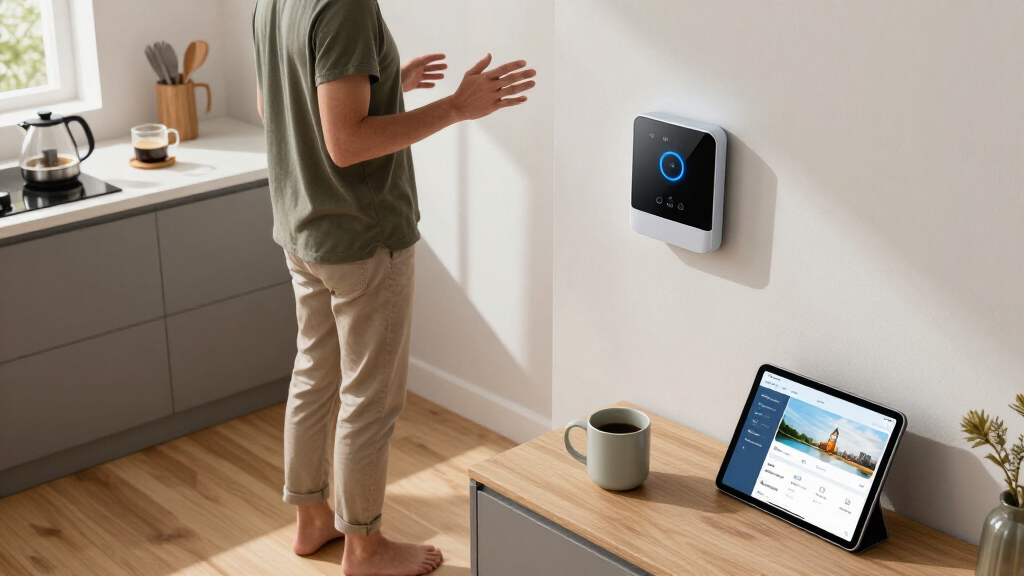

Smart home voice assistants have become the control layer for everything from lights and thermostats to cameras and TVs, and choosing the right one comes down to ecosystem, hardware format, and how much control you want. The Amazon Echo Show 8 earns my best overall pick for balancing a sharp display, spatial audio, and a built-in smart home hub in a size that works almost anywhere. If you want a wall-mounted command center instead, the Echo Show 15 is the standout for whole-home dashboards, while the Home Assistant Green is the clear choice for anyone who values local control and privacy over Alexa’s convenience. The main tradeoff in this category is cloud-powered simplicity versus local, open-source flexibility — and price ranges wildly from a $50 speaker to a $280 display. Keep reading for the full breakdown of all nine options and who each one fits best.

Get home appliances delivered free with Prime
- Fast, free delivery on millions of items
- Prime Video, Amazon Music and more included
- Member-only deals all year
Complete the kit


Key Takeaways
- The Echo Show 8 won best overall because it is the only mid-priced option that combines a display, spatial audio, and a built-in Zigbee/Thread smart amazon.com/dp/B0D6SX8VLQ?tag=opulencefinder-20&ascsubtag=dc-830267″ target=”_blank” rel=”nofollow sponsored noopener”>amazon.com/dp/B09B2SRGXH?tag=opulencefinder-20&ascsubtag=dc-830267″ target=”_blank” rel=”nofollow sponsored noopener”>amazon.com/dp/B0CXVKSG19?tag=opulencefinder-20&ascsubtag=dc-830267″ target=”_blank” rel=”nofollow sponsored noopener”>home hub — most rivals force you to choose one or two of those three.
- amazon.com/dp/B0BLS8J6ZZ?tag=opulencefinder-20&ascsubtag=dc-830267″ target=”_blank” rel=”nofollow sponsored noopener”>amazon.com/dp/B0BFC7WQ6R?tag=opulencefinder-20&ascsubtag=dc-830267″ target=”_blank” rel=”nofollow sponsored noopener”>amazon.com/dp/B0C5DPSW5Y?tag=opulencefinder-20&ascsubtag=dc-830267″ target=”_blank” rel=”nofollow sponsored noopener”>Amazon dominates this lineup with seven of nine products, so the real decision for most buyers is not brand but format: alarm clock (Echo Spot), bedside display (Echo Show 5), mid-size hub (Show 8 and Show 11), or wall panel (Show 15).
- The Home Assistant Green and Third Reality Dev Edition trade voice polish for privacy and local control — they are the only options here that keep automations running without the cloud, but they demand more setup effort.
- The Echo Dot 4th Gen remains the value king, but its age shows: newer models support Alexa+ features it handles poorly, so bargain hunters should weigh the savings against shorter useful life.
- The Echo Dot Max fills a gap this category previously ignored — buyers who want serious music performance without buying a smart display — though it costs roughly double a standard Dot.
| Amazon Echo Show 15 (Newest Model) – 15.6″ Full HD Smart Display with Fire TV and Alexa |  | Best Family Command Center | Display: 15.6-inch Full HD (1080p) | Camera: Centered, auto-framing, wide field of view | Connectivity: Wi-Fi, Bluetooth | VIEW LATEST PRICE | See Our Full Breakdown |
| Amazon Echo Spot (newest model), Smart Alarm Clock with Alexa, Black |  | Best Bedside Pick | Display: Customizable clock face with fun colors | Sound: Rich sound with clear vocals and deep bass | Wi-Fi: eero Built-in mesh extender up to 1,000 sq. ft. | VIEW LATEST PRICE | See Our Full Breakdown |
| Amazon Echo Show 8 (Charcoal) – Smart Display with Spatial Audio and Smart Home Hub |  | Best Smart Home Hub Display | Display: 8-inch HD touchscreen | Camera: 13 MP with auto-framing and noise reduction | Audio: Spatial audio | VIEW LATEST PRICE | See Our Full Breakdown |
| Amazon Echo Dot (4th Gen) – Smart speaker with Alexa, Deep Sea Blue |  | Best Budget Entry Point | Color: Deep Sea Blue | Voice Assistant: Alexa | Connectivity: Wi-Fi, Bluetooth | VIEW LATEST PRICE | See Our Full Breakdown |
| Home Assistant Green Smart Home Hub with Advanced Automation |  | Best for Privacy-Focused Power Users | Processor: Quad-core | RAM: 4GB | Storage: 32GB | VIEW LATEST PRICE | See Our Full Breakdown |
| Amazon Echo Show 5 (newest model), Smart display, Designed for Alexa+, Cloud Blue |  | Best Compact Smart Display | Display Size: 5.5 inches | Camera: 2 MP | Sound: 2x bass, clearer sound | VIEW LATEST PRICE | See Our Full Breakdown |
| Amazon Echo Dot Max (newest model), Alexa speaker with room-filling sound, Graphite |  | Best Audio-First Pick | Sound: Room-filling with nearly 3x bass | Smart Home Hub: Built-in | Technology: Omnisense, eero Built-in | VIEW LATEST PRICE | See Our Full Breakdown |
| Amazon Echo Show 11 (2025 Model), Full-HD 11″ Display with Spatial Audio and Alexa+ |  | Best Premium Smart Display | Display: 11-inch Full-HD touchscreen | Viewing Area: 60% more than Echo Show 8 | Processor: AZ3 Pro chip | VIEW LATEST PRICE | See Our Full Breakdown |
| Third Reality Voice/Music Assistant Dev Edition – Home Assistant Compatible, Open Source |  | Best for Tinkerers | Microphones: Dual digital microphones | Speaker: 3W / 4Ω | Connectivity: 2.4G WiFi | VIEW LATEST PRICE | See Our Full Breakdown |
| smart home voice assistant | Connectivity | Privacy Features |
|---|---|---|
| Amazon Echo Show 15 | Wi-Fi, Bluetooth | Mic/camera-off button, built-in shutter |
| Amazon Echo Spot | — | — |
| Amazon Echo Show 8 | Wi-Fi, Bluetooth | Mic mute, privacy controls |
| Amazon Echo Dot | Wi-Fi, Bluetooth | — |
| Home Assistant Green Smart Hom | Ethernet required for setup; USB expandability | — |
| Amazon Echo Show 5 | — | Mic/camera off button, camera shutter, encrypted Ring video |
| Amazon Echo Dot Max | — | Microphone disable button, multiple privacy controls |
| Amazon Echo Show 11 | — | Microphone and camera disable buttons |
| Third Reality Voice/Music Assi | 2.4G WiFi | — |
More Details on Our Top Picks
Amazon Echo Show 15 (Newest Model) – 15.6″ Full HD Smart Display with Fire TV and Alexa
The Echo Show 15 stands out for households that want one wall-mounted screen to run everything: calendars, shopping lists, smart home dashboards, and streaming. Compared with the Echo Show 8, its 15.6-inch Full HD panel transforms it from a bedside companion into a genuine family organization hub — the size difference is the entire point here. Widgets let everyone glance at schedules without pulling out a phone, and built-in Fire TV means it doubles as a kitchen television. The tradeoff is real, though: this much screen demands wall or prominent counter space, and smaller rooms will feel dominated by it. It’s also the priciest way to get Alexa on a display, so buyers who mostly want music and timers should look at the Echo Spot instead.
Pros:- Large 1080p display readable from across a room
- Built-in Fire TV gives it genuine streaming value
- Customizable widgets make it a true family dashboard
- Physical camera shutter and mic-off button for privacy
Cons:- Too large for nightstands, desks, or small kitchens
- Best streaming apps still require paid subscriptions
Best for: Busy families who want a shared wall-mounted hub for schedules, smart home control, and kitchen streaming
Not ideal for: Small apartments or bedrooms — the 15.6-inch panel overwhelms tight spaces and costs more than smaller displays
- Display:15.6-inch Full HD (1080p)
- Camera:Centered, auto-framing, wide field of view
- Connectivity:Wi-Fi, Bluetooth
- Built-in Apps:Fire TV, Prime Video, Netflix, YouTube, Apple TV
- Privacy Features:Mic/camera-off button, built-in shutter
- Sound:Vibrant, powerful sound
- Mounting:Wall-mountable design
Our verdict“Buy this if your household needs a single shared screen that organizes life and controls the whole smart home — skip it if you just want a bedside assistant.”
Amazon Echo Spot (newest model), Smart Alarm Clock with Alexa, Black
Where the Echo Show 15 wants to run your household, the Echo Spot has a narrower and more useful mission: replacing the alarm clock. The half-dome design with its customizable clock face looks intentional on a nightstand rather than like a shrunken tablet, and its sound is surprisingly full for the size — clear vocals with bass that outpaces the Echo Dot (4th Gen) on bedside duty. The hidden gem is the built-in eero Wi-Fi extender, which can patch dead signal in an upstairs bedroom at no extra cost. The compromise is screen real estate: a circular display means video content and detailed smart home dashboards are off the table, so anyone wanting visuals should step up to the Echo Show 8.
Pros:- Compact design purpose-built for nightstands
- Rich sound with genuinely deep bass for the size
- Doubles as an eero mesh Wi-Fi extender covering up to 1,000 sq. ft.
- Customizable clock faces and ambient color options
Cons:- Small circular screen limits visual tasks and video
- Requires Wi-Fi for nearly all functionality
Best for: Anyone wanting a stylish Alexa alarm clock for a nightstand or desk that also extends Wi-Fi coverage upstairs
Not ideal for: Buyers who want a screen for video calls, recipes, or streaming — the circular display is built around the clock face, not content
- Display:Customizable clock face with fun colors
- Sound:Rich sound with clear vocals and deep bass
- Wi-Fi:eero Built-in mesh extender up to 1,000 sq. ft.
- Voice Assistant:Alexa
- Privacy:Mic off button, in-app privacy controls
- Materials:Made from 36% recycled materials
Our verdict“This is the best Alexa device for the bedside table, especially if your bedroom has weak Wi-Fi — but it’s not a media device.”
Amazon Echo Show 8 (Charcoal) – Smart Display with Spatial Audio and Smart Home Hub
This option makes the most sense for buyers whose priority is actually controlling a smart home, not just talking to one. Unlike the Echo Show 15, which leans into family organization, the Echo Show 8 packs a built-in hub for Zigbee, Matter, and Thread — meaning many lights, locks, and sensors connect directly without needing separate bridges. The 13 MP camera with auto-framing is sharper for video calls than anything else in this lineup, and spatial audio gives music real presence for an 8-inch device. The catch is the condition: this is a refurbished unit, so packaging may be generic and availability inconsistent. Buyers who want the newest hardware or a bigger canvas should compare against the Echo Show 11 before committing.
Pros:- Built-in hub supports Zigbee, Matter, and Thread without extra bridges
- 13 MP camera with auto-framing beats smaller displays for calls
- Spatial audio is impressive for an 8-inch device
- 29% recycled materials reflect a sustainability push
Cons:- Refurbished condition with possible generic packaging
- Some streaming apps require separate subscriptions
Best for: Smart home enthusiasts with Zigbee, Matter, or Thread devices who want a mid-size hub display with excellent video calling
Not ideal for: Gift-givers or buyers who insist on new retail packaging — this is a refurbished unit
- Display:8-inch HD touchscreen
- Camera:13 MP with auto-framing and noise reduction
- Audio:Spatial audio
- Smart Home Hub:Zigbee, Matter, Thread compatible
- Connectivity:Wi-Fi, Bluetooth
- Privacy Features:Mic mute, privacy controls
- Materials:29% recycled materials
- Condition:Refurbished
Our verdict“The smartest choice if device control — not screen size — drives your purchase, provided you’re comfortable buying refurbished.”
Amazon Echo Dot (4th Gen) – Smart speaker with Alexa, Deep Sea Blue
For a first dip into voice-controlled homes, the Echo Dot (4th Gen) remains the lowest-friction way in. The fabric-wrapped sphere costs a fraction of any display in this roundup while still handling the core Alexa experience — music, timers, routines, and voice control of lights and plugs. Its differentiators against newer Dots are practical rather than glamorous: built-in motion and temperature sensors enable automations like turning lights on when you walk in, and eero mesh extender support stretches your network for free. Audio is where the savings show — it can’t fill a room the way the Echo Dot Max can, and there’s no screen like the Echo Spot. But for a garage, bathroom, or kid’s room, that’s exactly the tradeoff a budget buyer wants.
Pros:- Cheapest genuine Alexa entry point in the lineup
- Motion and temperature sensors enable sensor-based automations
- Doubles as an eero mesh Wi-Fi extender
- Compact fabric design fits almost anywhere
Cons:- Small speaker with limited bass and volume ceiling
- Requires constant Wi-Fi for full functionality
Best for: First-time Alexa users or anyone adding voice control to a secondary room on a tight budget
Not ideal for: Audiophiles or primary-room listeners — the compact driver lacks the range of larger speakers like the Echo Dot Max
- Color:Deep Sea Blue
- Voice Assistant:Alexa
- Connectivity:Wi-Fi, Bluetooth
- Smart Home Compatibility:Alexa-compatible devices
- Sensors:Built-in motion and temperature sensors
- Wi-Fi Extender:eero Built-in mesh support
- Privacy:Multiple privacy controls
Our verdict“The value pick for spreading Alexa through your home cheaply, as long as music quality isn’t the priority.”
Home Assistant Green Smart Home Hub with Advanced Automation
The Home Assistant Green plays an entirely different game from the Alexa devices here. There’s no voice shopping, no ecosystem lock-in, and no cloud dependency — automations run locally, which means your lights keep working when the internet drops and your data stays in your house. Compared with the Echo Show 8, which hides its hub features behind Alexa, Green exposes a full automation engine supporting Z-Wave, Zigbee, and Thread through USB expansion. The fanless, few-watt design is quiet enough for a shelf or closet. But this power demands effort: setup requires Ethernet, and building complex automations takes technical patience that Echo owners never need. It also has no speaker or mic, so you’ll pair it with something like the Third Reality voice device for voice control.
Pros:- Fully local processing keeps data private and automations running offline
- Supports Z-Wave, Zigbee, and Thread via USB expansion
- Silent fanless design drawing only a few watts
- Official Nabu Casa-supported hardware with pre-installed software
Cons:- No built-in voice interface — needs a separate voice device
- Advanced automations require technical knowledge
- 32GB storage may limit very large device networks
Best for: Tinkerers and privacy-conscious users who want local, cloud-independent automation across mixed device protocols
Not ideal for: Casual users who want plug-and-play voice control — this demands setup effort and technical know-how with no built-in speaker or mic
- Processor:Quad-core
- RAM:4GB
- Storage:32GB
- Power Consumption:A few watts
- Connectivity:Ethernet required for setup; USB expandability
- Protocols:Z-Wave, Zigbee, Thread (via USB expansion)
- Design:Fanless, silent operation
- Software:Home Assistant pre-installed
Our verdict“The right pick if you’d rather own your smart home’s brain than rent it from a cloud — just know you’re signing up for a hobby.”
Amazon Echo Show 5 (newest model), Smart display, Designed for Alexa+, Cloud Blue
For buyers who want a screen without surrendering counter space, this is the option that makes the most sense. The 5.5-inch display handles weather, timers, and quick glances at security feeds well enough, and the doubled bass is a genuine step up from older compact speakers. Compared with the Echo Show 8, though, the smaller panel strains during video calls and recipe reading, and the 2 MP camera looks dated next to newer models. Compared with the audio-only Echo Dot (4th Gen), the screen adds real utility for calendars and video calling — but music fills only a small room. The physical privacy story is solid: a shutter and mic-off button, plus recycled materials throughout.
Pros:- Compact footprint fits nightstands and cramped counters
- Meaningfully improved bass and vocal clarity for its size
- Physical privacy controls including a camera shutter
- Handles smart home dashboards, timers, and video calls
- Built with recycled aluminum and polyester yarn
Cons:- 5.5-inch screen is cramped for recipes, photos, or detailed camera feeds
- 2 MP camera produces soft, low-resolution video calls
Best for: Bedside tables, desks, and small spaces where a screen plus modest audio is enough
Not ideal for: Anyone wanting a primary video-calling device or room-filling music — the display and camera are too limited
- Display Size:5.5 inches
- Camera:2 MP
- Sound:2x bass, clearer sound
- Color:Cloud Blue
- Privacy Features:Mic/camera off button, camera shutter, encrypted Ring video
- Materials:Recycled polyester yarn, recycled aluminum
- Packaging:Recyclable
Our verdict“A sensible pick for a secondary room where size matters more than screen real estate or sound.”
Amazon Echo Dot Max (newest model), Alexa speaker with room-filling sound, Graphite
This model stands out as the best-sounding Alexa speaker in the lineup without a screen. With nearly 3x the bass of its predecessor, it competes with dedicated wireless speakers rather than puck-sized dots. The real differentiators are functional: a built-in smart home hub and eero Wi-Fi extension up to 1,000 sq. ft., which the smaller Echo Dot (4th Gen) simply can’t match. If you already own a Show 8 for visuals, this is the natural audio companion for a living room or open-plan space. The tradeoff is footprint — it’s noticeably larger than a standard Dot, and buyers in apartments may find it oversized for a nightstand. Full value also depends on owning Zigbee or Thread devices to justify the hub.
Pros:- Room-filling sound with nearly 3x the bass of the previous model
- Built-in smart home hub eliminates a separate bridge purchase
- Doubles as a Wi-Fi extender covering up to 1,000 sq. ft.
- Omnisense enables personalized routines and conversational Alexa
Cons:- Physically larger than typical Dot devices — awkward on shelves and nightstands
- Hub and Wi-Fi features go unused without compatible ecosystem devices
Best for: Music-first buyers who want deep bass plus hub and mesh Wi-Fi duties in one device
Not ideal for: Small bedrooms or desks where its bulk is overkill, or households with no hub-compatible smart devices
- Sound:Room-filling with nearly 3x bass
- Smart Home Hub:Built-in
- Technology:Omnisense, eero Built-in
- Color:Graphite
- Wi-Fi Extender Coverage:Up to 1,000 sq. ft.
- Privacy Features:Microphone disable button, multiple privacy controls
Our verdict“The strongest choice if sound quality and whole-home utility outweigh having a screen.”
Amazon Echo Show 11 (2025 Model), Full-HD 11″ Display with Spatial Audio and Alexa+
As the premium centerpiece of a smart home, this model earns its spot through scale and polish. The 11-inch Full-HD screen offers 60% more viewing area than the Show 8, which changes how you use it — recipes, camera feeds, and calendars become genuinely readable from across a kitchen. The AZ3 Pro chip and spatial audio with 2x bass narrow the sound gap with the Echo Dot Max, and the auto-framing camera with 3.3x zoom makes video calls the best in this batch. Compared with the Echo Show 15, it’s less of a wall-mounted family command center and more of an interactive hub, but cheaper and more tactile. The honest drawback: price. Buyers who only need glanceable info should stick with the Show 5 and save the difference.
Pros:- Large Full-HD display that’s readable from across a room
- Auto-framing camera with 3.3x zoom for polished video calls
- Spatial audio and up to 2x bass rival dedicated speakers
- Omnisense personalization and AZ3 Pro chip keep it responsive
Cons:- Premium price far above the Show 5 or Show 8
- Large footprint won’t suit nightstands or small shelves
Best for: Households ready to make one device the kitchen or living room command center
Not ideal for: Budget-conscious buyers or tight spaces — smaller displays cover the basics for far less
- Display:11-inch Full-HD touchscreen
- Viewing Area:60% more than Echo Show 8
- Processor:AZ3 Pro chip
- Audio:Spatial audio with up to 2x bass
- Camera:Center-mounted, auto-framing, 3.3x zoom
- Technology:Omnisense for personalized routines
- Privacy Features:Microphone and camera disable buttons
Our verdict“Worth the premium only if a big, do-everything display will anchor your main living space.”
Third Reality Voice/Music Assistant Dev Edition – Home Assistant Compatible, Open Source
This one plays a completely different game from every Amazon device here: it’s a local, open-source voice assistant for people who’d rather own their automation than rent it from a cloud. Preloaded with Home Assistant Voice Assistant and Music Assistant, it pairs naturally with the Home Assistant Green hub for fully local control — no Alexa account, no subscription. Compared with an Echo Dot, the 3W speaker and dual microphones are modest, and Alexa’s polish is absent; what you get instead is firmware flashing, live logs, and on-device editing. The constraints are real: 2.4 GHz Wi-Fi only, 256MB of RAM, and 512MB of storage mean this is a development toy, not a family speaker. For the right builder, that’s the entire appeal.
Pros:- Fully local processing with no cloud dependency
- Preloaded Home Assistant and Music Assistant software
- Open firmware flashing, live logs, and on-device editing
- Affordable entry point for DIY smart home experimentation
Cons:- 2.4 GHz-only Wi-Fi limits network compatibility
- 256MB RAM and 512MB storage cap what it can run
- 3W speaker and dual mics fall well short of Echo audio quality
Best for: Developers and Home Assistant enthusiasts building private, local-only voice control
Not ideal for: Mainstream households — it lacks Alexa’s convenience, voice recognition polish, and app ecosystem
- Microphones:Dual digital microphones
- Speaker:3W / 4Ω
- Connectivity:2.4G WiFi
- Processor:Quad-core ARM A53
- RAM:256MB
- Flash Storage:512MB
- Operating System:Linux-based
- Developer Features:Firmware flashing, live logs, on-device editing
Our verdict“A niche but excellent pick for tinkerers; everyone else should buy an Echo.”

How We Picked
I evaluated these nine smart home voice assistants against the criteria that actually drive buyer satisfaction: voice recognition quality, smart home hub capability, audio performance, display usefulness, ecosystem openness, and value over time. A voice assistant lives or dies on whether it hears you across a noisy room and executes commands reliably, so models with far-field microphones and built-in Zigbee/Thread hubs scored higher for whole-home control. I also weighted how each device fits into a broader setup — a standalone speaker that cannot act as a hub serves a very different buyer than a wall-mounted display running the entire household.
The ranking reflects a simple philosophy: convenience-first buyers should get the most capable Alexa hardware, while control-first buyers should get the most capable local hardware. That pushed the Echo Show 8 to the top for balancing everything at a fair price, slotted the Home Assistant Green into a deserved niche despite its steeper learning curve, and placed aging hardware like the Echo Dot 4th Gen lower even though it remains a bargain. Price-to-longevity mattered too — devices supporting Alexa+ were ranked above those likely to lose feature support sooner.
| smart home voice assistant | Privacy Features |
|---|---|
| Amazon Echo Show 15 | Mic/camera-off button, built-in shutter |
| Amazon Echo Spot | — |
| Amazon Echo Show 8 | Mic mute, privacy controls |
| Amazon Echo Dot | — |
| Home Assistant Green Smart Hom | — |
| Amazon Echo Show 5 | Mic/camera off button, camera shutter, encrypted Ring video |
| Amazon Echo Dot Max | Microphone disable button, multiple privacy controls |
| Amazon Echo Show 11 | Microphone and camera disable buttons |
| Third Reality Voice/Music Assi | — |
Factors to Consider When Choosing Smart Home Voice Assistants
Before picking a specific model, it helps to understand the bigger decisions that shape how happy you will be with any smart home voice assistant. These six factors separate the buyers who love their setup from the ones who end up with a $50 paperweight.Cloud Versus Local Control
The single biggest fork in this category is whether your assistant depends on Amazon’s servers or runs locally. Alexa devices send your voice commands to the cloud, which delivers excellent recognition and constant feature updates but means your automations stop working during internet outages, and your voice data passes through Amazon’s infrastructure. Local-first options like Home Assistant Green keep everything on your network, respond faster for automations, and keep working offline, but voice control is noticeably less polished and setup requires patience. Many experienced users actually run both — a local hub for reliability and one Alexa device for voice convenience. Decide which failure mode bothers you more: losing voice control when the internet drops, or wrestling with configuration screens on a Saturday afternoon.
Display or Speaker-Only
Smart displays cost meaningfully more than speakers, and the premium is only worth it if you will actually use the screen. Displays shine for camera feeds, weather at a glance, recipe steps, and visual smart home dashboards — a wall-mounted Show 15 essentially replaces a control panel. But plenty of buyers discover after a month that they only ever use voice, making the screen dead weight on the counter. A honest self-audit helps: if you already check your phone for the weather, a speaker-only device like the Echo Dot Max delivers better audio per dollar. Displays also make sense unevenly across the home — great in kitchens and hallways, often wasted in bedrooms where a cheap speaker suffices.
Built-In Hub Compatibility
Not every voice assistant can talk directly to every smart device, and this is where hidden costs creep in. Devices with a built-in Zigbee or Thread hub — like the Echo Show 8 — can connect to many bulbs, plugs, and sensors without a separate bridge, saving you $30 to $70 and reducing app clutter. Speaker-only models often require every smart device to be WiFi-connected or bridged through its own hub, which slows down response times and clutters your network. Before buying, list the devices you own or plan to buy and check their protocols. If you are starting from scratch, choosing a hub-equipped assistant first and buying compatible devices second is the cheaper path than the reverse.
Room Size and Audio Expectations
A common mistake is buying one assistant and expecting it to fill a large living room — small speakers like the Echo Dot are built for close-range voice and background audio, not music listening. If music matters, wattage and driver size matter more than brand promises, which is exactly why options like the Echo Dot Max exist. Bedroom buyers should think differently: an alarm-clock form factor with a dimmable screen, like the Echo Spot, beats raw audio power. Kitchens and open-plan spaces reward spatial audio and larger drivers because reflections and appliance noise degrade sound. Match the hardware to the room rather than buying the same model for every space.
Generational Timing and Alexa+ Support
Buying last-generation hardware saves money up front but shortens how long the device stays useful. Amazon’s rollout of Alexa+ and newer feature sets has left some older devices, like the Echo Dot 4th Gen, on reduced capability, and discontinued models eventually lose support entirely. A good rule: never buy a device more than one generation old unless the discount exceeds 50 percent. Newer models also tend to get faster processors, which translates directly into quicker response times — a quality-of-life difference you notice every single day. Check whether the specific model you are eyeing supports the current assistant version before checkout, not after.
Privacy Settings Worth Configuring on Day One
Whatever device you choose, the default privacy settings are more permissive than most people realize. Voice recordings, voice purchasing, and drop-in calling are often enabled out of the box, and spending fifteen minutes in settings dramatically changes the data footprint. Deleting stored voice history on a schedule, disabling the microphone with the physical button when not needed, and reviewing connected skills are all low-effort improvements. Local-first platforms sidestep much of this by design, which is part of their appeal. Privacy should be treated as a setup task, not a reason to avoid the category entirely.
Frequently Asked Questions
Can I mix Home Assistant with Alexa devices in the same home?
Yes, and it is one of the most practical setups for tech-comfortable buyers. Home Assistant Green can act as the local automation brain handling schedules, sensors, and offline logic, while an Alexa device like the Echo Show 8 provides the natural voice interface on top. Alexa can trigger Home Assistant routines through integrations, so you get the reliability of local control with the polish of Amazon’s voice recognition. The tradeoff is configuration time — expect an evening of setup rather than minutes. If that sounds unpleasant, stick with a pure Alexa setup; if it sounds fun, this combination outperforms either platform alone.
Is a smart display worth the extra cost over a speaker-only assistant?
It depends entirely on where the device lives and how you use it. In kitchens, entryways, and hallways, a display earns its premium through camera feeds, package delivery alerts, and visual dashboards you glance at dozens of times a day. In bedrooms or offices where you mostly ask questions and play music, the screen goes underused and a better speaker delivers more satisfaction per dollar. Displays also cost more to replace and have more failure points. A useful heuristic: if you cannot name three things you would use the screen for in the first week, buy the speaker instead.
Which Echo model should I buy first if I’m starting a smart home from scratch?
Start with a device that includes a built-in smart home hub, because it lets you add Zigbee and Thread devices later without buying extra bridges. The Echo Show 8 is the strongest first purchase because it covers voice, display, audio, and hub duties in one unit placed where you spend the most time — usually the kitchen. From there, cheap satellite speakers like the Echo Dot extend voice coverage to bedrooms for far less money. Avoid starting with a wall-mounted Show 15 as your only device, since it is stationary and less flexible while your needs are still evolving. Build outward from one capable hub, not inward from several dumb speakers.
Do smart home voice assistants work when the internet goes down?
Almost all Alexa devices become largely voice-dead without internet, since recognition happens in Amazon’s cloud — though previously created routines tied to local hub devices may still fire in limited cases. The Home Assistant Green and the Third Reality Dev Edition are the exceptions here, keeping full automation running locally with lights, sensors, and schedules unaffected. Buyers in areas with unreliable internet should weight this heavily and consider a local hub as their foundation. For everyone else, an internet outage meaning brief voice silence is a reasonable trade for Alexa’s superior understanding. It comes down to how often your connection drops and how dependent your household is on automations like heating and security.
Should I buy the Echo Dot 4th Gen at its discounted price or pay more for a newer model?
The 4th Gen Dot is frequently discounted to impulse-buy territory, and it remains perfectly fine for basic voice commands, timers, and music in a small room. The catch is generational: it does not take full advantage of Alexa+ and newer assistant features, so its useful lifespan is measurably shorter than the current Dot or Dot Max. If this is a spare-room satellite device you will replace casually, the discount is easy to justify. If it is your primary assistant you plan to keep for years, spending more on current-generation hardware buys you several extra years of feature support. The bargain only makes sense when the discount is deep and your expectations are modest.
Conclusion
After comparing all nine options, the right pick maps cleanly to buyer type. For best overall, the Echo Show 8 delivers the most complete package — display, spatial audio, and a built-in smart home hub at a mid-range price, and it is the model I would point most households toward. The Echo Dot 4th Gen takes best value for adding voice control to a room for very little money, while the Echo Show 15 is the best premium pick for buyers ready to turn voice control into a full wall-mounted command center. Best for beginners goes to the Echo Spot, which keeps things simple and doubles as an alarm clock with zero intimidation factor. For specific needs: the Echo Dot Max suits music-first buyers, the Echo Show 5 and Show 11 fit bedside and mid-size display roles, and the Home Assistant Green — optionally paired with the Third Reality Dev Edition — is the right call for privacy-focused tinkerers who want local control above all. Match the hardware to your room, your ecosystem loyalty, and your tolerance for setup work, and the choice makes itself.
Halloween Picks

MGparty 14.5 ft Halloween Inflatable Walk-In Pumpkin House with LED Lights

Gemmy 6-Foot Leatherface Animatronic Halloween Decoration

Haunted Hill Farm 4.6-Ft. Spinning Beatrix Halloween Animatronic
As an affiliate, we earn on qualifying purchases.