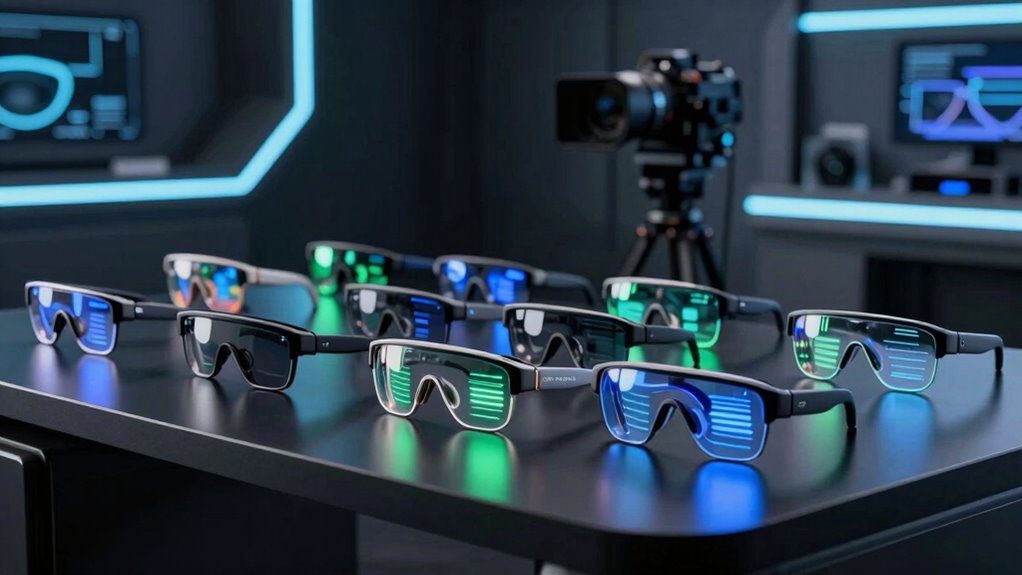

Augmented reality smart glasses range from wearable screens for movies and games to models with spatial controls that keep a virtual display positioned as you move. I’d put the XREAL One Pro first for its native 3DoF and 120Hz display, while the RayNeo Air 4 Pro stands out for HDR10 and 3D viewing, and the Rokid Max 2 offers a broad virtual screen. The main choice is whether you want spatial features, a sharper or smoother viewing experience, or simpler glasses for use with devices you already own. Compatibility, fit, and the need for a separate computing accessory can matter as much as display specs. Read on for how the ten options compare and which type of buyer each suits.

Get home appliances delivered free with Prime
- Fast, free delivery on millions of items
- Prime Video, Amazon Music and more included
- Member-only deals all year
Complete the kit

![[Genuine] Waterdrop PF-01A Water Filter Replacement for W...](https://m.media-amazon.com/images/I/41+5tl9EiKL._SX342_SY445_QL70_FMwebp_.jpg)

Key Takeaways
- XREAL One Pro leads for spatial viewing: Native 3DoF gives its virtual display a position in space, a meaningful distinction from glasses that mainly mirror a screen.
- RayNeo Air 4 Pro prioritizes picture features: HDR10, 120Hz, and 3D viewing make it a strong fit for varied media, though those features do not replace spatial controls.
- Rokid Max 2 emphasizes screen scale: Its listed 215-inch virtual display and 50° field of view favor an expansive personal screen, while fit and compatible source devices still shape the experience.
- The Rokid Station2 bundle takes a different path: Pairing the AR glasses with a spatial computer suits buyers who want a more self-contained setup, but adds another device to carry.
- Several entries overlap heavily: The two XREAL One Pro listings describe similar core features, and the Batman RayNeo is a themed Air 4 Pro variant, so buyers should compare the actual package and design rather than assume a distinct display platform.
| RayNeo Air 4 Pro AR Glasses with HDR10, 120Hz, and 3D Viewing |  | Best for HDR Media | Virtual display size: 201 inches | Maximum resolution: 819 × 461 | Refresh rate: 120Hz | VIEW ON AMAZON | See Our Full Breakdown |
| XREAL One Pro AR Glasses with X1 Chip, 171-Inch 120Hz FHD Display and Native 3DoF | 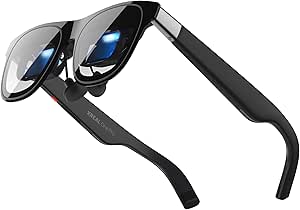 | Best for Native Spatial Tracking | Chip: XREAL X1 | Tracking: Native 3DoF; optional 6DoF with XREAL Eye | Motion-to-photon latency: 3 ms | VIEW ON AMAZON | See Our Full Breakdown |
| XREAL 1S AR Glasses with X1 Chip and Native 3DoF |  | Best for Flexible Screen Modes | Display type: OLED | Maximum resolution: 1920 × 1200 | Refresh rate: Up to 120Hz | VIEW ON AMAZON | See Our Full Breakdown |
| Rokid AR Spatial Video Glasses with Station2 Spatial Computer |  | Best Complete Spatial Package | Display: Micro-OLED | Resolution: 1920 × 1200 | Refresh rate: 120Hz | VIEW ON AMAZON | See Our Full Breakdown |
| RayNeo Air 4 Pro x Batman Limited Edition AR/XR Glasses |  | Best for Bright, Stylized Viewing | Virtual screen size: 201 inches | Display resolution: 345 × 201 | Refresh rate: 120Hz | VIEW ON AMAZON | See Our Full Breakdown |
| Rokid Max 2 Black AR Glasses |  | Best for a Large Virtual Screen | Virtual screen size: 215 inches | Display: Micro-OLED | Field of view: 50° | VIEW ON AMAZON | See Our Full Breakdown |
| XREAL One Pro AR Glasses | | Best for Built-In Spatial Tracking | Chip: XREAL X1 | Tracking: Native 3DoF; optional 6DoF with XREAL Eye | Virtual screen size: 171 inches | VIEW ON AMAZON | See Our Full Breakdown |
| MLVISION Clip-On AR Smart Glasses |  | Best for Existing Eyewear | Model: 762581152942 | Display type: LED | Listed display size: 85 inches; viewing context not specified | VIEW ON AMAZON | See Our Full Breakdown |
| AOC Air Mega AR/XR Glasses |  | Best for Lightweight Plug-and-Play Viewing | Virtual screen size: 201 inches | Display: Micro-OLED | Resolution: 1920 × 1080 (FHD) | VIEW ON AMAZON | See Our Full Breakdown |
| RayNeo Air 3s Pro AR/XR Glasses |  | Best for Bright Viewing | Virtual screen size: 201 inches at 6 meters | Display: Micro-OLED | Brightness: 1,200 nits | VIEW ON AMAZON | See Our Full Breakdown |
| augmented reality smart glasse | Refresh rate | Connectivity | Virtual screen size | Weight |
|---|---|---|---|---|
| RayNeo Air 4 Pro AR Glasses wi | 120Hz | USB-C | — | 2.88 ounces |
| XREAL One Pro AR Glasses with | 120Hz | USB-C video output | 171 inches | — |
| XREAL 1S AR Glasses with X1 Ch | Up to 120Hz | USB-C DisplayPort | Up to 500 inches | — |
| Rokid AR Spatial Video Glasses | 120Hz | Wi-Fi 6, Bluetooth 5.2, dual USB Type-C | — | — |
| RayNeo Air 4 Pro x Batman Limi | 120Hz | USB Type-C | 201 inches | 2.72 ounces |
| Rokid Max 2 Black AR Glasses | 120 Hz | — | 215 inches | 75 g |
| XREAL One Pro AR Glasses | 120 Hz | USB-C devices with video output | 171 inches | — |
| MLVISION Clip-On AR Smart Glas | — | Bluetooth | — | 25.8 g |
| AOC Air Mega AR/XR Glasses | 120 Hz | USB-C with DP Alt Mode | 201 inches | 63 g |
| RayNeo Air 3s Pro AR/XR Glasse | 120 Hz | USB | 201 inches at 6 meters | 76 g |
More Details on Our Top Picks
RayNeo Air 4 Pro AR Glasses with HDR10, 120Hz, and 3D Viewing
HDR10, 120Hz, and 3D playback make the RayNeo Air 4 Pro a media-first pick for buyers who want a large virtual screen from a compatible phone, computer, or console. Its 201-inch projection is larger than the XREAL One Pro’s 171-inch screen, while the XREAL offers native 3DoF tracking and adjustable lens dimming for a more spatially anchored view. Four Bang & Olufsen speakers add built-in audio without headphones, and USB-C connection keeps setup simple. The tradeoff is that these glasses depend on a connected device and have no built-in battery, so they are less self-contained than the Rokid package with Station2. I would choose them for watching HDR or 3D content, but not for untethered use or advanced spatial anchoring.
Pros:- 201-inch virtual display with HDR10
- 120Hz refresh rate and AI SDR-to-HDR upscaling
- Supports 3D viewing
- Four Bang & Olufsen speakers in a 2.88-ounce design
Cons:- Requires a compatible USB-C-connected device
- No built-in battery
- Optional Sound Tube accessory is sold separately
Best for: Movie watchers and console players with a USB-C video-output device who prioritize a large HDR screen and 3D playback
Not ideal for: Buyers seeking standalone glasses, built-in power, or spatial anchoring features
- Virtual display size:201 inches
- Maximum resolution:819 × 461
- Refresh rate:120Hz
- Display features:HDR10, AI SDR-to-HDR upscaling, 3D viewing
- Audio:Four Bang & Olufsen speakers
- Connectivity:USB-C
- Weight:2.88 ounces
- Warranty:1 year
Our verdict“Choose the RayNeo Air 4 Pro for HDR and 3D viewing on a connected device; skip it if you need a self-contained spatial system.”
XREAL One Pro AR Glasses with X1 Chip, 171-Inch 120Hz FHD Display and Native 3DoF
The XREAL One Pro earns its place through native 3DoF tracking: the X1 chip and stated 3 ms motion-to-photon latency help keep a virtual screen positioned as you move your head, without requiring an app. That makes it a more spatially focused choice than the RayNeo Air 4 Pro, which emphasizes HDR media and a larger projected screen. The One Pro’s 171-inch display is smaller, but its 57° field of view, electrochromic dimming, and fit options give buyers more control over how the view sits and appears. Its main limitation is that 6DoF anchoring requires the optional XREAL Eye; the glasses also need a USB-C source that supports video output. I’d pick it for anchored viewing, while buyers who mainly want screen size or included standalone processing should compare the RayNeo or Rokid package.
Pros:- Native 3DoF tracking powered by the X1 chip
- 3 ms stated motion-to-photon latency
- Electrochromic lens dimming and two IPD fit ranges
- Bose-tuned built-in audio
Cons:- 6DoF spatial anchoring requires the optional XREAL Eye
- USB-C source must support video output
Best for: Frequent commuters and desk users who want a virtual screen that stays positioned with native 3DoF tracking
Not ideal for: Buyers who need 6DoF anchoring included or whose devices lack USB-C video output
- Chip:XREAL X1
- Tracking:Native 3DoF; optional 6DoF with XREAL Eye
- Motion-to-photon latency:3 ms
- Display:Sony 0.55-inch Micro-OLED
- Refresh rate:120Hz
- Field of view:57°
- Virtual screen size:171 inches
- Brightness:Up to 700 nits
- Connectivity:USB-C video output
Our verdict“Choose the XREAL One Pro if native 3DoF positioning matters more than the larger screen offered by the RayNeo Air 4 Pro.”
XREAL 1S AR Glasses with X1 Chip and Native 3DoF
The XREAL 1S is the lineup’s flexible-viewing pick: its Ultrawide and Real 3D modes give compatible-device users more ways to frame content than the straightforward media emphasis of the RayNeo Air 4 Pro. The X1 chip supplies native 3DoF viewing without app setup, and the stated screen can reach 500 inches, appealing to buyers who want an expansive virtual workspace or entertainment view. Its 1920 × 1200 OLED resolution is specified, while the RayNeo’s listed maximum resolution is much lower; however, their display data is not directly comparable in format. The 1S still needs a USB-C DisplayPort source, and 6DoF anchoring requires an optional XREAL Eye. I’d favor it for mode flexibility, but the XREAL One Pro has a wider 57° field of view than this model’s 52°.
Pros:- Native 3DoF viewing without app setup
- Ultrawide and Real 3D viewing modes
- 1920 × 1200 OLED display with up to 120Hz refresh
- Bose-co-developed open-ear audio
Cons:- Requires a USB-C DisplayPort-enabled device
- 6DoF spatial anchoring requires the optional XREAL Eye
- 52° field of view is narrower than the XREAL One Pro’s 57°
Best for: USB-C DisplayPort device owners who switch between ultrawide work, standard viewing, and 3D content
Not ideal for: Buyers who need included 6DoF anchoring or cannot confirm DisplayPort video output on their device
- Display type:OLED
- Maximum resolution:1920 × 1200
- Refresh rate:Up to 120Hz
- Virtual screen size:Up to 500 inches
- Field of view:52°
- Tracking:Native 3DoF
- Connectivity:USB-C DisplayPort
- IPD range:59.5–70.5 mm
- Audio:Co-developed with Bose
Our verdict“Choose the XREAL 1S for its range of viewing modes, especially if you will use Ultrawide or Real 3D with a compatible source.”
Rokid AR Spatial Video Glasses with Station2 Spatial Computer
Unlike the USB-C display glasses in this group, the Rokid bundle pairs Max2 glasses with a Station2 spatial computer. Its own operating system, 8 GB of RAM, 128 GB of storage, and listed 3.5-hour battery runtime make it the most self-contained package here; the XREAL One Pro, by comparison, relies on a separate compatible video source for basic display use. The glasses offer a 1920 × 1200 Micro-OLED panel at 120Hz, adjustable myopia correction, and supported multi-screen modes, so this bundle suits buyers who want more than a single mirrored screen. Those screens have compatibility limits, including DLNA for three-screen display on Android. Station2’s runtime is finite, the glasses are not water resistant, and astigmatism correction is unsupported. I’d choose Rokid for a bundled spatial setup, not for the simplest lightweight connection.
Pros:- Station2 adds 8 GB RAM, 128 GB storage, and its own operating system
- 1920 × 1200 Micro-OLED display with 120Hz refresh
- Supports up to three screens in compatible modes
- Adjustable myopia correction up to 600 degrees
Cons:- Station2 runtime is listed at 3.5 hours
- Three-screen display on Android requires DLNA
- Not water resistant and does not support astigmatism correction
Best for: Traveling professionals who want a bundled spatial computer, local storage, and supported multi-screen viewing
Not ideal for: Buyers who need long sessions away from power, water resistance, or astigmatism correction
- Display:Micro-OLED
- Resolution:1920 × 1200
- Refresh rate:120Hz
- Maximum brightness:600 nits
- Glasses weight:75 g
- Station2 battery:5000 mAh; 3.5 hours runtime
- Station2 memory and storage:8 GB RAM; 128 GB storage
- Connectivity:Wi-Fi 6, Bluetooth 5.2, dual USB Type-C
- Myopia adjustment:Up to 600 degrees
Our verdict“Choose the Rokid bundle if you want a spatial computer included; choose USB-C glasses such as the XREAL One Pro for a simpler device-driven setup.”
RayNeo Air 4 Pro x Batman Limited Edition AR/XR Glasses
The Batman edition combines the Air 4 Pro’s large-screen media focus with a matte black themed design and a listed brightness of up to 1200 nits. Its AI-assisted 2D-to-3D conversion is a different draw from the standard RayNeo Air 4 Pro, whose supplied description lists 3D viewing but not that conversion feature. The quad-speaker system co-tuned with Bang & Olufsen rounds out a portable setup for compatible phones, computers, and consoles. The appeal is mostly in the brighter, stylized media package; the XREAL One Pro offers native 3DoF tracking for buyers more interested in spatial positioning. This RayNeo still depends on a USB-C-connected source, and the listed 345 × 201 resolution is a significant limitation to weigh against the large virtual screen claim. I’d select it for the design and brightness, not for spatial productivity.
Pros:- Listed brightness reaches up to 1200 nits
- AI-assisted conversion of 2D content to 3D
- Quad-speaker audio co-tuned with Bang & Olufsen
- Compatible with computers, gaming consoles, and smartphones
Cons:- Requires a compatible USB-C-connected device
- Listed display resolution is 345 × 201
- No included spatial anchoring feature is specified
Best for: Fans of the Batman design who watch or play on compatible USB-C devices and value high listed brightness
Not ideal for: Buyers focused on high listed pixel resolution, spatial anchoring, or standalone operation
- Virtual screen size:201 inches
- Display resolution:345 × 201
- Refresh rate:120Hz
- Brightness:Up to 1200 nits
- Display type:LED
- Audio:Quad-speaker system co-tuned with Bang & Olufsen
- Connectivity:USB Type-C
- Tracking:Inside-out
- Weight:2.72 ounces
Our verdict“Choose the Batman edition for its themed design and bright media presentation, while the XREAL One Pro is a better fit for native 3DoF viewing.”
Rokid Max 2 Black AR Glasses
The 215-inch virtual screen gives the Rokid Max 2 the largest stated display in this batch, making it a strong fit for watching films or playing games on compatible devices. Its 120 Hz refresh rate and 600-nit brightness support smooth motion and clear viewing, while the 75 g frame is lighter than the RayNeo Air 3s Pro. The USB-C powered design also avoids charging a battery in the glasses, though it means your connected device supplies power. Adjustable nose pads and a dial for myopia correction offer some fit flexibility, but the correction range is limited and does not cover astigmatism or presbyopia. Compared with the XREAL One Pro, this model prioritizes screen size over built-in 3DoF tracking.
Pros:- 215-inch virtual screen with a 50° field of view
- 120 Hz refresh rate and up to 600 nits brightness
- 75 g glasses with adjustable nose pads
- USB-C powered operation without an internal battery to charge
Cons:- Myopia adjustment is limited to the stated range and does not support astigmatism or presbyopia correction
- USB-C operation depends on a connected device for power
- Does not list native 3DoF tracking like the XREAL One Pro
Best for: Film and gaming viewers who want a very large virtual screen and use compatible USB-C devices
Not ideal for: Buyers who need built-in spatial tracking or vision correction for astigmatism or presbyopia
- Virtual screen size:215 inches
- Display:Micro-OLED
- Field of view:50°
- Brightness:600 nits
- Refresh rate:120 Hz
- Weight:75 g
- Power:USB-C; no internal battery
- Compatibility:Smartphones, Windows laptops, iPad (2020+), and Mac
Our verdict“Choose the Rokid Max 2 if screen size and a light frame matter more to you than built-in spatial tracking.”
XREAL One Pro AR Glasses
The X1 chip gives the XREAL One Pro a distinct role among these screen-focused glasses: it supports native 3DoF tracking, so a virtual screen can stay anchored as you move your head. The stated 3 ms motion-to-photon latency and 120 Hz Micro-OLED display are aimed at responsive viewing. Its 57° field of view is wider than the Rokid Max 2’s 50°, while the Rokid lists a larger 215-inch virtual screen than this model’s 171 inches. Adjustable lens tint and Bose-tuned audio add useful flexibility, but 6DoF spatial anchoring requires the optional XREAL Eye. Buyers should also check that their USB-C device supports video output; HDMI connections may call for an additional adapter or Beam.
Pros:- Native 3DoF tracking powered by the X1 chip
- Stated 3 ms motion-to-photon latency
- 57° field of view and 120 Hz Micro-OLED display
- Adjustable lens tint and Bose-tuned built-in audio
Cons:- 6DoF spatial anchoring requires the optional XREAL Eye
- HDMI devices may need an additional Beam or adapter
- 171-inch virtual screen is smaller than the Rokid Max 2’s stated 215 inches
Best for: USB-C device owners who want a virtual display with native 3DoF tracking and head-anchored viewing
Not ideal for: Buyers seeking the largest stated screen or 6DoF anchoring without purchasing an optional accessory
- Chip:XREAL X1
- Tracking:Native 3DoF; optional 6DoF with XREAL Eye
- Virtual screen size:171 inches
- Display:0.55-inch Micro-OLED
- Refresh rate:120 Hz
- Field of view:57°
- Brightness:Up to 700 nits
- Connectivity:USB-C devices with video output
Our verdict“Pick the XREAL One Pro if native 3DoF screen anchoring matters more to you than maximizing virtual screen size.”
MLVISION Clip-On AR Smart Glasses
The MLVISION takes a different approach from the display glasses in this roundup: its clip-on format attaches to prescription or standard eyewear, so buyers can keep their existing frames. At 25.8 g, it is also far lighter than the 63 g AOC Air Mega, though the products are built for different roles. MLVISION lists AI assistance, translation, voice control, and navigation, but provides fewer display details than the AOC, Rokid, or RayNeo models. In particular, its stated 85-inch display size lacks viewing context, making direct screen comparisons difficult. There is no GPS, and the device is not water resistant. This option suits buyers drawn to a lightweight eyewear add-on, but the limited specification detail makes it harder to judge as a screen-first AR pick.
Pros:- Attaches to prescription or standard glasses
- Lightweight at approximately 25.8 g
- Lists AI assistance, real-time translation, voice control, and navigation
- Private display for personal viewing
Cons:- The stated 85-inch display size lacks viewing context
- No GPS, which limits location-dependent navigation
- Not water resistant
Best for: Prescription eyewear users who want a lightweight clip-on with listed translation and voice features
Not ideal for: Buyers who need clear display specifications, GPS-based navigation, or water resistance
- Model:762581152942
- Display type:LED
- Listed display size:85 inches; viewing context not specified
- Weight:25.8 g
- Operating system:Android Wear 2.0
- Connectivity:Bluetooth
- GPS:No
- Compatibility:Prescription and standard glasses
Our verdict“Consider the MLVISION if keeping your current eyewear is the priority and its limited display details meet your needs.”
AOC Air Mega AR/XR Glasses
The AOC Air Mega is a straightforward pick for buyers who want a large virtual screen without installing software. Its 201-inch Micro-OLED display runs at 120 Hz and lists FHD resolution, while the 63 g weight makes it lighter than the RayNeo Air 3s Pro. That low weight may suit longer viewing sessions, but this model does not list the native 3DoF tracking found in the XREAL One Pro. Setup is simple only when the connected device has USB-C DP Alt Mode; a USB-C connector alone may not be enough. The AOC’s listed 900-nit brightness sits below the RayNeo’s 1,200 nits, so buyers prioritizing brightness may favor RayNeo. The AOC makes more sense when direct connection and low frame weight lead the decision.
Pros:- 201-inch Micro-OLED virtual screen with FHD resolution
- 120 Hz refresh rate
- Lightweight 63 g frame
- USB-C plug-and-play connection requires no additional software
Cons:- Requires USB-C DP Alt Mode, which limits compatibility
- Does not list native 3DoF tracking like the XREAL One Pro
- Not water resistant
Best for: Laptop, handheld console, and phone users with USB-C DP Alt Mode who want a light personal display
Not ideal for: Buyers whose devices lack DP Alt Mode or who want native spatial tracking or water resistance
- Virtual screen size:201 inches
- Display:Micro-OLED
- Resolution:1920 × 1080 (FHD)
- Refresh rate:120 Hz
- Brightness:900 nits
- Weight:63 g
- Connectivity:USB-C with DP Alt Mode
- Warranty:1 year
Our verdict“Choose the AOC Air Mega for a light, software-free viewing setup if your device supports USB-C DP Alt Mode.”
RayNeo Air 3s Pro AR/XR Glasses
The RayNeo Air 3s Pro stands out for its listed 1,200-nit brightness, the highest brightness figure in this batch, paired with a 201-inch Micro-OLED virtual screen. That makes it a stronger candidate for buyers who put display visibility ahead of the AOC Air Mega’s lighter 63 g frame; RayNeo weighs 76 g. Both list 120 Hz, while RayNeo adds built-in speakers with spatial audio and six viewing modes for changing the presentation to suit different content. The product also lists low-blue-light and flicker-free certifications, though those details do not replace a fit check for individual comfort. These are still USB-connected display glasses, not a GPS-equipped wearable, and prescription lenses for nearsightedness or astigmatism require separate fitting. It is not water resistant, so outdoor use calls for care.
Pros:- 1,200-nit Micro-OLED display with a 120 Hz refresh rate
- 201-inch virtual screen stated at 6 meters
- Built-in speakers with spatial audio and six viewing modes
- Lists low-blue-light and flicker-free certifications
Cons:- At 76 g, it is heavier than the AOC Air Mega
- Not water resistant
- Prescription lenses for nearsightedness or astigmatism require separate optician fitting
Best for: Viewers who prioritize a bright virtual screen, 120 Hz visuals, and built-in spatial audio
Not ideal for: Buyers who need water resistance, the lightest frame, or prescription correction built into the glasses
- Virtual screen size:201 inches at 6 meters
- Display:Micro-OLED
- Brightness:1,200 nits
- Refresh rate:120 Hz
- Contrast ratio:200,000:1
- Color gamut:98% DCI-P3
- Weight:76 g
- Connectivity:USB
Our verdict“Choose the RayNeo Air 3s Pro if brightness and built-in spatial audio matter more than minimizing frame weight.”

How We Picked
I ranked these augmented reality smart glasses by how well their stated features answer the main buyer questions: what appears in the lenses, how the display behaves as the wearer moves, which devices can provide content, and how much extra hardware the setup needs. Spatial features such as native 3DoF matter because they change how a virtual screen behaves; refresh rate, HDR, 3D support, field of view, and screen size matter because they shape viewing. I also weighed practical fit and setup tradeoffs where product details allow comparison, while avoiding assumptions about comfort or performance that the listings do not establish.
The order favors products with a clear advantage for the category, then options that serve a distinct viewing or setup preference. XREAL One Pro ranks first for combining native 3DoF with a 120Hz display. RayNeo’s Air 4 Pro follows for its media features, while Rokid’s Max 2 earns a place for its stated screen scale. Bundles, themed editions, and near-duplicate listings rank lower when they add less distinct capability or make it harder to compare what is included. The MLVISION clip-on is a specialized pick, but its listing provides fewer details for a broad recommendation.
Factors to Consider When Choosing Augmented Reality Smart Glasses
Before choosing a pair, I’d separate the promise of a wearable display from the specific experience you want. A large virtual screen can be useful without tracking your position in space, and spatial tracking does not guarantee that a setup works with every phone or laptop. These broader checks help prevent a mismatch between the glasses’ headline features and your everyday use.
Decide Whether You Need a Screen or Spatial Placement
Some glasses primarily show a screen from a connected device; others add controls that anchor or position that screen as you move. Think about where you will watch: a fixed virtual screen may suit a seated film or laptop session, while spatial placement can help when you want the display to stay put as you shift your head. A common mistake is treating any large virtual-screen claim as proof of augmented reality tracking. Check which degrees of freedom are supported and whether that behavior works without an add-on. Pay for spatial features when they solve a real viewing or work problem, not just because the product uses AR language.
Check the Full Device and Accessory Chain
Compatibility depends on the glasses, the source device, its video output, and sometimes an adapter or computing accessory. Before buying, trace how content will travel from your phone, tablet, laptop, or console into the glasses. A USB-C port alone does not tell you whether a device supports the needed video mode. Bundles can simplify the setup, but they also add hardware that must be charged, stored, and carried. Confirm the exact device models and included accessories against the manufacturer’s compatibility information.
Match Display Specs to Your Content
Refresh rate matters most when motion is prominent, while HDR support can affect how compatible content presents highlights and contrast. Field of view and virtual screen size describe different things: a large claimed screen can still occupy a limited portion of what you see. For films, clarity and a comfortable image may matter more than the highest refresh rate; for games, responsiveness may take priority. Check whether the content source can deliver the formats and frame rates the glasses support. Avoid choosing from one headline number without considering the whole viewing chain.
Treat Fit and Vision Adjustment as Buying Criteria
Glasses sit close to the eyes, so nose support, temple pressure, weight distribution, and lens adjustment can shape whether a good display remains usable over time. Buyers who wear prescription lenses should check the available adjustment range and whether prescription inserts are supported. A specification sheet rarely captures how a frame fits a particular face, so return terms and a way to try the fit can be valuable. Do not assume that a lighter or more compact frame will fit everyone better. If you plan long sessions, comfort deserves as much attention as resolution or brightness.
Separate a New Platform from a New Edition
Product names can make a colorway, themed edition, or bundle sound like a different generation. Compare the underlying display, tracking, controls, compatibility, and included hardware before treating two listings as separate options. This is especially useful when a standard model and a special edition share most of their listed specifications. A themed design may be worth choosing for its appearance or collectibility, but it does not automatically improve the AR experience. Read the exact model and package details so you know which features are genuinely different.
Plan for Power, Privacy, and Everyday Use
Many wearable displays rely on a connected device, which means that device may handle power, content, and controls during a session. Consider whether you will use the glasses at a desk, on a commute, or while traveling, and what cables or companion hardware each setting requires. A private screen can help in shared spaces, but cameras, microphones, or visible recording indicators deserve attention if a model includes them. Check the product documentation for sensors and controls rather than assuming every pair has the same capabilities. A setup that is easy to pack and connect may be more useful than one with a larger display claim.
Frequently Asked Questions
Are AR glasses with native 3DoF worth choosing over screen-mirroring glasses?
They can be, if you want the virtual display to hold a position in space as you move your head. That behavior can make reading or working with a virtual screen feel different from a display that follows your gaze. If your main use is watching a film while seated, screen mirroring may be enough and can keep the setup simpler. Check whether tracking is built in or requires a separate device. In this lineup, the XREAL One Pro listings specifically call out native 3DoF.
Will these glasses work with my phone or laptop?
Compatibility varies by the source device’s video output and the accessories each glasses package supports. Confirm your exact phone or laptop model in the maker’s compatibility information, including whether it needs an adapter. Do not rely on the presence of USB-C alone, since ports can support different functions. Also check whether a bundle includes a compute device or whether you need to supply one. This check can prevent buying glasses that have no straightforward connection to your intended device.
Should I choose the largest virtual screen claim?
Not by itself. Screen size claims describe an apparent viewing scale, while field of view indicates how much of the visible area the image occupies. Fit, clarity, and how steady the image appears may matter more to your comfort than a bigger number. If possible, compare the display behavior with the kind of content you actually watch or read. In this group, Rokid Max 2 highlights a 215-inch virtual display, but that alone does not establish that it will suit every wearer better.
Do I need the Rokid Station2 bundle for Rokid AR glasses?
Not necessarily; the bundle is most relevant if you want the included spatial computer to be part of your viewing setup. If you already have a compatible phone, tablet, or laptop, first check whether that device can connect directly and provide the features you want. An added computer can simplify some workflows while adding weight, charging, and another item to manage. Compare the bundle contents with your existing devices before deciding. The right choice depends on whether the accessory solves a real setup problem for you.
Are the Batman RayNeo glasses meaningfully different from the standard Air 4 Pro?
The listing identifies the Batman edition as an Air 4 Pro variant, so compare its underlying specifications and package contents with the standard model. The edition may appeal if you want its themed design, but the name alone does not show a change in tracking, display, or compatibility. Check for any included accessories or feature differences in the exact listing. If the core hardware matches, choose based on design and package rather than expecting a separate AR platform. The standard Air 4 Pro remains the clearer reference point for its stated HDR10, 120Hz, and 3D features.
Conclusion
For most buyers seeking a more spatial AR display, I recommend the XREAL One Pro as the best overall pick because native 3DoF distinguishes it from screen-focused alternatives. The standard RayNeo Air 4 Pro is my best value-minded media choice if HDR10, 120Hz, and 3D viewing matter more than spatial placement; the Rokid Max 2 suits buyers who prioritize a broad virtual screen. For a premium, more self-contained setup, consider the Rokid AR Spatial Video Glasses with Station2, provided you want the companion computer. Beginners should start by checking direct compatibility with a device they already own and may prefer a simpler screen-focused model. Choose the Batman edition for its themed design, and treat the MLVISION clip-on as a specific form-factor option whose limited listing detail calls for extra compatibility checks.